Interactive Presentation Tool for
Live Polls, Quizzes, Q&A & Engagement
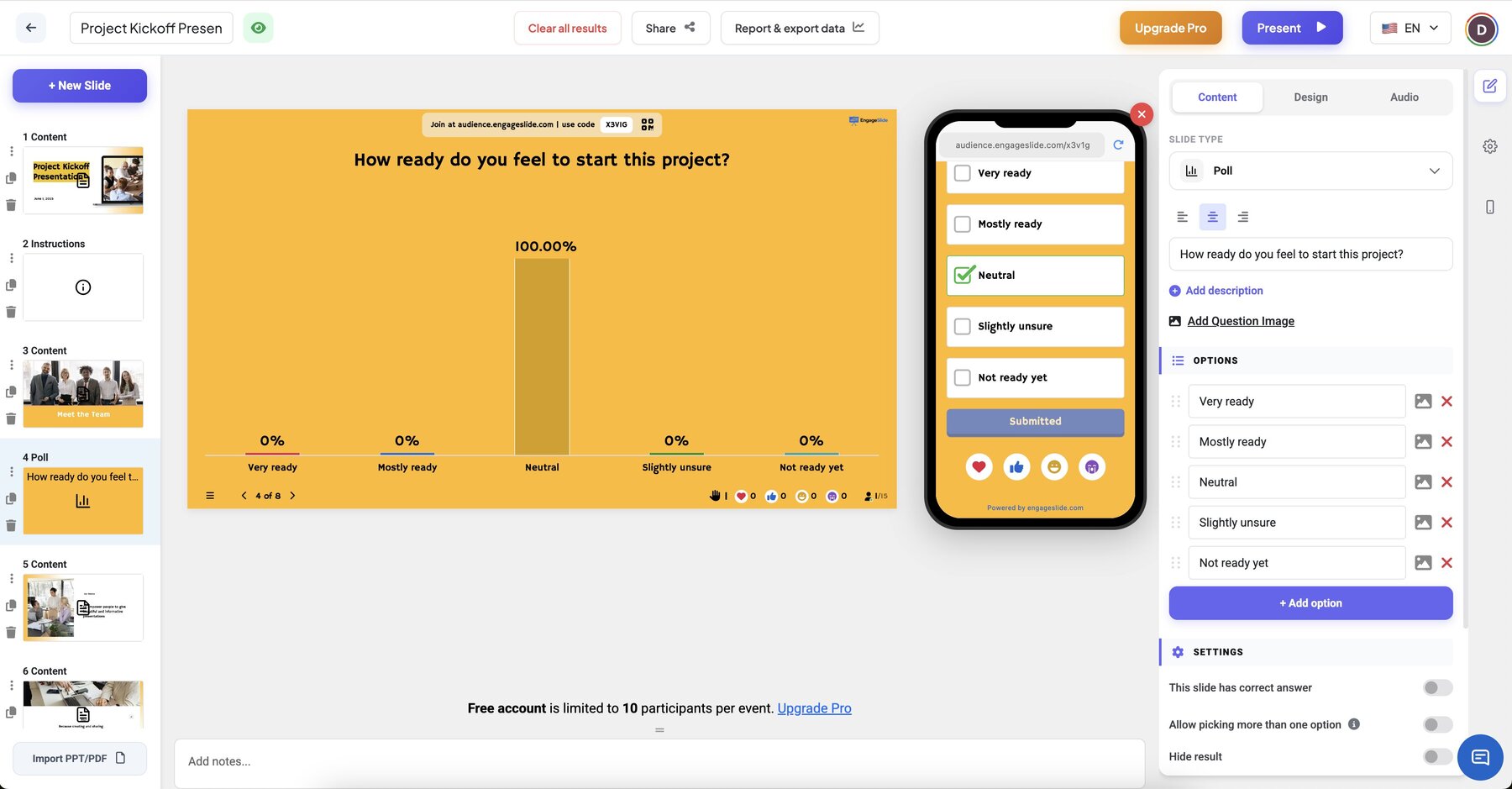
Ditch boring slides. EngageSlide grabs your audience’s attention instantly with live polls, competitive quizzes, and dynamic Q&A.
With optional AI assistance to help you create and refine content faster.
Built to play well with
your favorite tools



Why EngageSlide is a Powerful Interactive Presentation Tool
In today's fast-paced world, keeping an audience engaged is harder than ever. EngageSlide transforms passive listeners into active participants. As a leading interactive presentation tool, we provide everything you need to run seamless live polls, energetic quizzes, and transparent Q&A sessions. whether you are in a classroom, a boardroom, or a large conference hall, our platform ensures your message isn't just heard—it's experienced.
Instant Set Up
No downloads required. Your audience joins via a simple QR code or link, making it the fastest audience engagement solution available.
Real-Time Data
Visualize opinions instantly with dynamic charts and word clouds. Our live poll features give you immediate insights into your audience's thoughts.
Inclusive Participation
Empower every attendee to speak up. Our anonymous Q&A and voting tools ensure that even the shyest participants have a voice.
Built for Success
Designed for Impact,
Engineered for Simplicity
Audience Inclusivity
In traditional presentation settings, only the loudest or most confident voices often get heard. EngageSlide levels the playing field by providing anonymous entry points for every single person in the room. By allowing participants to share their thoughts without the pressure of public speaking, you unlock a wealth of diverse perspectives that would otherwise remain silent.
This inclusivity doesn't just feel better—it leads to better outcomes. In educational environments, it allows teachers to identify quiet students who might be struggling but are too shy to raise their hands. In corporate settings, it ensures that valuable insights from all team members are captured, leading to more robust decision-making and a stronger sense of team cohesion.
Real-Time Feedback Loops
Waiting until the end of a presentation to ask for questions is a missed opportunity. With EngageSlide, you can weave participation into the very fabric of your talk. Use live polls to gauge audience sentiment on a specific point, or run a word cloud to brainstorm ideas collectively. This immediate feedback allows you to adjust your pacing and content in the moment, ensuring your message lands effectively.
Our platform provides instantaneous visualization of results, turning data into a dynamic part of the presentation. Watching a bar chart grow or a word cloud shift as people vote creates a palpable sense of energy and momentum. It transforms your slides from a static backdrop into a living, breathing part of the conversation that keeps everyone engaged from start to finish.
Flexible Customization
We believe that your interactive tools should adapt to your brand, not the other way around. EngageSlide offers a high degree of visual flexibility, allowing you to customize colors, fonts, and imagery to match your aesthetic. Whether you're aiming for a sleek corporate look, a vibrant educational feel, or a playful event vibe, our tools can be tailored to fit your vision perfectly.
Internal branding is just as simple. Add your company's logo to your presentation dashboard to maintain a professional and consistent appearance. Our goal is to make our technology feel like a natural extension of your own presentation style, giving you the confidence to lead with impact while knowing that every detail is polished and professional.
Educational Power
Teachers and educators are the heartbeat of our community. EngageSlide is particularly powerful in the classroom, where formative assessment is key to student success. Replace dry, one-way lectures with interactive quizzes that test comprehension in real-time. Use moderated Q&A sessions to answer questions that students might feel uncomfortable asking out loud, ensuring no one is left behind.
The data collected during these sessions is invaluable for long-term planning. Export your results to see which topics the class understood clearly and which ones need more focus in future lessons. By making learning fun and participatory, you not only improve student engagement but also foster a more supportive and effective learning environment for everyone involved.
Presenter Call
Break the barrier between stage and audience. EngageSlide is the first platform to let you initiate live audio or video calls with individual audience members directly from your presentation. No apps to install, no roaming microphones needed—just seamless human-to-human interaction.
Whether you're in a stadium or a virtual meeting, bring accurate, high-quality voice interaction to your event. Turn passive listeners into active speakers and create moments of genuine connection that everyone will remember.
Remote Control
Freedom to move means freedom to engage. Control your slides, view private speaker notes, and manage live Q&A from anywhere in the room using your smartphone. Our presenter-first interface keeps you in command without being tethered to your podium or laptop.
With instant slide preview and reliable navigation, you'll always know exactly what your audience sees. It's the ultimate tool for the modern presenter who values mobility and confidence on stage.
Simple Workflow
Ready in three easy steps
Design
Mix and match live polls, word clouds, and interactive quizzes to build a presentation that fits your unique communication style. Our intuitive editor allows you to create stunning, interactive slides in minutes, ensuring your content stands out and captures attention.
Connect
Your audience simply scans a QR code to jump straight into the action. There are no apps to install, no accounts to create, and absolutely no downloads required. This frictionless entry ensures that 100% of your audience can participate the moment you're ready.
Results
Watch the magic happen in real-time as responses flow in and animate your screen. Once your session wraps up, you can instantly export your insights to PDF or Excel, providing you with high-quality data to analyze your success and plan your next move.
Feel involved.
Not just listening.
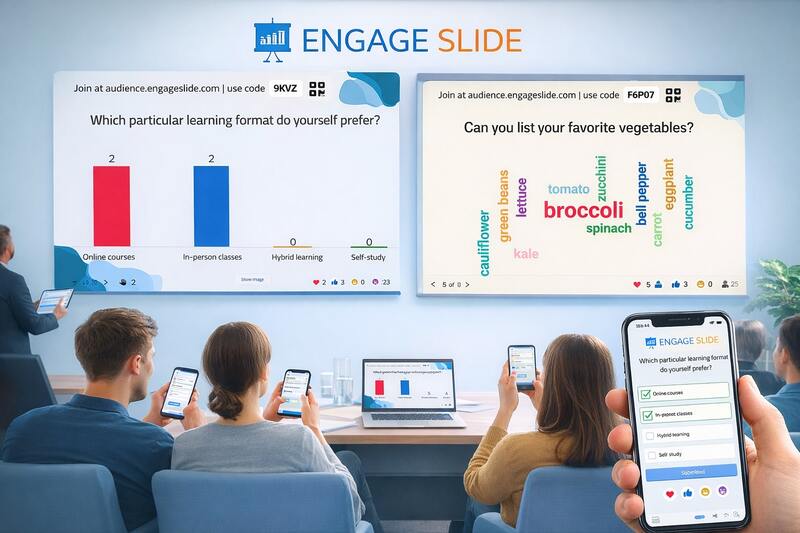
Your audience doesn’t just watch the presentation — they become part of it. From the moment the session starts, everyone can respond, react, and contribute in real time, turning a one-way talk into a shared experience.
Join Instantly
No waiting. No confusion. Just jump in. A quick scan or short code, and your audience is ready to participate.
Designed for the Room
Natural on the phone. Seamless in the flow. Interactions feel effortless and intuitive.
Stay Engaged, Together
Live reactions, answers, and questions keep energy high and attention locked in.
The Power is
in Your Hand.
Turn your phone into a professional command center in 3 seconds. Control slides, moderate Q&A, and manage live polls without ever touching your laptop.
Scan QR Code
No apps. No logins. Just scan and you're paired instantly.
Lead with Freedom
Move freely around the room while staying in total command.
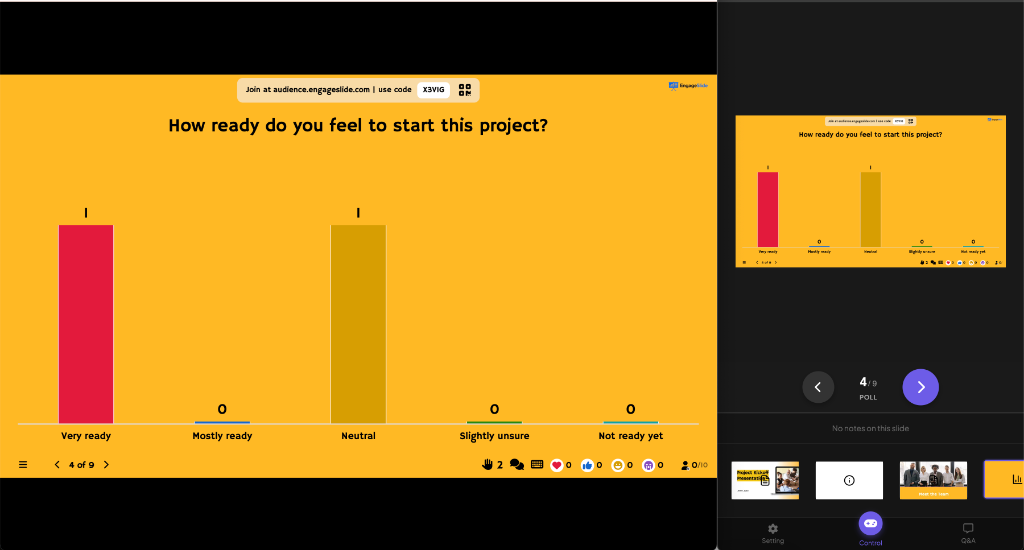
"EngageSlide turns your phone into a professional presentation remote control for slides, polls, quizzes, and Q&A. Master your stage with the most intuitive mobile presenter tools."
Use Cases
Perfect for every scenario

Teaching & Classrooms
Make every lecture a two-way street. Check for understanding as you go and get quiet students to join in without the pressure.
- Live quizzes & formative assessments
- Anonymous student Q&A
- Classroom polling & attendance
- Instant comprehension checks

Business & Meetings
No more talking to a silent room. Boost collaboration in team meetings, workshops, and all-hands with instant feedback.
- Employee pulse surveys
- Interactive team workshops
- Training & onboarding assessments
- Real-time decision polling

Events & Conferences
Bring your event to life at scale. Collect real-time insights from hundreds of attendees and make every voice feel heard.
- Live conference polling
- Interactive word cloud brainstorms
- Moderated speaker Q&A
- Post-event feedback surveys
Transforming Presentations
Through Real-Time Connection
Traditional presentations often suffer from a "passive listener" problem. Information flows in one direction, and audience attention naturally drifts. Interactive presentations change this dynamic entirely by inviting participation. When audience members contribute their thoughts, vote in polls, or ask questions in real-time, they transition from passive observers to active participants.
EngageSlide is built on the principle that every voice matters. Whether you're a teacher checking for student comprehension in a classroom, a business leader seeking honest feedback in a town hall, or a conference speaker looking to wake up the room, our tools provide the bridge between you and your listeners. Research shows that active participation significantly increases information retention and fosters a more inclusive environment where diverse perspectives can shine.
By integrating real-time feedback loops into your slides, you gain immediate insights that allow you to adapt your message on the fly. No more guessing if your points are landing; you'll have the data right in front of you. This data-driven approach not only makes you a more effective communicator but also builds trust and rapport with your audience, making every presentation a memorable event.
Create a space where even the quietest members of your audience feel comfortable sharing their ideas and questions.
Use live polls and quizzes to see exactly how your audience is reacting, allowing you to pivot and clarify points in real-time.
Our platform isn't just functional; it's designed to look beautiful on any screen, enhancing your professional image from start to finish.
Pricing
Choose a package that matches
your budget
- Includes:
- Free AI Integration
- Up to 10 live participants Live participants: The maximum number of people who can join and interact with your presentation at any given time.
- Unlimited audiences per month
- All slide types included
- Word clouds, polls, quizzes & more
- Export to PDF & Excel
- Import PowerPoint & PDF
- All integrations available (powerpoint, google slide, miro, ...)
- Custom fonts, audio & images
- Live chat & email support
- Online whiteboard tool
- Moderate Q&A
- Live Video Call
- Cheating protection (Quiz, Poll...)
- Everything in Free:
- Free AI Integration
- 100 live participants Live participants: The maximum number of people who can join and interact with your presentation at any given time.
- Priority support
- Advanced analytics
- Team Collaboration, From Edit to Present
- Everything in Free, Basic:
- Free AI Integration
- 5000 live participants Live participants: The maximum number of people who can join and interact with your presentation at any given time.
- Custom logo & branding
- Priority support
- Advanced analytics
- Team Collaboration, From Edit to Present
- Remote Control
This powerful remote control is a feature not available in any other software.
- Free AI Integration
- Flexible participant limits
- Priority support
- Custom features
- Single Sign-On (SSO)
- Company-wide branding
- White label solution
- Dedicated account manager
- Remote Control


Testimonials
What our users say
See how educators and professionals are transforming their presentations
"EngageSlide has completely changed how I teach. My students are actually excited to participate, and I can check their understanding in seconds. It's so intuitive that I was up and running in minutes."

Rena Singleton
Teacher, High School"I've used dozens of audience response tools, but EngageSlide is the most reliable. Even with thousands of people logged in at once, the real-time updates are instant. It's my go-to for every major meeting."

Lucas Martinez
HR Manager"We switched from Mentimeter and couldn't be happier. All the features we need without the expensive pricing. Our training sessions are now much more interactive."

Sarah Chen
L&D Director"The word cloud feature is a hit with my students! They love seeing their responses appear in real-time. It's made brainstorming sessions so much more engaging."

Dr. James Wilson
University Professor"Perfect for our weekly all-hands meetings. Anonymous Q&A has increased participation dramatically. People feel comfortable asking questions without worry."

Emily Rodriguez
CEO, Tech Startup"As a conference organizer, I've tried many tools. EngageSlide stands out for its simplicity and reliability. Setup takes minutes and it just works every time."

Michael Thompson
Event CoordinatorOur Mission
Making Every Voice Heard,
One Slide at a Time
At EngageSlide, we believe that the best presentations are conversations, not monologues. Our journey started with a simple goal: to destroy the barrier between presenters and their audiences. By providing powerful, free interactive tools, we empower educators, leaders, and speakers to create inclusive environments where feedback is instant and participation is encouraged.
We are committed to continuous innovation, ensuring that our community always has access to the best technology for fostering connection and understanding in any setting. From the smallest classroom to the largest global conference, our mission remains the same: to make sure everyone in the room has a chance to be heard and understood.