
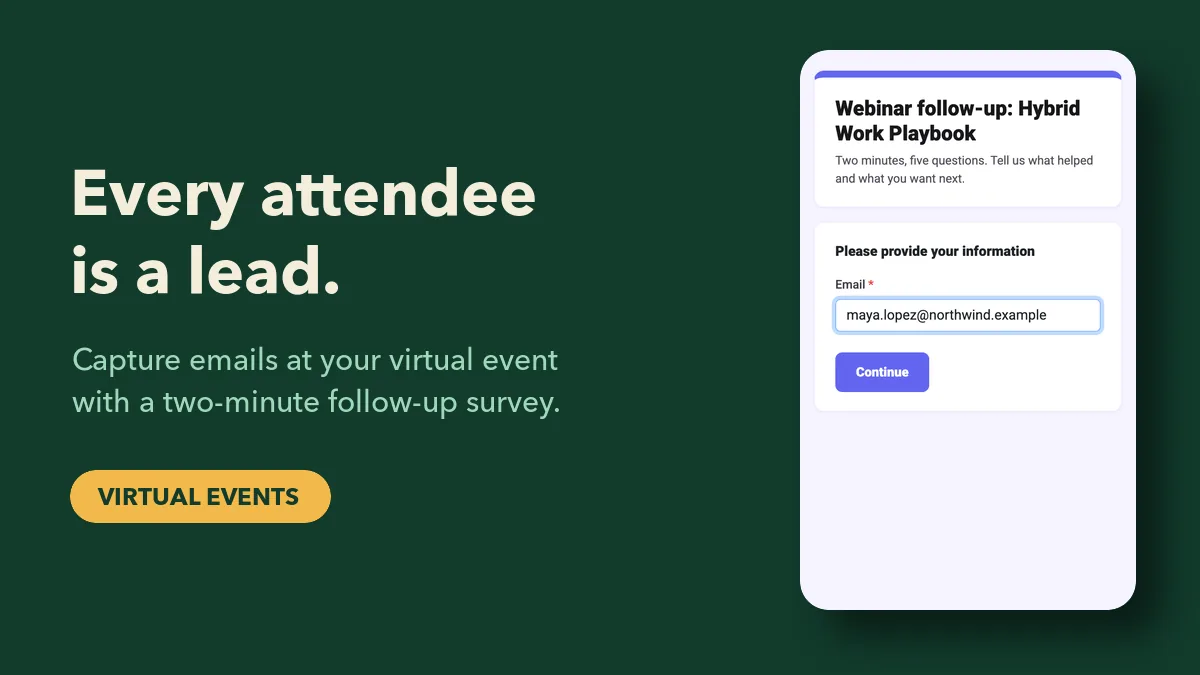
Virtual events are great at producing registrations and terrible at producing leads. You end up with a spreadsheet of 800 sign-ups, a no-show rate near half, and no idea which of the people who did show up actually cared. The fix isn't a longer registration form. It's capturing intent while people are watching — through the questions they answer, the topics they pick and the next steps they ask for — and tying all of it to an email address before they close the tab.
This guide walks through a practical virtual event lead capture plan you can run with EngageSlide: what to collect at each stage of the event, how to qualify people without a single sales question, how to score the results, and how to hand them off while they're still warm.
Why registration lists aren't leads
A registration only tells you someone was curious enough to type their email once, often weeks ago. It says nothing about whether they attended, which session they stayed for, or whether they're anywhere near a buying decision. Treat every registrant as a lead and your sales team will burn through goodwill calling people who never logged in.
Real lead generation at a virtual event depends on signals you can only get live:
- Attendance. Did they join, and which sessions?
- Participation. Did they answer polls, ask questions, play the quiz?
- Stated need. What problem did they say they have, and how soon do they want to solve it?
- Explicit next step. Did they ask for a demo, the deck, a trial, or nothing?
The good news: if your sessions are interactive, attendees hand you all four without feeling sold to.
Stage 1: Before the event — set up identity, not interrogation
Keep registration short (name and email is enough) and do the rest inside the event. In EngageSlide, turn on audience information collection for each session's presentation so attendees enter their name and email when they join with the code or QR. This one step is what connects every poll answer and question later to a real person. Ask for two or three fields at most; every extra field costs you joiners.
If your event has several sessions, use the same fields in each one so you can merge the exports by email afterwards.
Stage 2: During sessions — let interaction do the qualifying
The questions that qualify a lead are the same questions that make a session engaging. Nobody minds answering "What's your biggest challenge with hybrid meetings?" on a live poll — they want to see how the room voted. Plan two or three of these per session:
The challenge poll
A multiple-choice poll early in the session: "What's the hardest part of X for your team?" The answer tells you which problem each person has — and which follow-up content to send them.
The readiness scale
A scale question near the end: "How soon are you planning to change how you do X?" from "No plans" to "This month". This is your timing signal, collected without asking anyone about budget.
The live Q&A
Questions people ask are the strongest intent signal you'll get. "Can this connect to Microsoft Teams?" from a 200-person company is a sales conversation waiting to happen. Upvotes show you which questions the whole audience shares. For more ideas on running these segments, see how to use live polls and Q&A in webinars.
The quiz
A short quiz with a leaderboard keeps people in the session until the end — which is exactly when you ask for the next step. People who stay to the final slide are your warmest leads.
Stage 3: The close — ask for the next step with a follow-up survey
The last two minutes of a session are the most valuable lead capture moment of the whole event. Attention is high, the content is fresh and people expect a wrap-up. Use it for a short follow-up survey built with the EngageSlide online survey maker, with Collect email turned on so every response arrives tied to a verified address.
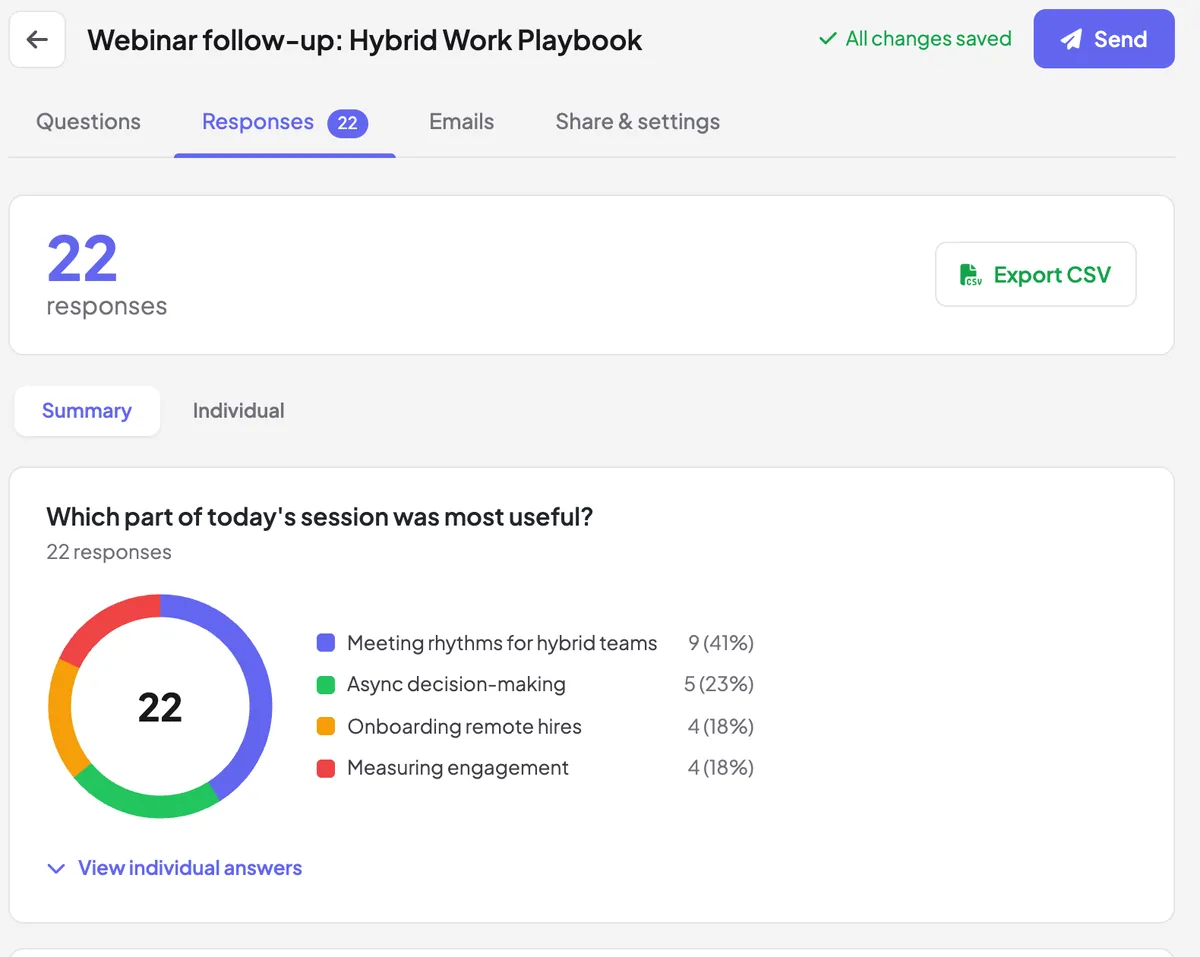
Keep it to five questions, and make the first one about them, not you. A structure that works:
- Which part of today's session was most useful? (multiple choice) — tells you the topic each lead cares about.
- How soon are you planning to act on this? (linear scale) — timing.
- What would you like from us next? (checkboxes: the slide deck, a 20-minute demo, the newsletter, an invite to the next event) — the explicit next step.
- How many people are on your team? (dropdown) — fit.
- Anything specific we could help with? (paragraph) — the free-text gold.
Offer something worth giving an email for: "Pick 'the slide deck' and it's in your inbox in an hour" turns a feedback form into a value exchange. Show the survey on screen with its QR code, read the first question out loud, and stay quiet for 90 seconds while people fill it in. If you want the survey to appear automatically at the end of a session, link it to the presentation and enable "Show on last slide" — our guide to linking a survey to your presentation covers the setup.
Don't ask attendees if they're a lead. Ask what they need next — the people who pick "a personal demo" have just qualified themselves.
Stage 4: Score the leads in one afternoon
After the event, export the survey responses (Summary and Individual views, plus CSV) and the session reports. A simple points model is enough; you don't need marketing automation to start:
- +1 attended at least one session
- +1 answered most of the polls in a session
- +2 asked a question in Q&A
- +2 readiness scale of 4 or 5
- +3 picked "a personal demo" or "a trial setup call"
- +1 team size in your target range
Anyone scoring 6 or more goes to sales within 24 hours. Those at 3–5 get a tailored follow-up based on the topic they chose in question 1. Everyone else gets the recording and the newsletter, if they opted in. Sort by score, spot-check the top twenty by reading their free-text answers, and you'll have a ranked list that's far more useful than 800 registrations.
Stage 5: Follow up while they still remember you
Speed matters more than polish. A short, personal email the next morning that references what the person actually said — "You mentioned onboarding remote hires was the hardest part; here's the 10-minute template we showed" — will outperform a generic "thanks for attending" sent a week later. Send the deck you promised first, then the next step.
Respect consent and privacy
Collecting emails at an event is only useful if you're allowed to use them. Say clearly what the email is for ("we'll send you the slides and one follow-up"), keep newsletter sign-up as a separate, unticked choice, and honour opt-outs. If you have attendees in Europe, the GDPR expects that kind of specific, informed consent. Being transparent also improves your data: people give real addresses when they know what they'll get.
Common mistakes to avoid
- A 12-field registration form. You lose attendees before the event starts. Collect the rest through interaction.
- Running the survey after the event by email. Response rates collapse once people leave. Ask in the session.
- Polls that only entertain. Fun is fine, but plan at least one challenge poll and one readiness question per session.
- Waiting a week to follow up. Interest fades fast. Score and send within 24–48 hours.
- Treating everyone the same. Use the topic and next-step answers to send different follow-ups.
Your virtual event lead capture checklist
- Short registration; audience name and email collected at join.
- One challenge poll, one readiness scale and open Q&A in every session.
- A quiz or interactive close to keep people to the end.
- A five-question follow-up survey with Collect email on, shown before the session ends.
- Export, score, and hand the top leads to sales within 24 hours.
If you're presenting rather than running a full event, our guide on collecting emails and leads during a live presentation adapts the same ideas to a single talk. Either way, the principle is the same: give people a reason to participate, and the leads take care of themselves.