
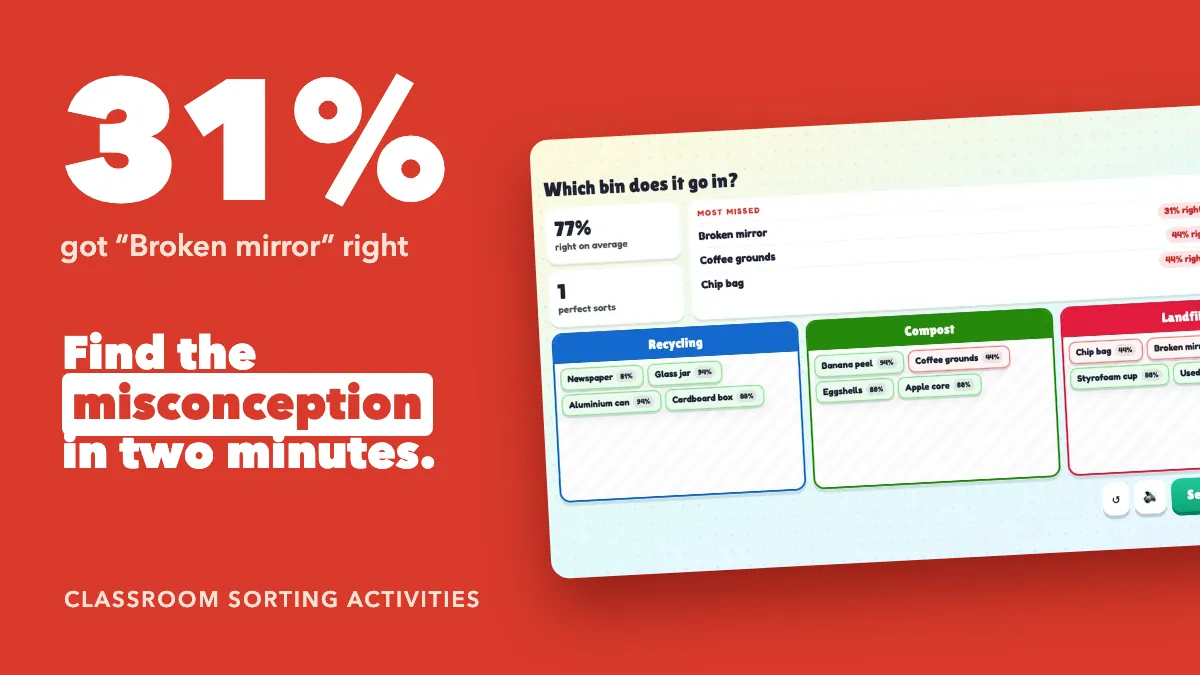
Ask a class “Is a whale a fish?” and almost everyone says no, because they have heard the question before. Ask them to sort twelve animals into mammals, birds, reptiles and fish, and suddenly some of the room puts the penguin with the fish and the bat with the birds. Classroom sorting activities are one of the fastest ways to surface what students really believe, because every item is a small, honest decision. This guide shows how to design a sorting round that reveals misconceptions, how to read the results, and how to fix the mistakes in the same lesson, using Sort It in EngageSlide.
Why sorting beats multiple choice for categories
A multiple-choice question tests one idea and gives students a one-in-four chance of guessing. A sorting activity tests the boundary of a category from many sides at once:
- More evidence per minute. Twelve items in one minute give you twelve data points per student, not one.
- Less guessing. Getting a whole set right by luck is unlikely, so a high score means real understanding.
- Mistakes are specific. You don’t just learn that a student is confused about mammals; you learn they think “lives in water” means “fish”.
- It looks like a game. Students tap cards on their phones against a clock, so a diagnostic check feels like play rather than a test.
That makes sorting a natural tool for formative assessment: a quick check during learning, used to decide what to teach next.
How the round works in EngageSlide
Add a Sort It slide from the Games tab, set 2–4 groups and up to 24 items. When you press START, every student gets the items one card at a time on their phone, in their own random order, and taps the group each item belongs to. They can undo, review the whole sort and move items before they submit. A round lasts 30 to 120 seconds and ends early once everyone has submitted. If you have never run one, the Sort It walkthrough covers every screen; here we focus on the teaching.
Design the round around one misconception
A sorting set that only contains easy items tells you nothing. A set made only of traps feels unfair. Aim for a mix.
1. Name the misconception first
Before you type a single item, write down the wrong idea you suspect. Examples:
- Science: “If it lives in water, it is a fish.”
- Materials: “All glass can be recycled.”
- Grammar: “Words ending in -ly are always adverbs.”
- Maths: “All odd numbers are prime.”
- History: “Everything that happened in the same century has the same cause.”
2. Choose the distractor items
Now add 2–3 items that a student holding that wrong idea will put in the wrong group. These are your distractors:
- For “lives in water = fish”: whale, dolphin, penguin, sea turtle.
- For “all glass is recyclable”: broken mirror, drinking glass, light bulb.
- For “-ly words are adverbs”: friendly, lovely, lonely (adjectives).
- For “odd numbers are prime”: 9, 15, 21 (and 2, the even prime).
3. Fill the rest with anchors
The other items should be clear cases that most students will get right: shark and salmon for fish, newspaper and cans for recycling, quickly and slowly for adverbs. Anchors build confidence and make the distractors stand out in the results. A round of 8–12 items, with 2–3 distractors, is the sweet spot.
4. Keep the items short and unambiguous
Each item should belong to exactly one group, by a rule you can explain in a sentence. If you need a paragraph to justify the answer, the item belongs in a discussion, not in a sorting round. Paste your list as Item | Group lines to add everything in one go.
Read the results like a teacher
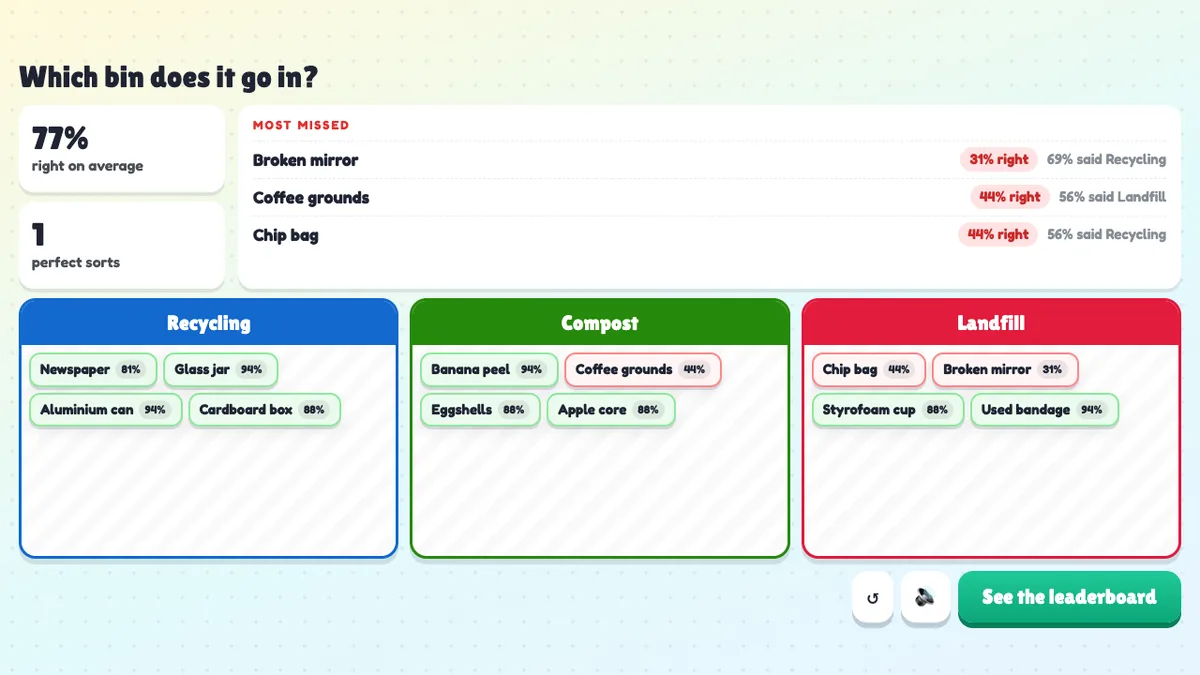
At the reveal, the items fly into their correct groups one by one on the big screen, each tagged with the percentage of the class that got it right: green when most of the room got it, yellow when it was close, red when most got it wrong. Above the groups, the Most missed panel lists the hardest items and, crucially, the wrong group most students chose.
Read it in three passes:
- The average. “Right on average” tells you whether the topic as a whole landed. Above 80% means move on; below 60% means the whole topic needs another pass.
- The red items. These are where the misconception lives. If your distractors are red and the anchors are green, your diagnosis was right.
- The wrong group. “69% said Recycling” is more useful than “31% right”, because it tells you which wrong rule students are using.
A surprise red anchor is also valuable: either the item was ambiguous (fix it for next time) or there is a gap you didn’t know about.
The percentage right tells you there is a problem. The wrong group students chose tells you what the problem is.
Reteach the most-missed item, then play again
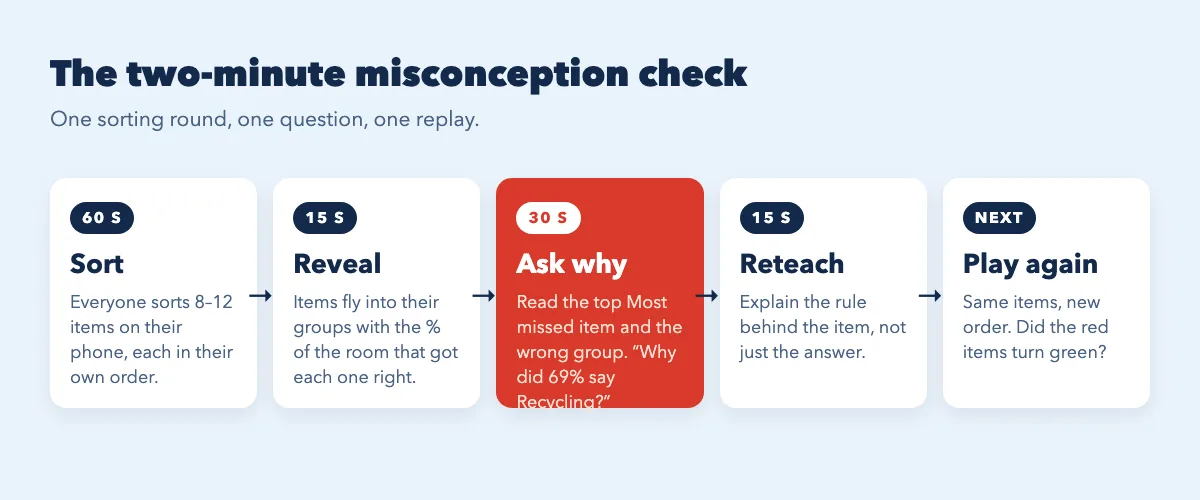
The whole check, from start to replay, fits in about two minutes of class time:
Ask why before you explain
Point at the top Most missed item and ask the room: “Most of you put the broken mirror in Recycling. Why might that make sense?” Let two or three students explain the reasoning. You will usually hear the misconception in their own words, which is exactly what you need to address.
Teach the rule, not the answer
“Broken mirror goes in landfill” fixes one item. “Mirror glass has a coating and melts at a different temperature from bottles and jars, so it can’t go in with them” fixes the whole category. Give the rule, then ask students to name another item it applies to.
Play again to check it stuck
Press Play again: the same items come back in a new order on every phone. If the red items turn green, the reteach worked. If they don’t, you have learned something important about how deep the misconception goes, and you can plan the next lesson around it.
With Show players their mistakes switched on (the default), each phone lists the items that student placed in the wrong group, with the group they chose and the right one. Students see their own errors privately, without anyone else knowing who got what wrong.
Where sorting fits in a lesson
- As a starter. Run it before you teach the topic to find out what students already believe. Their wrong groups are your lesson plan.
- Mid-lesson. After explaining a concept, sort to check it landed before moving on.
- As an exit check. End the lesson with a fresh set of items on the same rule to see whether students can transfer it.
- Before a review game. Use the results to pick the questions for a review round such as the survival quiz for classroom review.
Sort It keeps its own leaderboard for each round, with 100 points per correct item plus a speed bonus, and it doesn’t change your quiz scores. If you want ready-made sets to adapt, our list of 25 sorting activity ideas has sample items for science, language, maths, history, geography and workplace topics.
Quick checklist
- One misconception per round, written down before you build it.
- 2–3 distractors that a student holding the wrong idea will misplace.
- Clear anchors for the rest, 8–12 items in total.
- Read the wrong group, not just the percentage.
- Ask why, teach the rule, play again.
Two minutes of sorting can save you a week of building on a wrong idea. Set up your first round with the EngageSlide interactive presentation tool, and find more classroom ideas on the EngageSlide blog.