
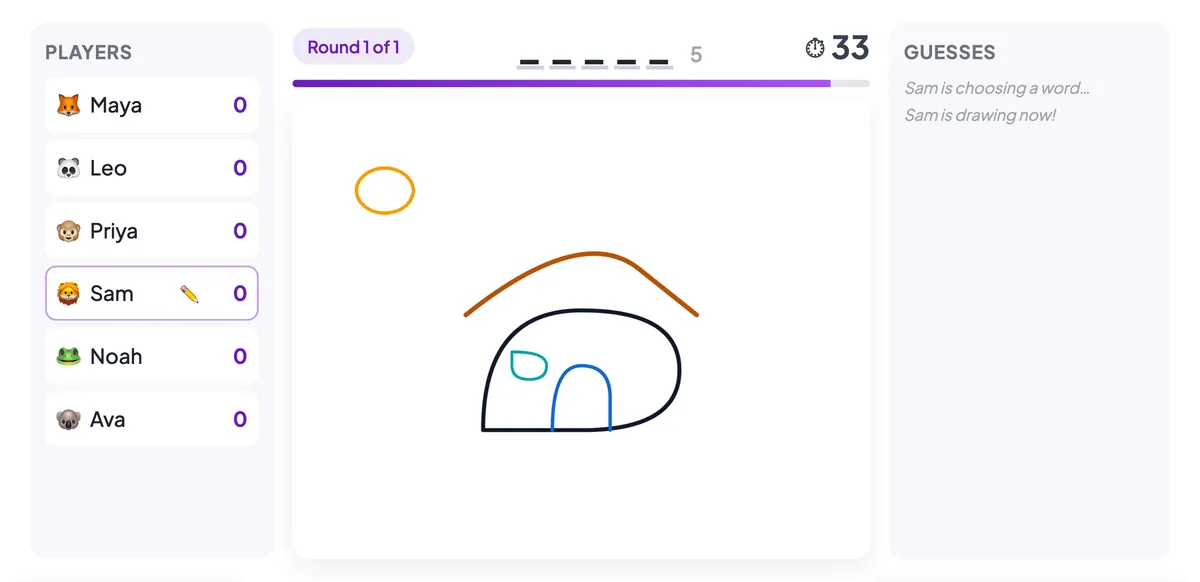
Ask a room to sit through one more slide and you can feel the energy drain. Ask them to guess what a teammate is frantically sketching before the timer runs out, and something different happens — people lean in, shout answers, and laugh. That is the whole idea behind Draw & Guess, a live drawing game you can run right inside your presentation. It turns a passive audience into players, and it works just as well for a classroom, a training session, or a Monday all-hands.
This guide explains what Draw & Guess is, how a round actually plays out, and how to set one up in a couple of minutes with EngageSlide's interactive presentation tool.
What is Draw & Guess?
Draw & Guess is a live, multiplayer version of Pictionary. One player is given a secret word and draws it on a shared canvas while everyone else races to type the answer. There are no teams to organise, no cards to shuffle, and no whiteboard markers to hunt for — players join from their phones, and the drawing appears live on the big screen and on every other device at the same time.
Because it is a slide type, it lives alongside your polls, quizzes and Q&A. You drop it into a deck like any other slide, and when you present, the room joins with a QR code or a short room code. The drawer sketches, the guesses fly in, points are awarded for speed, and a leaderboard crowns the winner — all without leaving your presentation.
How a round works
Each turn follows the same simple rhythm, then the pen passes to the next player. Understanding the four beats makes it easy to explain the game to a room in ten seconds.
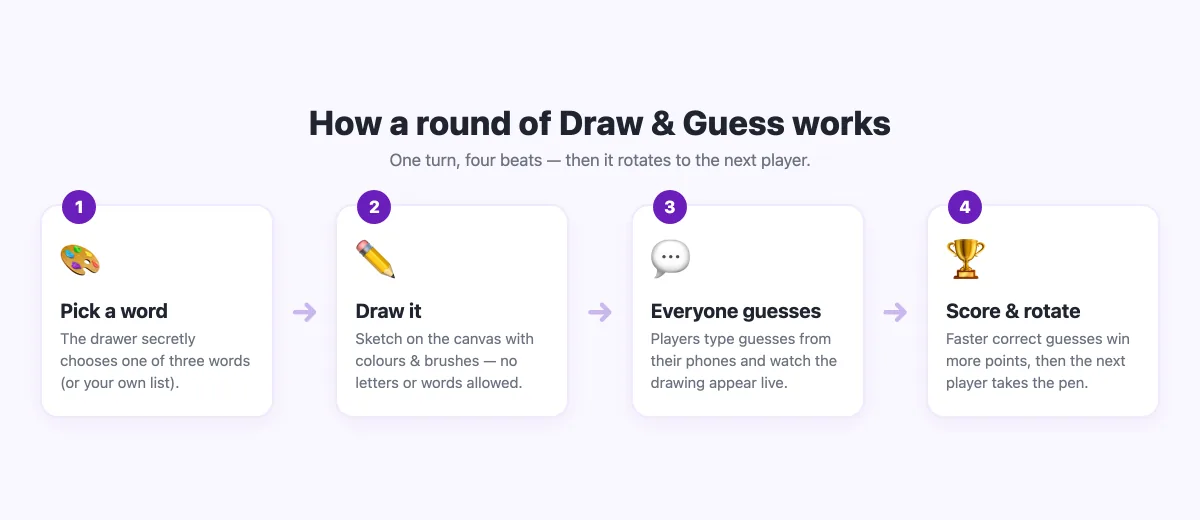
- Pick a word. The drawer secretly chooses one of three words. You can use a built-in theme or supply your own list.
- Draw it. They sketch on the canvas with colours and brush sizes — no letters, numbers or words allowed.
- Everyone guesses. The rest of the room watches the drawing appear stroke by stroke and types guesses. Correct answers are hidden from the feed so they never spoil it for others, and a gentle "you're close!" nudge appears for near misses.
- Score and rotate. The faster a player guesses, the more points they earn, and the drawer scores too when people work out the word. Then the next player takes a turn.
Setting up Draw & Guess in EngageSlide
You do not need to prepare anything ahead of time — the game ships with word banks and sensible defaults, so you can add a slide and present. Here is the full setup.
- On the Home screen, create a new presentation or open an existing one and add a slide.
- In Choose Slide Type, under the Quiz and Game Competitions group, pick Draw & Guess.
- In the settings panel, choose your rounds (each player draws once per round) and the drawing time per turn.
- Pick a word source: a ready-made theme like Animals, Food or Objects, or switch to My own words and type your own list — one word or phrase per line.
- Optionally turn on letter hints to reveal letters as the timer runs down.
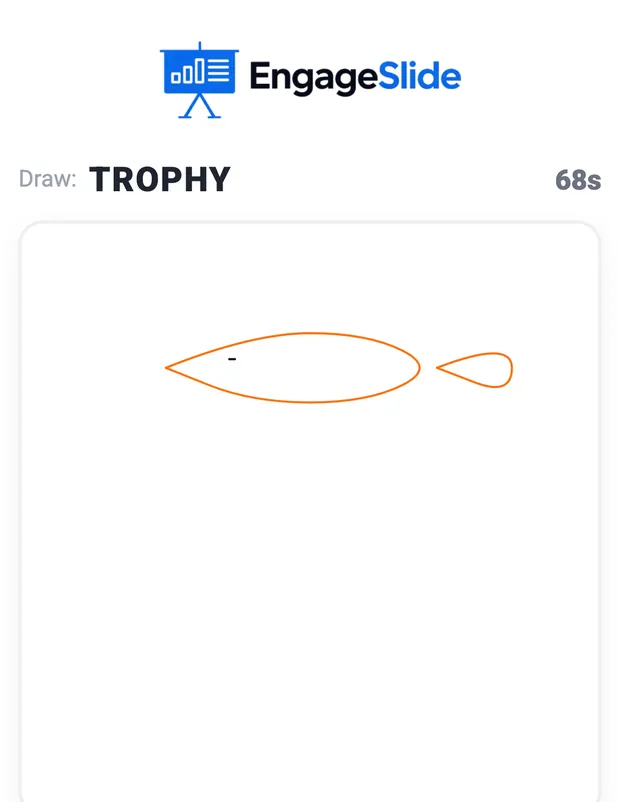
When you present, players draw and guess from their own phones. The drawer gets a clean canvas with colours, brush sizes, an eraser, undo and clear — everything they need to sketch quickly.
Why a drawing game keeps people engaged
The magic is not the drawing — it is the participation. Guessing is active: every person is thinking, typing and reacting instead of watching. The countdown adds just enough pressure to focus attention, and because anyone can guess, nobody is left on the sidelines. A wobbly drawing of a "kangaroo" is also a great equaliser; the intern and the VP are equally hopeless with a mouse, and that shared silliness is exactly what makes a group relax.
The point of Draw & Guess is not who can draw. It is that everyone in the room is playing at the same time — and a room that is playing is a room that is paying attention.
That is the same principle behind turning any deck into a game. If you like the competitive edge, it pairs naturally with the ideas in our guide to gamification in presentations — points and leaderboards give people a reason to stay switched on.
Great ways to use Draw & Guess
Because you control the words, the game bends to almost any setting:
- Icebreakers. Open a workshop or meeting with three quick rounds to warm up the room before the real work starts.
- Classroom vocabulary. Load your unit's key terms as custom words so students draw and recall them instead of memorising a list.
- Team building. Run it at an offsite, a team lunch, or a virtual social — it needs nothing but phones.
- Product or brand terms. Use feature names or industry jargon in a training session to make dry material stick.
- Events and socials. A few high-energy rounds are a reliable crowd-pleaser between talks.
Tips for a great game
- Keep turns short. A 20–40 second drawing time keeps the pace lively; long turns lose the room.
- Match words to the group. Easy, concrete nouns work best — things you can actually draw. Save the abstract words for experienced players.
- Play a warm-up round. Let people get used to the tools before it "counts" so no one feels caught out.
- Put the big screen where everyone can see it. The shared canvas and the reactions are half the fun.
Draw & Guess is one of several game formats you can mix into a session — if your group loves a bit of competition, try pairing it with a live quiz or the Duck Race for a change of pace. And when you are ready to build your own, browse more ideas on the EngageSlide blog or just add a Draw & Guess slide and press present. The quickest way to understand why it works is to watch a room light up the first time a terrible drawing gets guessed at the last second.