
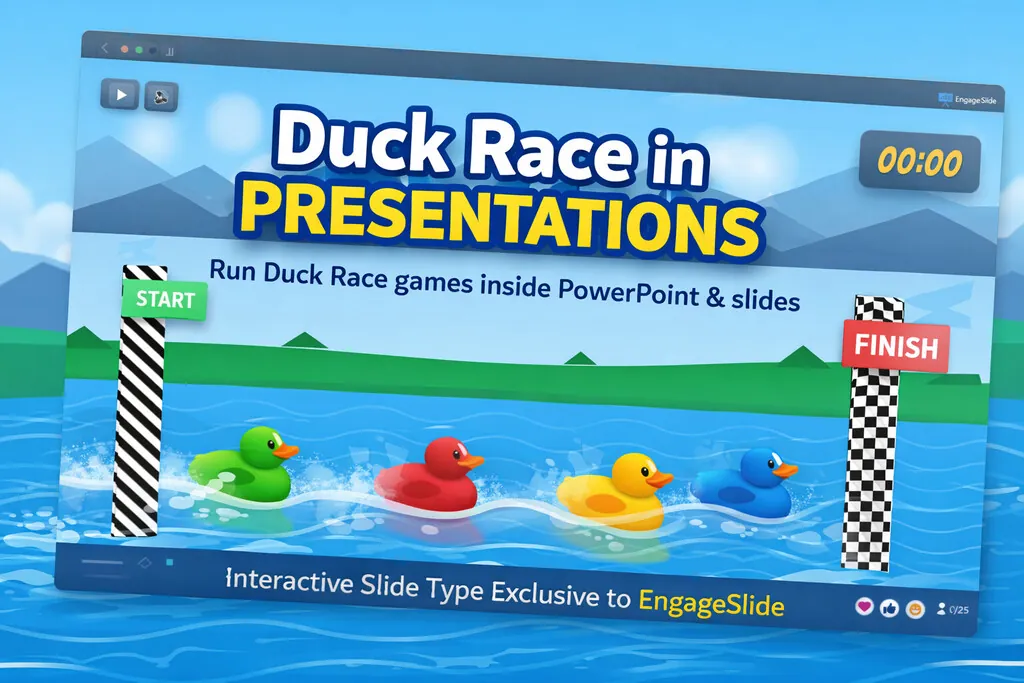
Interactive presentations are evolving fast — and Duck Race is one of the most engaging mini-games ever used to energize an audience.
While Duck Race games already exist as standalone websites (such as the popular Duck Race on Online-Stopwatch), EngageSlide is the first platform to bring Duck Race directly into presentation slides — even running inside PowerPoint.
👉 This is not a link, not a separate website, but a native Duck Race slide type — something no other presentation tool currently offers.
What is a Duck Race game?
Duck Race is a simple, high-impact game where:
Each participant gets a duck
Ducks race automatically on a track
The winner is decided randomly, creating suspense until the finish line
Duck Race games are widely used because they:
Require zero skills
Are fair and unpredictable
Instantly grab attention
Work perfectly for giveaways, warm-ups, and audience selection
Standalone versions like Online Stopwatch Duck Race prove how effective the format is — but they still live outside your presentation.
The problem with traditional Duck Race websites
Using Duck Race on external websites creates friction for presenters:
❌ You must leave your slides
❌ Switch browser tabs during the presentation
❌ Break the flow of storytelling
❌ Cannot run directly inside PowerPoint
❌ Results are disconnected from your content
For professional workshops, classes, and events, this breaks immersion.
EngageSlide’s solution: Duck Race as a Slide Type
🎯 Duck Race is now part of your presentation
With EngageSlide, Duck Race becomes:
A native slide (just like Polls or Quizzes)
Fully embedded in your presentation flow
No external tabs, no interruptions
One click to start, right from the slide
🚀 Duck Race that runs inside PowerPoint
This is where EngageSlide is fundamentally different.
✅ EngageSlide Duck Race can:
Run directly inside PowerPoint
Work in live presentation mode
Allow participants to join via phone or browser
Let presenters stay fully inside their slide deck
👉 As of today, no other presentation platform offers Duck Race running natively in PowerPoint.
Key features of EngageSlide Duck Race
🦆 1. Instant participation
Audience joins via link or QR code
Enter name → automatically assigned a duck
No app installation required
🎲 2. Fair & suspenseful racing logic
Fully randomized outcomes
No network-speed advantage
Dramatic last-second finishes
🎉 3. High-energy visual experience
Smooth animations
Big-screen friendly
Strong emotional payoff at the finish line
🧩 4. Seamless integration with your slides
Use Duck Race to:
Pick random speakers
Run giveaways
Energize the room at the start
End sessions on a memorable high note
EngageSlide Duck Race vs traditional Duck Race websites
| Feature | Duck Race Websites | EngageSlide Duck Race |
|---|---|---|
| Embedded in slides | ❌ | ✅ |
| Runs inside PowerPoint | ❌ | ✅ |
| No tab switching | ❌ | ✅ |
| Professional workshop ready | ⚠️ | ✅ |
| Integrated presentation flow | ❌ | ✅ |
Who is Duck Race for?
🎓 Teachers & educators
🧑💼 Trainers & coaches
🏢 Corporate workshops & town halls
🚀 Startup demos & pitch decks
🎤 Online & hybrid events
If audience engagement matters, Duck Race delivers.
Why Duck Race is a killer feature for EngageSlide
EngageSlide doesn’t just add games — it turns games into presentation content.
Duck Race helps you:
Keep audiences watching until the very end
Break the ice instantly
Create shared excitement
Make your presentation memorable, not forgettable
Conclusion
Duck Race has always been fun — but it never truly belonged to presentations.
Until now.
With EngageSlide Duck Race, you get:
The excitement of classic Duck Race games
The professionalism of native presentation slides
And the power to run everything inside PowerPoint
👉 This is the first and only Duck Race slide type designed for real presentations.