
Online presentations are everywhere — from virtual classrooms and corporate training to webinars and remote conferences.
But there’s one big problem:
👉 Most presentations are still one-way communication.
The presenter talks.
The audience listens.
Engagement drops fast.
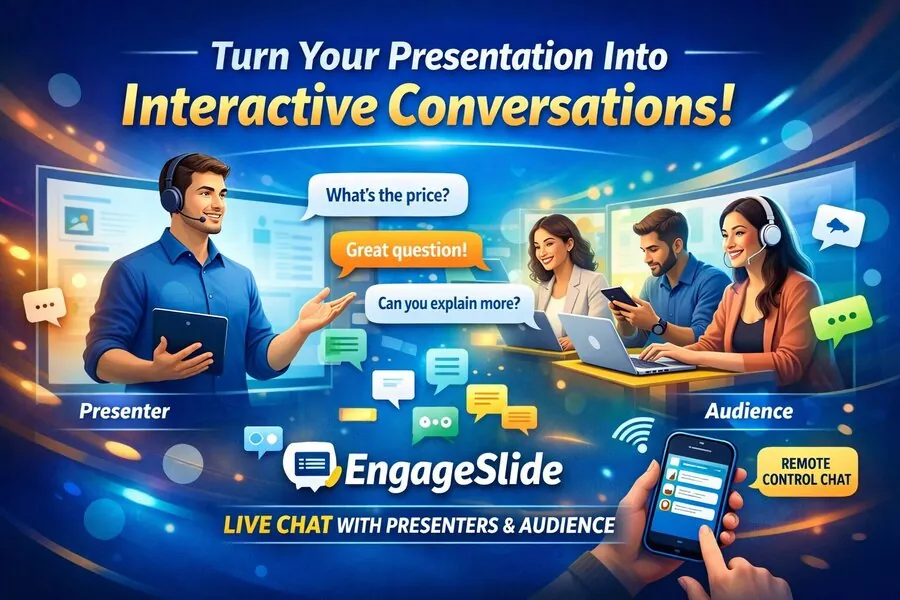
That’s exactly what EngageSlide Live Chat is built to solve.
With real-time chat integrated directly into presentations, EngageSlide transforms passive viewers into active participants — creating dynamic, two-way interaction between presenters, audiences, and even remote slide controllers.
🚀 What Makes EngageSlide Live Chat Different?
EngageSlide doesn’t treat chat as a side feature.
It makes conversation part of the presentation itself.
✅ Presenter & Audience Can Chat in Real Time
Participants can:
Ask questions instantly
Share thoughts or feedback during each slide
Clarify confusion the moment it happens
No waiting until the end.
No awkward interruptions.
Just natural, flowing interaction.
🎮 Remote Control Users Can Join the Chat Too
This is where EngageSlide really stands out.
People controlling slides remotely — such as:
Co-hosts
Assistants
Moderators
Teaching assistants
can also chat live with:
✔ The presenter
✔ The audience
This allows smooth teamwork behind the scenes while keeping the session running perfectly.
💡 Why Live Chat Inside Presentations Matters
Traditional tools separate:
Slides ➝ one place
Chat ➝ another app
This causes:
❌ Distraction
❌ Missed messages
❌ Lower engagement
EngageSlide puts everything in one experience.
Result:
📈 Higher participation
📈 Better learning outcomes
📈 Stronger audience connection
🎯 Real User Use Cases for EngageSlide Live Chat
Let’s look at how people actually use it in real situations.
📚 1. Online Classes That Feel Like Real Classrooms
Teachers use EngageSlide to:
Present lesson slides
Let students ask questions instantly
Answer in real time while teaching
Students feel more comfortable typing questions than speaking out loud.
✅ More participation
✅ Faster understanding
✅ Better learning results
💼 2. Corporate Training & Remote Onboarding
During training sessions:
Employees ask about workflows
Trainers respond immediately
Assistants support through remote control chat
No confusion.
No wasted time.
👉 Training becomes faster, clearer, and more effective.
🎤 3. Webinars That Actually Convert
In marketing and sales webinars:
Attendees ask about pricing, features, and benefits
Presenters answer live
Trust builds naturally
Live chat creates a “personal conversation” feeling — even with hundreds of viewers.
📈 Higher engagement
📈 More leads
📈 Better conversion rates
🏫 4. Virtual Conferences & Online Events
For large online events:
Attendees interact throughout sessions
Moderators manage chat and highlight key questions
Presenters stay focused on delivering value
The event feels alive — not like watching a recorded video.
🌟 Key Benefits of EngageSlide Live Chat
✔ Real-time two-way communication
✔ Built directly into presentations
✔ No extra apps or downloads
✔ Works on all devices
✔ Perfect for hybrid & remote environments
✔ Supports teamwork with remote control chat
📊 Business & Learning Impact
Using EngageSlide live chat helps you:
Increase audience attention time
Improve knowledge retention
Build stronger presenter-audience relationships
Gather real user feedback instantly
Deliver more professional interactive sessions
🔥 Why Interactive Presentations Are the Future
Modern audiences expect:
💬 To be heard
⚡ To interact instantly
🎯 To feel involved
Static slides alone no longer work.
EngageSlide brings presentations to life by turning them into live conversations.
✅ Final Thoughts
Whether you’re:
An educator teaching online
A company training remote teams
A marketer running webinars
An event organizer hosting virtual sessions
EngageSlide Live Chat transforms your presentations into interactive experiences people actually enjoy.
From passive listening to real-time engagement — all in one platform.