
Every presenter dreads it: the loaded question, the hostile challenge, the one you genuinely don't know the answer to. A live Q&A puts you on the spot in front of everyone, and a single fumbled response can undo an otherwise great session. The good news is that handling difficult questions is a skill, not a talent — and the right tools make it far easier. This guide walks through the types of difficult questions you'll face, a calm framework for answering any of them, and how EngageSlide's live Q&A gives you the control to stay composed under pressure.
The four kinds of difficult questions
Most tough questions fall into one of four buckets, and each needs a slightly different response:
- The hostile question. Loaded language, an accusation, or a challenge to your credibility. The questioner wants a reaction more than an answer.
- The off-topic question. Reasonable, but a detour that would derail the session or bore everyone else.
- The "I don't know" question. A fair question you simply can't answer on the spot without guessing.
- The rambling comment. Not really a question at all — a mini-speech dressed up as one.
Knowing which type you're facing buys you a second of clarity before you speak — and that second is often the difference between a composed answer and a defensive one.
A simple framework: pause, acknowledge, answer, bridge
Under pressure, fall back on a repeatable sequence so you're never improvising the shape of your reply:
- Pause. Take a breath and read the question fully. A two-second silence reads as thoughtful, not slow.
- Acknowledge. Validate the question before answering — "That's a fair concern" — which lowers the temperature and shows the room you're listening. This is the heart of active listening.
- Answer. Respond to the substance, not the tone. Strip out the loaded words and address the legitimate core.
- Bridge. Close by connecting back to your main message or the next point, so you regain the floor rather than leaving a vacuum.
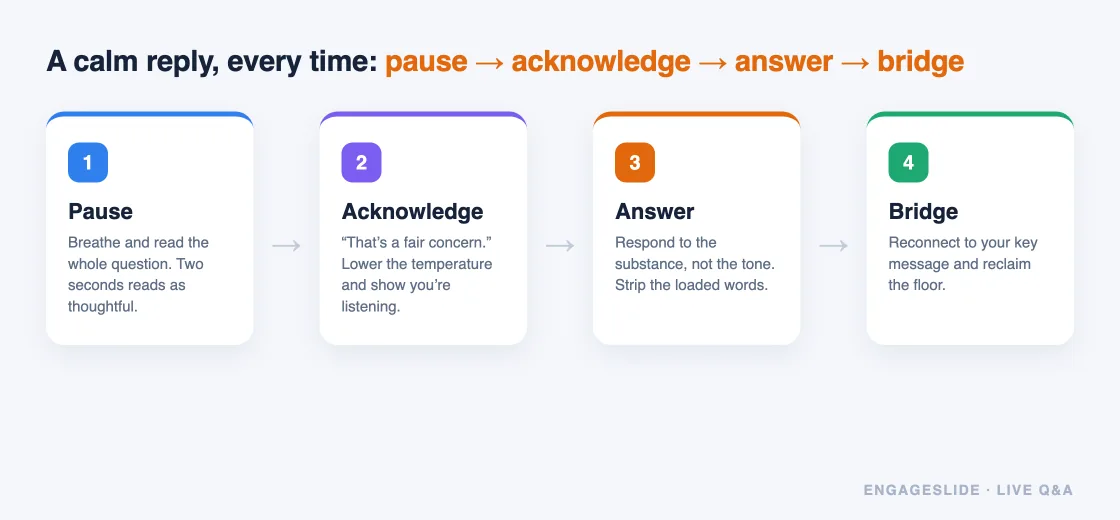
You can't control which questions come in — but you can always control the pause before you answer.
How EngageSlide helps you stay in control
A big reason Q&As feel scary is that presenters feel they've handed over the wheel. EngageSlide's live Q&A is built to give it back. Your audience joins from any phone via a code or QR, types their questions, and everything flows onto a board you control — inside the same interactive presentation as your polls and quizzes.
Turn on moderation to preview before you project
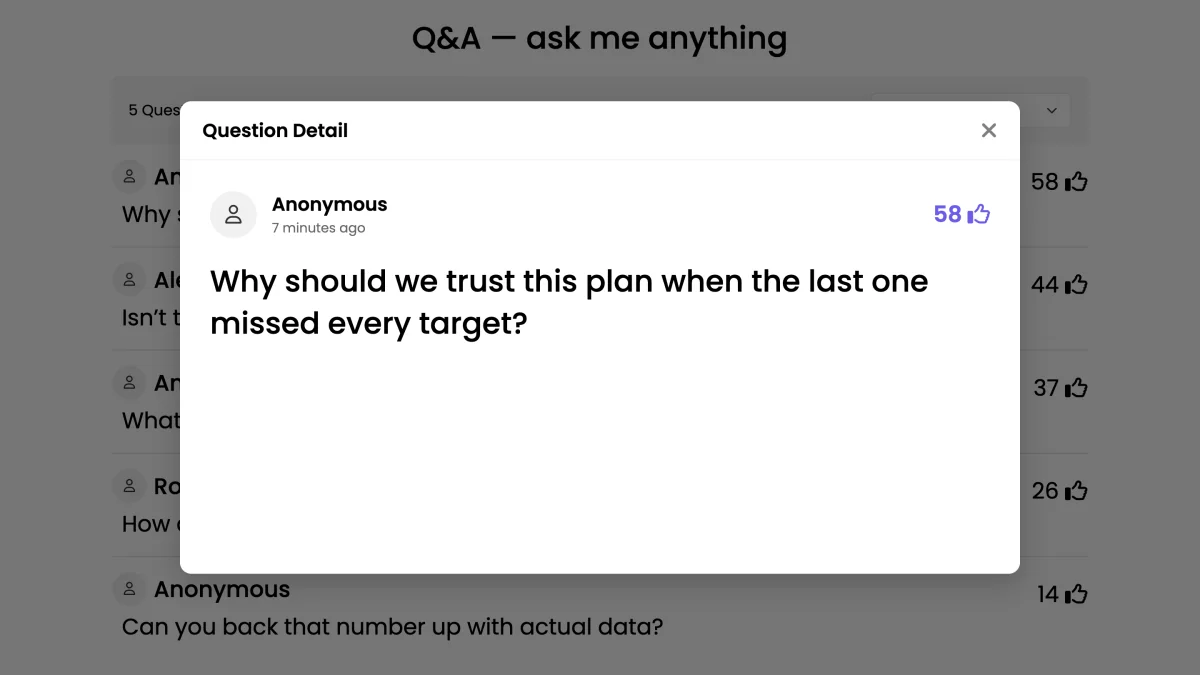
Enable moderation and every question lands in a queue for you (or a co-host) to approve before it appears on the big screen. This is your single best defense against difficult questions: you see them first, decide what to address live, and quietly set aside anything abusive or duplicated. It's the difference between reacting on stage and choosing your battles. We compare this setup to going fully open in our guide to moderated vs open Q&A.
Let upvoting tell you what to prioritize
With upvoting on, the audience ranks questions for you, so you spend energy on what most people actually care about instead of the loudest single voice. A hostile one-off rarely climbs the list. (More on that in our guide to upvoting questions.)
Answer, park, or mark as done
Tap a question to highlight it while you respond, then mark it answered so it clears from the active list. For a question you can't answer yet, say so honestly and leave it in the queue to return to — a visible "I'll come back to that" is far stronger than a bluff.
Playbook for each difficult type
With the framework and the tools in place, here's how to handle each of the four kinds in practice.
- Hostile: Acknowledge the emotion, answer the legitimate part, and don't take the bait. "I hear the frustration — here's what we actually know." Then bridge away.
- Off-topic: Respect it, but protect the room's time. "Great question, but a bit outside today's scope — let's take it offline and I'll follow up." Leave it parked in the queue for later.
- I don't know: Say it plainly, then commit to a next step. "I don't want to guess — I'll find out and post the answer in the follow-up." Honesty builds more trust than a shaky guess ever will.
- Rambling comment: Wait for a breath, extract the question inside it, and restate it crisply. "So your question is really about X — let me answer that."
Prepare before you ever open the floor
The calmest Q&A performers aren't improvising — they've rehearsed. Before your session, brainstorm the ten hardest questions you could be asked and draft a one-line answer for each. Open the question board early so questions trickle in throughout, giving you time to spot the hard ones coming rather than meeting them cold. And if the topic is sensitive, pair moderation with anonymous submissions so people ask the real thing without fear — see our guide to anonymous Q&A for why that matters. For the full end-to-end setup, the complete live Q&A guide covers everything from join codes to wrap-up.
Difficult questions are an opportunity
Handled well, a hard question is the best thing that can happen in your session. It shows the room you can stay composed, you're not hiding, and you take their concerns seriously — which is exactly what earns their trust. Set up moderation and upvoting in EngageSlide, keep the pause-acknowledge-answer-bridge framework in your back pocket, and the questions you used to dread become the moments you're remembered for.