
Almost anyone can drop a few multiple-choice questions on a slide and call it a quiz. Getting a room to lean forward, laugh at a wrong answer, and groan when they miss the leaderboard by one point — that takes a little more thought. The good news: the difference between a quiz people tolerate and one they ask to play again has almost nothing to do with how hard your questions are. It comes down to pacing, surprise, and the payoff. This guide is about that craft — designing a live quiz your audience genuinely enjoys. If you just need the mechanical setup first, our full guide to hosting an interactive quiz walks through the buttons; here we focus on the fun.
Enjoyment isn't the opposite of learning
There's a stubborn myth that a quiz is either serious or fun, never both. In reality, the enjoyable format is the effective one. When people actively retrieve an answer — even a guess — they remember the material far better than if they'd simply been told it. Psychologists call this the testing effect, and it's one of the most reliably proven findings in learning research. A live quiz is retrieval practice wearing a party hat. So when you make your quiz more enjoyable, you're not watering it down — you're making it stick.
Enjoyment also fixes the real problem in most rooms: attention. A passive audience drifts within minutes. A quiz gives everyone a reason to stay switched on, because at any moment they might be asked to commit to an answer in front of the group. If you want to go deeper on why participation works, we broke it down in the psychology of audience engagement.
Write questions people actually want to answer
Fun starts at the question level, long before anyone joins. A few rules go a long way.
- Make it winnable. The best quiz questions sit right at the edge of "I think I know this." If most of the room gets it wrong, they feel dumb; if everyone gets it right, it's boring. Aim for questions where the crowd splits.
- One idea per question. Long, multi-clause questions kill momentum. Keep the stem short and the four options scannable in a couple of seconds — people are reading on their phones while glancing at the big screen.
- Add a little surprise. A counter-intuitive answer, a "which of these is fake?" twist, or a playful option no one expects turns a dry check into a talking point. Surprise is what people repeat at the coffee break.
- Mix the formats. Straight multiple choice is your workhorse, but rotating in a true/false lightning round, a "guess the number" estimate, or an image-based question keeps the rhythm from feeling like a worksheet.
Use the timer to build suspense, not stress
The countdown timer is the single most underrated tool in a live quiz. A tight timer creates a little jolt of friendly pressure — heads snap up, thumbs hover, and the room goes quiet in a good way. Leave it too long and energy leaks out; too short and people feel cheated. For most trivia-style questions, ten to twenty seconds is the sweet spot.
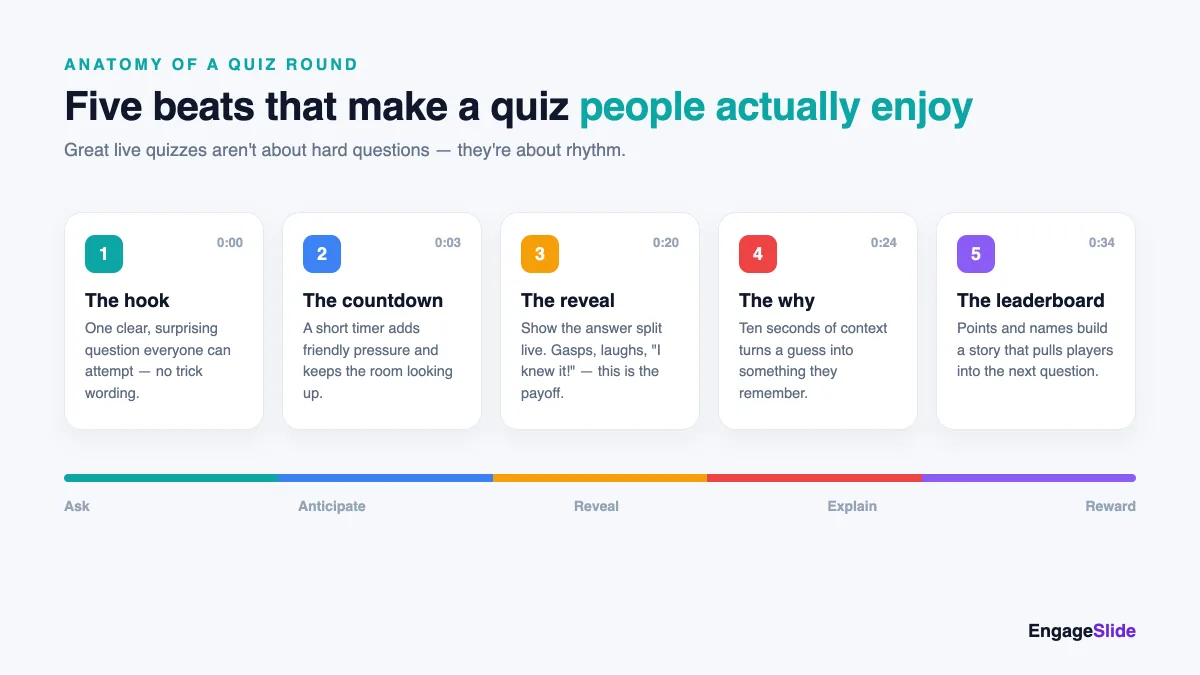
What the timer really does is open a loop in people's heads, and open loops are hard to ignore — the same reason a cliffhanger keeps you watching. That itch to resolve the unknown is known as the Zeigarnik effect, and a countdown weaponizes it beautifully. Think of each question as a tiny five-beat story, and pace it deliberately.
Make the reveal the main event
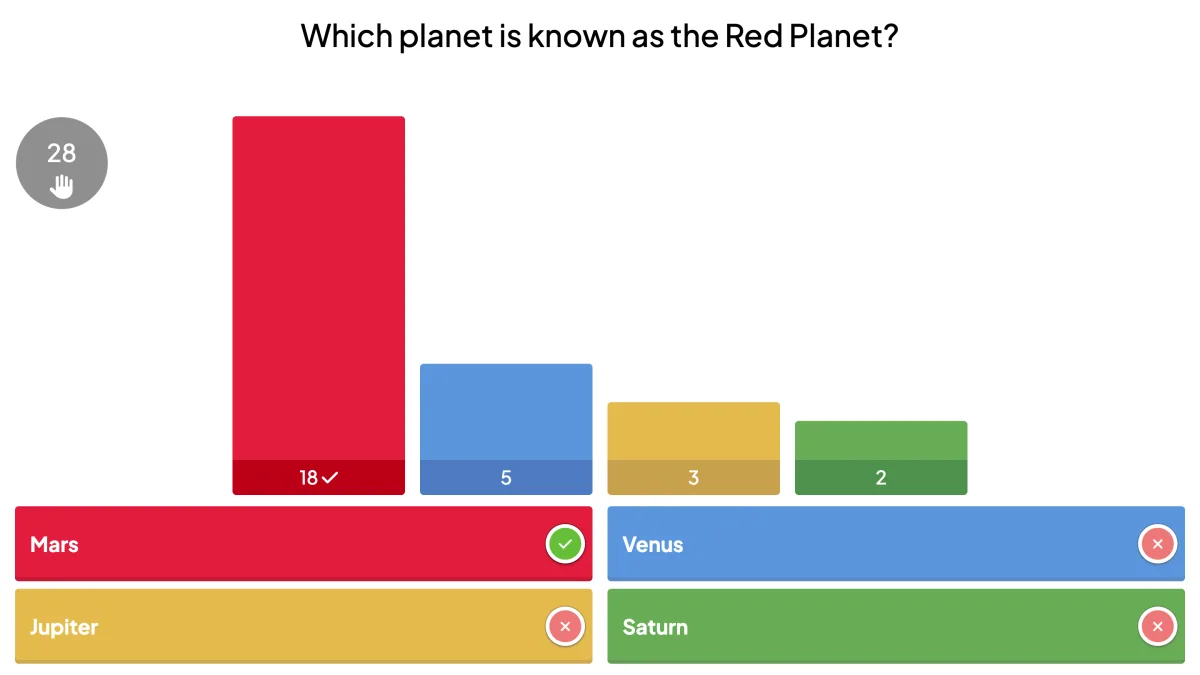
If the timer builds the tension, the reveal is the release — and it's where most quizzes leave all the joy on the table. Don't just flash the right answer and move on. Show the live answer split first: the bar chart of how the whole room voted, with the correct option lighting up green. That single moment is where you get the gasps, the laughter, and the "wait, seriously?" It works because everyone sees where they stand relative to the crowd, instantly.
Then spend ten seconds on the why. A quick line of context — "Mars looks red because of iron oxide, basically rust" — turns a lucky guess into something people remember and retell. That tiny explanation is the difference between a game and a game that also teaches.
Points and a leaderboard that pull people forward
A leaderboard is what turns a series of questions into a single, shared story. Award points for correct answers, and add a speed bonus so faster answers score higher — suddenly every question has stakes and every player has a running narrative ("I just need to catch Maya"). Show the standings between rounds and you give people a reason to care about the next question, not just the current one.
Decide early whether you want individuals or teams on that leaderboard. Individual play sharpens competition and works well in classrooms and training. Team play lowers the pressure on shy participants and is perfect for company events and remote groups — nobody's hung out to dry, and tables start strategizing together. Either way, keep it light; the leaderboard should spark grins, not anxiety.
The best live quizzes aren't won on hard questions — they're won on rhythm. Hook, suspense, reveal, and reward, over and over, until nobody notices the hour has passed.
It works for any room — because everyone plays on their own phone
One reason live quizzes feel so inclusive is that the barrier to joining is basically zero. Players scan a QR code or type a short join code, and they're in — no app install, no account. That means the same quiz format scales from a ten-person workshop to a packed auditorium without changing a thing. Every person has their own screen, so even the people three rows from the back are answering, not spectating.
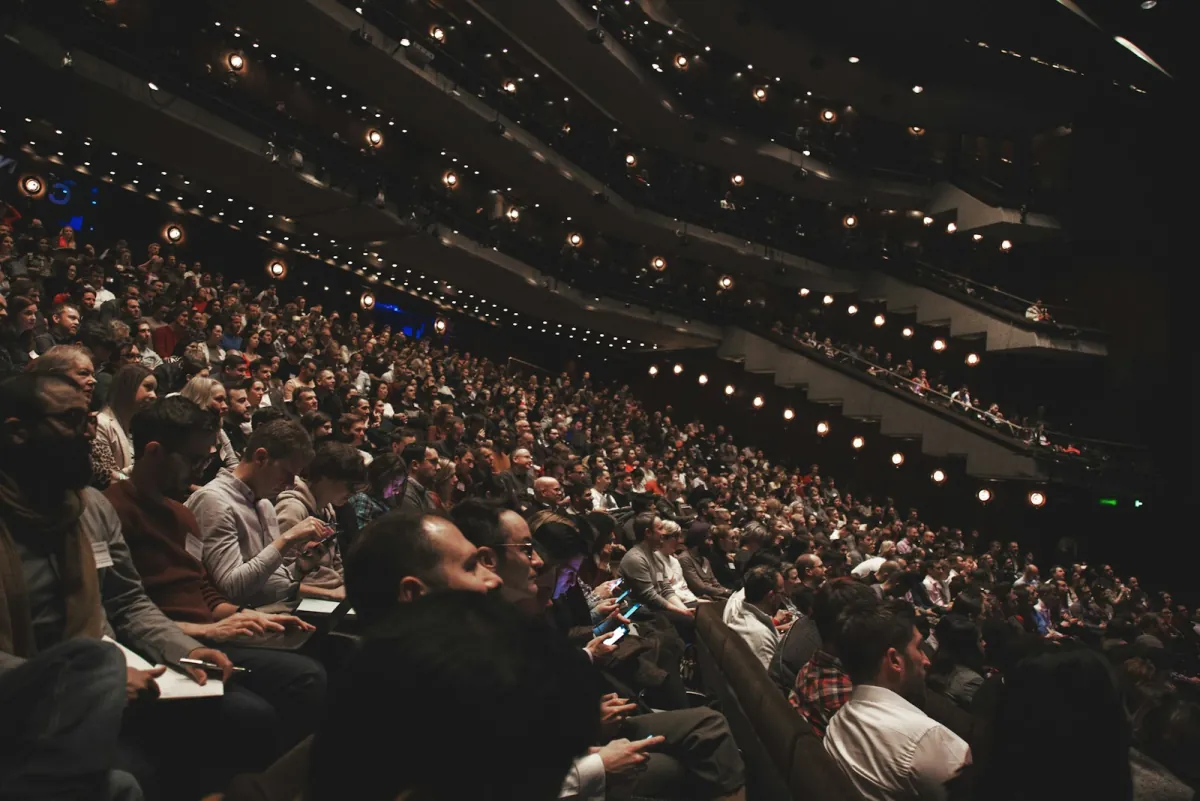
That phone-first design is also what makes hybrid and remote quizzes work. Whether someone's in the room or dialed in from home, they join the same game with the same code and appear on the same leaderboard. Nobody's a second-class participant.
Build an enjoyable quiz in EngageSlide
Everything above is built into EngageSlide's interactive presentation tool, so you're designing for fun, not fighting the software. Here's the practical flow:
- Add a Quiz slide and write your question with up to four answer options. Mark the correct one — that's what powers the green highlight on the reveal.
- Set the timer and points. Choose your countdown length and turn on the speed bonus so quick, correct answers climb the board faster.
- Choose individual or team mode depending on the crowd, and let the built-in leaderboard track the running standings for you.
- Present and let people join by QR code or join code. As answers land, the live results and leaderboard update in real time on the big screen.
In a hurry? You can describe a topic and let EngageSlide's AI draft a full set of quiz questions for you, then tweak the wording and difficulty to taste. It's the fastest way to go from "we should quiz them on this" to a room full of raised phones.
A quick pre-game checklist
- Five to eight questions for a standalone round — enough to build a leaderboard story, short enough to keep energy high.
- Vary the difficulty so nobody runs away with it and nobody gives up early.
- Open with an easy, funny one to get everyone comfortable committing to an answer.
- Have a one-line "why" ready for each question, especially the surprising ones.
- Test the join flow yourself on a phone before the room fills up.
Design for the feeling in the room, not just the accuracy of the answers, and a quiz stops being a knowledge check and becomes the part of your session people actually look forward to. For more ideas to keep any audience engaged, browse the rest of the EngageSlide blog — then go make your next quiz one they'll want to play twice.