
In many classrooms today, one challenge remains surprisingly persistent: students hesitate to ask questions. Even when instructors encourage participation, only a small percentage of learners speak up. The result is a quiet classroom that looks attentive but often hides confusion.
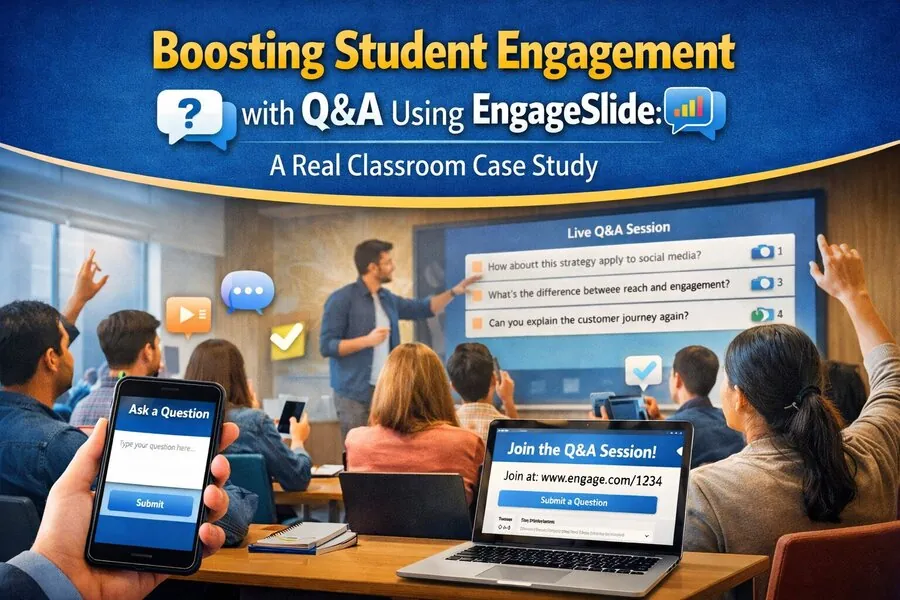
This article presents a realistic classroom case study showing how one instructor used the Q&A feature in EngageSlide to transform passive lectures into interactive learning sessions. Over a single semester, participation increased significantly, questions became more thoughtful, and students demonstrated stronger conceptual understanding.
If you're searching for a practical strategy to improve classroom interaction using live Q&A tools, this experience offers a proven approach. 📊
The Problem: Low Participation in a Large Lecture Environment
Before introducing EngageSlide, the instructor faced a common teaching situation:
- A lecture with approximately 70–90 students
- Only a handful of learners asked questions regularly
- Most students remained silent even when confused
- End-of-class checks revealed gaps in understanding
Despite inviting questions verbally, responses were minimal. Students later explained that they avoided speaking up because they:
- didn’t want to interrupt the lecture
- needed more time to formulate questions
- preferred asking privately
- worried their question might sound basic
The instructor realized the issue wasn’t motivation—it was accessibility of participation.
A different interaction channel was needed.
Why Live Q&A Became the Chosen Solution
Instead of switching teaching methods entirely, the instructor integrated a live Q&A slide directly into existing presentations using EngageSlide.
The setup required only a few steps:
- Open the presentation
- Launch EngageSlide from the extensions menu
- Insert a Q&A slide
- Share the participation link with students
Immediately, students could:
- submit questions from any device
- participate anonymously
- upvote useful questions
- follow discussion threads in real time
This created a parallel communication channel that supported interaction without interrupting the teaching flow.
What Happened During the First Session Using Q&A
The change was noticeable within the first lecture.
Previously, only two or three students typically asked questions aloud. With EngageSlide active, the class generated over 18 questions during a single session.
More importantly, the questions were specific and meaningful.
Instead of:
“Could you explain that again?”
students began asking:
“How does this framework apply when the audience behavior changes mid-campaign?”
This shift suggested something important: students were processing the material more deeply.
Anonymous Questions Changed Participation Patterns
One of the most impactful features of EngageSlide’s Q&A system was anonymity.
Students who had never spoken in class began submitting questions regularly. Some even contributed multiple times per session.
After several weeks, participation data showed:
- over 60% of students submitted at least one question
- nearly half used the upvote feature consistently
- quieter students became the most active contributors online
Anonymity removed social pressure while preserving academic engagement. 👍
How the Instructor Used Q&A Throughout the Lecture
The instructor didn’t simply enable Q&A and leave it running in the background. Instead, the feature became part of a structured teaching workflow.
1. Beginning of the Lecture: Diagnose Prior Knowledge
At the start of each session, students were invited to submit questions about the previous topic.
Examples included:
- unclear terminology
- assignment difficulties
- concept comparisons
- real-world application challenges
This helped the instructor adjust the lecture focus immediately.
Instead of guessing what needed review, the instructor responded to actual student needs.
2. Mid-Lecture: Capture Confusion in Real Time
Complex topics often create silent confusion. Traditionally, instructors only discover misunderstandings later during assessments.
With EngageSlide Q&A active, students could submit questions the moment confusion appeared.
The instructor periodically checked the question panel and addressed the most upvoted ones every 15 minutes.
This prevented misunderstandings from accumulating.
It also kept attention levels high because students expected their questions might be discussed live.
3. End of Lecture: Prioritize the Most Important Questions
At the end of each session, the instructor reviewed the top-ranked questions.
Because students upvoted submissions, the system naturally highlighted shared concerns.
Instead of answering random questions, the instructor addressed the most relevant issues for the entire group.
This made the final minutes of class more efficient and meaningful.
Student Behavior Changed Over Time
After several weeks of consistent use, participation patterns evolved.
Students began:
- asking follow-up questions
- referencing earlier discussions
- responding to classmates’ questions
- suggesting examples from outside the course material
The Q&A channel gradually became a collaborative learning space rather than a simple support tool.
Some students even prepared questions in advance before arriving at class.
That level of preparation rarely appeared before introducing live interaction tools. 📚
Improvements in Concept Understanding
The instructor measured learning progress using short end-of-session checks.
Before adopting EngageSlide Q&A:
correct responses averaged around 55%
After one semester:
correct responses increased to approximately 80%
This improvement suggested that students were not just participating more—they were understanding more.
The difference came from resolving confusion earlier instead of allowing it to persist across multiple lessons.
Why Upvoting Questions Made a Big Difference
One unexpected benefit of the Q&A feature was peer filtering.
Instead of the instructor deciding which questions mattered most, students collectively highlighted important topics.
This created three advantages:
- common misunderstandings surfaced quickly
- repeated questions disappeared
- discussion time became more focused
As a result, lecture pacing improved without reducing interaction time.
Reduced Instructor Guesswork During Teaching
Traditionally, instructors pause and ask:
“Does everyone understand?”
Silence usually follows—even when confusion exists.
With EngageSlide Q&A, silence no longer meant clarity.
Instead, the instructor could see exactly what students were thinking in real time.
If no questions appeared, the lesson continued smoothly.
If multiple questions appeared, the instructor adjusted immediately.
This replaced uncertainty with actionable feedback.
A Practical Strategy for Using EngageSlide Q&A Effectively
Based on this classroom experience, several simple habits made the biggest impact:
Activate Q&A at the Start of Class
Early activation encourages participation throughout the session instead of only at the end.
Remind Students They Can Ask Anytime
Participation increases when learners know questions are always welcome—not limited to specific moments.
Respond to Questions Regularly
Short response intervals maintain momentum and prevent cognitive overload.
Encourage Upvoting
This helps prioritize shared challenges instead of isolated concerns.
Final Results After One Semester
By the end of the term, the instructor observed clear improvements:
- higher participation rates
- stronger conceptual understanding
- more thoughtful questions
- fewer repeated explanations
- greater student confidence during discussions
Most importantly, students reported feeling more comfortable engaging with course material.
Instead of waiting passively for answers, they became active contributors to the learning process.
That shift—from silence to interaction—is exactly what modern classrooms aim to achieve. 🚀