

Remote meetings rarely start with small talk. There is no walk to the meeting room, no coffee queue, no "how was your weekend" at the door. People join on mute, cameras off, and the first ten minutes feel flat. A good icebreaker question fixes that in two or three minutes, but only if it is the right question for the group and the moment. Below are 20 remote team icebreakers, grouped by what you want the question to do, with a note on the best format for each and a simple way to run them so everyone answers, not just the three people who always unmute first.
What Makes a Good Remote Icebreaker
An icebreaker has one job: lower the barrier to speaking so the real meeting goes better. On a video call that barrier is higher than in a room, so the question has to be easy to answer. Keep three rules in mind:
- Answerable in under 30 seconds. If people need to think hard, they stay quiet.
- Safe for everyone. Avoid questions about family, money, health or anything someone might not want to share at work. Everyone should be able to give a real answer without feeling exposed.
- Linked to the meeting when possible. A light question is fine for a weekly sync; a retro or planning session benefits from a question that warms people up for the topic.
Teams that feel safe to speak up tend to share problems earlier, which is why psychological safety comes up so often in research on effective teams. A two-minute icebreaker will not build that on its own, but it does make the first contribution of the meeting easy, and that habit adds up.
Quick and Light: For Weekly Syncs
Use these when you have two minutes and a group that already knows each other. They work best as one-word or one-line answers.
- What is one word that describes your week so far? Great as a word cloud: repeated words grow bigger, so you see the team's mood at a glance.
- What is on your desk right now that should not be? Gets a laugh and people often turn their camera on to show it.
- Coffee, tea, or something else today? A simple poll that takes ten seconds and gets everyone clicking.
- What is the best thing you ate this week? Easy, universal and safe.
- If today had a weather forecast, what would it be? Sunny, cloudy, stormy: a light way to share energy levels without explaining why.
Get to Know Each Other: For New or Mixed Teams
New hires, cross-team projects and groups that rarely meet need questions that reveal a little more about each person.
- What is a skill you have that has nothing to do with your job?
- Where in the world are you joining from, and what is the view from your window? Especially good for distributed teams across time zones.
- What was your first ever job? Almost always produces a story.
- What is something you are learning right now?
- What is one app you could not work without? Doubles as a tool-sharing moment.
Work Style: For Better Collaboration
These questions help the team understand how each person likes to work, which pays off long after the meeting ends.
- What time of day do you do your best focused work? Useful for scheduling across time zones.
- How do you prefer to get feedback: written, on a call, or in the moment? Works well as a poll.
- What is one thing that makes a meeting worth your time?
- On a scale of 1 to 5, how full is your plate this week? A scale question gives the manager an honest workload signal without anyone having to say "I am overloaded" out loud.
- Rank these from most to least useful for you: async updates, quick calls, shared docs, chat. A ranking question shows the team's real preferences.
Reflective Check-Ins: For Retros and Planning
Before a retrospective or planning session, a reflective question gets people thinking about the work itself.
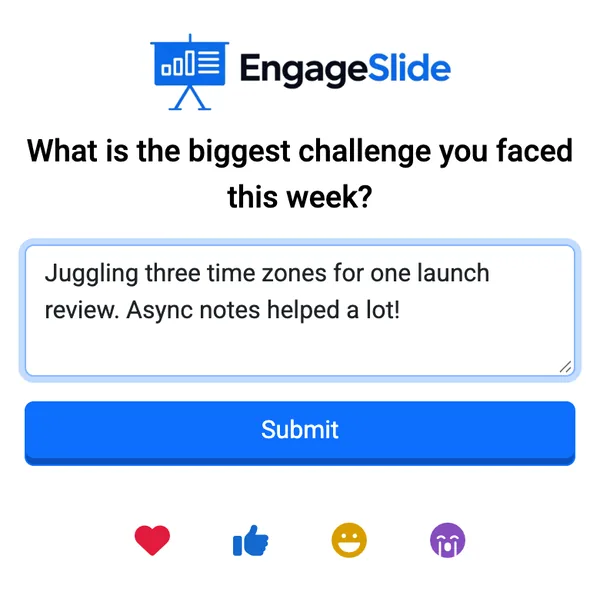
- What is the biggest challenge you faced this week? Collect answers as open text so people can write a full sentence.
- What is one small win from the last sprint that nobody noticed?
- What is one thing you would stop doing if you could?
Just for Fun: For Social Calls and Fridays
- If our team were a band, what would we be called? Collect answers, then run a quick poll to vote on the winner.
- What is the most useless talent you have?
How to Run Icebreakers So Everyone Answers
The classic approach, going around the virtual room one by one, is slow and puts people on the spot. With a group of 12 it eats most of the meeting, and the last few people give rushed answers. Running the question on an interactive slide changes that: everyone answers at the same time on their phone or laptop, and you show the answers together on screen.
In EngageSlide, pick the slide type that matches the question:
- Word Cloud for one-word answers (question 1). For more ideas in this format, see our list of word cloud icebreakers.
- Poll for choices like coffee or tea, feedback style or band name votes. We cover this format in detail in how to use live polls to break the ice.
- Open Ended for full-sentence answers such as the reflective check-ins.
- Scale and Ranking for workload and preference questions.
- Spinner Wheel when you want one person to share a longer story: spin the wheel to pick who goes next, which keeps it fair and a little playful.
Participants join by scanning a QR code or typing the access code, with no account or download needed. You can build the whole warm-up in the EngageSlide interactive presentation tool and present it inside your usual video call by sharing your screen.
The best remote icebreaker is short, safe and answered by everyone at once. Pick one question that fits the meeting, let people respond on their phones, and spend a minute talking about the answers.
Tips for Making Icebreakers a Habit
- Keep it to two or three minutes. An icebreaker that runs long becomes the meeting.
- Rotate the host. Let a different team member pick the question each week.
- React to the answers. Read two or three out loud and ask a follow-up. That is where the connection happens.
- Allow anonymous answers for reflective questions so people can be honest.
- Save good questions. Duplicate last week's presentation and swap the question to build a reusable warm-up deck.
If your team prefers something more visual, try our 5-minute drawing warm-up for remote teams, or turn a Friday call into a virtual pub quiz.
Start Your Next Meeting Differently
You do not need a team-building budget to make remote meetings feel more human. Choose one question from this list, put it on an interactive slide and let everyone answer at once. After a few weeks the warm-up becomes the part of the meeting people look forward to. Find more ideas on the EngageSlide blog.