
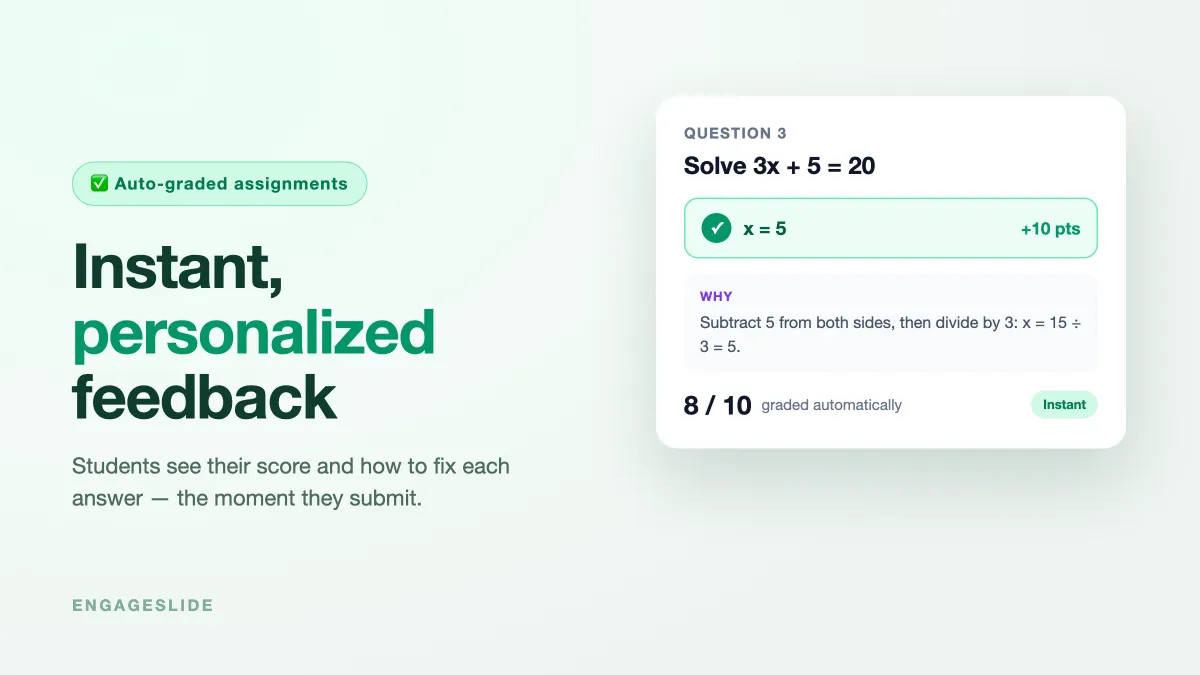
The most useful moment in learning is the few seconds right after a student answers a question — while they still remember their reasoning and actually care whether they got it right. Traditional homework misses that moment entirely: a student submits, waits days for it to be marked, and gets the paper back long after they've forgotten what they were thinking. Instant, personalized feedback closes that gap. The moment a student submits an answer, they see whether it's correct, how many points it earned, and — crucially — how to fix it.
This guide shows how to give every student immediate, individual feedback on assignments using EngageSlide's AI Assignment Maker, which auto-grades submissions, accepts numeric answers within a tolerance, and can show a worked-solution explanation for each question. Feedback like this isn't a nice-to-have — decades of education research put timely, specific feedback among the most powerful levers on how much students actually learn.
Why instant feedback beats "graded next week"
When feedback is delayed, its value collapses. A student who got a math problem wrong on Monday and finds out on Friday has to reconstruct their whole thought process just to understand the correction — if they bother at all. When the feedback is instant, the correction lands while the reasoning is still fresh, so the student connects the mistake to the fix immediately. That's the core idea behind formative assessment: assessment that happens during learning to improve it, not just a score at the end to judge it.
Feedback a student reads five days later is a grade. Feedback they read five seconds later is teaching.
There's a motivational side too. Instant results turn an assignment into something closer to a game — students get the small, immediate reward of seeing a green checkmark, and the manageable challenge of fixing what they missed. That loop keeps them engaged through work that would otherwise feel like a chore.
How instant feedback works in EngageSlide
An EngageSlide assignment is sent to students, who complete it on their own device. As soon as they submit, the system grades each answer and shows the result — no waiting for you to mark anything. Here's the loop from the student's side:
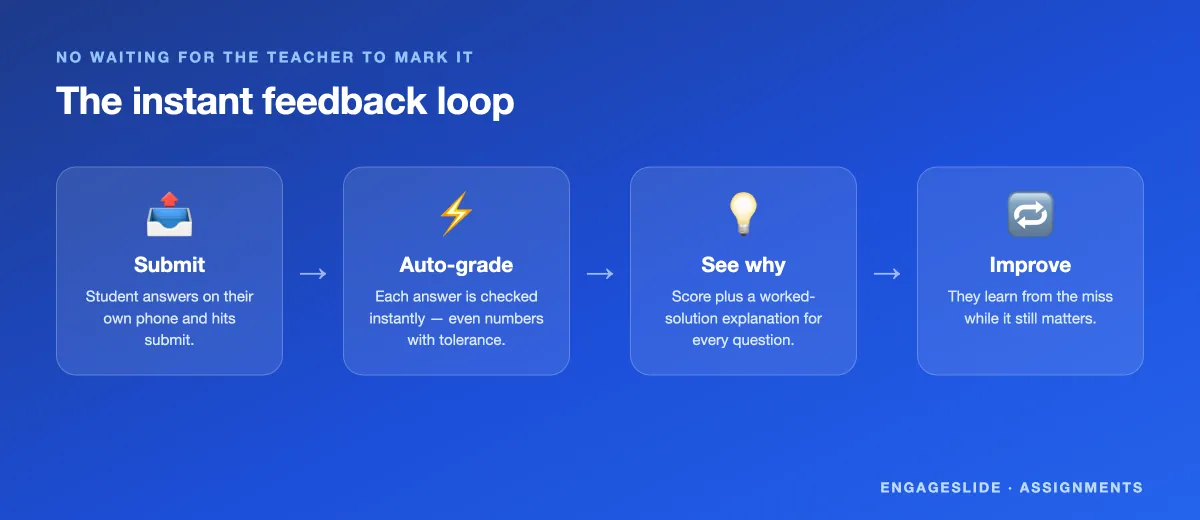
The magic is in the middle two steps. Auto-grading means the feedback is truly instant and identical in quality for every student, whether you have 12 or 300. And because each question can carry a worked-solution explanation, students don't just see that they were wrong — they see why, and what the correct path looks like.
More than right-or-wrong
Good feedback is specific, and EngageSlide supports several kinds so the response fits the question:
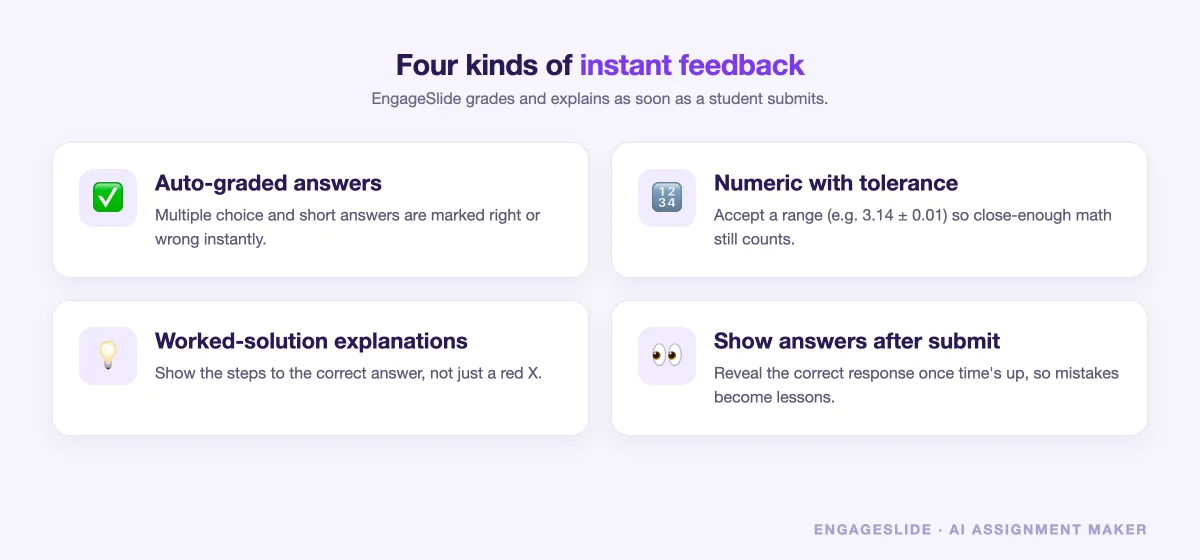
- Auto-graded answers. Multiple choice and short answers are marked instantly, so students know their standing the moment they finish.
- Numeric answers with tolerance. For math and science, accept a range (say, 3.14 ± 0.01) so a student who rounded reasonably isn't punished for it — the grading matches how the subject actually works.
- Worked-solution explanations. Attach the steps to the right answer, so a wrong response becomes a mini-lesson instead of a dead end.
- Show answers after submit. Reveal the correct response once a student submits (or once time is up), turning every mistake into something they can learn from immediately.
Personalized, not just fast
"Instant" and "personalized" go together here. Each student sees feedback on their answers — their score, their mistakes, the explanations for the specific questions they got wrong. A student who aced the algebra but stumbled on fractions sees exactly that, not a generic class average. This is what makes digital assignments genuinely useful for differentiated learning: every learner gets an individual read on where they stand, without you grading a single paper by hand.
For you as the teacher or trainer, the same submissions roll up into a class view, so you can see at a glance which questions tripped everyone up and reteach just those. It's the difference between guessing what to review and knowing — the same data-driven approach that makes quizzes such effective student assessments.
Make the feedback worth reading
Instant feedback only helps if students actually use it, so a few habits make it land harder:
- Explain the fix, not just the fault. Write each explanation as the next step a student should take ("multiply both sides first"), not a restatement of the rule they missed.
- Allow a retry. Letting students attempt again after seeing the explanation turns feedback into practice — the correction is only valuable if they get to apply it.
- Keep questions single-skill. When each question tests one idea, the feedback points at one clear thing to fix, which is far easier to act on than a vague "you got this wrong."
- Set fair tolerances up front. Decide what "close enough" means for numeric answers before you send the assignment, so no student is marked wrong for sensible rounding.
Where instant feedback shines
A few situations where immediate, auto-graded feedback makes the biggest difference:
- Homework and practice sets. Students practice, get corrected instantly, and try again — the loop that actually builds skill.
- In-class checks. Run a quick graded assignment mid-lesson and reteach on the spot based on what the results show, much like teachers use quiz slides in real classrooms.
- Corporate training and onboarding. New hires get immediate confirmation they understood a policy or process — and a nudge to review if not.
- Exam prep. Students drill past questions with instant scoring and explanations, so every practice attempt teaches something.
Getting started
Building an assignment with instant feedback takes minutes: create an assignment in the AI Assignment Maker (you can even let AI read an existing worksheet or exam image and turn it into questions), add correct answers and a short explanation for each, set any numeric tolerances, and choose to show answers after submission. Send it to your students, and the feedback takes care of itself.
The research is clear that feedback works best when it's timely and tells the learner how to close the gap — not just whether they were right. Instant, personalized feedback on assignments delivers exactly that, at a scale no hand-marking could match. Give students the answer while they still care about the question, and watch how much more they retain. Explore more teaching ideas on the EngageSlide blog.