
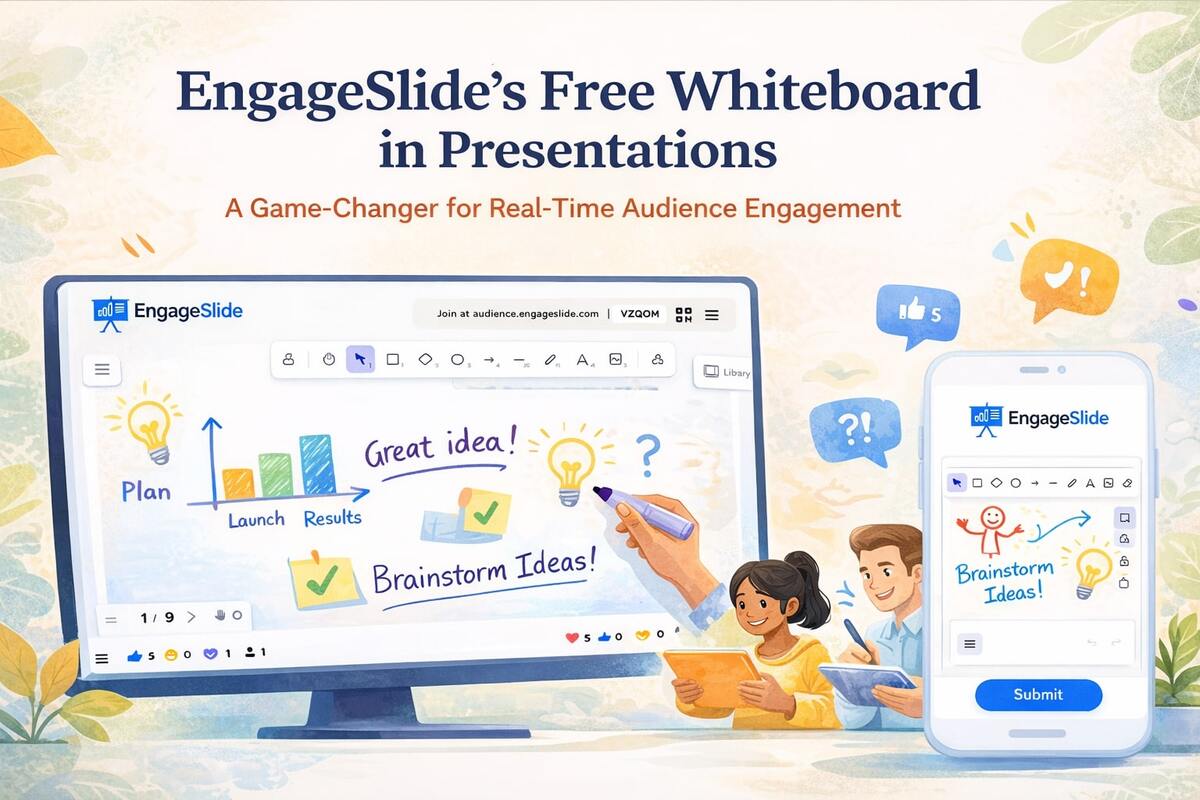
Interactive presentations have evolved far beyond slides, polls, and quizzes. Today, the most engaging sessions allow both presenters and audiences to think visually, draw ideas, and collaborate in real time. This is where interactive whiteboards come in.
If you are familiar with tools like whiteboard.fi, you already know how powerful real-time whiteboards can be in education and workshops. But until now, whiteboards have almost always existed as separate tools, disconnected from presentation platforms.
EngageSlide changes that.
EngageSlide is currently the only presentation platform that offers a fully integrated whiteboard tool inside presentations, usable by both presenters and audience, and completely free — something competitors like Mentimeter, Kahoot, or Slido do not offer.
This article explains why integrated whiteboards matter, how EngageSlide compares to standalone tools like whiteboard.fi, and why this feature is a game-changer for interactive presentations.
What Is an Interactive Whiteboard?
An interactive whiteboard is a digital canvas where users can:
Draw freely
Write text
Sketch diagrams
Explain ideas visually
Collaborate in real time
Unlike slides, which are linear and fixed, whiteboards are open-ended and dynamic, making them ideal for brainstorming, teaching, and problem-solving.
whiteboard.fi: Powerful but Separate
whiteboard.fi is widely used in classrooms because it allows:
Teachers to create a session
Students to draw on individual boards
Teachers to see all boards in real time
However, whiteboard.fi is a standalone tool:
It lives outside your presentation
Requires switching tabs or tools
Is not connected to polls, quizzes, or slides
Is mainly designed for education, not general presentations
This separation creates friction during live sessions.
The Problem with Current Presentation Tools
Popular presentation platforms focus heavily on:
Polls
Quizzes
Word clouds
Q&A
But none of them offer a real collaborative whiteboard inside the presentation itself:
Mentimeter ❌ No whiteboard
Kahoot ❌ No whiteboard
Slido ❌ No whiteboard
Presenters who want whiteboards must rely on external tools, breaking the flow and reducing engagement.
EngageSlide’s Integrated Whiteboard: A New Category
EngageSlide introduces something fundamentally different:
a native whiteboard tool embedded directly inside the presentation flow.
This means:
No switching apps
No separate links
No extra setup
No additional cost
And most importantly:
👉 Both presenters and audience can use the whiteboard live.
How EngageSlide’s Whiteboard Works
Inside an EngageSlide presentation, you can add a Whiteboard Slide just like any other interactive slide.
During the presentation:
The presenter can draw, explain, and highlight ideas
The audience can draw or write on their own boards
Everything happens in real time
The whiteboard is part of the same session as polls, quizzes, and slides
This creates a seamless interactive experience that feels natural and engaging.
Why an Integrated Whiteboard Matters
1. No Context Switching
Switching tools breaks attention.
With EngageSlide, participants stay inside one single experience from start to finish.
2. True Two-Way Interaction
Polls and quizzes are reactive.
Whiteboards are creative and expressive.
Participants can:
Solve problems visually
Draw diagrams
Explain ideas in their own way
Show thinking, not just answers
3. Perfect for Learning and Training
Integrated whiteboards are ideal for:
Online classes
Corporate training
Workshops
Design reviews
Brainstorming sessions
You don’t just ask questions — you see how people think.
EngageSlide vs whiteboard.fi
| Feature | whiteboard.fi | EngageSlide |
|---|---|---|
| Real-time whiteboard | ✅ | ✅ |
| Audience drawing | ✅ | ✅ |
| Presenter control | ✅ | ✅ |
| Integrated with slides | ❌ | ✅ |
| Polls & quizzes | ❌ | ✅ |
| Q&A & reactions | ❌ | ✅ |
| Presentation reporting | ❌ | ✅ |
| Free whiteboard | ✅ | ✅ |
EngageSlide doesn’t replace whiteboard.fi — it goes beyond it by merging whiteboards with interactive presentations.
EngageSlide vs Other Presentation Tools
| Platform | Integrated Whiteboard |
|---|---|
| EngageSlide | ✅ Yes (Free) |
| Mentimeter | ❌ No |
| Kahoot | ❌ No |
| Slido | ❌ No |
This makes EngageSlide unique in the market.
Use Cases That Benefit Most
Education
Teachers can:
Ask students to solve problems visually
See individual thinking processes
Combine quizzes with drawing tasks
Corporate Training
Trainers can:
Run live exercises
Ask participants to sketch workflows
Encourage active participation
Workshops & Brainstorming
Teams can:
Generate ideas visually
Collaborate in real time
Keep everything inside one presentation
Remote & Hybrid Meetings
Whiteboards help overcome passive listening by turning audiences into contributors.
Whiteboard + Presentation Reports = Powerful Insights
Because the whiteboard lives inside EngageSlide:
It becomes part of the presentation session
Engagement can be measured
Participation is visible and trackable
This transforms whiteboards from a temporary canvas into a measurable engagement tool.
Why Free Matters
Many advanced interactive features are locked behind paywalls. EngageSlide takes a different approach:
The integrated whiteboard is completely free.
This lowers the barrier for:
Teachers
Students
Startups
Small teams
Educators in emerging markets
Innovation should not be restricted by pricing.
The Future of Interactive Presentations
The next generation of presentations will not be:
One-way
Slide-centric
Passive
They will be:
Collaborative
Visual
Data-driven
Audience-powered
By combining slides, polls, quizzes, Q&A, reactions, reports, and whiteboards in one platform, EngageSlide is redefining what presentations can be.
Conclusion: EngageSlide Creates a Category of Its Own
Standalone whiteboards like whiteboard.fi prove the value of visual collaboration. Traditional presentation tools prove the value of live interaction.
EngageSlide is the first platform to truly combine both — for free.
If you want:
A whiteboard like whiteboard.fi
Inside a presentation
Used by presenter and audience
Without paying extra
Then EngageSlide is currently the only solution that delivers all of that.