
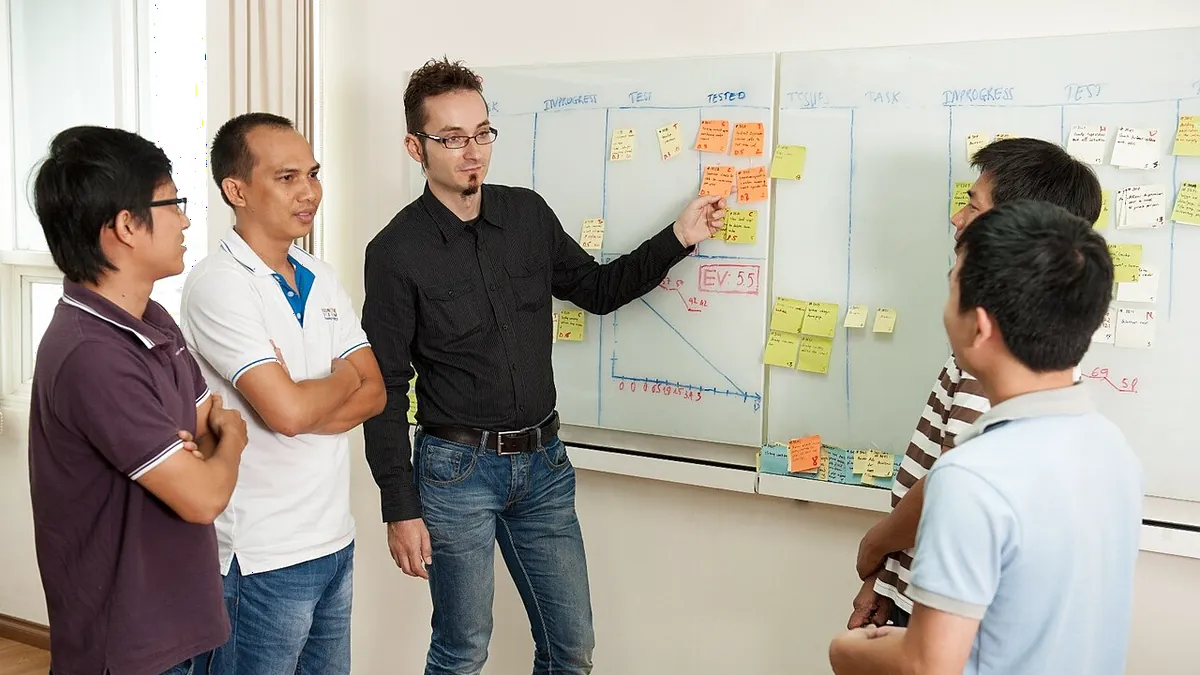
Stand-up meetings are supposed to be the shortest meeting of the day. In practice, many teams end up with a 30-minute "stand-up" where everyone sits down, recites yesterday's tasks, and waits for their turn while half the room checks Slack. The idea is sound: a short daily sync that surfaces problems early. Most of the time the format is what fails, not the team. This guide shows how to keep stand-up meetings short and useful, with a minute-by-minute agenda, the three habits that make them run long, and a simple way to collect blockers from everyone at once using EngageSlide.
What a stand-up meeting is actually for
A stand-up meeting is a short, daily, time-boxed sync. People originally stood so nobody would get comfortable enough to ramble. In Scrum it is called the Daily Scrum, and the official Scrum Guide caps it at 15 minutes and describes its purpose as inspecting progress toward the sprint goal and adapting the plan for the next day.
Notice what is missing from that definition: status reporting to a manager. A stand-up is for the people doing the work to coordinate with each other. If the meeting mostly exists so a lead can hear updates, it will drift into a reporting ritual, and reporting rituals always run long. A useful stand-up answers three questions for the team as a whole:
- Are we still on track for the goal? Not "what did each person do", but whether the team is closer to finishing what matters.
- What is blocked or at risk? The single most valuable output of the meeting.
- Who needs to talk to whom afterwards? The stand-up starts conversations; it does not host them.
Why stand-ups drift past 15 minutes
If your daily stand-up meetings regularly run to 25 or 30 minutes, the cause is usually one of three habits.
1. The round-robin status report
"Yesterday I did X, today I'll do Y, no blockers." Repeated eight times, this takes ten minutes and tells people almost nothing they couldn't read on the board. Worse, everyone stops listening once they've spoken, and anyone who hasn't spoken yet is busy rehearsing.
2. Problem-solving in the meeting
Someone mentions a bug, two engineers start debugging it out loud, and six people watch. The discussion matters, but most of the room doesn't need to be there for it.
3. Blockers that never get said out loud
This one is subtle. People say "no blockers" because admitting you're stuck in front of the whole team feels awkward, or because the blocker is "waiting on another team" and seems not worth mentioning. The meeting looks quick, but it isn't useful. The problem shows up three days later as a missed deadline.
All three come back to the same thing: the meeting runs on people taking turns to talk, so it's slow and not very honest. Change that and most of the problems go away.
A 15-minute stand-up agenda that works
Here is a structure you can use tomorrow. It replaces the round-robin with a walk across the board, and collects blockers from everyone at once before discussion starts.
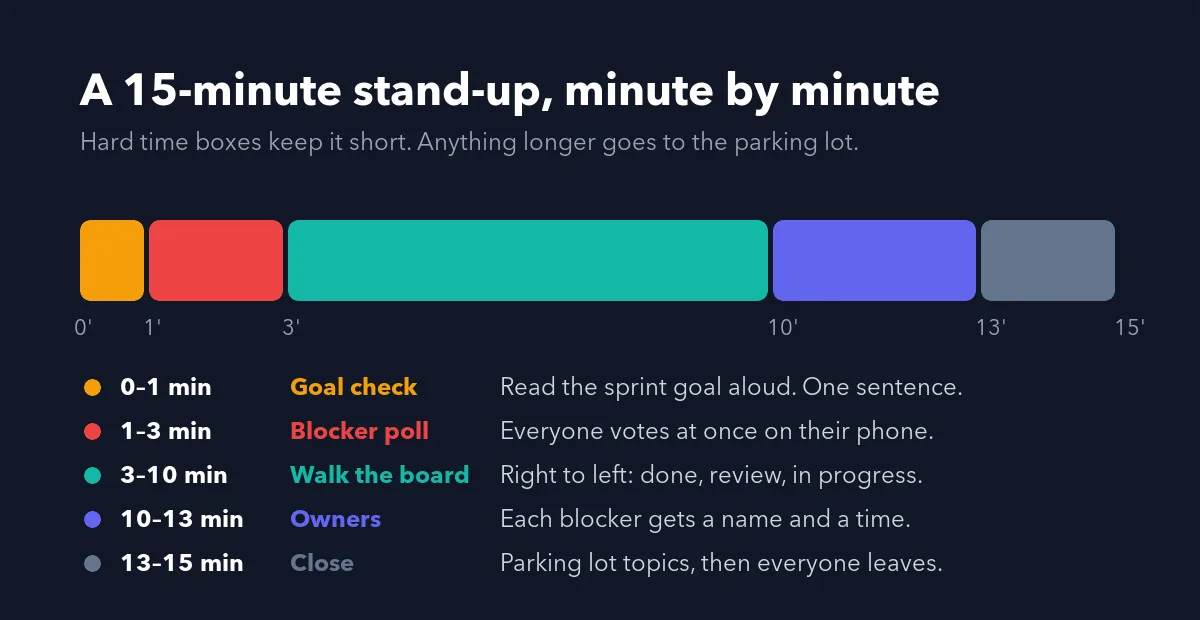
Minute 0–1: Goal check
The facilitator reads the sprint or weekly goal aloud in one sentence. This anchors every update that follows. If an update doesn't relate to the goal, it probably belongs somewhere else.
Minute 1–3: Blocker poll
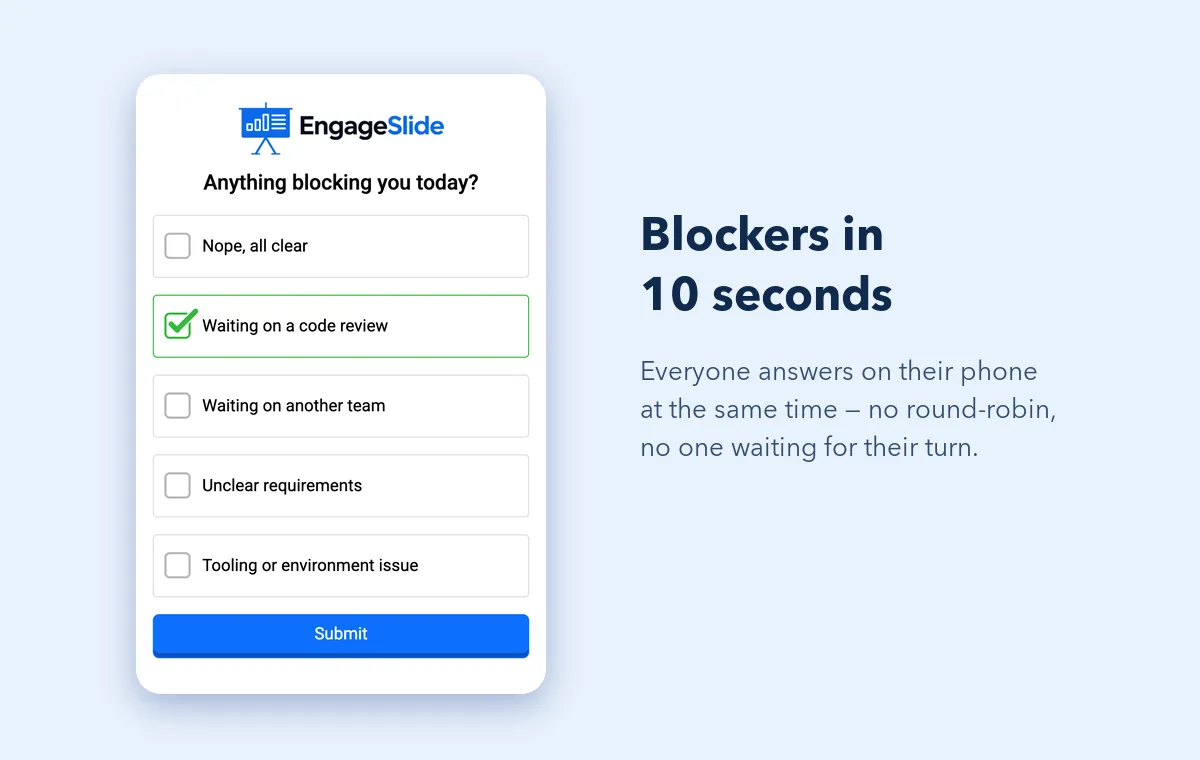
Instead of asking "any blockers?" and getting silence, put a quick poll on the screen: "Anything blocking you today?" Everyone answers at the same time on their phone, so a team of ten takes no longer than a team of three. Use categories that match your real friction, for example:
- Nope, all clear
- Waiting on a code review
- Waiting on another team
- Unclear requirements
- Tooling or environment issue
Because nobody has to raise a hand in front of the group, you get a truer picture. Three people quietly picking "waiting on a code review" is a pattern you'd likely miss with the usual round-robin.
Minute 3–10: Walk the board, right to left
Instead of going person by person, go item by item, starting from the column closest to "done". Ask: what will it take to finish this? Then move left to items in review, then in progress. Finishing work beats starting work, and walking right to left keeps the conversation on finishing. People speak when their item comes up, not because it's their turn.
Minute 10–13: Owners for every blocker
Go back to the poll results. Every blocker gets two things: a person who owns unblocking it and a time ("Priya and Sam pair on the review right after this"). Don't solve the blocker here. Name the follow-up and move on.
Minute 13–15: Parking lot and close
Anything that sparked a longer discussion goes on a parking-lot list. The people who need to stay, stay. Everyone else leaves on time. Ending on time every day matters more than any single agenda item, because it teaches the team the meeting can be trusted.
How to run it in EngageSlide
You don't need a big setup for this. A stand-up deck in EngageSlide's interactive presentation tool can be two or three slides that you reuse every day.
- Create a "Daily Stand-up" presentation. Add a Poll slide with your blocker categories. Turn off name collection if you want answers to be anonymous; for a small, trusting team, keeping names on makes follow-up faster.
- Reuse the deck and reset results each day. Use "Reset results this presentation" before each stand-up so yesterday's answers don't mix with today's, and the join code stays familiar. Team members join from their phones by scanning the QR code or typing the code once.
- Add an optional confidence check. Once a week, add a Scale slide: "How confident are you we'll hit this sprint's goal?" (1–5). A falling average is an early warning that the board alone won't show.
- Keep a Q&A slide open for the parking lot. People can drop topics they want to discuss after the stand-up, and upvote others, without interrupting the flow.
- Present from wherever you are. For remote or hybrid teams, share the presentation window in your video call. If you run stand-ups inside Teams, the Microsoft Teams integration keeps everything in one place.
The fastest way to shorten a stand-up isn't to talk faster. Stop taking turns: collect blockers from everyone at once, then spend the time you saved on the few items that need a conversation.
Remote and hybrid stand-ups
Distributed teams feel stand-up pain the most. On video, the round-robin is even slower: people unmute late, talk over each other, or hand over to someone who's away from the keyboard. A few adjustments help:
- Cameras optional, answers mandatory. A quick poll response from everyone tells you more than eight faces in a grid.
- Use the same join code every day. Pin it in the team channel so joining takes two seconds.
- Write async updates beforehand. If people want to share detailed progress, a short written update in chat before the meeting frees the live time for blockers.
- Respect time zones. If no time works for everyone, run the poll asynchronously and keep the live part for whoever overlaps.
Common mistakes to avoid
- Letting the manager run every update. Rotate the facilitator weekly. It spreads ownership and stops the meeting turning into a report to one person.
- Skipping the stand-up when "nothing's happening". Quiet days are when hidden blockers grow. A two-minute version with just the poll is still worth it.
- Adding topics until it becomes a planning meeting. If you keep needing more time, the team needs a separate weekly session, not a longer stand-up.
- Never looking back. Once a sprint, check: did blockers raised in stand-up get resolved faster than before? If not, adjust the categories or the follow-up step.
Stand-ups as part of a healthier meeting culture
A good stand-up is one piece of a bigger picture. If your team's other meetings also drag, the same ideas carry over: give every meeting a clear purpose, let everyone answer at once instead of taking turns, and end with a decision and an owner. We cover that broader approach in how to run meetings people don't dread.
Start small. Tomorrow, keep your current stand-up but add a single blocker poll at the start and a hard stop at 15 minutes. Most teams notice the difference within a week: shorter meetings, more honest answers, and blockers that get cleared the same day instead of at the end of the sprint. You'll find more practical meeting and facilitation guides on the EngageSlide blog.
Cover photo: "Họp Scrum hàng ngày" by Nghungdo, via Wikimedia Commons, licensed under CC BY-SA 4.0.