
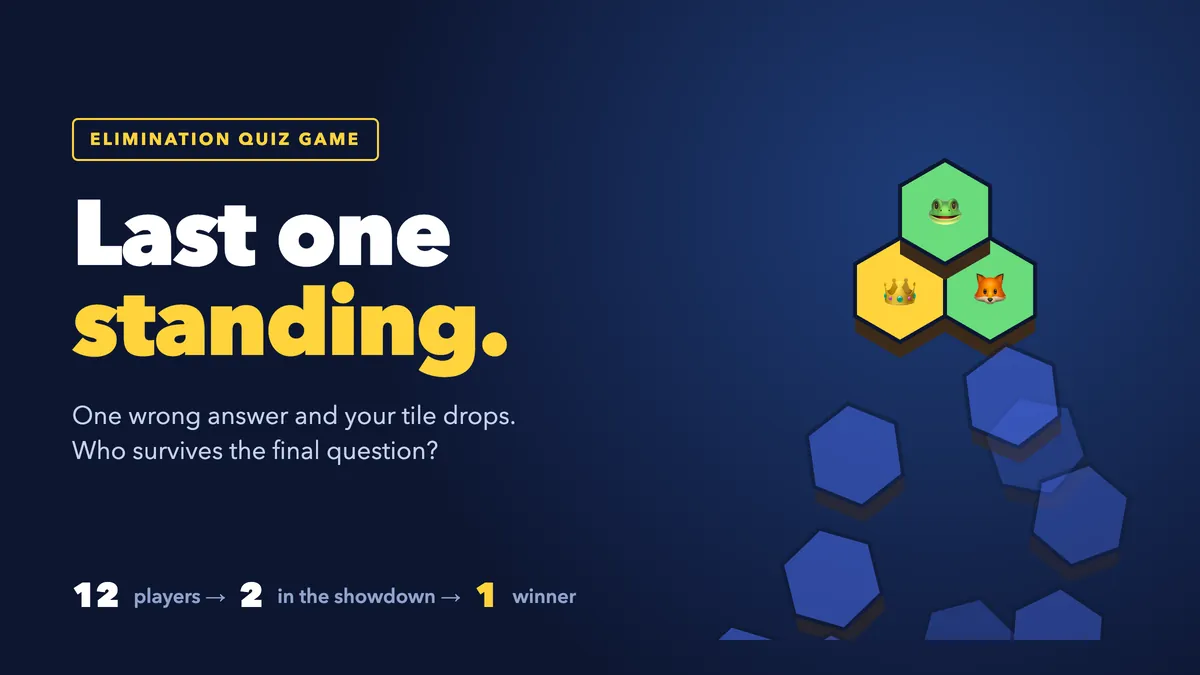
Most live quizzes end with a leaderboard and a winner who was ahead from question two. An elimination quiz game changes the mood: every question is sudden death, and the final moments come down to two people racing on the same question. Last One Standing is EngageSlide's elimination quiz: every player stands on a floating tile on the big screen, and a wrong answer drops it. This guide covers how the game plays, what players see on their phones, how to set it up and how to write questions that empty the floor at the right pace.
What is Last One Standing?

Last One Standing is a slide type you add to any deck in the EngageSlide interactive presentation tool. Each player who joins gets a hexagon tile on a floating floor, with their avatar and name, over the clouds, a lava pit or icy water.
Each question is a race against the clock. Answer right and you stay on your tile. Answer wrong, or don't answer before time runs out, and your tile shakes, cracks and drops into the abyss. As the floor empties, the camera zooms in on the players who are left, so the last few rounds fill the screen. When only two players remain, they face off in a final showdown, and the winner is crowned the last one standing.
How a round plays out on the big screen
Before the game starts, the screen shows every player on their tile plus the rules for this game: the number of questions, the time per question, the number of lives and whether there is a final showdown. Press START (or Enter).
During a question, the screen shows how many players are still standing, the question, a countdown ring, four coloured answer buttons and how many people have answered so far. The question closes early once everyone still standing has answered, and you can press Reveal now if you want to move faster.
The reveal is where the drama happens. The right answer lights up with the number of votes on each option, then the floor reacts: the tiles of everyone who got it wrong shake and fall, and a banner announces the result, such as "4 players fell!", together with the fastest right answer of the round.
Three fair-play rules keep it fun:
- Everyone wrong means nobody falls. If every player still standing misses a question, the whole floor survives it.
- No answer counts as wrong. When the timer runs out, players who didn't tap anything lose their tile (or a life).
- Same question, same place. Players who fall on the same question share a place. If five drop when seven are standing, all five are third.
What players see on their phones
Players join at engageslide.com with your code and type their name. The phone says "You're on the floor!" and their avatar appears on a tile on the big screen.
For each question the phone shows the question, a countdown bar and big coloured answer buttons with shapes, so they are easy to tell apart. After tapping, the choice locks in. At the reveal every phone gets its own result: "Still standing!" with the number of players left, "Your tile cracked!" when you play with two lives, or "Your tile dropped!" with the player's final place, for example "You finished #7 of 12".
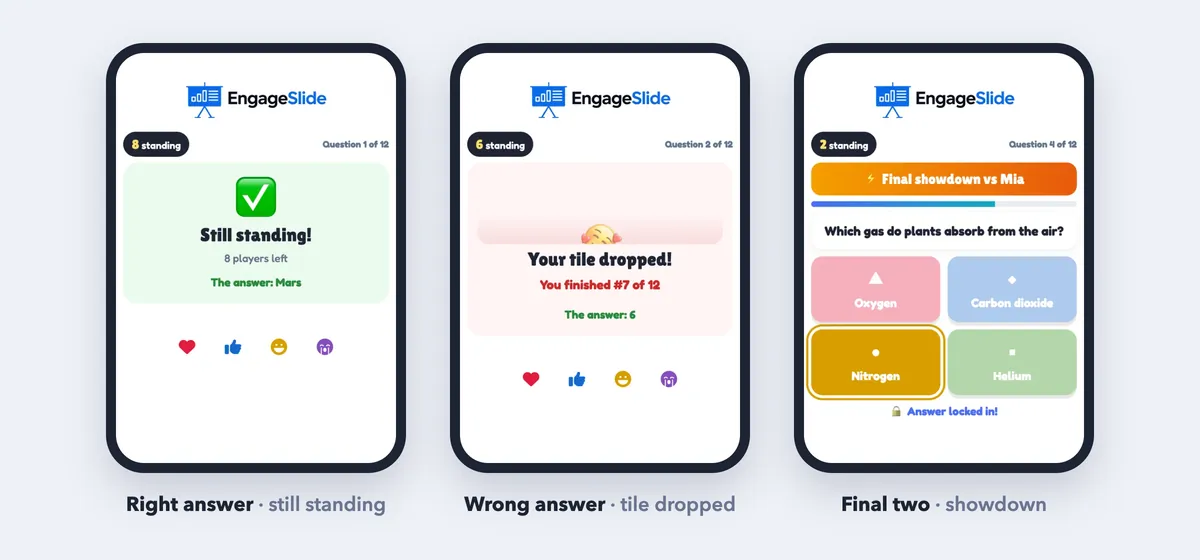
Players who have fallen keep seeing the questions. In the final, the two finalists see "Final showdown vs" and their opponent's name, and at the end the winner gets "You're the last one standing!" while everyone else sees their place. Anyone who joins after the game has started watches that game and gets a tile in the next one.
The final showdown
When a game that started with three or more players is down to two, the showdown begins (it is on by default). The finalists face off under a VS header with their round wins and answer times:
- A right answer beats a wrong one.
- If both are right, the faster answer wins the round.
- If both are wrong, nobody scores.
- First to win two rounds is the last one standing. The loser takes second place.
If you switch the showdown off, the last two simply keep playing normal questions until one of them falls. The winner gets a crown and confetti, and See the podium shows first, second and third place, a chart of how many players fell on each question, and the toughest question of the game.
An elimination quiz turns a review into a story: everybody is in at the start, the floor empties question by question, and the final two decide it live in front of the room. The toughest question at the end tells you exactly what to teach again.
How to set up Last One Standing in EngageSlide
1. Add the slide and write your questions
Add a Last One Standing slide to your presentation. It comes with 12 sample questions so you can test it right away. Each question has two to four answers, and you click the coloured shape next to an answer to mark it correct (it turns into a ✓). Use + Add answer, ✕ to remove one, the arrow to move a question up and + Add question for a new one.
2. Paste a whole list at once
If your questions already live in a document, click Paste list and paste one question per line in this format:
- Format: Question | *Correct answer | Wrong | Wrong
- Example: What is the capital of Australia? | *Canberra | Sydney | Melbourne | Perth
The star marks the right answer. The box tells you how many questions it found; click Add. Aim for 10 or more questions so the floor has time to empty, because when the questions run out, everyone still standing shares first place.
3. Choose the settings
- Time per question. 10, 15 (default), 20 or 30 seconds.
- Lives. 1 life (default): one wrong answer and the tile drops. 2 lives: the first wrong answer cracks the tile and the second drops it.
- Final showdown. On or off.
- Theme. Sky islands (grass tiles over the clouds), Lava pit (stone tiles over glowing lava) or Ice floes (ice tiles over dark water).
The step-by-step Last One Standing help article has screenshots of every screen, and you can see the slide next to the other game types on the Last One Standing slide page.
4. Rehearse, then present
You can rehearse alone: with one player the game runs through every question. Then present as usual, share the code and press START.
Writing questions that make a great elimination quiz
The question list decides the pace more than any setting:
- Start easy, finish hard. Easy openers keep most players in for the first rounds, and harder questions near the end empty the floor just before the showdown.
- Keep options short. Two to five words per answer, because players read on a phone against the clock.
- Make wrong answers plausible. Distractors that reflect real misconceptions produce better reveals and better discussion.
- Use 2 lives for classes and mixed groups. Nobody is out after a single slip.
- Write more questions than you need. 12 to 15 questions for a group of 20 to 30 usually leads to a single winner.
Answering from memory also strengthens retention more than re-reading, known as the testing effect, and adding stakes and suspense is a classic gamification of learning technique.
When to use an elimination quiz game
- Classroom review. The end-of-unit quiz becomes a survival game, and the class sees which question knocked most people out.
- Training recap. Ten questions on the key points of a session; the toughest question shows what to go over again.
- Company events and all-hands. A trivia knockout with a real final and a podium.
Last One Standing doesn't add to the quiz leaderboard: your place is decided by how long you survive. If you want a team format instead of every-player-for-themselves, try a Tug of War team quiz game, and for a calmer game that everyone plays to the end, a live bingo game works well.
Running the game smoothly
Read each question aloud while the timer runs, and pause on the reveal to explain the right answer before you press Next question. If the presenting window is refreshed, everyone who joined shows up again, and if the slide is open in another window the game continues from the same question. Play again starts a rematch.
Every finished game is saved. Inside the slide, the 🏆 Past games button reopens the big-screen podium of each play, and the same results are in the presentation Report for a look back after the session. For more game and quiz ideas, browse the EngageSlide blog.