
Sales teams already live on a leaderboard. Quota attainment, pipeline created, calls booked — the numbers are on a screen somewhere, and reps check them. Training is the one part of the job where that competitive instinct usually goes unused: a deck, a few nods, and a quiz nobody scores. Put a live leaderboard on the training itself and the same people who chase a sales board will chase product knowledge just as hard.
This guide covers when a leaderboard helps in sales training, when it backfires, what to actually score, and how to run one with EngageSlide.
Why leaderboards work on sales teams
A leaderboard turns a passive session into a game with a scoreboard, and it does three things that a normal training deck cannot:
- It makes attention visible. Reps cannot half-listen and still score, so you find out immediately who knows the new pricing tiers and who is guessing.
- It creates a reason to answer fast. Points that shrink as the timer runs mean the fastest correct answer wins, and recall speed is exactly what a rep needs on a live call.
- It gives the room a story. Someone leads after question three, someone overtakes them at question eight. That arc is what people remember about the session afterwards.
The mechanism is not complicated: it is the testing effect dressed up as competition. Recalling an answer under mild pressure builds memory far better than watching a slide about the same fact.
When a leaderboard is the wrong tool
Competition is a stimulant, not a strategy. Be deliberate about when you leave the board off:
- New hires in week one. Ranking people publicly before they have had a chance to learn the product punishes the newest and least confident reps.
- Sensitive or judgement-based topics. Discovery technique, negotiation ethics or account strategy deserve discussion, not a race.
- When the same person always wins. If one rep tops every board, the rest stop trying. Switch to team mode or rotate who writes the questions.
- When the quiz is really a test. Certification and compliance checks should be private; use an assignment with auto-grading instead of a public ranking.
Score the knowledge you want repeated on calls. If a question would not change how a rep sells tomorrow, it does not belong on the board.
What to put on the board
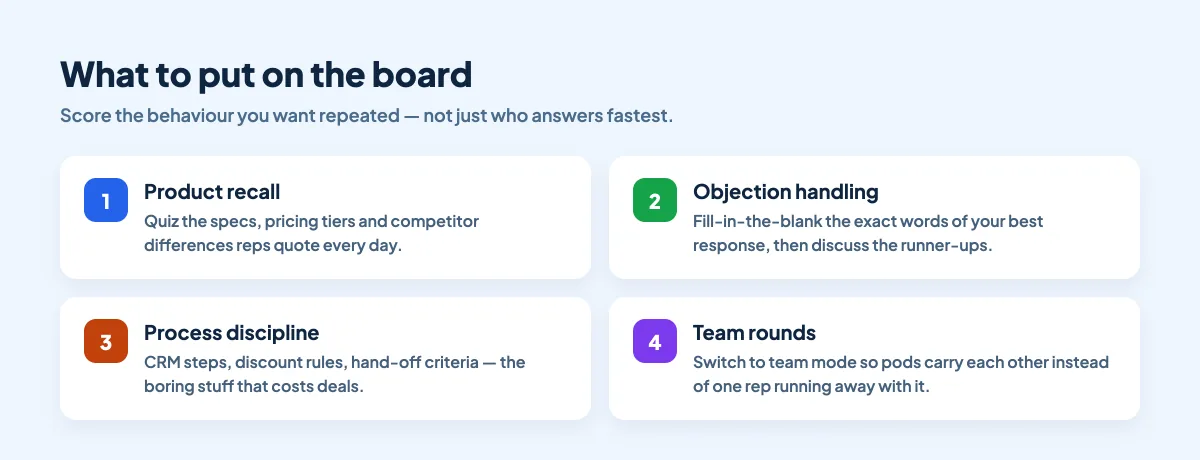
Four categories carry most of the value in a sales session:
- Product recall. Specs, pricing tiers, packaging rules and the two or three real differences against your main competitor. Multiple choice works; so does a fill in the blank question where reps type the number from memory.
- Objection handling. Show a real objection and score the best response. Fill in the blank the exact words of your strongest line, then talk through the answers people typed instead.
- Process discipline. CRM stages, discount approval thresholds, hand-off criteria — the unglamorous rules that quietly cost deals when they are ignored.
- Customer knowledge. Which industries you win in, which use case closes fastest, what the last three lost deals had in common.
How to run it in EngageSlide
1. Build six to ten questions
Mix the formats so the session does not feel like one long multiple choice: a couple of standard quiz questions, one fill in the blank for exact wording, one match pair for product-to-use-case, and a poll or two where there is no right answer and you just want opinions.
2. Turn on the speed bonus, and set the timer
In the quiz settings, keep more points for fast correct answers on and give 20 to 30 seconds per question. Long enough to think, short enough that nobody looks anything up.
3. Add a Leaderboard slide where the story needs telling
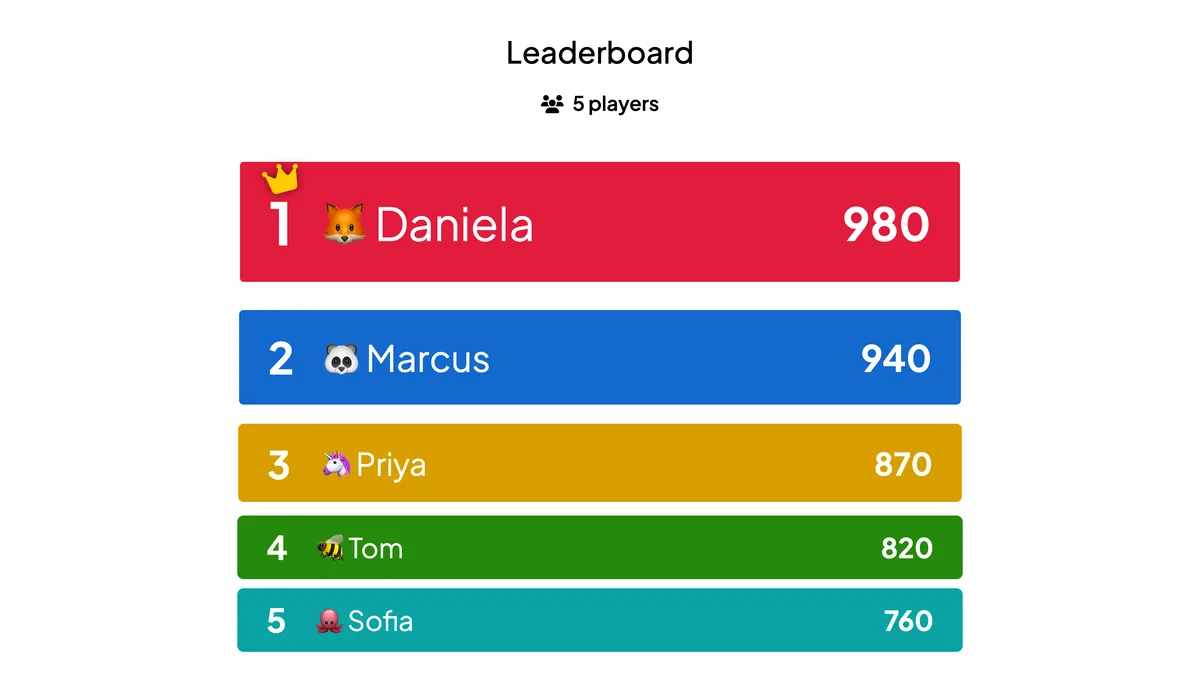
Do not save the ranking for the end. Drop a Leaderboard slide after question three and again after the final question. The mid-session board is what turns a quiz into a comeback.
4. Consider team mode for mixed-tenure rooms
With teams switched on, reps are grouped into pods and the board ranks pods rather than individuals. A new hire who does not know the answer still contributes, and senior reps end up coaching rather than running away with it. The trade-offs are covered in team quiz vs individual quiz.
5. Present, and let people join from their phones
Reps scan the QR code, pick a nickname and play. Nothing to install, which matters when half the team is dialling in from a hotel lobby before a customer meeting.
Make the score mean something
- Give the win a small, real prize. Lunch, first pick of inbound leads for a week, a trophy that moves desks. The size matters less than the fact that it is repeated.
- Run it as a series. A five-minute round at the start of every weekly sales meeting beats one long quiz at the quarterly kickoff. Keep a running board across the quarter.
- Talk about the wrong answers. The most useful minute of the session is discussing the question half the room got wrong — that is your actual enablement gap.
- Retire questions that everyone gets right. A board only motivates while it is uncertain.
- Follow up on what the board revealed. If pricing questions scored worst, that is next week's five-minute round — and possibly next week's coaching session.
A 20-minute format you can reuse
- 2 min — warm-up poll. "Which objection did you hear most this week?" No scoring, just gets everyone on their phone.
- 8 min — round one. Four scored questions on product and pricing.
- 2 min — leaderboard. Show the standings and call out the top three by name.
- 6 min — round two. Three objection-handling questions, discussed as you reveal each answer.
- 2 min — final board and the gap. Announce the winner, then name the one question the room struggled with and what you will do about it.
For more on designing the questions themselves, see our guide to adding a leaderboard to your quiz, and gamification in presentations for the psychology behind points and streaks.
Start with one meeting
Take next week's sales meeting, write six questions about the things reps get wrong on calls, and put a leaderboard after question three. It costs you twenty minutes and tells you more about your team's product knowledge than a quarter of training surveys. Everything you need is part of EngageSlide's interactive presentation tool.