
A live quiz is the fastest way to turn a passive room into an engaged one. The moment people know a question is coming — and that their answer is being counted in real time — phones come out, side conversations stop, and everyone leans in. But "let's do a quiz" only works if the quiz itself is worth playing. The difference between a groan and a grin is the idea behind the round. Below are ten live quiz ideas you can run in a meeting, classroom, training session, or webinar, each grounded in a real interactive feature you can set up in minutes with an interactive presentation tool like EngageSlide.
Why a live quiz changes the energy in the room
Answering a question — not just hearing one — forces the brain to retrieve information, and retrieval is what makes learning stick. Researchers call this the testing effect: people remember material far better after being quizzed on it than after simply re-reading it. Add points, a countdown, and a live leaderboard and you also tap into friendly competition, which pulls even the quiet people in. The ten ideas below mix pure fun with real knowledge checks so you can match the round to your moment.
The best live quiz isn't the hardest one — it's the one where everyone feels they have a shot at the leaderboard.
10 live quiz ideas that actually energize a room
1. The 60-second warm-up round
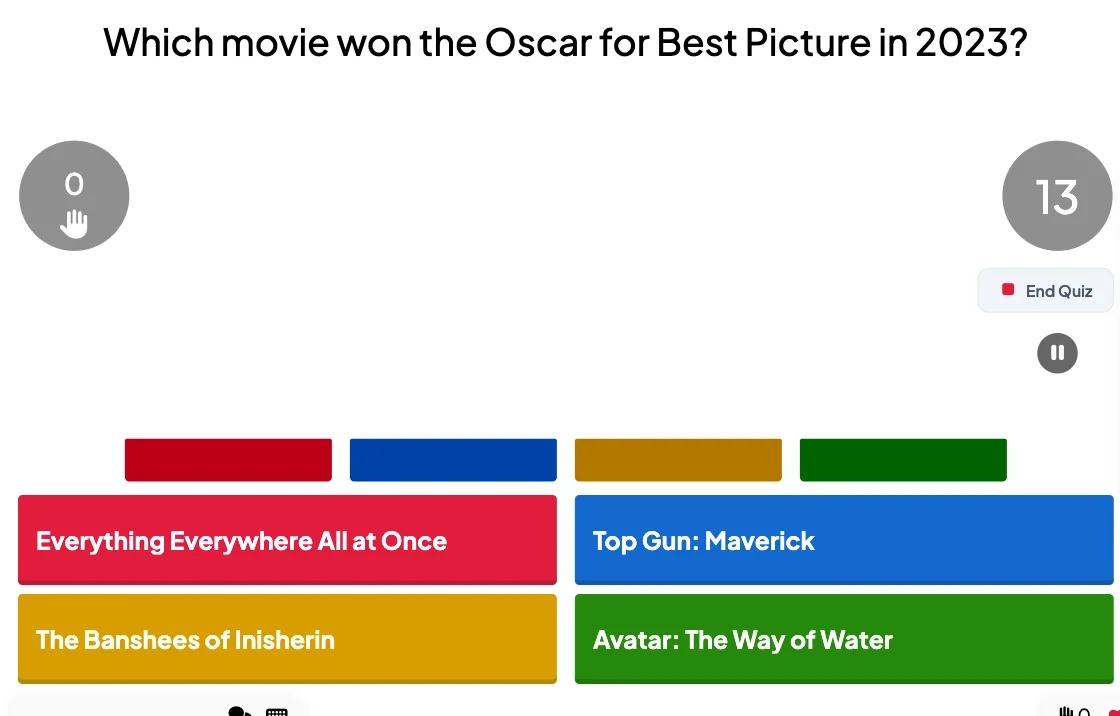
Open with three or four easy, low-stakes questions before you get to the "real" content. A quick "Which of these did our team ship last quarter?" or "What year was this company founded?" gets everyone's thumbs moving and their heads in the game. Use a multiple-choice Select Answer slide with a short 15–20 second timer so it feels brisk, not like a test.
2. Rapid-fire pop-culture trivia
Nothing energizes a group like a fast music, movie, or sports round. Turn on points for faster correct answers so speed matters, keep questions to a 10–15 second timer, and watch the leaderboard shuffle after every question. This format is perfect as a mid-session reset when attention is fading.
3. Guess-the-picture reveal
Hide an image behind a grid and reveal it tile by tile — a landmark, a product, a famous face — while players race to guess. It creates a "just one more tile" curiosity loop that's genuinely fun on the big screen. See how the quiz image reveal works and why partial information keeps a room hooked.
4. Team trivia showdown
Split the room into teams and let scores combine into a team leaderboard. Team mode is ideal for large groups, offsites, and classrooms because it turns strangers into temporary allies and gives quieter participants cover to contribute. Assign team names on the join screen and let the rivalry do the rest.
5. Match-up challenge
Use a Match Pair round to connect terms to definitions, logos to brands, or dates to events. Matching questions test deeper understanding than simple recall, which makes them a great fit for training and review — and they play out visually, so the whole room can follow along.
6. "Who said it?" quote quiz
Put a memorable quote on screen and ask who said it — a historical figure, a movie character, or (for an internal all-hands) a leader from your own company. It's an instant icebreaker that sparks debate. Run it as a Select Answer round with four plausible options so guessing feels like a real gamble.
7. The estimation round
Ask a number question where nobody knows the exact answer — "How many coffees does our office go through in a month?" — and use a Type Answer slide with a tolerance range so the closest guesses still score. Estimation rounds are surprisingly loud; people love arguing over their reasoning afterward.
8. Word-scramble or puzzle sprint
Drop in a Puzzle round where players unscramble a key term or solve a short brain-teaser tied to your topic. It's a satisfying change of pace from multiple choice and rewards the people who think laterally, keeping different kinds of players in the running.
9. Predict-the-room
Before revealing a poll result, ask players to predict what the majority will say and score whoever guesses closest to the crowd. It's a clever way to combine a quiz with a live poll: you get real audience data and a competitive twist. This works beautifully in workshops and strategy sessions where opinion is the content.
10. The end-of-session recap
Close with a knowledge check that revisits your three or four biggest points. It reinforces what you just taught (that testing effect again), gives you instant proof of what landed, and ends on a high with the final leaderboard. Crown a winner, spin a wheel for a small prize, and people leave talking about it.
How to run any of these in EngageSlide
Every idea above is a slide type you can add without downloads or accounts for your audience. Build your questions, then hit present — participants join instantly by scanning a QR code or entering a short code at a join link on their own phones. Answers stream in live, points are tallied automatically, and the leaderboard updates after every question. Because it's all in one deck, you can weave a quiz between your normal slides instead of switching apps mid-session.
A few practical tips that make live quizzes land:
- Keep timers tight. A 10–20 second countdown creates urgency; 60 seconds kills momentum.
- Vary the format. Alternate multiple choice, matching, and estimation so the game never feels repetitive.
- Show the leaderboard often. The score reveal is the emotional payoff — don't skip it.
- Mix easy and hard. Early wins keep beginners engaged; a few tough questions keep experts honest.
- Read the answer out loud. A quick "and the correct answer is…" beat turns data into a moment.
If you're building your first one, start with the mechanics in our guide to creating a live quiz your audience will actually enjoy, then come back and layer in two or three of the ideas above. For more ways to keep any session interactive, browse the EngageSlide blog.
Pick two, not ten
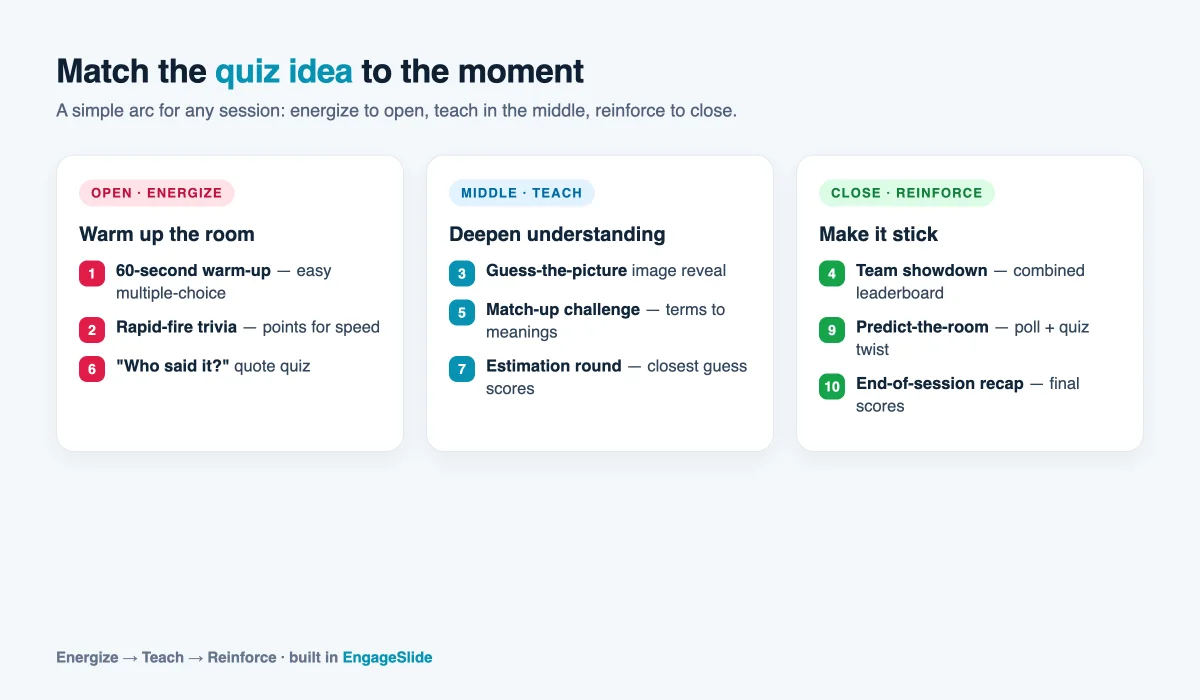
You don't need all ten ideas in one session — that would exhaust the room. Choose one warm-up round to open, one substantive round tied to your content, and, if you have time, a recap to close. That simple arc — energize, teach, reinforce — is what turns a forgettable meeting or class into one people actually remember. Quizzing works because it makes people play instead of merely watch, and playing is where attention lives.