
How to Integrate Miro into a Presentation (and Let Your Audience Collaborate Live)
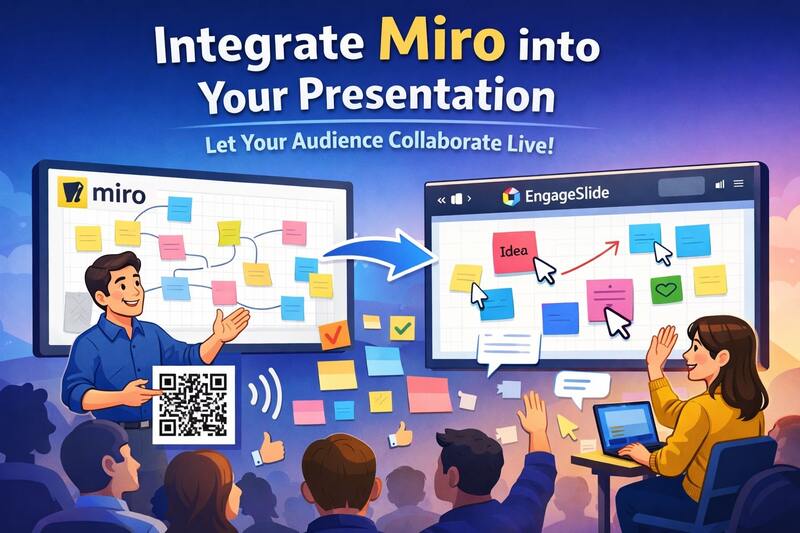
Modern presentations are no longer just about slides — they’re about interaction, collaboration, and engagement. That’s why many educators, trainers, and facilitators are now integrating Miro into their presentations.
In this article, you’ll learn:
How to integrate Miro into a presentation
How to present Miro content smoothly
And how to let both presenter and audience interact together using EngageSlide
Why Use Miro in an Interactive Presentation?
Miro is a powerful online whiteboard that allows people to:
Brainstorm ideas visually
Add sticky notes, drawings, shapes, and diagrams
Collaborate in real time
However, Miro alone is not a presentation tool. It lacks:
Structured slide flow
Audience management
Live interaction controls during presenting
That’s where combining Miro with an interactive presentation platform becomes extremely powerful.
How to Embed Miro into a Presentation
Step 1: Prepare Your Miro Board
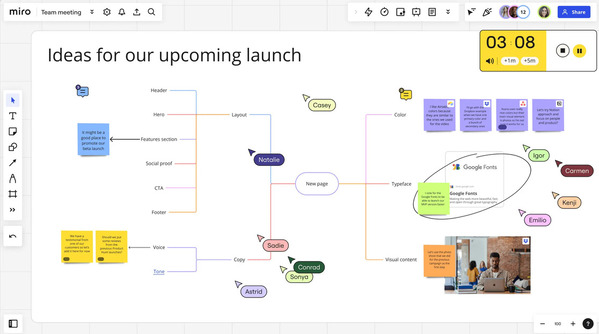
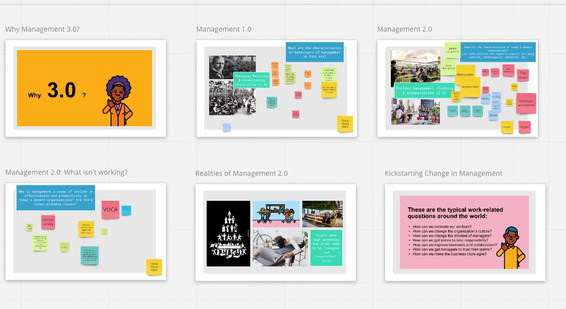
Create your board in Miro (brainstorming canvas, workshop flow, mind map, etc.)
Set sharing permissions (view or edit access)
Copy the board link or embed URL
Step 2: Insert Miro into Your Interactive Slide
In an interactive slide, you can:
Embed the Miro board directly inside a slide (iframe-based)
Or link to a specific Miro frame for focused discussion
This allows the Miro board to appear as part of your interactive presentation, not a separate tab or tool.
How to Present Miro During a Live Session
Traditional presenting with Miro often looks like this:
Screen sharing
Presenter controls everything
Audience watches passively
With an engage presentation, you can do much more.
Presenter Experience
Control slide flow like a normal presentation
Zoom and navigate the Miro board smoothly
Highlight areas of focus during discussion
Audience Experience
Join instantly via a link or QR code
View the same Miro board inside the presentation
No account required to participate (depending on setup)
The Biggest Advantage: Audience and Presenter Interact Together
This is where EngageSlide truly stands out.
Unlike static presentations or basic embeds, EngageSlide allows the audience to interact on the same Miro board at the same time as the presenter.
What This Enables
Audience adds sticky notes during brainstorming
Participants draw, vote, or group ideas live
Presenter reacts instantly and guides the discussion
Real-time collaboration at scale (even with large audiences)
This transforms a presentation into a shared working space, not a one-way talk.
Use Cases That Work Extremely Well
🎓 Education & Classrooms
Group brainstorming during lectures
Visual problem-solving sessions
Collaborative concept mapping
🏢 Workshops & Training
Design thinking workshops
Retrospectives & agile ceremonies
Team alignment sessions
🎤 Events & Webinars
Live ideation with hundreds of participants
Interactive icebreakers
Audience-driven discussions
All of these benefit from combining interactive slides, interactive presentation flow, and live collaboration.
Why Use EngageSlide Instead of Presenting Miro Alone?
| Feature | Miro Only | Miro + EngageSlide |
|---|---|---|
| Slide-based presentation | ❌ | ✅ |
| Audience interaction | Limited | ✅ Full interaction |
| Large audience support | ❌ | ✅ |
| Presenter control | Basic | Advanced |
| Engagement & participation | Medium | High |
EngageSlide bridges the gap between collaborative whiteboards and engaging presentations.
Final Thoughts
If you want to move beyond static slides and one-way screen sharing, integrating Miro into an interactive presentation is a game changer.
With EngageSlide, you don’t just show a Miro board — you:
Engage your audience
Collaborate in real time
Turn presentations into experiences
👉 Explore how to build interactive, collaborative presentations at engageslide.com