
Every live poll starts with the same fork in the road: do you give the audience a fixed set of options to pick from, or an empty box to type whatever they want? Multiple choice versus open-ended is not a matter of taste — the two formats measure different things, produce different data, and shape the room's energy in different ways. Choose wrong and you either flatten rich opinions into three tidy buttons or drown in a hundred one-word answers you can't act on. This guide breaks down what each format is best at, the trade-offs, and how to combine them in EngageSlide for the clearest possible read on your audience.
The Core Difference
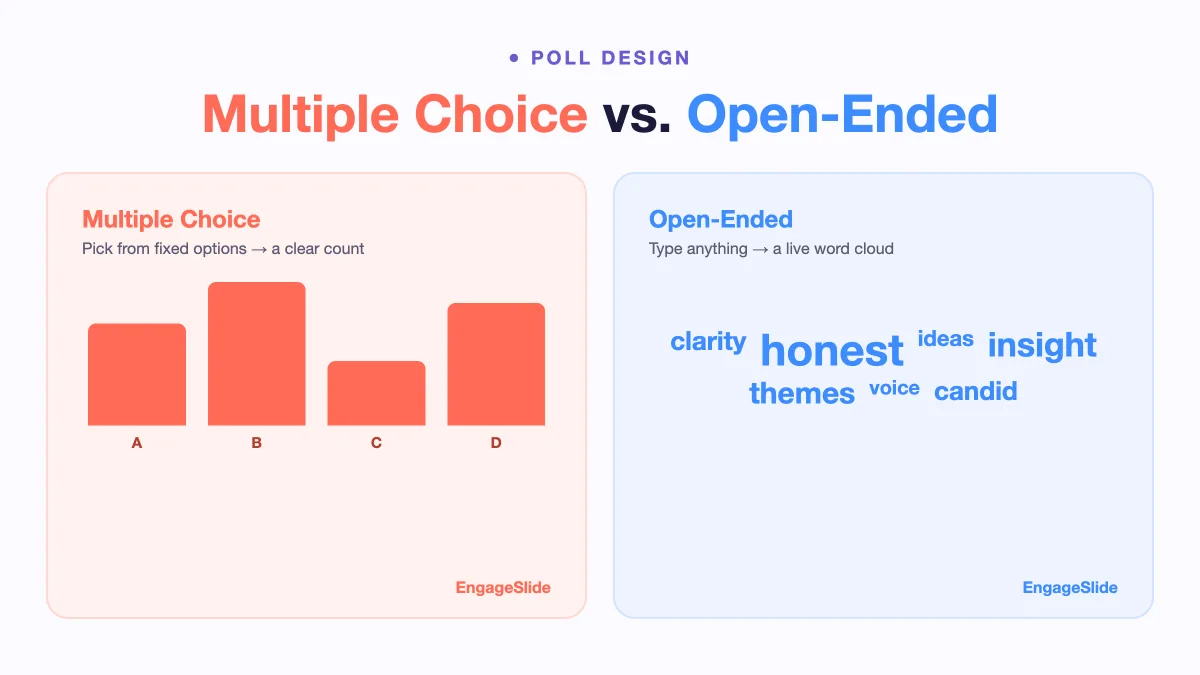
A multiple-choice poll gives respondents a closed list — pick one option (or several) from choices you defined in advance. The result is quantitative: percentages, a bar chart, a clear winner. An open-ended poll gives respondents a blank field to type a free-text answer, which is then displayed as a live word cloud or a stream of responses. The result is qualitative: language, themes, and the occasional answer you never would have predicted.
Put simply, multiple choice tells you how many people think something you already suspected, while open-ended tells you what people are actually thinking, including things you didn't think to ask.
When Multiple Choice Wins
Closed questions are the workhorse of live polling because they are fast, unambiguous, and easy to display. Reach for multiple choice when:
- You need a decision or a clear count. "Which venue should we book — A, B, or C?" gives you an instant, unarguable result you can act on immediately.
- You already know the likely answers. If the sensible options are finite and known, listing them saves everyone time.
- Speed and low friction matter. Tapping a button is effortless; typing on a phone is not. In a large or fast-moving room, multiple choice keeps participation high.
- You want to compare over time. Fixed options make it easy to run the same poll next quarter and track the shift.
- It's a quiz. Scoring, right-or-wrong answers, and leaderboards all depend on predefined options.
The cost of multiple choice is that you can only learn what you already thought to list. A poorly chosen option set quietly forces people into boxes that don't fit, and a missing "None of the above" or "Other" can distort your whole result. For a full breakdown of the closed formats available, see our guide to quiz question types explained.
When Open-Ended Wins
Open-ended polls trade tidy numbers for genuine discovery. Use them when:
- You don't know the answers yet. "What's the biggest blocker on your team right now?" surfaces issues a multiple-choice list would have missed entirely.
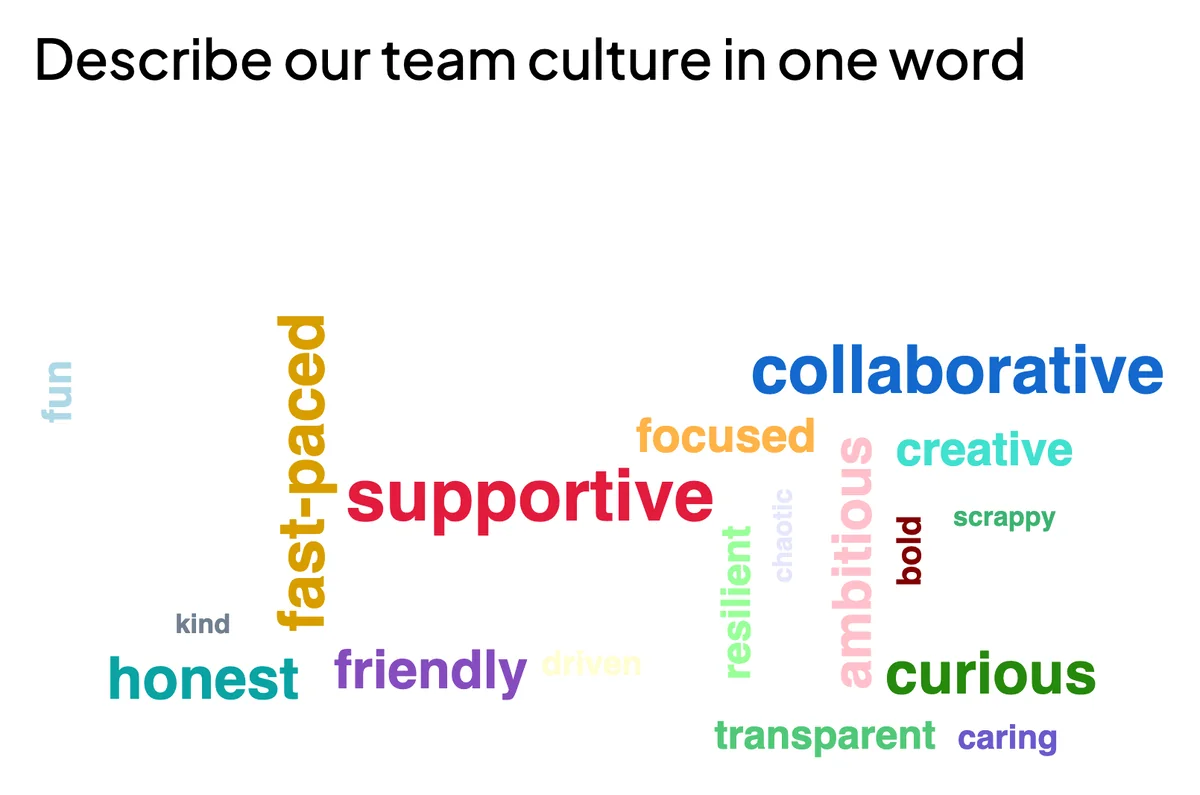
- You want the audience's own words. A word cloud of "Describe our brand in one word" is more vivid and more honest than any checklist.
- You're brainstorming or gathering ideas. Open input turns the whole room into a live suggestion box.
- The emotion matters. Free text captures nuance, enthusiasm, and frustration that a 1–5 scale flattens.
The trade-offs are real, though. Open-ended responses take longer to give, so participation can dip; answers need light moderation to filter noise; and you can't reduce them to a single percentage. The magic of a live word cloud is that it solves much of this — as answers pour in, common words grow larger, giving you an instant visual read on the dominant themes without manually sorting anything.
Multiple choice answers a question you can already frame. Open-ended tells you whether you framed the right question in the first place.
The Best Approach: Use Both
The strongest sessions rarely pick a side — they sequence the two formats so each covers the other's blind spot. A reliable pattern:
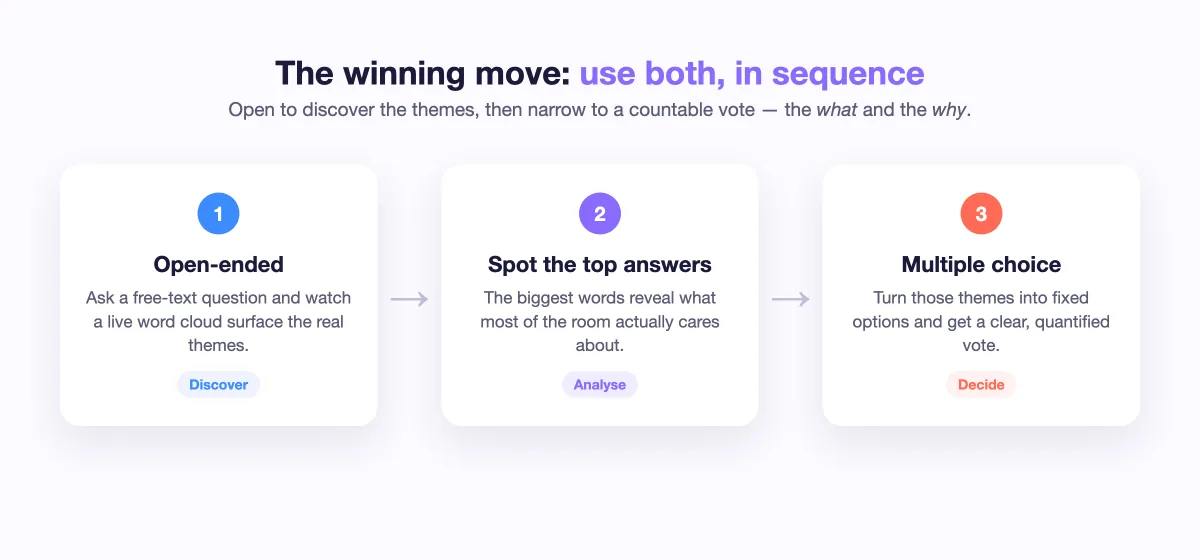
- Open, then narrow. Start with an open-ended word cloud ("What comes to mind when you hear 'annual review'?") to discover the themes, then follow with a multiple-choice poll built from the top answers to get a quantified vote.
- Measure, then explain. Ask a multiple-choice question ("How confident are you in the roadmap? High / Medium / Low"), then an open-ended follow-up ("In one word, why?") to capture the reasoning behind the number.
- Decide, then react. Use multiple choice to make the call, then an open field for any final concerns before you move on.
This combination gives you both the what and the why — hard numbers you can report and human context that explains them.
How to Run Both in EngageSlide
EngageSlide supports both formats natively, and you can drop them side by side in the same deck:
- Add a multiple-choice slide. Type your question, add your options, and choose single- or multi-select. Results appear as a live bar chart the whole room can see.
- Add an open-ended or word cloud slide. Ask your free-text question and let responses render as a growing, real-time word cloud on the shared screen.
- Let people join instantly. Participants scan a QR code or enter a join code — no login needed, which keeps friction low for both formats.
- Toggle anonymity where it helps. For candid open-ended input, turn on anonymous responses so people type honestly. (More on that in our guide to anonymous polls.)
- Collect it as a form when you're not live. Need responses outside a session? Build the same question types with the online survey maker and share a link.
Because every question type lives in the same presentation, you can run the "open, then narrow" pattern without switching tools — a word cloud on slide four, a multiple-choice vote on slide five, all sharing one join code.
A Quick Decision Checklist
Still unsure which to pick? Run through these:
- Do I already know the possible answers? Yes → multiple choice. No → open-ended.
- Do I need a countable result or a decision? Yes → multiple choice.
- Do I want to discover language, ideas, or feelings? Yes → open-ended.
- Is this a scored quiz? Yes → multiple choice, every time.
- Do I want both the number and the reason? Use one of each, in sequence.
There is no universally "better" poll format — only the right one for the question you are actually trying to answer. Multiple choice gives you clarity and speed; open-ended gives you discovery and depth. Master when to use each, learn to chain them together, and your live polls will stop being a novelty and start being a genuine decision-making tool. New to running polls at all? Our Live Polling 101 guide is the perfect next step.