
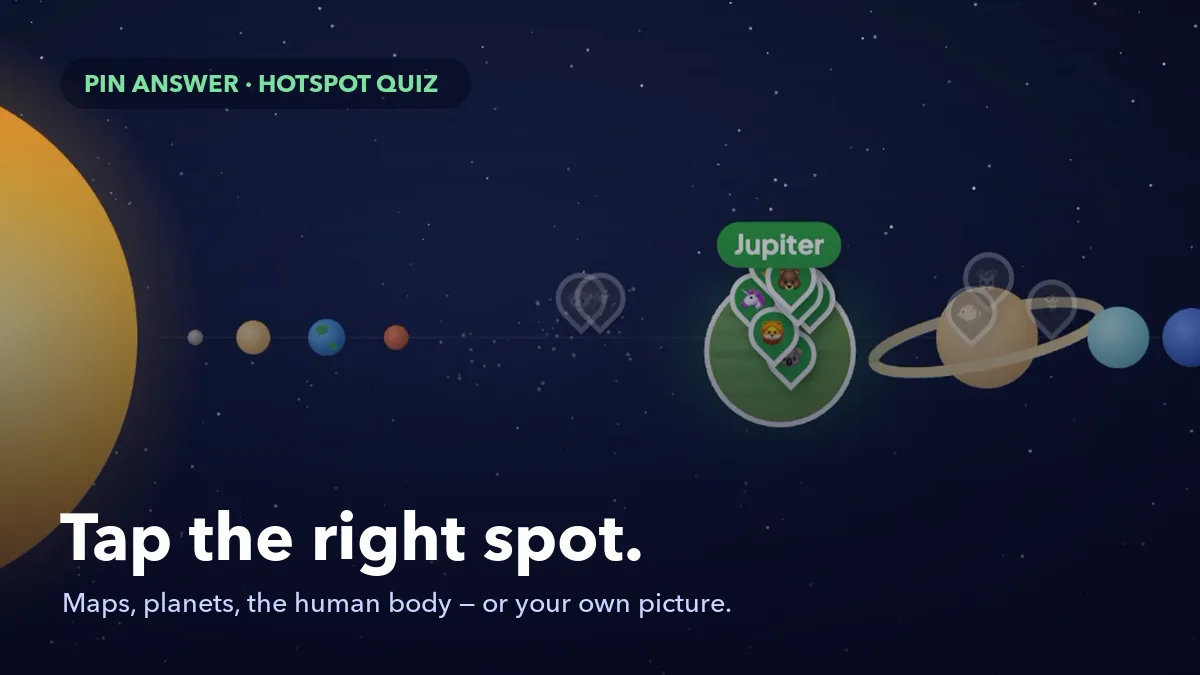
Some answers are not words. "Where is Kenya?" "Which button exports the report?" "Where is the left ventricle?" You can turn these into multiple-choice questions, but then the options do half the work: picking Kenya from a list of four countries is a very different skill from finding it on a map. A hotspot question asks people to point at the answer instead. EngageSlide's Pin Answer slide brings that format to live quizzes: everyone taps the picture on their phone to drop a pin, right pins score points, and at the reveal every pin drops onto the big screen at once.
This guide covers how Pin Answer works, how to build a question in under a minute with the ready-made maps and diagrams, how to use your own pictures, and five ways teams and teachers use it.
How Pin Answer works
A Pin Answer slide is a quiz question where the answer is a place on a picture. Add it from the Quizzes tab, present, and let people join with your code or QR code — no app or account needed.
- Players see the question and the picture across the width of their phone, with the hint Tap the picture to drop your pin.
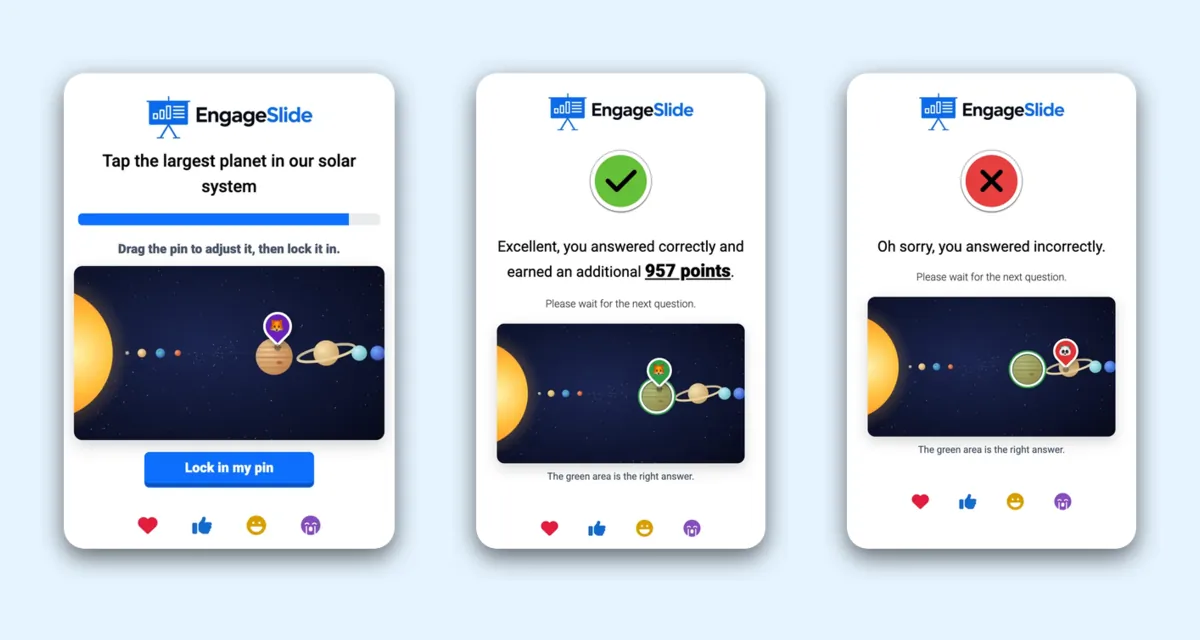
- A tap drops a pin with their emoji. They can drag it to fine-tune the spot — the tip of the pin is what counts — and press Lock in my pin.
- Small targets are fair. On maps with small countries, players can zoom in up to 3× with the magnifier buttons, scroll the map and tap to place the pin.
- The right area stays hidden on the big screen and on the phones until the reveal.
- Right pins score like any quiz answer. Faster right pins score closer to Max Point, and the points go straight to the leaderboard.
The reveal: every pin drops at once
When the time is up — or when you click End Quiz — every pin drops onto the picture with the player's emoji. The right area lights up in green with its name, right pins turn green, wrong pins turn red and fade, and a summary shows how the room did, for example 62% pinned the right spot · 8 of 13.

The wrong pins are the lesson. If a third of the room pinned Saturn when you asked for the largest planet, you know exactly what to explain next — and so does everyone who sees the cluster of red pins.
Each phone then shows the picture again with the right area in green, the name of the answer, and the player's own pin — green if it landed inside, red if it missed — plus the points they earned.
Build a question in under a minute
You do not have to find, upload or mark anything for the most common questions. Pin Answer comes with ready-made pictures that already know where everything is:
- World map (countries) and Continents
- Europe, Asia, Africa and The Americas
- USA (50 states + DC)
- Solar system and Human body (organs)
- In the Pin Answer block, under Picture, click Change and pick a ready-made picture. One click sets the picture, a random answer and its question — the slide is ready to play.
- Under Right answer, type to search (for example Kenya) and press Enter, or simply click the country, state, planet or organ on the slide. The question rewrites itself — Where is Kenya?, Tap the heart — as long as you have not typed your own.
- Click Random for a surprise answer.
- Need several right answers, like Tap a country that borders Brazil? Add up to five, or Shift-click more regions on the slide.
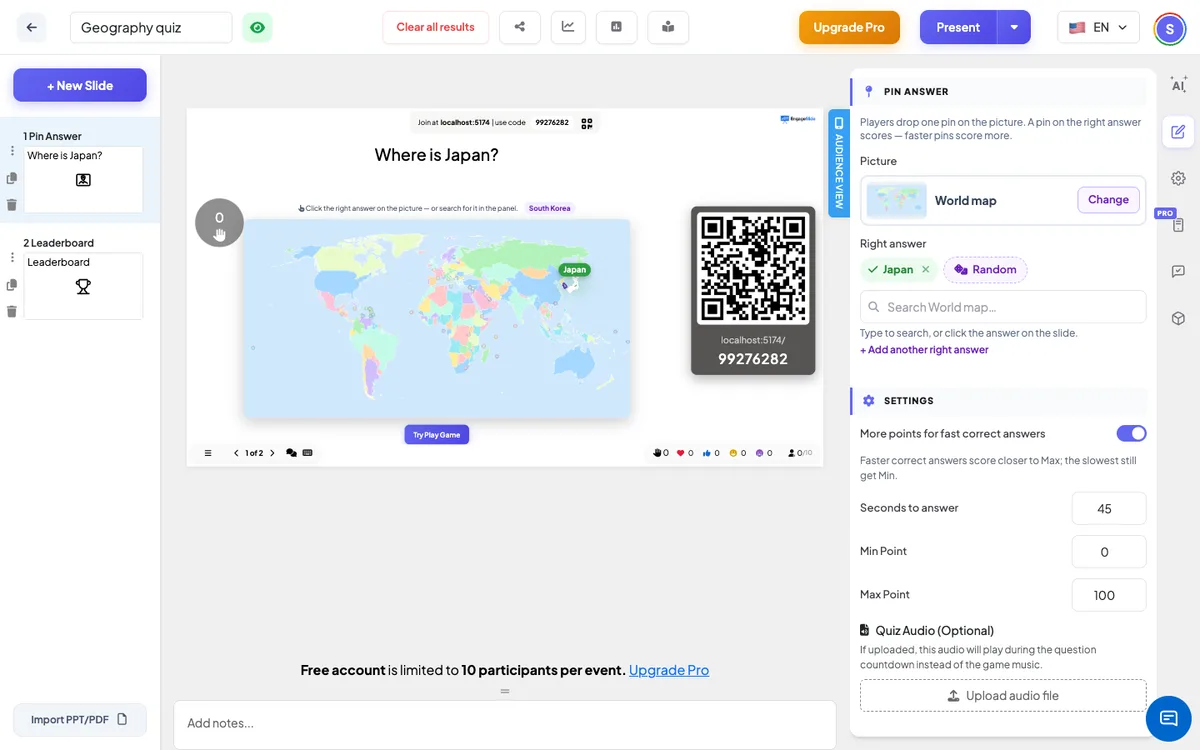
The fastest way to build a whole map round: pick World map or a continent, click Random, and duplicate the slide a few times — each copy gets a new country with one more click. On a ready-made picture the whole shape of the region counts, and very small places such as Singapore or Malta get a finger-sized circle so they are still fair to hit on a phone.
Using your own picture
Choose Change → Your own image and upload any JPG, PNG or WebP — a diagram, a photo, a floor plan or a screenshot of your software. Then click the right spot: a click marks a circle, and dragging draws a circle or rectangle of the size you want. Move an area by dragging it, resize it with its white dot, or delete it with the red ×. The picture keeps its shape on every screen, so pins and areas always line up.
Five ways to use hotspot questions
- Geography. Where is Kenya? · Find the capital of Australia · Tap a state that borders Canada. A five-question map round makes a great lesson opener.
- Science and anatomy. Tap the largest planet · Where is the liver? · Which layer of the Earth is the mantle? (upload a cross-section diagram). The solar system and the human body are built in.
- Software training. Upload a screenshot of your app and ask Which button exports the report? or Where do you change your password? People who can find the button in a quiz can find it on Monday.
- Safety and onboarding. Tap the fire exit on the floor plan · Spot the hazard in this photo · Where is the first-aid kit?
- Art, history and product knowledge. Ask people to find a detail in a painting, a battle on a historical map, or a feature on a product photo.
Tips for fair, fun questions
- Make targets thumb-sized. On your own image, draw the area a little bigger than the object itself, especially for small details.
- Crop your pictures. A tight crop makes every pixel count on a phone screen.
- Give enough time. Finding a spot takes longer than tapping a button — 20–30 seconds works well for maps.
- Talk about the wrong pins. Pause on the reveal and ask why so many people chose the same wrong place. That conversation is often the best learning of the round.
- Mix it with other formats. A Pin Answer question sits nicely between a picture reveal question and a quick True or False round, and its points land on the same leaderboard.
Pin Answer vs Pin on Image
EngageSlide also has Pin on Image, which looks similar but answers a different question. Pin on Image is a poll: there is no right answer, and you see where people pinned — perfect for "Where would you like to travel?" or "Which part of the process is slowest?". Pin Answer is a quiz question with a right area, points and the leaderboard. Use the poll to hear opinions and the quiz to check knowledge.
Frequently asked questions
Do I have to upload a picture or draw anything?
No. Pick a ready-made picture and choose the answer from the list — the right area and the question are set for you. Uploading and drawing are only for your own pictures.
How exact does a pin need to be?
On a ready-made picture, anywhere inside the right country, state, planet or organ counts. On your own image, the pin must land inside an area you marked.
What if a player does not lock in a pin?
No pin counts like no answer: 0 points, and the phone says the time ran out.
Where can I see the full setup?
The Pin Answer help article covers every setting with screenshots and a short video, and the Pin Answer slide page shows it in action.