
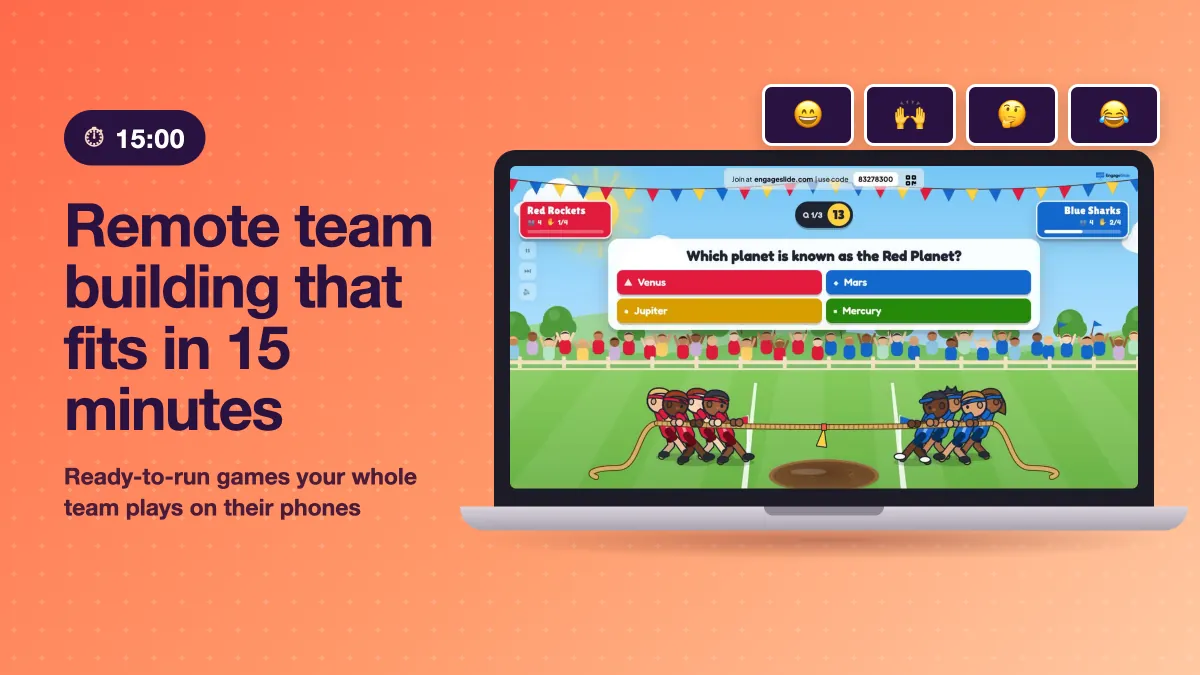
Most remote team building fails before it starts. Someone books a 60-minute "virtual social", half the team declines, and the ones who show up sit through awkward silence with their cameras off. The fix is not a bigger event. It is a smaller one: a 15-minute activity at the start or end of a meeting you are already having, where everyone plays at the same time from their own phone. This guide gives you seven remote team building activities you can run in 15 minutes, each with a minute-by-minute plan and the exact EngageSlide slide that powers it.
Why 15 minutes beats a one-hour social
Short activities work better for distributed teams. They fit inside existing calendars, so attendance stays high. They end before the energy does, which leaves a better memory than a game that drags. And they can become a habit. A weekly 15-minute slot builds more connection over a quarter than one big offsite, because team building is about repeated small moments of trust, not a single event.
The other ingredient is simultaneous play. "Go around the room" means one person talks while eleven wait. When everyone answers on their phone at once, nobody is put on the spot and quiet people participate as much as loud ones.
How to set up any of these activities
Every activity below uses the same simple setup, so you only learn it once:
- Build one slide. Open EngageSlide, add the slide type listed for the activity, and type your prompt or questions. Most take under five minutes to prepare.
- Share your screen. Present the slide in Zoom, Google Meet or Microsoft Teams. If your team lives in Teams, the EngageSlide Microsoft Teams integration keeps everything inside the meeting.
- Players join on their phones. The join bar at the top of the screen shows the code and a QR code. Teammates open engageslide.com in a browser, type the code, pick a name and they are in. No app download, no accounts.
- Run it from the presenter controls. You start rounds, reveal answers and move on. Results appear live for everyone.
If you want the bigger picture of how live slides work inside meetings, see our interactive presentation tool overview.
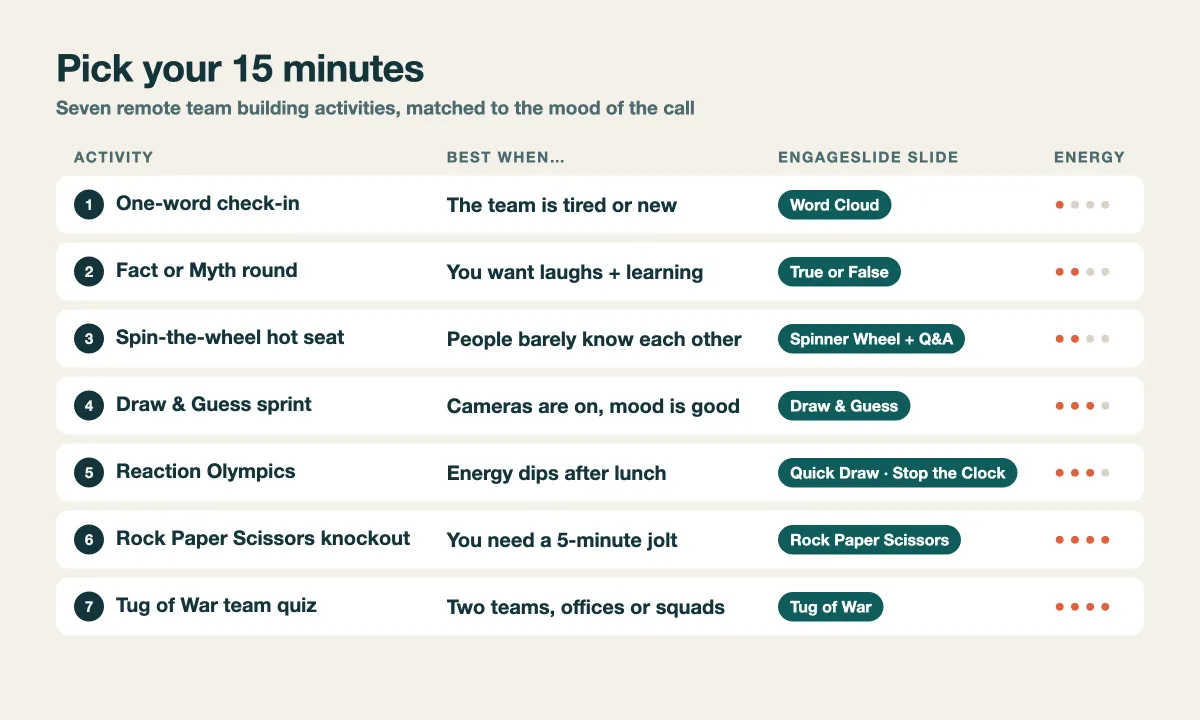
7 remote team building activities you can run in 15 minutes
1. One-word check-in (Word Cloud)
Best for: new teams, tired teams, Monday mornings. Energy: low.
- 0:00–2:00 — Everyone joins while you explain the prompt, for example "One word for how your week is going" or "One word for the project right now".
- 2:00–5:00 — People submit on their phones. Repeated words grow bigger in the cloud as answers arrive.
- 5:00–13:00 — Pick the three biggest words and one surprising small word. Ask whoever wants to share why they chose it.
- 13:00–15:00 — Close with one sentence on what you heard.
This is the lowest-pressure activity on the list, and it doubles as a quick pulse check. For more prompts, borrow from our list of icebreaker questions for remote teams.
2. Fact or Myth lightning round (True or False quiz)
Best for: mixed teams that like a bit of competition. Energy: medium.
Add five True or False slides and change the answer labels to Fact and Myth. Each statement gets a 15–20 second timer, then the answer is stamped across the screen with a short "Why?" card. Points go to the leaderboard, so finish with a Leaderboard slide.
- 0:00–2:00 — Join and explain the rules.
- 2:00–12:00 — Five statements, about two minutes each including the reveal and a quick reaction.
- 12:00–15:00 — Leaderboard and applause for the winner.
Need statements that are actually verified? Use our ready-made fact or myth icebreaker statements, or write five about your own company for a sneaky onboarding refresher.
3. Spin-the-wheel hot seat (Spinner Wheel + Q&A)
Best for: teams where people barely know each other. Energy: medium.
Start with a Q&A slide and ask the team to submit light, safe questions such as "What is the best thing you ate this month?" Everyone upvotes the ones they want answered. Then switch to a Spinner Wheel slide where teammates join the wheel from their phones, so the draw is fair.
- 0:00–4:00 — Collect and upvote questions.
- 4:00–14:00 — Spin four or five times. The winner answers the top-voted question in 60 seconds.
- 14:00–15:00 — One last spin to pick who hosts next week.
Keep a "pass" rule: anyone can pass once, no explanation needed. Optional participation is what makes this feel safe instead of forced.
4. Draw & Guess sprint
Best for: cameras-on teams in a good mood. Energy: medium-high.
Draw & Guess is live Pictionary. Players take turns as the drawer, secretly pick one of three words and sketch it on their phone while the drawing appears stroke by stroke on the shared screen. Everyone else types guesses, and faster correct guesses score more. Set a short word list (or use one tied to your team's work, like "deadline", "standup" or "bug") and let four or five people draw. Final Scores crown the winner. For a longer version with word lists, see how to run a virtual Pictionary game for remote teams.
5. Reaction Olympics (Quick Draw, Stop the Clock, Higher or Lower)
Best for: the post-lunch slump. Energy: high.
Three one-tap games, five minutes each, zero preparation:
- Quick Draw — screens turn red, then green after a random wait. Tap as fast as you can. Reaction times are measured on each player's own phone, so slow Wi-Fi never decides the winner.
- Stop the Clock — a clock counts up and then disappears. Tap STOP when you think it reads exactly 10.00 seconds. The closest stops are named at the reveal.
- Higher or Lower — guess whether the next card is higher or lower. Use numbers, playing cards or your own list, such as team members' years at the company.
6. Rock Paper Scissors knockout
Best for: a five-minute jolt when the call has gone flat. Energy: high.

Everyone picks rock, paper or scissors on their phone while the big screen chants and throws its own hand. Beat it or tie and you stay in; lose and you are out. When two players remain, they face each other in a final duel, first to two wins. A whole game takes a few minutes, so play best of three. Read more in our guide to the Rock Paper Scissors group game.
7. Tug of War team quiz
Best for: two offices, two squads, or "frontend vs backend". Energy: very high.
Players join one of two teams and become pullers on a rope on the shared screen. In quiz battle mode, correct and fast answers give your team pull power, and the rope yanks towards the stronger side at each reveal. After each question comes the HEAVE: everyone taps their phone as fast as they can. Drag the flag over your line for a K.O. into the mud. Three to five questions fill 15 minutes perfectly, and there is a tap-only mode if you do not want to write questions at all.
The best remote team building is short, simultaneous and repeated: 15 minutes where everyone plays at once beats an hour where people take turns.
Tips to make it land
- Put it on the calendar, not in an invite. Attach the activity to a meeting people already attend, like the weekly sync or sprint review.
- Rotate the host. Let a different teammate pick and run the activity each week. Ownership builds more connection than any game.
- Mix low and high energy. Alternate a calm activity (word cloud, hot seat) with a loud one (Rock Paper Scissors, Tug of War) so introverts and extroverts both get their week.
- Never force sharing. Answering on a phone takes the spotlight off individuals. Keep spoken sharing optional; it protects psychological safety.
- Stop on time. When the timer hits 15:00, end the game even if people want more. Wanting more is exactly the feeling you want them to bring back next week.
A four-week starter plan
If you are not sure where to begin, run this rotation for a month and ask the team which one to keep:
- Week 1: One-word check-in, to set a relaxed tone.
- Week 2: Fact or Myth lightning round, to add light competition.
- Week 3: Spin-the-wheel hot seat, so people learn something new about each other.
- Week 4: Tug of War team quiz, as a high-energy finale.
After a month, check what stuck. Many teams end up with a favourite they run every Friday. If your group wants a longer evening event later, our virtual pub quiz for remote teams is a natural next step.
Start with one slide this week
You do not need a budget, a facilitator or an hour. Pick one activity, build a single slide, and run it in the first 15 minutes of your next team call. Browse more ideas any time on the EngageSlide blog.