
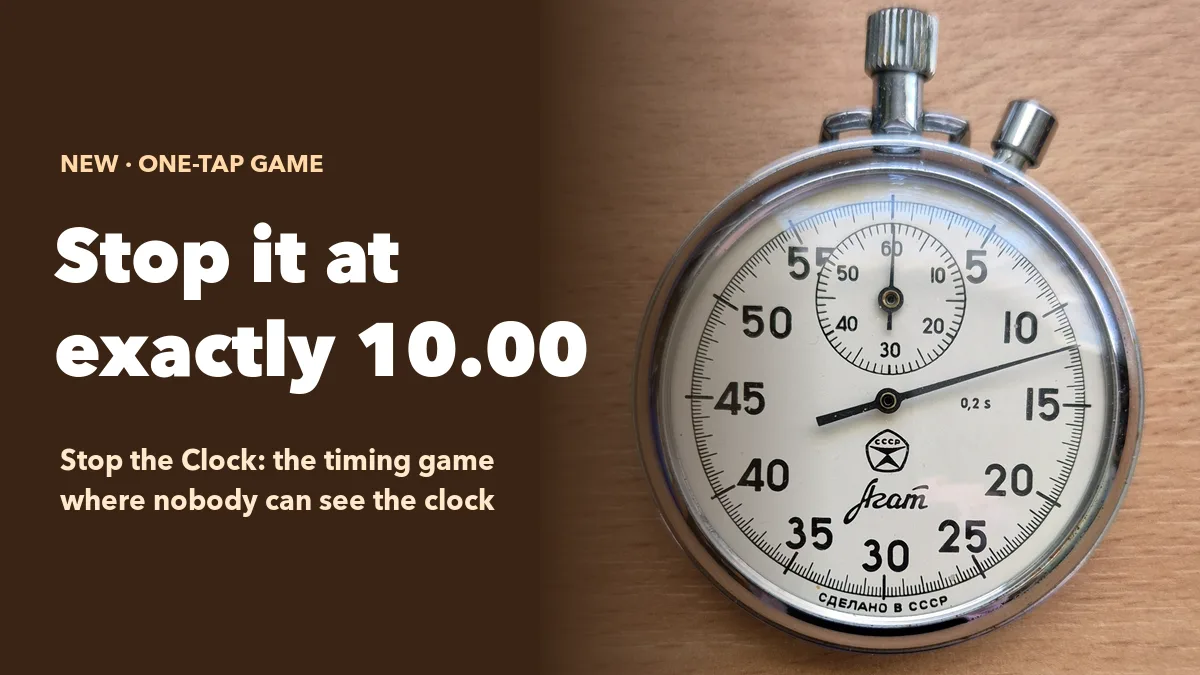
Can you feel exactly ten seconds? Most people are sure they can — until the clock disappears. Stop the Clock is a one-button timing game for any room: after a 3-2-1, a clock starts counting on every phone and on the big screen, then vanishes after a few seconds. Players keep counting in their heads and tap STOP when they think it reads exactly 10.00. The reveal drops everyone’s stop onto a number line, and the room sees in one glance who has a metronome in their head and who was two seconds off.
Here is how the game works in EngageSlide, how scoring stays fair, how to set it up and five good places to use it.
How Stop the Clock works
Stop the Clock lives in the Games tab of EngageSlide. Players join on their phones with your code — no app or sign-up — and each round runs like this:
- 3-2-1. A countdown appears on the big screen and every phone. The STOP button is greyed out.
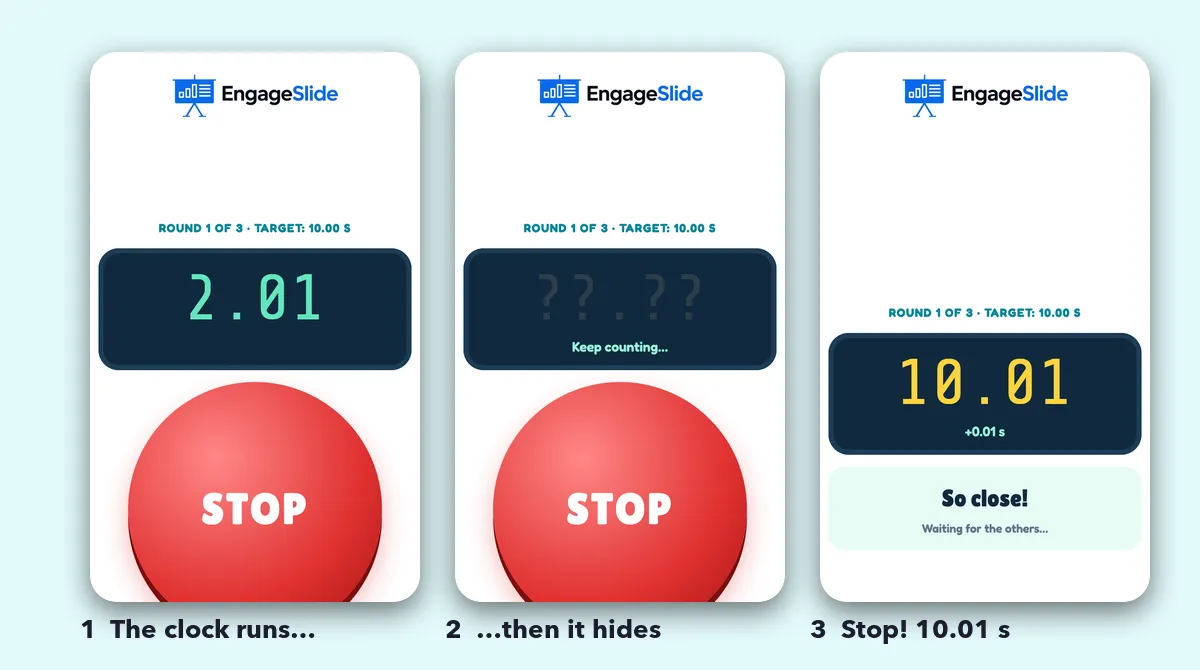
- The clock runs. A stopwatch starts counting on the big screen and a digital clock on each phone.
- The clock hides. After the hide time you chose (2, 3 or 5 seconds) both clocks switch to ??.?? and the phone says Keep counting….
- STOP. Each player taps when they think the target has arrived. Their own time appears instantly — “10.01 s, +0.01 s, So close!” — while others are still counting.
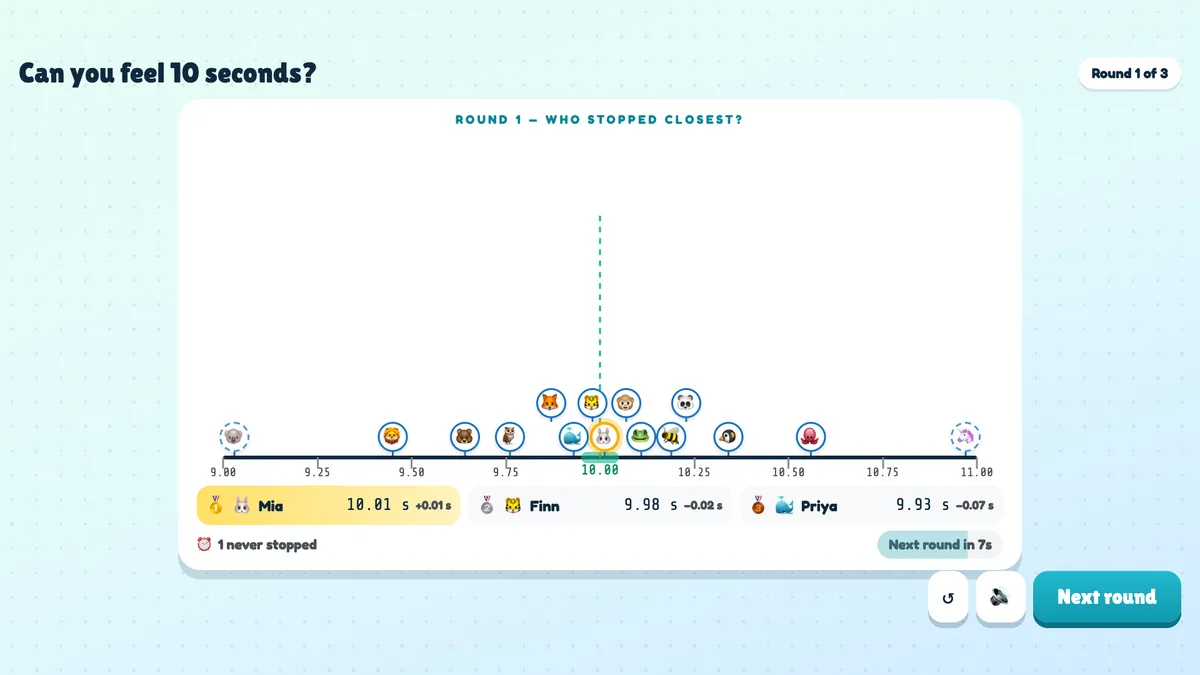
- The reveal. When everyone has stopped (or five seconds after the target), every stop lands on a number line around the target.
The game ends after 1, 3 or 5 rounds with a podium for the smallest average miss. A stop within one hundredth of a second of the target is celebrated as a PERFECT!
Why the timing is fair
A timing game is only fun if nobody can blame the network. In Stop the Clock, each phone starts its own clock when the round reaches it and measures the stop on the phone itself. So the time a player sees is exactly how long they waited — a slow connection might make their clock start a fraction later, but it can’t make them stop early or late. The game also ignores impossible results: a stop that arrives before that much time could have passed is thrown out.
Scoring is simple and transparent. Your miss is how far from the target you stopped, early or late. Players who never press STOP within five seconds after the target get a five-second miss for that round, so waiting it out never pays. The winner has the smallest average miss over the rounds they played.
The reveal: a number line everyone can read
The best moment of the game is the reveal. Every player’s avatar drops onto the number line at the time they stopped. The closest gets a gold ring, perfect stops get a green one, and the three closest players are named underneath with their exact times and misses. The scale adapts to the room: if everyone is within half a second the line zooms in; if the room is all over the place, it zooms out.
It is a surprisingly good conversation starter. Ask the room how they counted — “one Mississippi”, tapping a foot, breathing — before the next round. People’s internal clocks really do differ, and stress or excitement tends to make them run fast; researchers have studied this for decades under the name time perception. The second round is almost always closer than the first.
Stop the Clock needs no knowledge and no typing — just a sense of time and one button. That makes it one of the fairest games you can put in front of a mixed group.
How to set it up
- Add the slide. Click + New Slide, open the Games tab and choose Stop the Clock.
- Write a title for the big screen, for example “Can you feel 10 seconds?”.
- Choose the target time: 5, 7, 10, 15 or 20 seconds. Ten is the classic; 20 is much harder and great for a final round.
- Choose the rounds: 1, 3 or 5. Three rounds give a fair average without dragging on.
- Choose when the clock hides: after 2, 3 or 5 seconds, or Never for an easy version — ideal for young children.
- Present and press START. Rounds advance on their own after the reveal; press Next round to move on sooner.
Every setting is explained in the Stop the Clock help article, and you can see the slide on the Stop the Clock slide page.
Five ways to use Stop the Clock
1. Open a session with zero pressure
Nobody needs to know anything, nobody has to speak, and nobody is singled out. A single round takes well under a minute and gets every phone connected before your first real poll or quiz.
2. Reset the room between agenda blocks
Pair it with a quick reaction game such as Quick Draw for a two-minute energizer: reflexes first, then patience. The contrast makes both games more fun.
3. Team building that doesn’t feel forced
Play with a 20-second target and the clock hidden after two seconds. Then ask how people counted. You will hear wildly different strategies, which is a light way into a conversation about how differently we all work.
4. Classroom lessons on time and estimation
The number line is effectively a live dot plot. Use it to talk about error, averages and outliers, or run the same target with the clock visible and hidden and compare the spread.
5. A finale or prize draw at events
Instead of a random raffle, give the prize to the perfect stop — or the closest one. It’s transparent, everyone in the room can play, and the moment the avatars drop onto the line is great on a big screen. It slots neatly into a larger company event trivia game.
Tips from the first games we ran
- Start with the clock hiding after 3 seconds. Two seconds is tough for a first round; “Never” is too easy for adults.
- Read out the perfect stops. A PERFECT! deserves applause — it is rarer than people expect.
- Don’t skip the reveal. Leave the number line up for a few seconds and let people find their own avatar.
- Use a longer target for the final round. Twenty seconds stretches the field and creates a dramatic last reveal.
Frequently asked questions
Can players stop twice?
No — the first tap counts for the round.
What if a player never taps STOP?
They can stop until five seconds after the target. After that the phone shows Time’s up! and the round counts as a five-second miss.
Does it affect the quiz leaderboard?
No. Stop the Clock has its own podium, so you can use it between quiz rounds without changing anyone’s points.
Stop the Clock sits alongside polls, quizzes, word clouds and Q&A in EngageSlide’s interactive presentation tool. Try one round at your next meeting — and see who in your team really can feel ten seconds.
Cover photo: “Stopwatch made in USSR” by Liilia Moroz, Wikimedia Commons, CC0.