
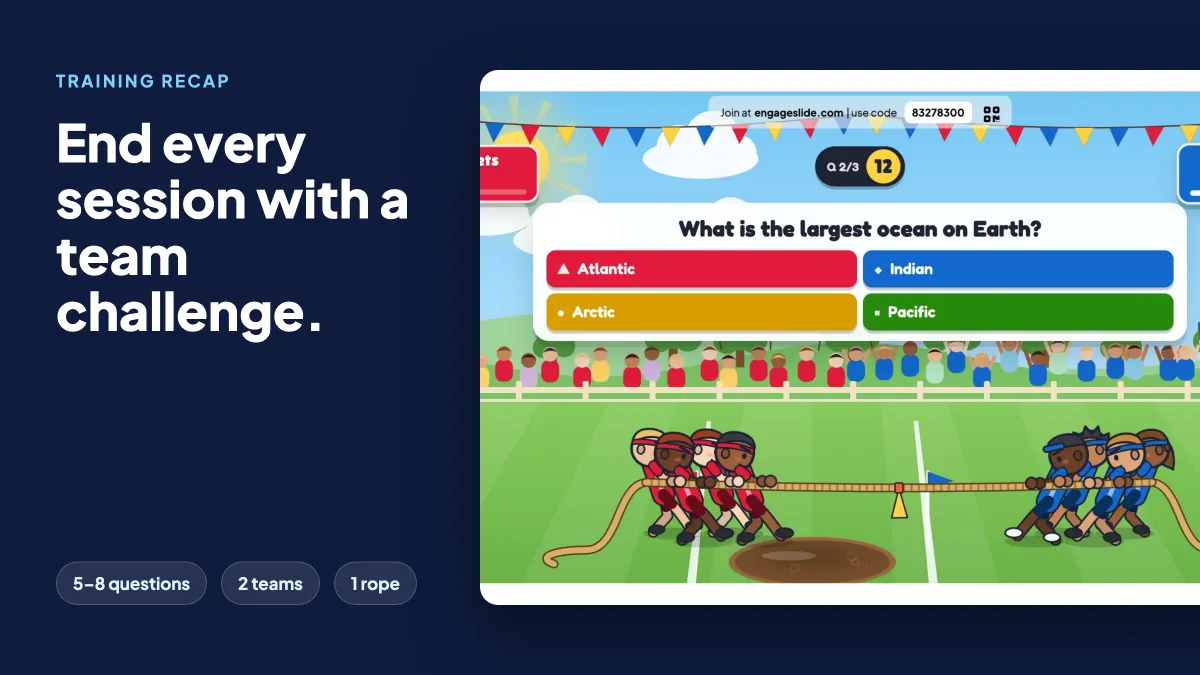
Most training sessions end the same way. The trainer asks "Any questions?", the room stays quiet, and everyone heads for the door. A week later, most of what was covered is gone. The last ten minutes of a session are the best chance you have to change that, and they are usually wasted on a summary slide nobody reads. A better ending is a short team challenge where everyone has to pull the key points back out of their own memory. This guide shows how to turn the five to eight things that matter most into a recap activity that takes about five minutes, wakes up a tired room and tells you exactly what to reteach.
Why the end of a session is the moment for a recap
People forget fast. The forgetting curve, first measured by Hermann Ebbinghaus, shows memory dropping steeply in the first hours and days after learning. What slows the drop is not reading the material again but recalling it. Answering a question about something you just learned strengthens that memory far more than reviewing it. This is called the testing effect, or retrieval practice.
A summary slide asks people to recognise information. A recap question asks them to retrieve it. The second one is harder, and that effort is exactly what makes the learning stick. We went deeper into the research in retrieval practice games. This post is about one practical format for corporate training: the end-of-session team challenge.
Why a team challenge instead of a final quiz
A scored individual quiz at the end of a session can feel like an exam. People who struggled feel exposed, and the confident ones race through. A team challenge changes the mood:
- Low stakes for each person. A wrong answer is lost in the team result, so people answer honestly instead of guessing what the trainer wants.
- Everyone answers, every time. Each player answers on their own phone, so nobody can sit back while the loudest person speaks for the group.
- Energy when it is lowest. The end of a training day is when attention drops. A competition with cheering, a rope and a countdown brings people back.
- Fair with uneven groups. In EngageSlide's Tug of War, pull power is averaged per player, so a team of six can beat a team of nine by answering better.
How Tug of War works as a recap
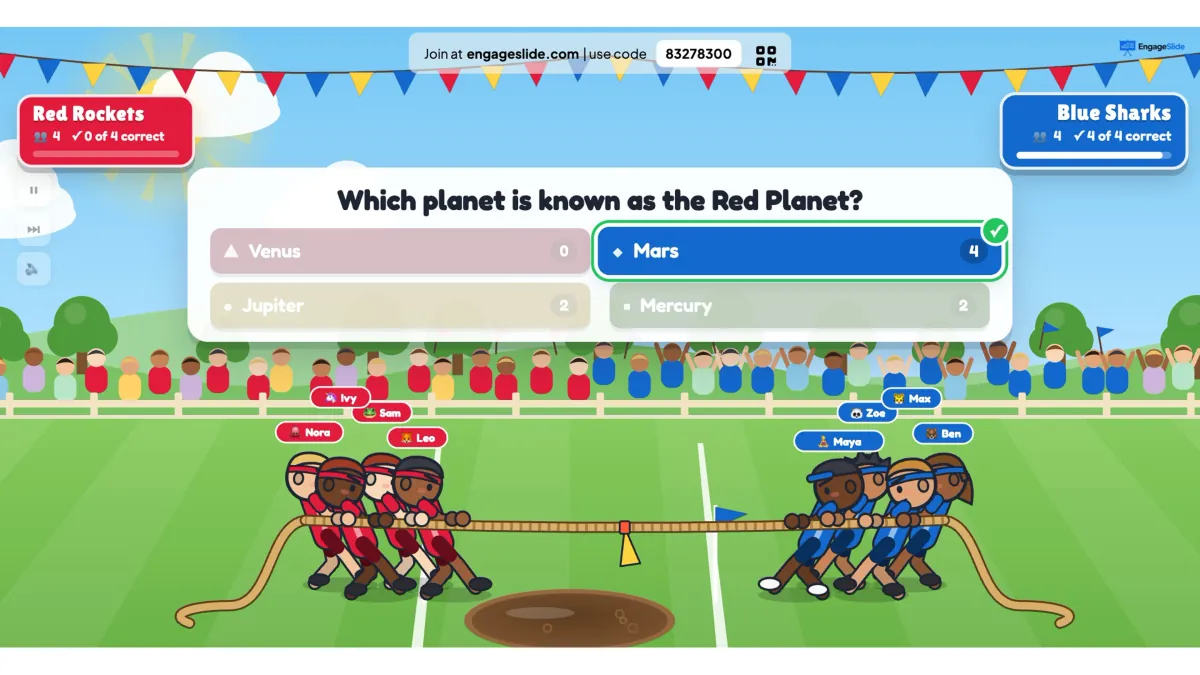
Tug of War is a team game on the big screen. Everyone joins one of two teams with the join code and becomes a puller on the rope. In a quiz battle, each question gives the teams pull power: correct answers pull, faster correct answers pull harder. At the reveal the rope yanks towards the stronger team. After each answer the teams can HEAVE, tapping their phones as fast as they can for a few seconds to pull a little further. Drag the flag over the line for a knockout, or lead when the questions run out.
Build the recap in ten minutes
Step 1: Pick five to eight learning points
Not five to eight slides. Ask yourself: what should people do differently on Monday because of this session? Write those down as short statements. "Report a phishing email with the Report button, not by forwarding it." "Refunds over 200 euros need a team lead's approval." These are your recap questions in waiting. Fewer than five feels thin; more than eight drags past the five-minute sweet spot.
Step 2: Turn each point into one question
- Test the action, not the trivia. "What do you do with a suspicious email?" beats "In what year was the policy introduced?"
- Write wrong answers from real mistakes. The best wrong answer is the thing people actually did before the training, such as "Forward it to IT".
- Keep answers short. They appear on big colour buttons on the phone. Two to four words each works best.
- Use two to four answers. Two is fine for clear-cut rules; four makes people think harder.
Step 3: Paste them into the slide
Add a Tug of War slide from the Games tab, choose Quiz battle and name the two teams. Instead of typing questions one by one, click Paste list and paste one question per line, with an asterisk in front of the right answer:
- What do you do with a suspicious email? | *Click Report phishing | Forward it to IT | Delete it
- Who approves a refund over 200 euros? | *Your team lead | Any agent | Finance only
Step 4: Choose the settings
For a recap, 15 seconds per question is enough, and the question closes early when everyone has answered. Keep Heave after each answer on for energy. Let teams be picked automatically so new players always join the smaller team, or let players choose a side if you want departments to compete. The full option list is in the Tug of War help article.
Recap examples for common trainings
- Compliance and security: "A caller asks for a customer's address to 'confirm an order'. What do you do?" · "Where do you store files with personal data?"
- Product launch: "Which plan includes the new feature?" · "What is the one-sentence answer when a customer asks why the price changed?"
- Onboarding: "Who do you contact for a laptop problem?" · "Where do you book holiday?" · "Which tool do we use for expenses?"
- Customer service: "A customer is angry about a late delivery. What do you say first?" · "When do you escalate a ticket?"
- Health and safety: "Where is the assembly point?" · "What is the first step when you find a spill?"
Run it: the five-minute recap
- Present the slide at the end of the session and ask everyone to join with the code or QR code. Teams fill up as people join.
- Press START. Each question shows on the big screen and on every phone.
- After each reveal, add one sentence: "Right, Report phishing, because forwarding spreads the link." That sentence is where the reteaching happens; the game gives it an audience that is paying attention.
- Let the teams heave, then move on. Five to eight questions take about five minutes.
Read the recap: what to reteach
The game is fun, but the result is data. When the battle ends, the final screen shows the winner, the top three pullers of each team, a momentum chart and the toughest question with the share of players who got it right.
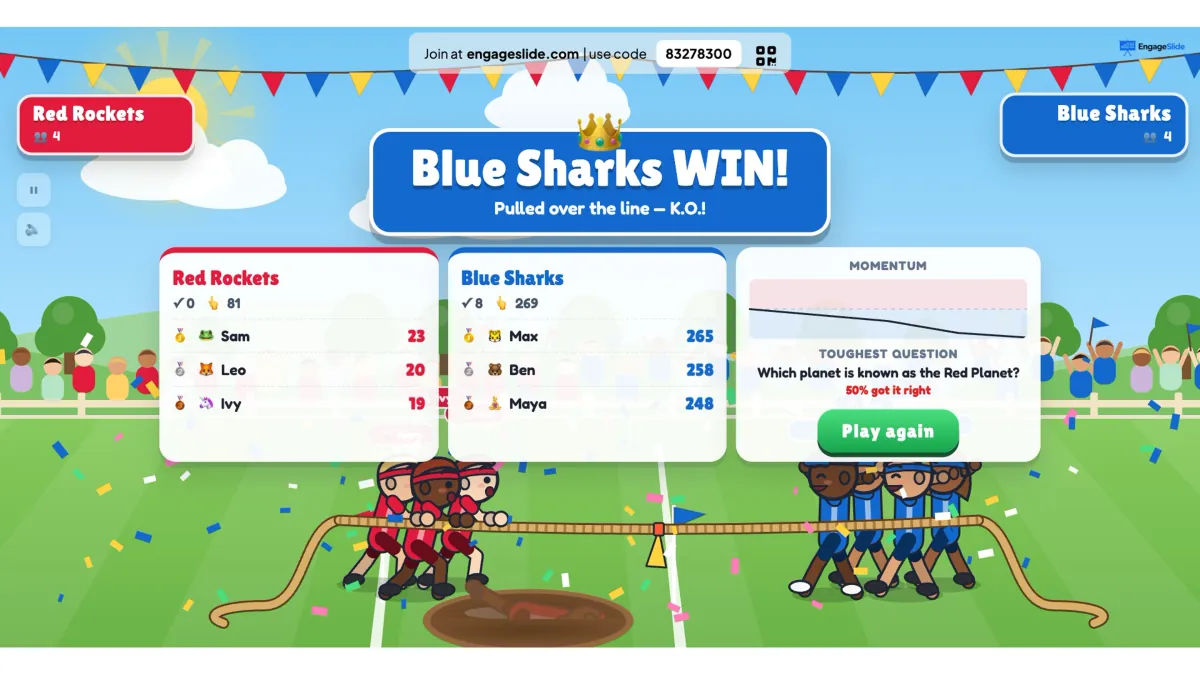
The toughest question is your reteach list in one line. If only half the room knew the refund rule, that is the point to repeat in the follow-up email, the next team meeting or the next session. After the session, open Past games on the slide to see every game you played with the share of correct answers for each question, so you can compare groups over time.
A recap is not there to prove the training worked. It is there to show you which part did not, while you can still fix it.
Common mistakes to avoid
- Too many questions. Fifteen recap questions turn a burst of energy into another module. Stay at five to eight.
- Trivia instead of behaviour. Dates and names are easy to write and useless to remember. Ask about decisions.
- Skipping the one-sentence explanation. Without it, a wrong answer is just a lost point. With it, it is a correction.
- Treating it as an assessment. The recap is practice. If you need graded results per person, use a separate scored quiz or an assignment, and keep the team challenge for learning.
A recap like this works in a classroom, a workshop or a Teams call. For more ideas on running sessions people remember, browse the EngageSlide blog, or open the EngageSlide interactive presentation tool and add a Tug of War slide to the end of your next training.