
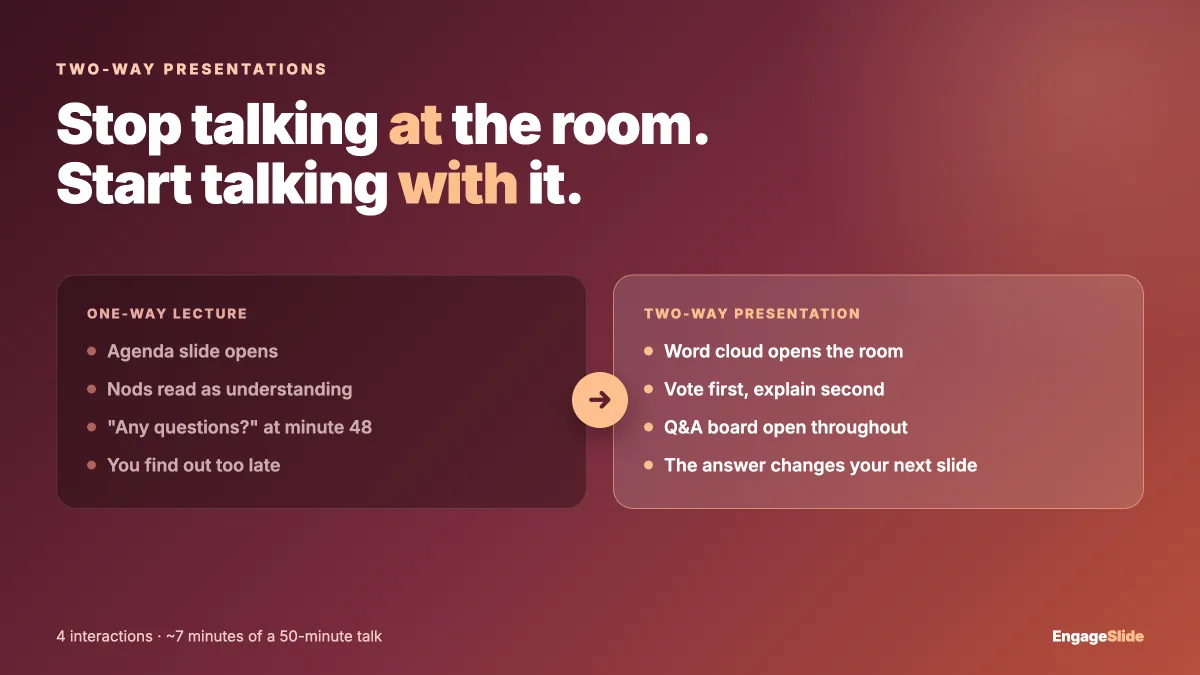
Every presenter has felt the moment a talk goes one-way. You are twenty minutes in, the slides are good, the material is right — and the room has gone flat. Nobody is hostile, nobody is confused enough to interrupt. They have simply stopped participating, and you have stopped getting any signal about whether the last ten minutes landed.
A two-way presentation is not a lecture with a Q&A bolted on the end. It is a talk built so that the audience has to do something at regular intervals, and so that what they do changes what you say next. This guide covers how to diagnose where your talk goes one-way, and how to build the exchange back in.
Why one-way delivery quietly fails
The problem is not that people are bored. It is that you have no feedback loop. In a conversation you constantly adjust — you notice a frown, you rephrase. Deliver one-way for fifty minutes and you are running open-loop: you find out what the room misunderstood after it is too late to fix it.
The research on this is unusually clear. A large meta-analysis of 225 studies published in PNAS found that students in traditional lectures were 1.5 times more likely to fail than students in classes using active learning methods. The mechanism is not entertainment. It is that active formats force learners to retrieve and commit to an answer, and that retrieval is what makes material stick.
The same applies outside a classroom. A product update, a training session, a conference talk — all of them have the same failure mode. If nobody in the room has had to commit to anything, you do not actually know what they took away.
Find the three moments your talk goes one-way
Before adding interaction everywhere, find where it is actually missing. Almost every talk goes one-way at the same three points.
The opening
Most talks open with an agenda slide. An agenda tells people what is coming; it does not tell you anything about them. You have just spent your highest-attention minute broadcasting. That minute is the cheapest one to convert.
Right after a new concept
You explain something, check for nods, and move on. Nods are not comprehension — they are politeness. This is the point where a misunderstanding gets locked in, because everything after it builds on top.
The final "any questions?"
Asking an open question to a silent room, at the end, when people are packing up, is the least likely moment to get a real one. The people who most need to ask are the least likely to speak.
Turn each moment into an exchange
Open with a question you will actually use
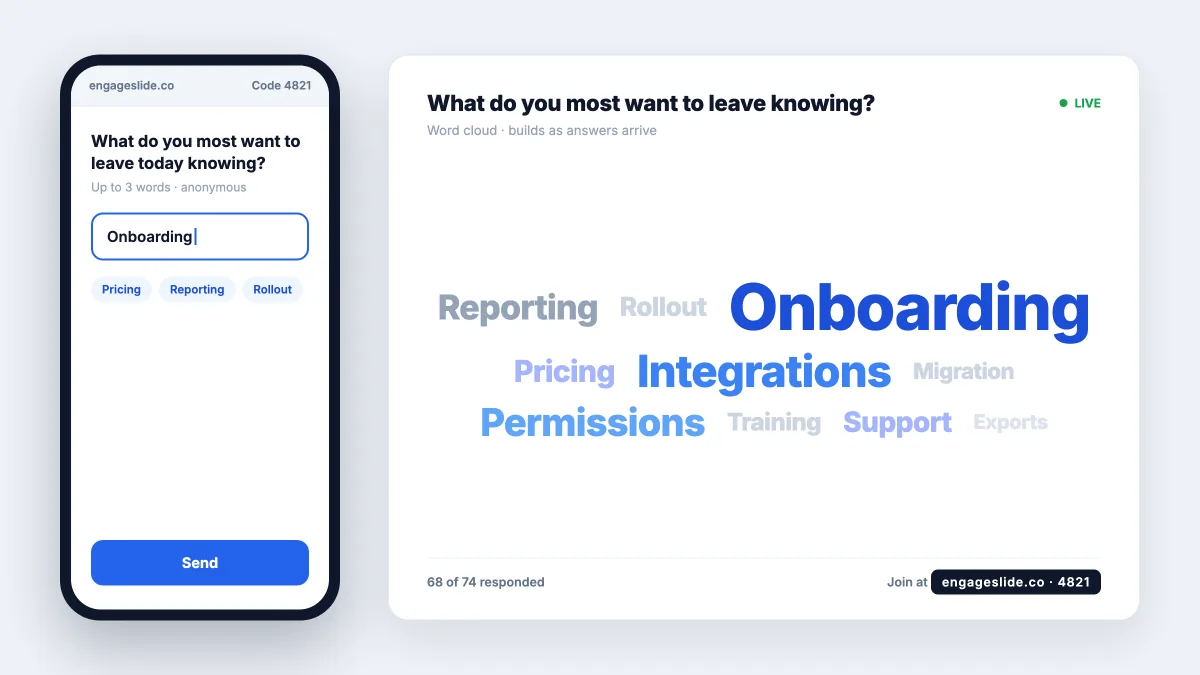
Replace the agenda slide with a question whose answer changes your talk. "Which of these is closest to your current setup?" or "What is the one thing you want to leave knowing?" A word cloud works well here because it builds visibly as people type, and the room reads the result together.
The critical part is the next sentence out of your mouth. Show the result and say what you will do about it: "Most of you said onboarding, so I am going to spend longer on section two and move quickly through the rest." That single sentence is what proves the interaction was not decorative.
Make the room commit before you explain
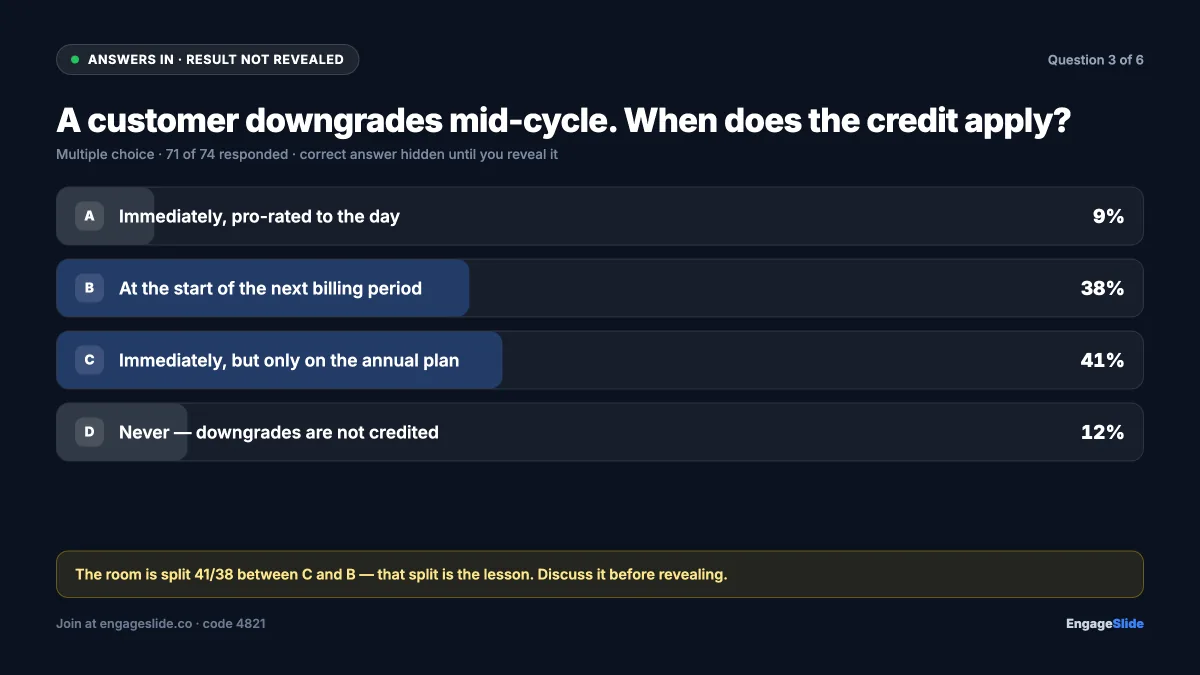
The strongest move in the whole format: ask the question before you teach the answer. Put up a multiple-choice question where the wrong options are real misconceptions, let everyone answer, then show the split.
Two things happen. Everyone has now committed to a position, so they have a stake in hearing which one was right. And you can see the misconception distribution instead of guessing at it — if a third of the room picked the answer you get by forgetting a step, you know exactly what to cover.
In EngageSlide this is a quiz slide dropped straight into your existing deck. Participants join by scanning a QR code or entering a short code on their phone — no app, no account. You control when results appear, so you can reveal the distribution, discuss it, and only then show which answer was correct.
Replace "any questions?" with a structured ask
Open a live Q&A board at the start and leave it open. A question is most likely to exist in the ninety seconds after the slide that prompted it — if there is nowhere to put it then, it evaporates.
Let people submit anonymously and upvote each other. Anonymity removes the cost of looking uninformed; upvoting solves the ranking problem, so you answer what the room actually cares about rather than whoever spoke first. Our complete guide to running a live Q&A session covers the moderation side in more depth.
An interaction is only two-way if the answer changes what you say next. If you would have given the same talk regardless of the result, you ran a poll, not a conversation.
Match the format to what you need to learn
Different questions need different instruments. Reaching for a multiple-choice poll every time is why interaction starts feeling like a gimmick.
- Word cloud — when you want the shape of the room's thinking, not a ranked answer. Best at the open.
- Multiple choice — when the wrong answers are diagnostic. Best immediately before you explain something.
- Quiz with points and a leaderboard — when the material is recall-based and a bit of competition helps. Best for training and revision, worst for conceptual questions where being wrong is informative.
- Linear scale — for confidence checks. "How confident are you about this, 1 to 5?" before and after a section shows movement you cannot see any other way.
- Live Q&A — running the whole time, not a segment at the end.
- Survey — for anything you need in writing afterwards. An EngageSlide survey can be linked to the presentation and shown on the last slide, so feedback is collected while people are still in the room rather than in an email nobody opens.
Close the loop after the talk
Collecting responses and never referring to them again trains people not to bother next time. The session report shows participation per interaction and the full answer distribution — read it with one question in mind: where did the room disagree with itself?
Two habits make the difference. Publish written answers to the questions you did not reach, within a week. And open your next session by referencing the last one: "Last time most of you rated confidence at 2 on this — here is where we landed." That is the strongest possible proof the channel is real, and it is why participation climbs on the second and third run rather than fading.
A workable fifty-minute structure
Open with a word cloud in the first three minutes and say out loud how the result changes your plan. Open the Q&A board at the same time and leave it up. Around minute fifteen, before the hardest concept, run a multiple-choice question and show the split before the answer. Around minute thirty, run a confidence scale. Reserve the last ten minutes for the Q&A board sorted by votes, and finish with a short survey on the closing slide.
That is four interactions and roughly seven minutes of your fifty — far less than most presenters expect. What you get back is a talk that adjusts to the room, and a written record of what they did not understand. If you are teaching, our guide on engaging students in lectures goes deeper on the classroom version, and there are more formats in the EngageSlide blog.