
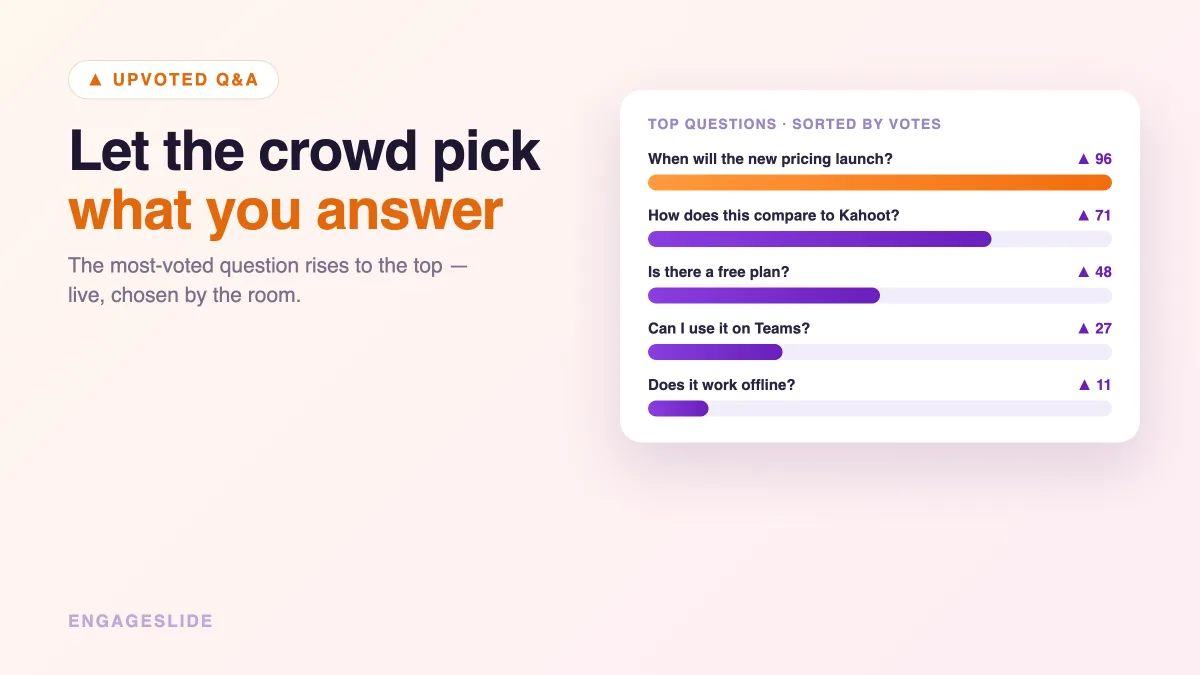
Picture the last Q&A you sat through. One person hijacks the mic with a rambling comment, another asks something only they care about, and the question half the room was dying to hear never comes up before time runs out. The problem isn't the questions — it's the ordering. Whoever speaks loudest or fastest wins, and relevance loses. Upvoting fixes that. When your audience can vote questions up, the crowd itself tells you what to answer first, and you spend your limited time on what matters most to the most people. Here's how question upvoting works and how to run it in EngageSlide.
What question upvoting actually does
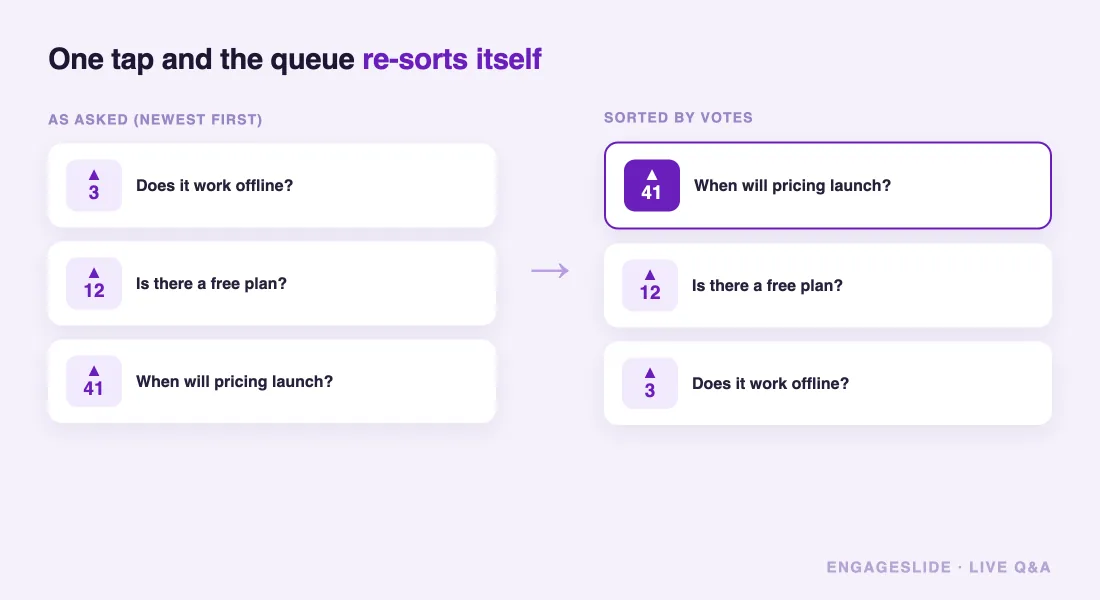
Upvoting turns your Q&A from a first-come queue into a live ranking. Every participant can submit questions and tap to upvote anyone else's. Questions with the most votes rise to the top of your screen, so at a glance you know exactly what the room wants answered. It's a small mechanic with an outsized effect: it replaces "who's loudest" with "what's most relevant," and it works even when hundreds of people are participating at once.
The idea leans on a simple truth about groups — often called the wisdom of the crowd. No single person knows which question is most important, but the aggregate of everyone's votes is a remarkably good signal. Upvoting captures that signal in real time, without you having to guess.
Upvoting answers the presenter's hardest live question — "what do I answer next?" — with data instead of a guess.
Why it beats a raised hand or a chat box
- It surfaces shared needs. A raised hand represents one person; an upvoted question represents everyone who clicked it. You stop optimizing for the vocal minority.
- It removes duplicates. Instead of five people asking variations of the same thing, they all vote one question up. Cleaner queue, less repetition.
- It scales. In a 300-person webinar you can't take hands. Votes let a huge audience prioritize itself instantly.
- It's fair. Quiet participants who'd never grab a mic still shape the agenda with a single tap.
How to enable upvoting in EngageSlide
EngageSlide's live Q&A includes upvoting out of the box. Add it to any talk and let the audience steer.
1. Add a Q&A slide to your presentation
Drop a Q&A slide into your deck. It lives alongside your polls, quizzes, and word clouds, so you can build one flowing interactive presentation and open the question board whenever it fits — mid-talk or at the end.
2. Let the audience join and submit
Show the join code and QR on screen. Participants join from their phones, no app required, and type questions straight into the box. Pair upvoting with anonymous submissions and you get honest questions ranked by genuine interest — the strongest combination for high-stakes sessions. (See our guide to anonymous Q&A for when and why to hide names.)
3. Sort by top votes and work down the list
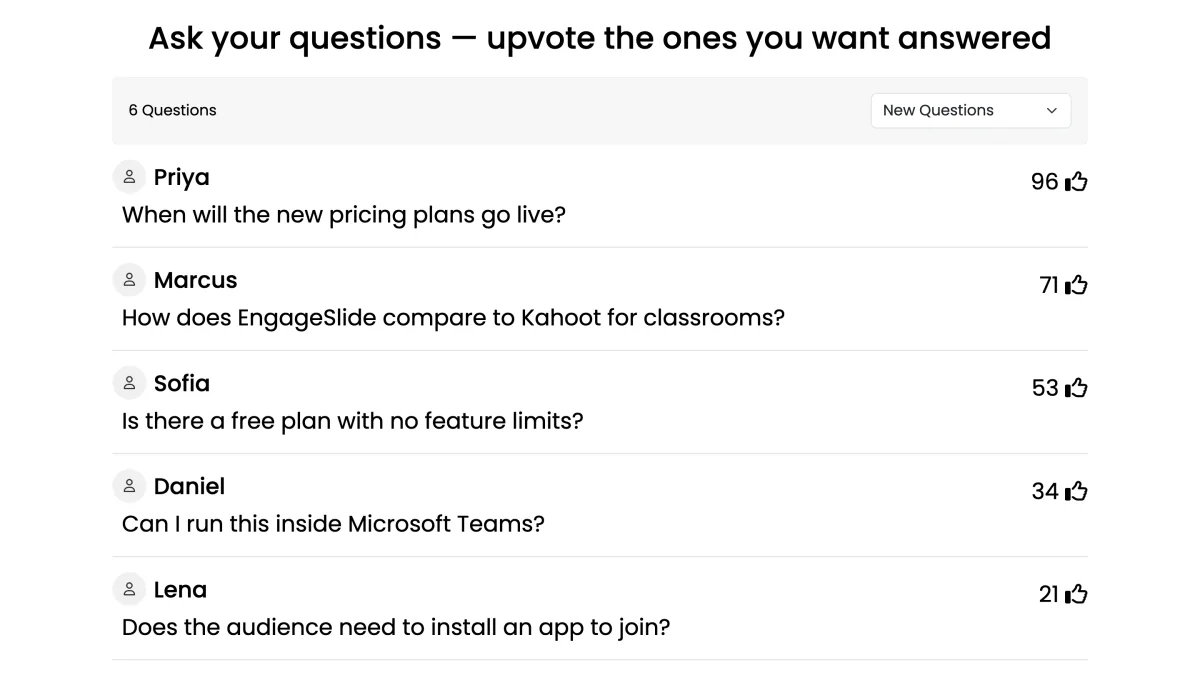
Switch your Q&A view to sort by most-upvoted. The highest-voted question sits at the top; as new votes come in, the order updates live. Answer from the top down and you're always addressing the room's top priority. You can also toggle to newest-first late in a session to catch fresh questions that haven't had time to gather votes.
4. Highlight, answer, and mark as done
Tap a question to project it large while you respond, then mark it answered so it clears from the active queue and the next-highest rises up. This keeps the board honest and gives the audience a visible sense of progress.
Facilitating a vote-driven Q&A well
- Open voting early. Share the code at the start so questions and votes accumulate throughout, not in a frantic final minute.
- Tell people they can vote. Say it out loud: "Add your questions and upvote the ones you want me to answer." Many won't realize voting exists.
- Trust the ranking. Resist the urge to skip the top question because it's tough. Answering the most-voted item — even a hard one — is exactly what builds credibility.
- Batch similar questions. If two high-vote questions overlap, answer them together and acknowledge both, so voters feel heard.
- Watch the long tail. Before you wrap, glance at mid-ranked questions; a quick "let me also hit this one" rewards people who asked something niche but valid.
Where upvoted Q&A fits your bigger session
Upvoting is most powerful as one piece of a participatory arc. Open with a live poll to warm the room, run a quiz to check understanding, then close with an upvoted Q&A so the audience decides what deserves your final minutes. For meetings and webinars especially, this turns a one-way broadcast into a two-way exchange where people feel their input directly shaped the outcome. If your Q&As tend to stall, our guide to running a Q&A that doesn't fall flat covers the full playbook, and the complete live Q&A guide walks through setup end to end.
Let the room decide
You only ever have time for a fraction of the questions an audience could ask. Upvoting makes sure that fraction is the right one — the questions the most people most want answered, chosen by them, updated live, no guesswork. Turn on upvoting in your next EngageSlide Q&A and watch the most important question rise to the top on its own.