
Every meeting has the same awkward first two minutes. People file in, cameras stay off, and the room waits for someone brave enough to speak first. A well-placed poll icebreaker fixes that in seconds — it gives everyone a low-risk way to participate before the "real" agenda begins, and it turns a silent room into an engaged one. This guide shows you exactly how to use live polls to break the ice in any meeting, class, or webinar, with ready-to-run examples you can set up in EngageSlide in under five minutes.
Why a poll makes a better icebreaker than "let's go around the room"
The classic verbal icebreaker — asking each person to introduce themselves or share a fun fact — has a hidden cost. It's slow, it puts introverts on the spot, and by the time the fifth person speaks, the first three have checked out. A live poll flips that dynamic. Everyone answers at the same time, anonymously if you want, from their own phone. There's no waiting, no pressure to perform, and no single person dominating the moment.
Psychologists call the underlying effect psychological safety — people participate more when the cost of speaking up feels low. A poll lowers that cost to a single tap. It also delivers instant social proof: when the bars fill in on screen and a participant sees that twelve other people picked the same answer, they immediately feel part of the group. That shared moment is what an icebreaker is really for.
The goal of an icebreaker poll isn't the data — it's the first tap. Once someone has participated once, they're far more likely to answer your next poll, ask a question, or speak up later in the meeting.
How to run an icebreaker poll in EngageSlide
You don't need any special equipment or software installs — participants join from a browser on their phones. Here's the full flow:
- Create a poll slide. In EngageSlide, add a slide and choose the Poll slide type. Type your question and a handful of answer options.
- Keep it anonymous. For an icebreaker, turn off "collect name" so nobody hesitates. The point is a frictionless first tap, not a sign-in.
- Project the join code. When you present, EngageSlide shows a join code and QR code. Participants scan or type the code and land straight on your poll — no app download.
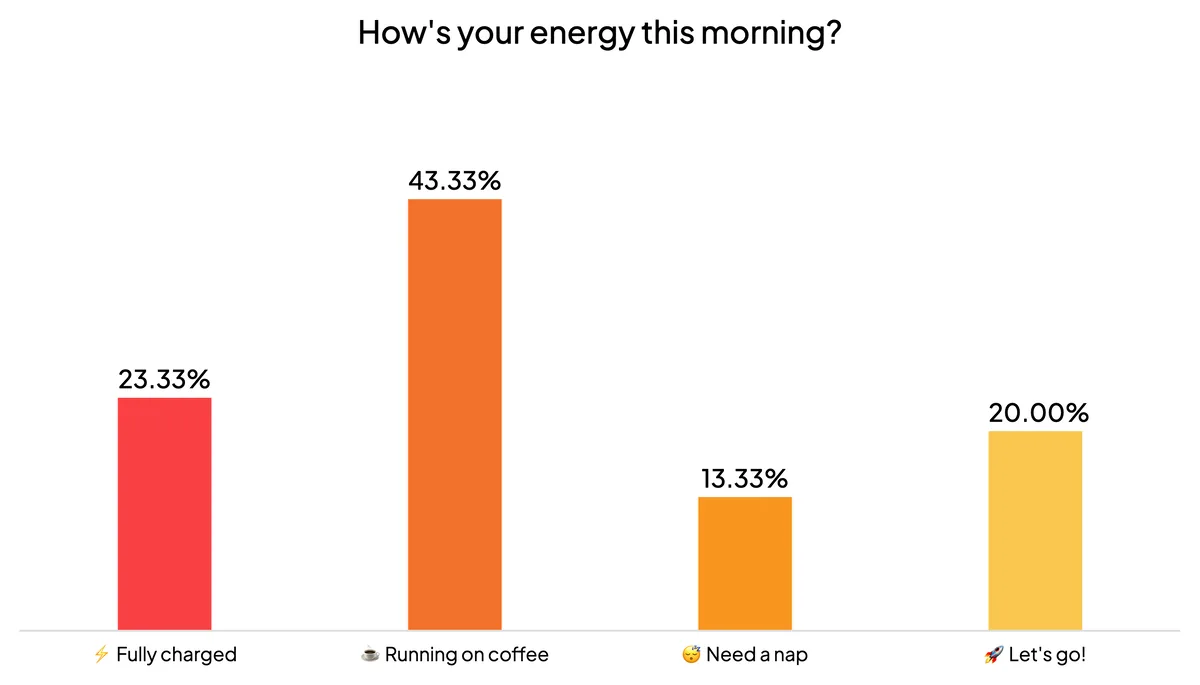
- Let the results build live. As people vote, the bar chart fills in real time on the big screen. That live movement is the moment the room comes alive.
- React out loud. Read the winning answer, laugh at the outlier, and tie it into your opening. The poll is a springboard, not the destination.
Because everything runs through the interactive presentation tool, the same join code carries through the rest of your session — so once people are in for the icebreaker, they're ready for every poll, quiz, or Q&A that follows. If you're brand new to live polling, our live polling 101 beginner's guide walks through the basics first.
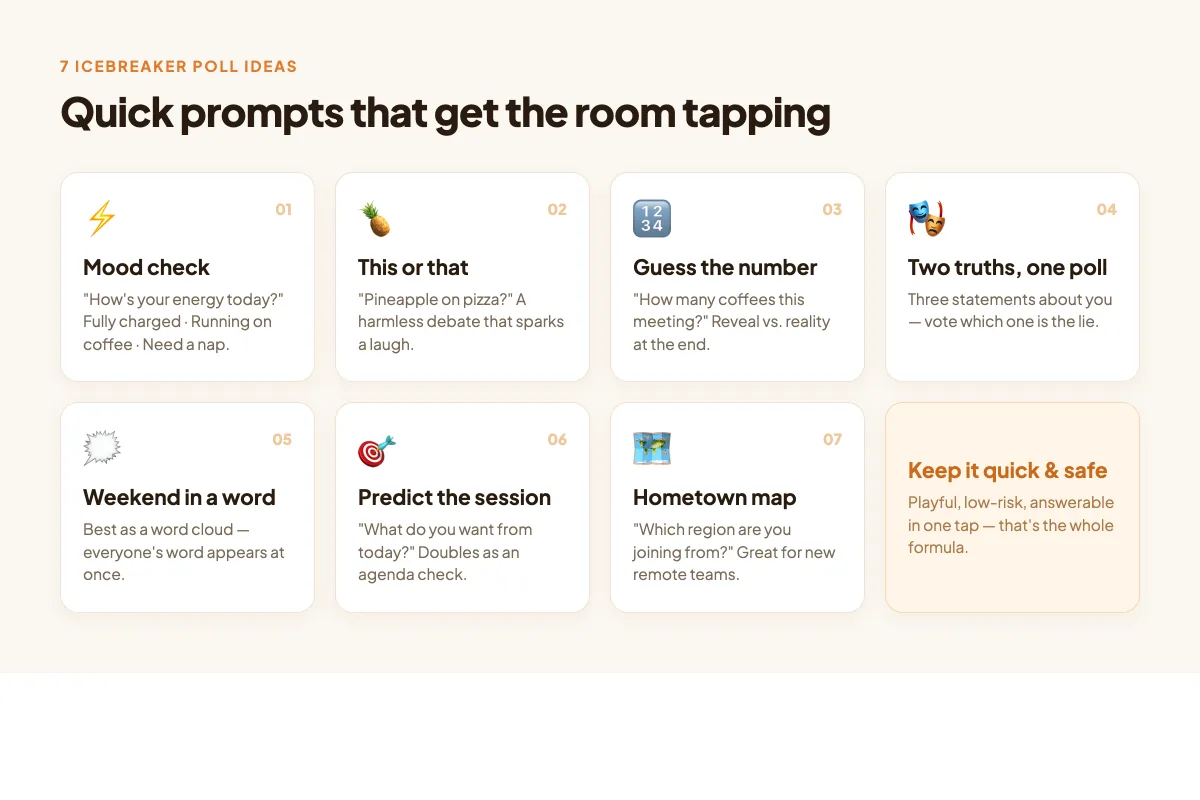
7 poll icebreaker questions that always work
The best icebreaker questions are quick, a little playful, and safe for anyone to answer. Rotate these so your regulars never see the same one twice:
- Mood check. "How's your energy this morning?" with options like Fully charged, Running on coffee, Need a nap. Instant read of the room's state.
- This or that. "Pineapple on pizza?" or "Tabs or spaces?" — harmless debates that spark a chuckle and a few chat comments.
- Guess the number. "How many coffees will get consumed in this meeting?" Reveal the poll, then compare to reality at the end.
- Two truths, one poll. Put three statements about yourself on screen and let people vote which is the lie.
- Weekend recap. "Pick the emoji that sums up your weekend." Great with a word cloud so you see everyone's word at once.
- Predict the session. "What are you most hoping to get out of today?" Doubles as a quick agenda check.
- Hometown map. "Which region are you dialing in from?" Perfect for distributed teams meeting for the first time.
Match the poll format to the moment
EngageSlide gives you more than a plain multiple-choice bar chart, and picking the right format makes the icebreaker land harder:
- Multiple choice is your default — fast, visual, and everyone understands the bars instantly.
- Word cloud is unbeatable for one-word prompts ("Describe last week in a single word"). Every answer appears on screen and popular words grow larger, so the group instantly sees its shared mood.
- Ranking or linear scale works when you want a little more nuance — "Rate your excitement for this project from 1 to 5" gives you a temperature reading you can revisit later.
- Spinner wheel turns "who goes first?" into a game — drop in names and let the wheel decide, which gets a laugh and removes the awkward volunteering.
A good rule of thumb: use a word cloud when you want to celebrate variety, and a multiple-choice poll when you want a clear, punchy winner. Both take the same 30 seconds to set up.
Timing: when to drop the icebreaker
Placement matters as much as the question. Put the icebreaker poll on your very first slide so participation happens before anyone has a chance to disengage. For longer sessions, keep one light poll in your back pocket for the post-lunch slump or right after a dense section — a quick "Still with me? Rate your focus 1 to 5" resets attention without derailing your agenda. Research on active learning consistently shows that short interactive breaks improve retention and re-engage a drifting audience.
One caution: don't overdo it. An icebreaker is a doorway, not the room. One strong poll to open, and maybe one mid-session reset, is plenty. If every slide is a poll, the novelty wears off and the tool starts to feel like a gimmick.
Turn the ice-breaker into momentum
The real payoff comes after the poll. Once the room has tapped once, chain that energy into the rest of your meeting: follow the mood check with a quick quiz, open a live Q&A so people can drop questions anonymously, or run a word cloud to gather ideas for the discussion ahead. Because it's all one presentation with one join code, the transition is seamless — participants never have to re-join or switch tools. For more ways to keep that energy going, browse the EngageSlide blog for engagement tactics you can layer on top.
A meeting that opens with a shared laugh and a wall of live votes is a meeting people actually want to be in. Set up your first icebreaker poll today, and watch those awkward first two minutes turn into your best two minutes.