
You've explained the concept clearly, the slides looked great, and a few heads nodded along. So everyone got it — right? Maybe. The uncomfortable truth every teacher and trainer eventually learns is that nodding is not understanding, and silence is not agreement. People will happily let a shaky idea slide past rather than raise a hand and admit they're lost. That's why the single most useful habit you can build into any lesson, workshop, or training session is the real-time comprehension check: a quick, low-stakes quiz that tells you — right now, before you move on — whether the room actually followed you. This guide shows you how to do exactly that with a live quiz, and how to act on what you learn.
Why "check understanding" beats "any questions?"
Ask a room "Does everyone understand?" and you'll get a wall of polite nods, because admitting confusion in public feels risky. A quiz removes that risk. Everyone answers privately on their phone at the same time, so you get an honest read from all participants instead of the loudest two. And the act of answering does double duty: it doesn't just measure learning, it strengthens it. Decades of research on the testing effect show that recalling information cements it far more effectively than simply hearing it again. A well-placed check-for-understanding question is both a thermometer and a teaching tool.
This is the heart of formative assessment — using quick evidence of learning to adjust your teaching on the spot, rather than waiting for a final exam to discover what went wrong. The goal isn't to grade anyone. It's to make the invisible visible so you can respond while it still matters.

Set up a quick comprehension check in EngageSlide
You don't need a separate app or a complicated setup. In EngageSlide's interactive presentation tool, a comprehension check is just a quiz slide dropped into the deck you're already presenting. Add a Select Answer slide, type a question that targets the exact idea you just taught, add a few options, and mark the correct one. When you reach that slide, participants join with a QR code or short link and answer on their phones — no accounts, no installs.
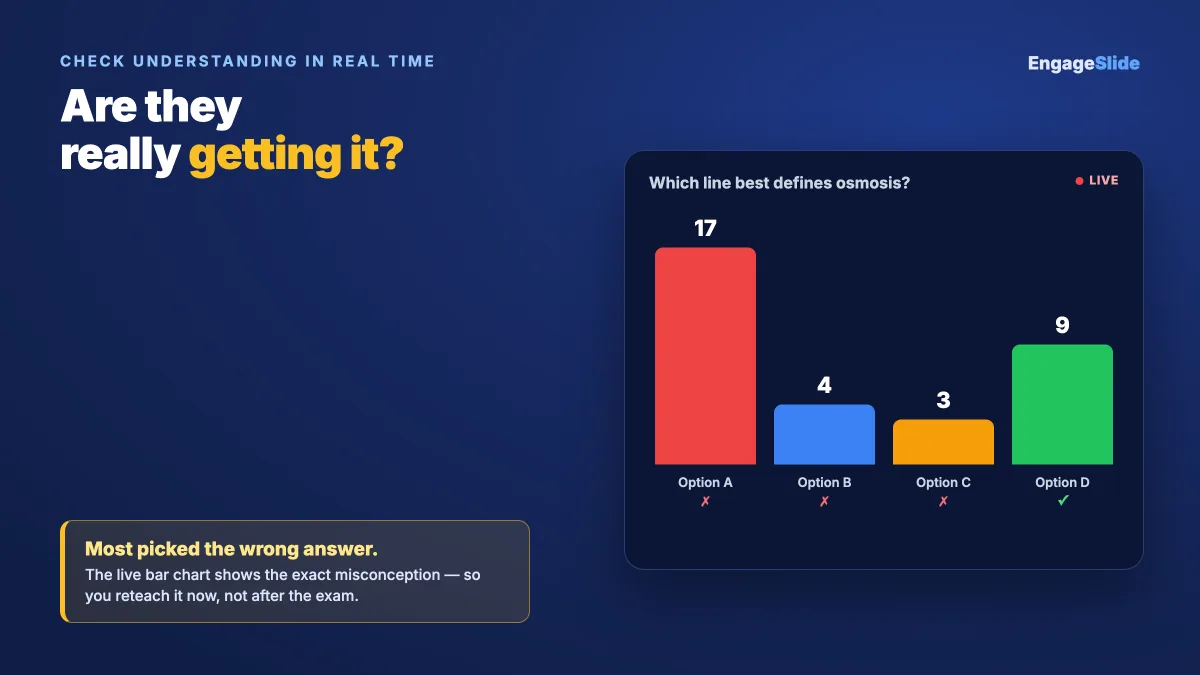
The results appear live as a bar chart the moment answers come in, so the whole room (and you) can see the distribution instantly. That picture is the entire point: it tells you not just whether people understood, but how they misunderstood.
Read the results like a teacher, not a scorekeeper
The magic of a live check isn't the correct-answer count — it's the shape of the wrong answers. A quick way to interpret what you see:
- Nearly everyone correct. Great — the idea landed. Reinforce it in one sentence and move on before you lose momentum.
- A roughly even split. This usually means the question was genuinely ambiguous, or a key distinction wasn't clear. Reteach that one point, then re-ask.
- Most people wrong, clustered on one option. This is the gold. A shared wrong answer reveals a specific misconception — and now you know exactly what to address instead of guessing.
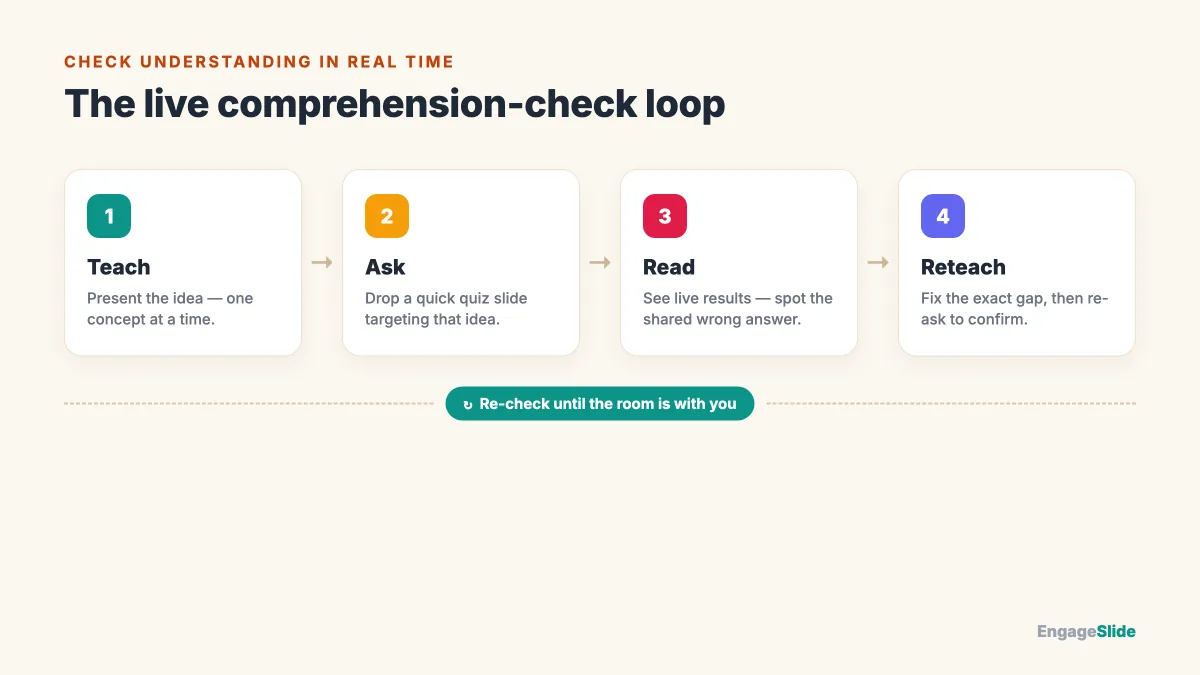
Because you can see this in seconds, you can loop: teach, check, adjust, re-check. That tight feedback cycle is what separates a session where people feel like they learned from one where they actually did.
Question types that reveal real understanding
Recognising the right answer from a list is easier than producing it, so vary your formats depending on how deep a check you need. EngageSlide gives you several to work with — the full rundown lives in our quiz question types guide, but for comprehension checks these are the ones that earn their keep:
- Type Answer for genuine recall. Participants type the term, number, or keyword themselves — no lucky guessing — so it's the truest test of whether something stuck.
- Match Pair to check relationships. Connecting terms to definitions or causes to effects shows whether people understand how ideas fit together, not just isolated facts.
- Multiple choice with deliberate distractors. The wrong options should be common mistakes, so a cluster on one of them diagnoses the exact misconception for you.
Layer in a confidence check too. Before revealing the answer, a quick poll asking "How sure are you?" surfaces the dangerous gap between confidence and correctness — the students who are confidently wrong are precisely the ones a nod would have hidden.
Where to place checks for maximum effect
Timing matters as much as the question. Sprinkle short checks throughout rather than saving them all for the end:
- Entry check. One question at the start to reveal what people already know — so you don't spend ten minutes explaining what the room mastered last week.
- Mid-point pulse. After each big idea, a single quiz slide to confirm it landed before you build the next concept on top of it.
- Exit check. A final question or two as a digital exit ticket, telling you what to revisit next time.
The best moment to discover half the room is lost is while you can still do something about it — not on the final exam. A thirty-second quiz buys you that moment.
Keep individual checks short. Two or three well-aimed questions beat a ten-question quiz that eats your session and turns a quick pulse into a test.
From live pulse to graded proof of learning
Live checks are perfect for the moment, but sometimes you need durable evidence that each person understood — a homework set, a follow-up assessment, or practice they complete in their own time. That's where EngageSlide's AI assignment maker takes over. You can send a graded assignment straight to your audience, with auto-grading that scores answers instantly, numeric questions with tolerance, a built-in math editor for formulas, and worked-solution explanations so learners see why an answer was right. You can even point its AI at a photo or PDF of an existing worksheet and let it build the questions for you.
Used together, the two form a complete loop: a live quiz checks understanding in the room, and an assignment confirms it afterward — each learner getting instant, personalised feedback. For a deeper look at building assessments this way, our piece on enhancing student assessments is a natural next read.
Put it into practice
Start small: pick one concept in your next session that people usually stumble on, and write a single check-for-understanding question for it. Present it, watch the live bar chart, and let what you see decide your next sentence. Once you feel how much a thirty-second pulse changes the room, you'll never want to teach blind again. If you're new to building quizzes, our walkthrough on how to create a live quiz your audience will enjoy and the full quiz setup guide will get you running in minutes, and you can browse more ideas on the EngageSlide blog. It's free with no feature limits — so the only thing left is to find out what your audience really knows.