
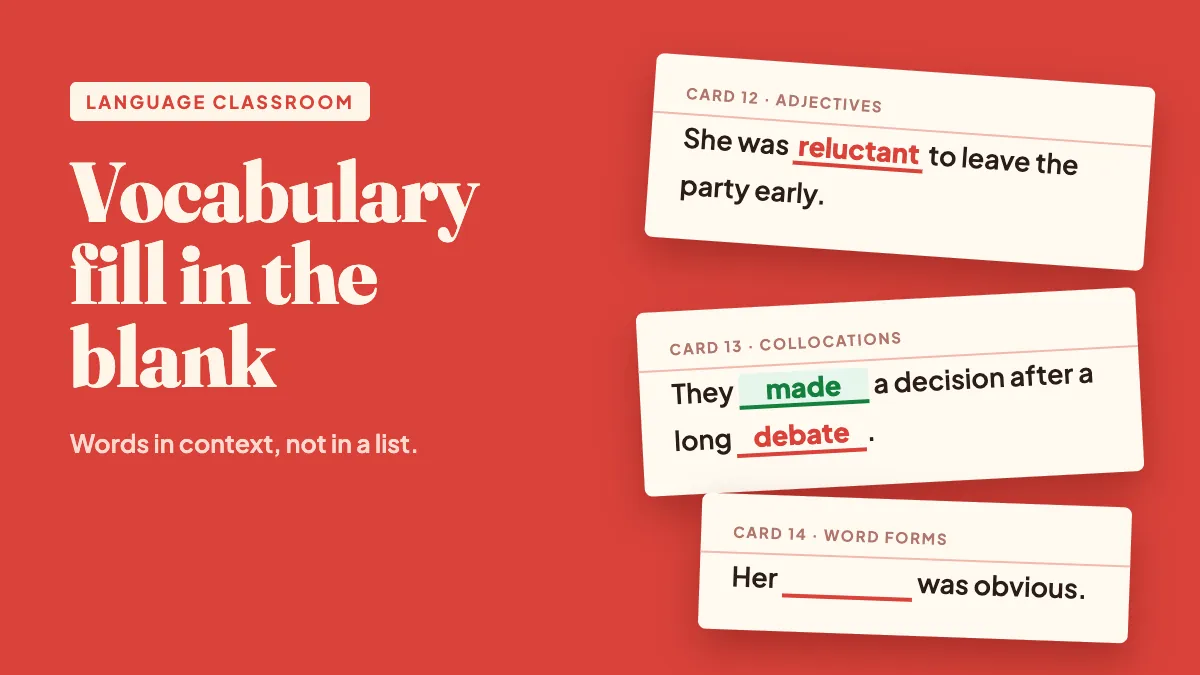
Most vocabulary lessons end with a list: twenty words, twenty definitions, a quick matching exercise. Students recognise the words on Friday and have forgotten half of them by Monday. The problem isn't effort — it's that a list strips away the thing that makes a word usable: context. A fill in the blank quiz puts the word back into a sentence and asks students to pull it out of memory, which is exactly what they'll have to do when they speak or write. This guide shows how to build vocabulary fill in the blank quizzes that actually build recall, how to scaffold them from beginner to advanced, and how to run them live in EngageSlide so the whole class plays at once.
Why fill in the blank works so well for vocabulary
Knowing a word means more than knowing its definition. Students need to know which words it goes with, which form fits the grammar of the sentence, and what register it belongs to. A good gap-fill sentence tests all three at once.
- Context carries meaning. "She was ___ to leave the party early" only works with a word that means unwilling. Students have to understand the sentence, not just spot a familiar shape.
- Recall beats recognition. Producing a word from memory strengthens it far more than picking it from a list — the same reason self-testing outperforms re-reading.
- Collocations become visible. "Make a decision", "heavy rain", "take a break" — learners often know both words but not that they belong together. A blank exposes the gap immediately.
- Word forms get tested naturally. "Her ___ was obvious" needs a noun (reluctance), not the adjective students just learned. That's a much more honest check than a definition quiz.
If you're new to the format itself, our fill in the blank quiz game guide covers the basic setup. This article focuses on what's specific to vocabulary teaching.
How to write vocabulary gap-fill sentences
The sentence does most of the teaching, so it deserves more thought than the word list. A few rules make the difference between a sentence that tests the word and one that tests guessing.
1. One blank should have one clear answer
"I felt ___ yesterday" could be happy, tired, sick or fifty other words. Add enough context to narrow it down: "I felt so ___ after the 12-hour flight that I slept until noon." Now exhausted, tired and worn out all fit, and you can accept all of them (more on that below).
2. Use sentences students could actually say
Pull examples from the unit's reading text, from real conversations, or from situations your students know — school, work, travel, family. A sentence about a student's first job interview is more memorable than one about "the man in the house".
3. Blank the target word, not the easy one
With two blanks in one sentence, make sure both are words you're teaching. Blanking "the" or "is" adds noise without adding practice.
4. Mix meaning, form and collocation
Across a set of 8–10 sentences, include some that test meaning (which word?), some that test form (reluctant or reluctantly?), and some that test partners (make or do a mistake?). That spread tells you exactly where the class is weak.
Building the quiz in EngageSlide
In EngageSlide, Fill in the Blank is a quiz type, so it uses the same lobby, timer, points and leaderboard as every other quiz question. Creating one takes about a minute.
- Add a Fill in the Blank slide. Click New Slide and pick Fill in the Blank from the quiz types.
- Type your sentence and bracket the target words. "Maya was [reluctant] to ask for help." Everything inside square brackets becomes a blank. You can also highlight a word and click Make blank.
- Add accepted alternatives with a slash. [valuable/useful] accepts either answer. Use it for genuine synonyms and for spelling variants like [colour/color] or [organise/organize], so a British or American spelling never costs a student points.
- Choose how students answer. Type the answer for recall, or Word bank for recognition. With a word bank you can add extra wrong words as distractors.
- Set the checking rules. Case sensitivity and ignore accents are separate toggles — useful for languages like French or Spanish, where you may or may not want to count a missing accent. Turn on partial scoring so a student who gets two of three blanks earns points for them.
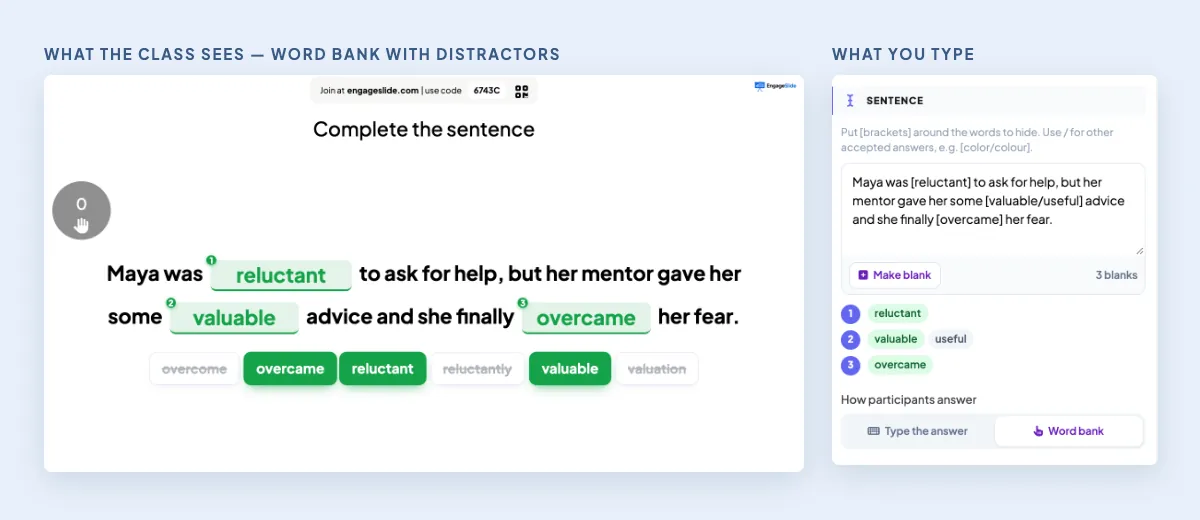
Students join from their phones with the room code or QR code — no app or account needed — and every screen shows the same sentence with the same shuffled word bank.
Scaffold with three passes on the same sentences
The most useful trick for vocabulary is to reuse one set of sentences at three levels of difficulty instead of writing three different quizzes. Duplicate the slides and change only the answer mode.
Pass 1: word bank, correct words only
Right after you introduce the words, give a bank with only the target words. Students focus on meaning in context. Almost everyone succeeds, which builds confidence for the harder rounds.
Pass 2: word bank with wrong forms
Next lesson, add distractors that force a real decision: the other part of speech (reluctantly next to reluctant), the wrong tense (overcome next to overcame), or a common false friend for your students' first language. This is where you find out who knows the word and who only recognises it.
Pass 3: type the answer
Remove the bank. Students have to recall and spell the word themselves. Accept real alternatives with the slash so you reward knowledge, not mind-reading.
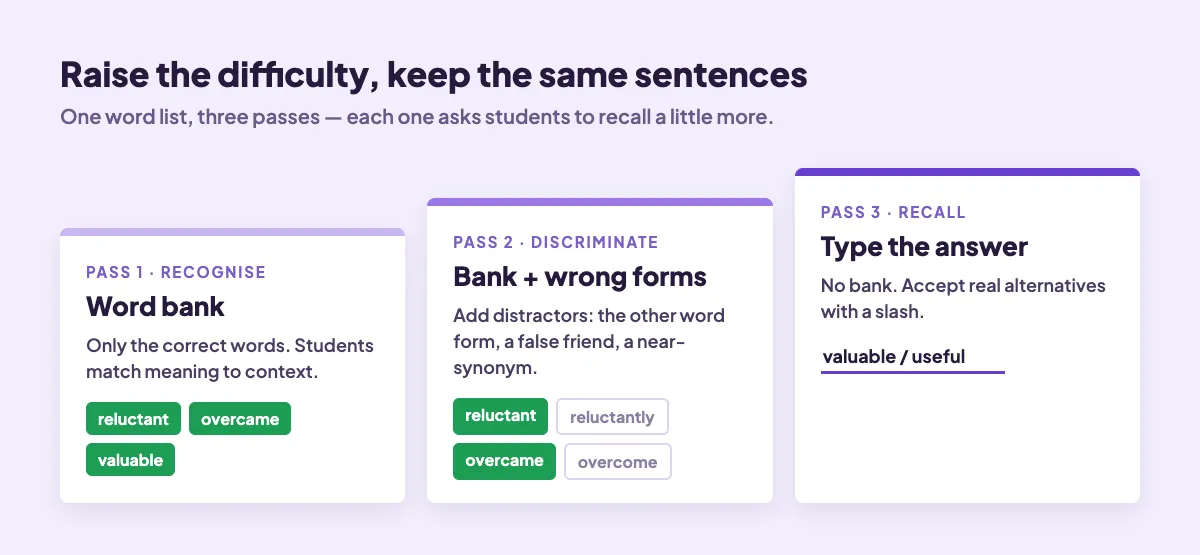
Spacing these passes across a week — introduce on Monday, pass 1 the same day, pass 2 on Wednesday, pass 3 on Friday — gives you spaced repetition without any extra preparation.
Don't write three quizzes. Write one good set of sentences and make it harder three times: recognise, discriminate, then recall.
Use the results to reteach, not just to score
After each question, EngageSlide shows how many students got each blank right and the most common wrong answers. That second part is gold for a language teacher.
- Same wrong form from many students? It's a grammar issue, not a vocabulary one. Take two minutes on adjective vs adverb before moving on.
- A spelling cluster? "Recieve", "occured", "definately" — put the common error on the board and fix it together.
- A plausible synonym marked wrong? If half the class typed "useful" and it's genuinely correct, add it as an accepted answer for next time. Your answer key improves every lesson.
- One blank everyone missed? The sentence may be ambiguous. Rewrite it rather than blaming the class.
Classroom formats that work
Warm-up review (5 minutes)
Three or four sentences from last lesson's words, word bank mode. It settles the class and tells you whether yesterday's words stuck before you add new ones.
Team battle (15 minutes)
Turn on team mode and run 8–10 typed sentences. Mixed-ability teams help weaker students, and the leaderboard between questions keeps energy high. See team vs individual quizzes for when each one fits.
Reading follow-up
After a reading or listening text, take 5–6 sentences straight from it and blank the new words. Students see the words in the context they just met them, which strengthens the link.
Exam prep
Many language exams include cloze tasks. Practising in typed mode with a timer builds the same speed and accuracy under pressure.
Tips from teachers who use it every week
- Keep one idea per sentence. Long sentences with three clauses test reading speed, not vocabulary.
- Give more time for typing. 30–45 seconds per sentence in typed mode, 20 seconds with a word bank.
- Turn off speed bonus for beginners. Speed points reward the fastest typers; for early learners, accuracy is what matters.
- Save and reuse. Your vocabulary sets become a bank you can mix into review lessons all term.
- Combine with other question types. A word cloud ("one word from today's list you'll use this week") makes a quick, low-stakes close. The quiz question types guide explains the other options.
Get started
Pick ten words from your current unit, write one strong sentence for each, and build pass 1 in EngageSlide's interactive presentation tool. Run it live on Monday, duplicate the slides, switch the mode, and you already have Wednesday's and Friday's review ready. Your students get practice that looks like real language use, and you get a clear, word-by-word picture of what they actually know.