
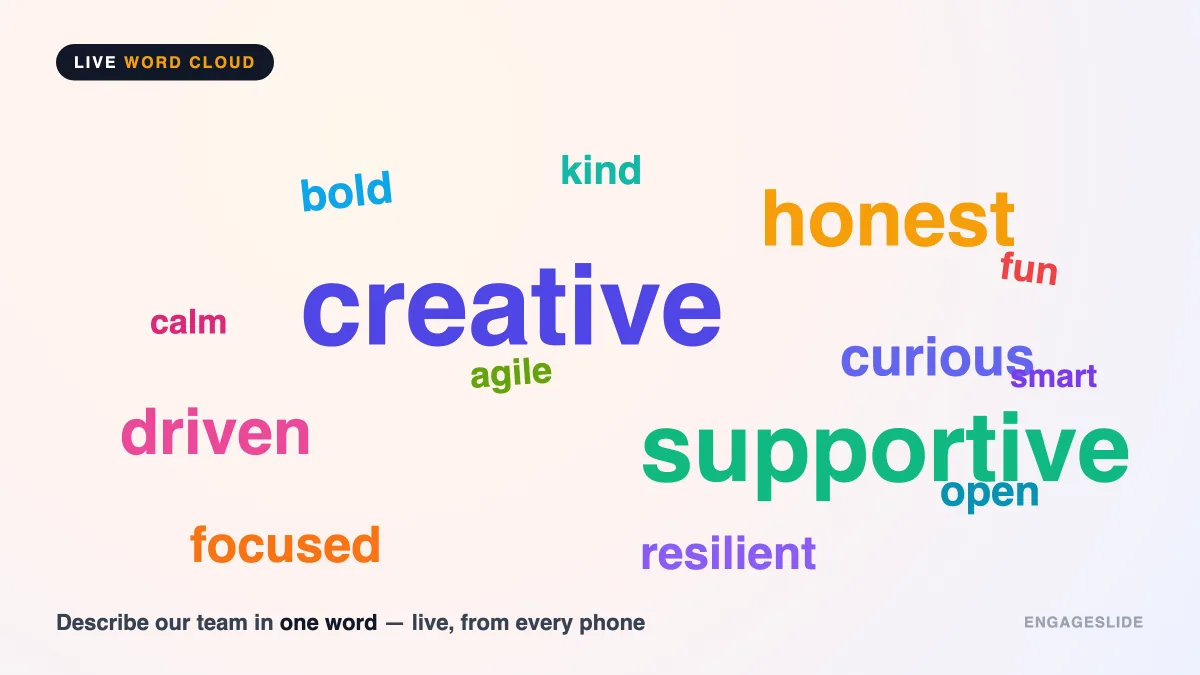
You ask a room of 60 people, "What's the first word that comes to mind when I say leadership?" — and instead of blank stares or one brave volunteer, dozens of answers stream onto the screen in real time. The words people repeat swell to twice the size of the rest, and within seconds the whole room can see what it collectively thinks. That's a live word cloud: one of the simplest, fastest ways to turn a silent audience into an active one. This guide explains what a live word cloud is, how it works, and exactly when to reach for one in your next presentation, class, or meeting.
What is a live word cloud?
A word cloud is a visual arrangement of words in which each word's size reflects how often it appears — the more people submit a term, the bigger it grows. A live word cloud takes that idea and makes it real-time and participatory: instead of pasting in a block of pre-written text, you ask your audience a question, and every person types their answer from their phone. The cloud builds itself on the main screen as responses arrive, updating instantly with each new submission.
The concept isn't new — designers have used static "tag clouds" to visualize word frequency on websites for years (see Wikipedia's overview of tag clouds). What makes the live version powerful is the loop between question and answer: you're not showing people a summary of old data, you're capturing the mood of the room right now and reflecting it back to them in a way everyone understands at a glance.
How a live word cloud works
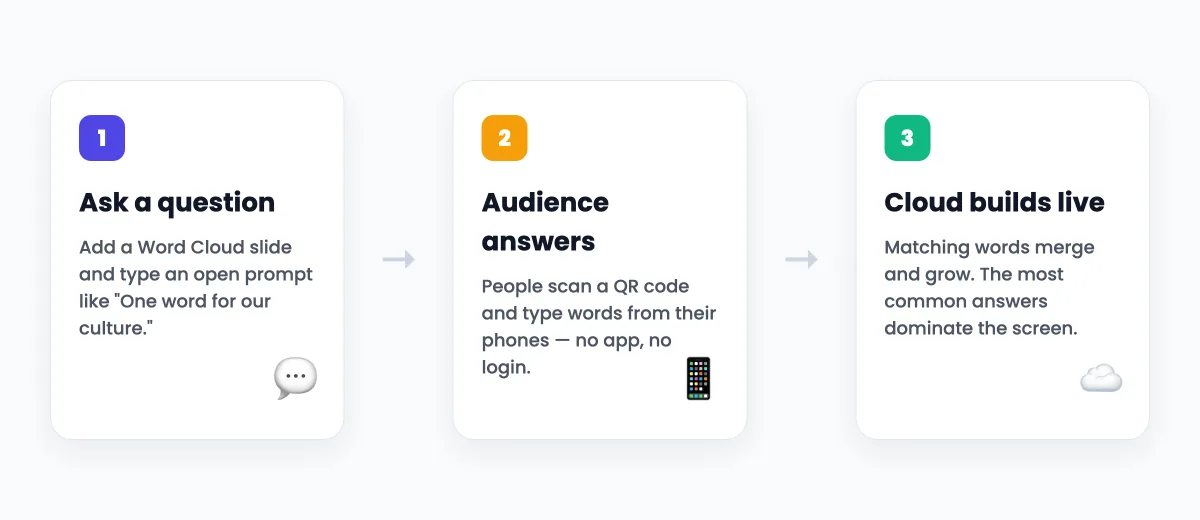
The mechanics are refreshingly simple, which is a big part of the appeal. In EngageSlide's interactive presentation tool, running one takes three steps:
- You add a word cloud slide and type your question. Something short and open, like "Describe our team culture in one word."
- Your audience joins and answers from their phones. They scan a QR code or enter a join code — no app to download, no account to create — then type one or a few words.
- The cloud renders live on the big screen. As answers come in, matching words merge and grow. Popular responses dominate the center; unique ones sit around the edges. Everyone watches the picture form together.
Because identical answers stack, the visual does the analysis for you. There's no counting, no tallying, no "let me read these out." The size of each word is the result.
Why word clouds work so well
Live word clouds punch far above their weight for three reasons. First, they have the lowest barrier to participation of any interactive format — typing a single word is easier than answering a poll, and far easier than raising your hand to speak. Even shy or junior participants join in. Second, they're anonymous by default, which surfaces honest input you'd never get out loud; people will type "confusing" or "overwhelmed" on their phone when they'd never say it to your face. Third, they create a shared moment — the whole room watches the same picture emerge, and that collective "aha" is genuinely energizing.
A word cloud's real magic isn't the graphic — it's that it lets every single person contribute in ten seconds, and then shows the group what it actually thinks.
Research on active learning backs this up: audiences retain more and stay more attentive when they're producing responses rather than passively receiving information. A word cloud is the fastest possible on-ramp to that kind of active participation.
When to use a live word cloud
Word clouds shine for open, subjective, "gut reaction" questions — not for questions with one correct answer (use a live quiz for that). Here are the situations where they earn their place.
Openers and icebreakers
Kick off any session by asking something light: "One word for how you're feeling this Monday?" or "Where are you joining from?" It warms the room up, gets everyone's thumbs moving, and gives you an instant read on the group's energy before you dive in.
Checking understanding or prior knowledge
Before a training module, ask "What comes to mind when you hear compliance?" to see what the group already associates with the topic. Afterward, ask the same question again — the shift in the cloud is a vivid, visual proof of learning.
Live brainstorming
Word clouds are a fast way to diverge before you converge. "What's blocking us from shipping faster?" surfaces the recurring themes immediately, because the pain points multiple people share literally grow the largest. From there you can dig into the biggest words as a group.
Gauging mood and gathering feedback
Mid-meeting or at the end of a workshop, "Describe today's session in one word" gives you an honest temperature check. It's quicker than a survey and impossible to fake — if half the room types "long," you'll know. For deeper feedback, pair the cloud with a follow-up survey.
Capturing values and culture
Team offsites and all-hands love word clouds for questions like "What word describes our company at its best?" The result becomes a shared artifact — a snapshot of what the group values, in the group's own words.
How to run one in EngageSlide
You don't need special equipment or design skills. Create a presentation, add a Word Cloud slide, type your prompt, and present. Your audience joins with a code or QR, and the cloud builds itself. If you want the exact click-by-click walkthrough — including settings like limiting words per person and moderating submissions — follow our step-by-step word cloud guide, or see how teams use them in real time with EngageSlide.
Tips for word clouds that actually land
- Ask for one word, not a sentence. "In one word…" prompts produce clean, stackable clouds. Open-ended sentences fragment into dozens of singletons that never merge.
- Keep the question genuinely open. If there's a right answer, it's a quiz, not a cloud. Save word clouds for opinions, feelings, and associations.
- Read the cloud out loud. Don't just show it and move on. Name the biggest words, ask a follow-up about a surprising one, and let the audience react — that's where the conversation happens.
- Use it as a springboard. The cloud is the start of a discussion, not the end. "I see 'overwhelmed' is big — tell me more about that" turns a graphic into a genuine dialogue.
- Run it twice. Before-and-after clouds are one of the most persuasive ways to show a room how its thinking changed.
The bottom line
A live word cloud is the closest thing presentations have to a "get everyone talking" button. It costs your audience ten seconds, requires nothing but a phone, and hands you an honest, visual read on what the whole room is thinking. Whether you're opening a class, breaking the ice in a meeting, or capturing your team's values, it's one of the highest-return interactions you can add. Ready to try one? Explore more ways to make sessions two-way on the EngageSlide blog, then add a word cloud to your next deck.