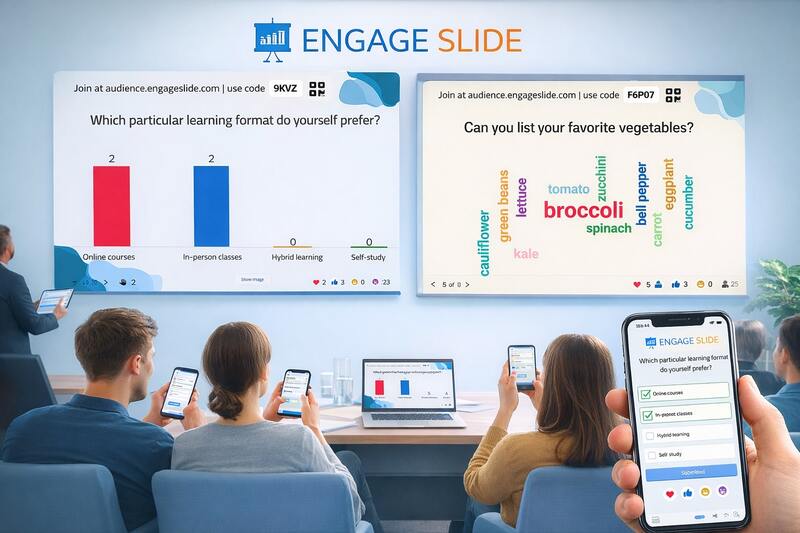
Engage your audience directly inside Google Slides.
Add live polls, competitive quizzes, and real-time Q&A to your presentations. No more switching tabs—keep everyone’s attention exactly where it belongs.
Say goodbye to the "tab dance". EngageSlide lives right in your Google Slides sidebar. Add, edit, and present your polls without ever leaving your deck.
100% Attention
Keep your audience focused on your slides. Your polls activate automatically as you present, allowing participants to vote instantly from any device.
All Poll Types
From Word Clouds and Quizzes to Open-ended questions and live Q&A. Everything you need to capture feedback and boost engagement is included.
Open your presentation and launch EngageSlide from the Extensions menu in your toolbar.
03
Insert Polls
Create new polls or quizzes directly in the sidebar. They'll be inserted as slides into your deck.
04
Start Presenting
Click Present. Your polls will activate automatically for your audience to join via QR code.
The Best Experience with Chrome Extension
To maintain all your animations (animate) and ensure a seamless experience within Google Slides, we highly recommend installing our dedicated Chrome Extension.
No apps to download. No accounts to create. Your audience scans the QR code on your slide and they are in.
Real-time reactions
Let your audience send live emoji reactions during your talk to gauge the vibe of the room instantly.
Moderated Q&A
Collect and moderate questions from the audience. Upvote the best ones to ensure you answer what matters most.
Why Use EngageSlide for Google Slides?
Google Slides is a powerful tool for creating beautiful presentations, but it lacks built-in features for live audience interaction. EngageSlide for Google Slides bridges this gap, allowing you to turn your static presentation into a dynamic, two-way conversation.
Unlike other polling tools that require you to exit your presentation and switch to a web browser, our integration stays active throughout your entire session. This ensures that you never lose your flow and your audience remains focused on your content.
Perfect for All-Hands & Classrooms
Whether you are leading a corporate town hall or teaching a university lecture, EngageSlide provides the tools you need to succeed. Our live polling for Google Slides allows you to perform pulse checks, run competitive quizzes with leaderboards, and capture complex ideas with word clouds—all without ever leaving your deck.
Keep Your Animations (Animate)
One of the biggest challenges with presentation add-ons is maintaining the original slide animations. Our EngageSlide Chrome Extension solves this by integrating deeply with the browser, ensuring that all your animate content works perfectly while you interact with your audience.
Boost your engagement by 70%
Presenters using EngageSlide report a significant increase in audience participation and information retention. Start engaging your audience the right way today.