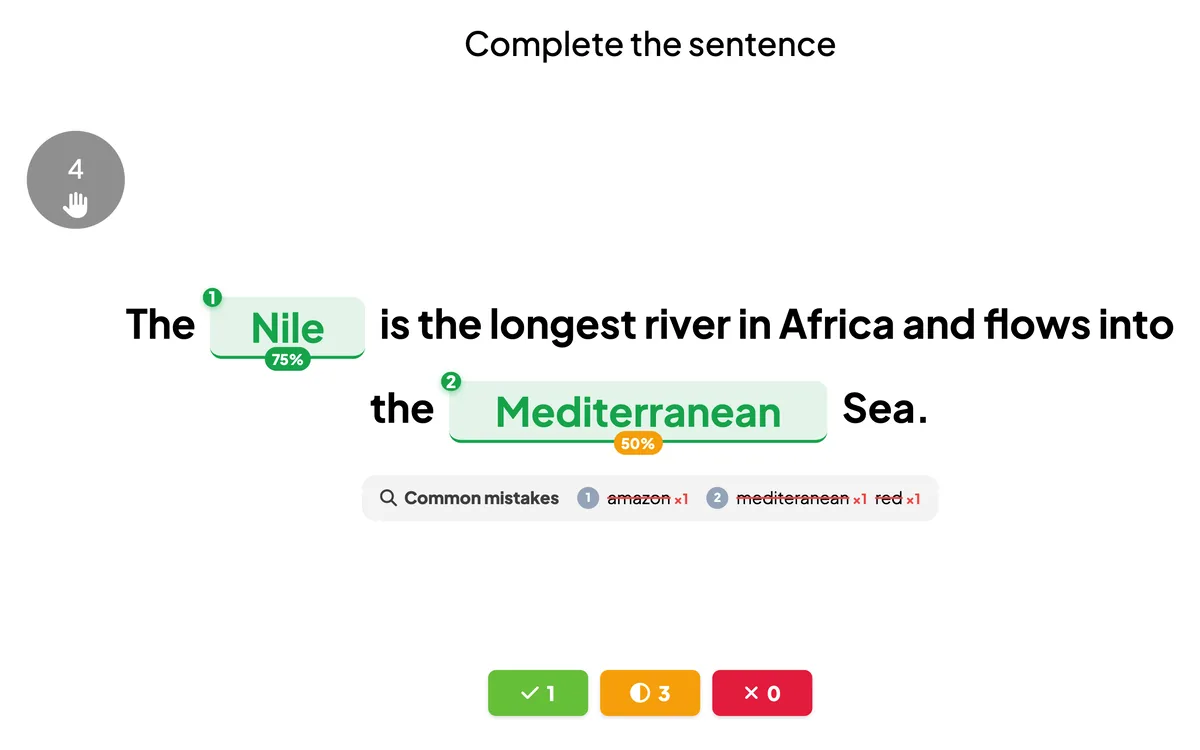
Fill in the Blank turns any sentence into a scored quiz. Put brackets around the words to hide, and players race to complete the sentence on their phones — typing each word or tapping it from a word bank. The reveal shows how many got each blank right and the most common mistakes.
Opens in the editor instantly — no sign-up, no app.
What you can use Fill in the Blank for
Vocabulary & languages
Practise new words, verb forms and grammar in context, not in isolation.
Key facts & definitions
Check that the most important terms from a lesson or training actually stuck.
Exam revision
Turn summary notes into a fast, competitive review round before a test.
Onboarding & compliance
Reinforce policies and procedures with a quick scored check.
How to set up a Fill in the Blank slide
1Add a Fill in the Blank slide and write your sentence with [brackets] around the missing words.
2Choose typed answers or a word bank, and set the time limit.
3Players fill in the blanks live — the reveal shows the answers, % correct per blank and the leaderboard.
Setting up the Fill in the Blank slide in the EngageSlide editor.
Try the Fill in the Blank slide free
Click play and the Fill in the Blank slide opens in the editor right away — no sign-up, no app, no limits. Add your email later only if you want to keep it.