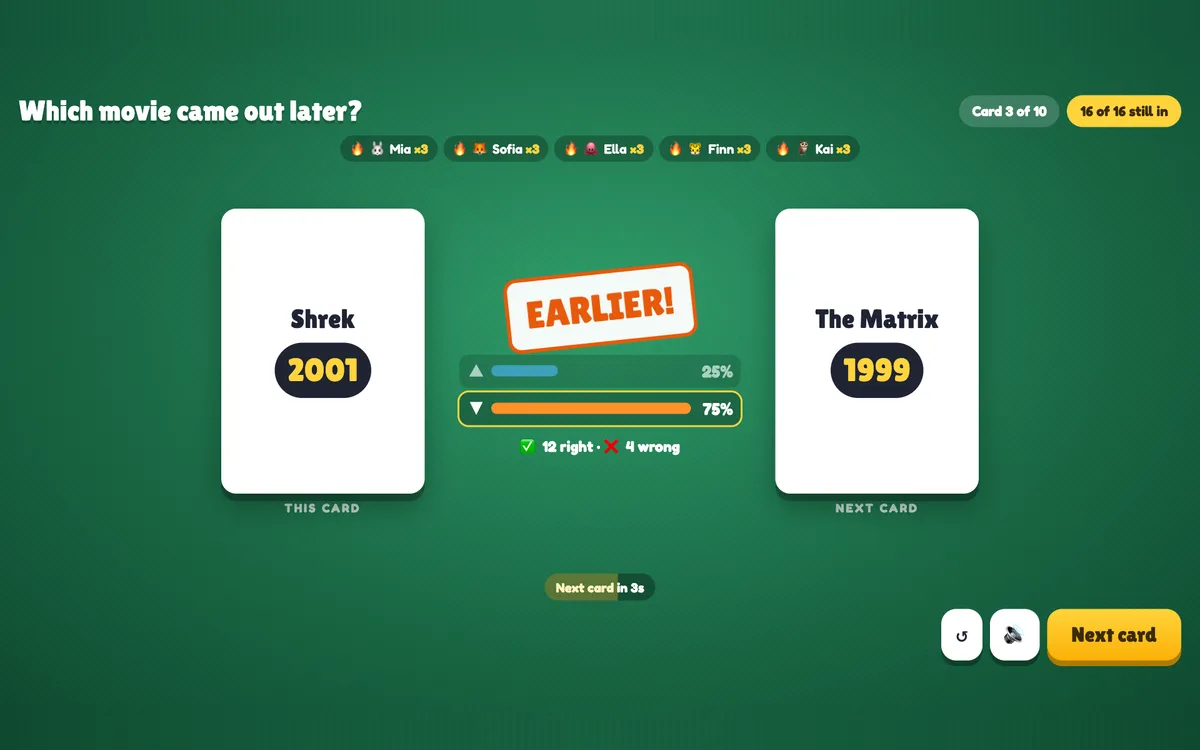
Higher or Lower is the classic guessing game for a whole room. A card is on the big screen and everyone guesses on their phone whether the next one is higher or lower; wrong guesses cost a life, and the last player standing wins. Play with numbers, a deck of playing cards or your own list of things with a number — movies by year, buildings by height — and it becomes a quiz about your topic.
Opens in the editor instantly — no sign-up, no app.
What you can use Higher or Lower for
Classroom
History dates, planet sizes or populations: learn the order of things by guessing it.
Training
Costs, response times or market sizes your team should know.
Energizers
The numbers or playing-card deck needs no setup at all.
Events & parties
Movie years, song releases or famous buildings — with a prize for the last one in.
How to set up a Higher or Lower slide
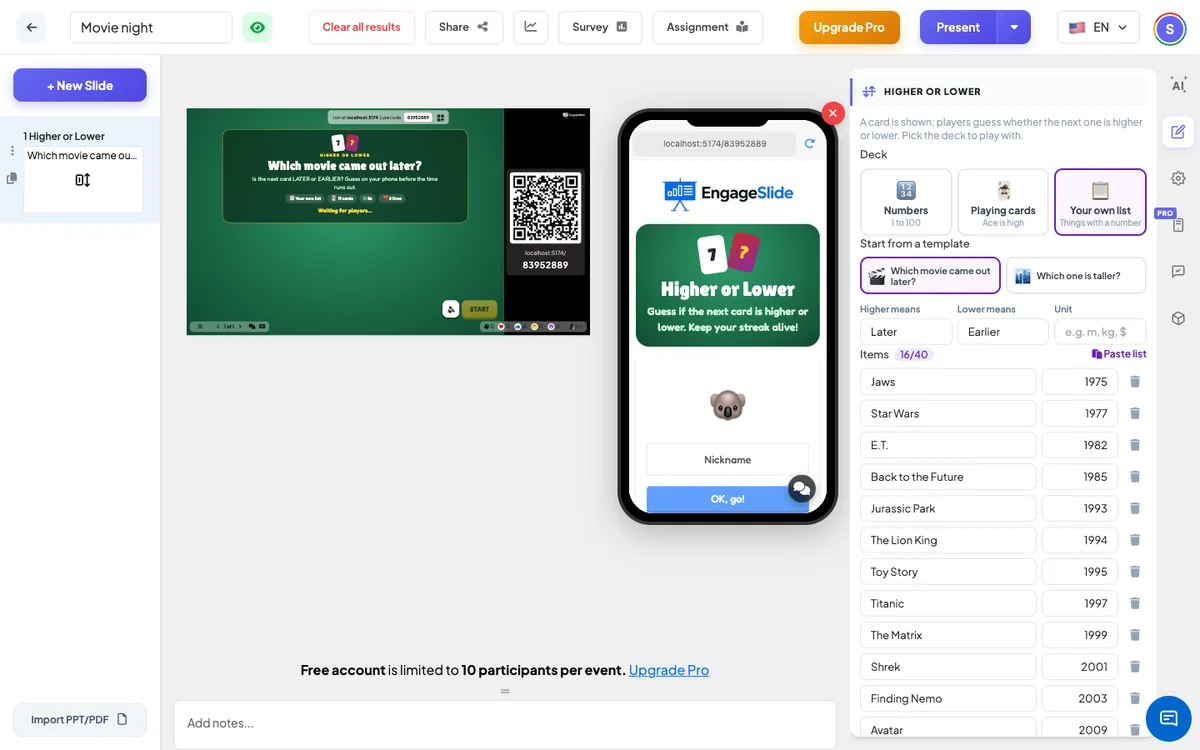
1Add a Higher or Lower slide from the Games tab and choose a deck — or start your own list from a template.
2Choose the number of cards, the time per card and the lives.
3Present — everyone guesses higher or lower, the card flips, and the last player standing wins.
Setting up the Higher or Lower slide in the EngageSlide editor.
Try the Higher or Lower slide free
Click play and the Higher or Lower slide opens in the editor right away — no sign-up, no app, no limits. Add your email later only if you want to keep it.