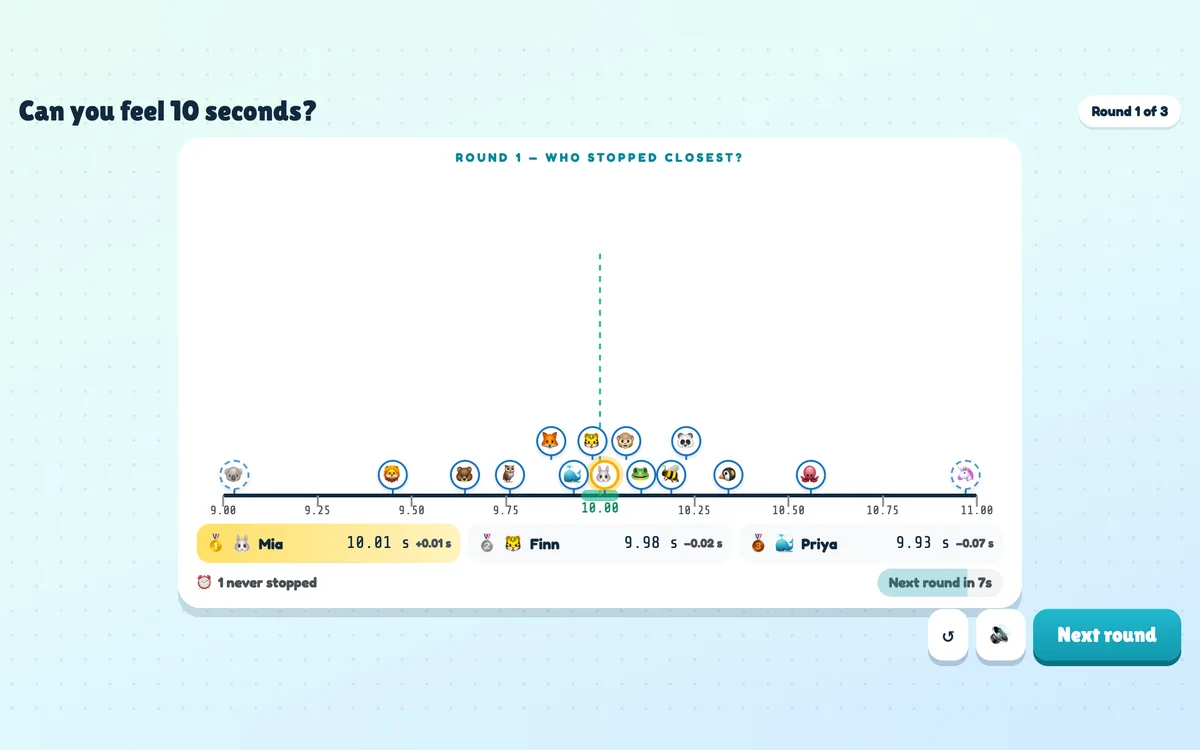
Stop the Clock is a one-button game that anyone can play. After a 3-2-1, a clock runs on every phone and on the big screen, then disappears — players keep counting in their head and tap STOP at exactly the target. The reveal drops every stop onto a number line around 10.00 seconds, names the closest and celebrates perfect stops.
Opens in the editor instantly — no sign-up, no app.
What you can use Stop the Clock for
Energizers & icebreakers
Nothing to prepare and nothing to know — everyone wants another round.
Team building
Compare how differently people count time, then try again.
Classroom
A fun way into time, estimation or how the brain keeps the beat.
Events
A quick game while people find their seats, with a prize for the perfect stop.
How to set up a Stop the Clock slide
1Add a Stop the Clock slide from the Games tab and give it a title.
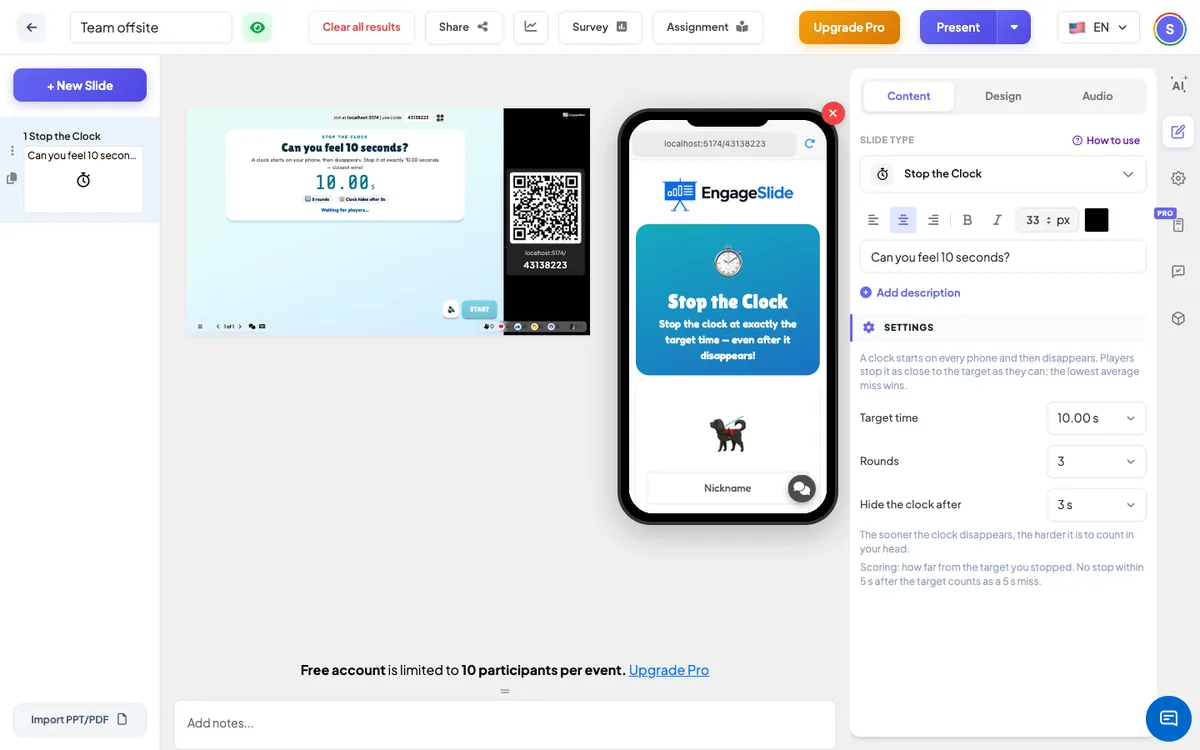
2Choose the target time, the number of rounds and when the clock disappears.
3Present — count in your head, tap STOP, and see who was closest on the number line.
Setting up the Stop the Clock slide in the EngageSlide editor.
Try the Stop the Clock slide free
Click play and the Stop the Clock slide opens in the editor right away — no sign-up, no app, no limits. Add your email later only if you want to keep it.