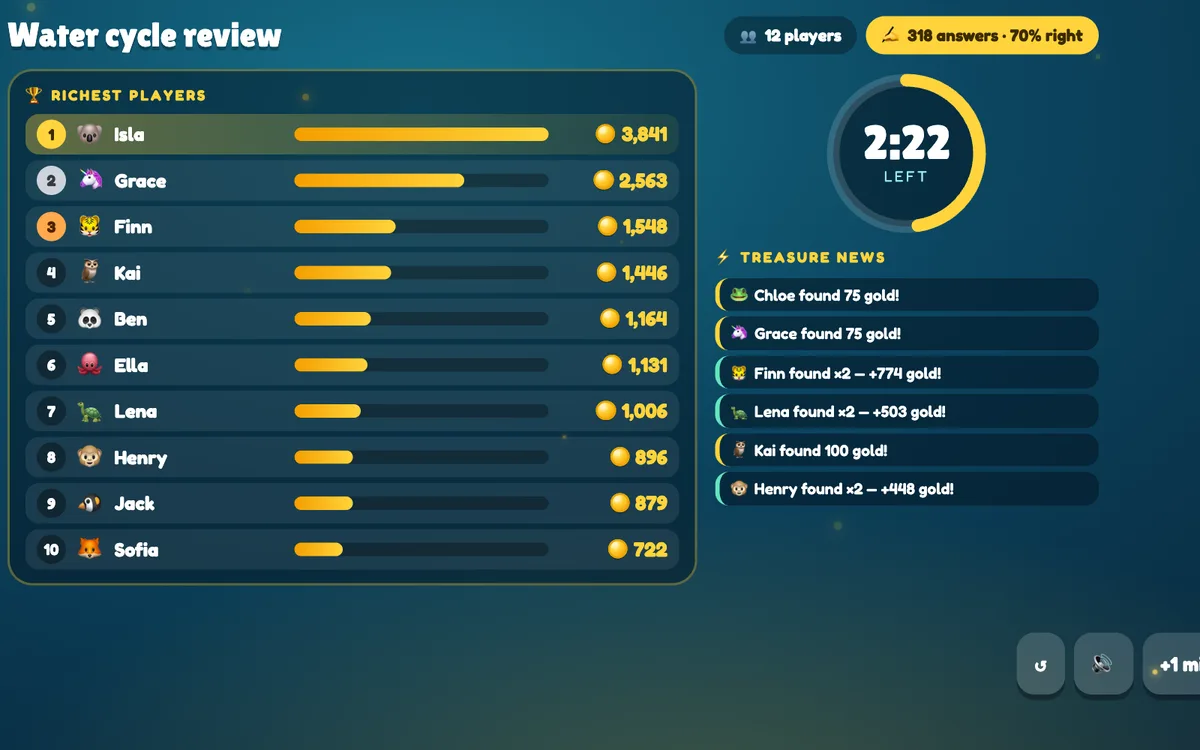
Treasure Hunt turns any set of questions into a classroom game. Students answer at their own pace on their phones; every right answer opens one of three treasure chests with gold, multipliers, steals or swaps. The richest player wins — and you get a class report with the questions to review. Write the questions with AI from a topic in seconds, paste a list or reuse your quiz slides.
Opens in the editor instantly — no sign-up, no app.
What you can use Treasure Hunt for
Revision before a test
Generate 20 questions on the unit with AI and play for 8 minutes.
Checking understanding
The class report shows the accuracy and the questions the class found hardest.
Language classes
Vocabulary and grammar decks in the language you teach.
Training & onboarding
Turn product or policy facts into a 5-minute game — Kind mode keeps it friendly.
How to set up a Treasure Hunt slide
1Add a Treasure Hunt slide and fill the deck — AI from a topic, a pasted list or your quiz slides.
2Pick the game time (3–10 minutes) and whether chests can steal and swap.
3Students answer on their phones, open chests and race for gold — then review the hardest questions together.
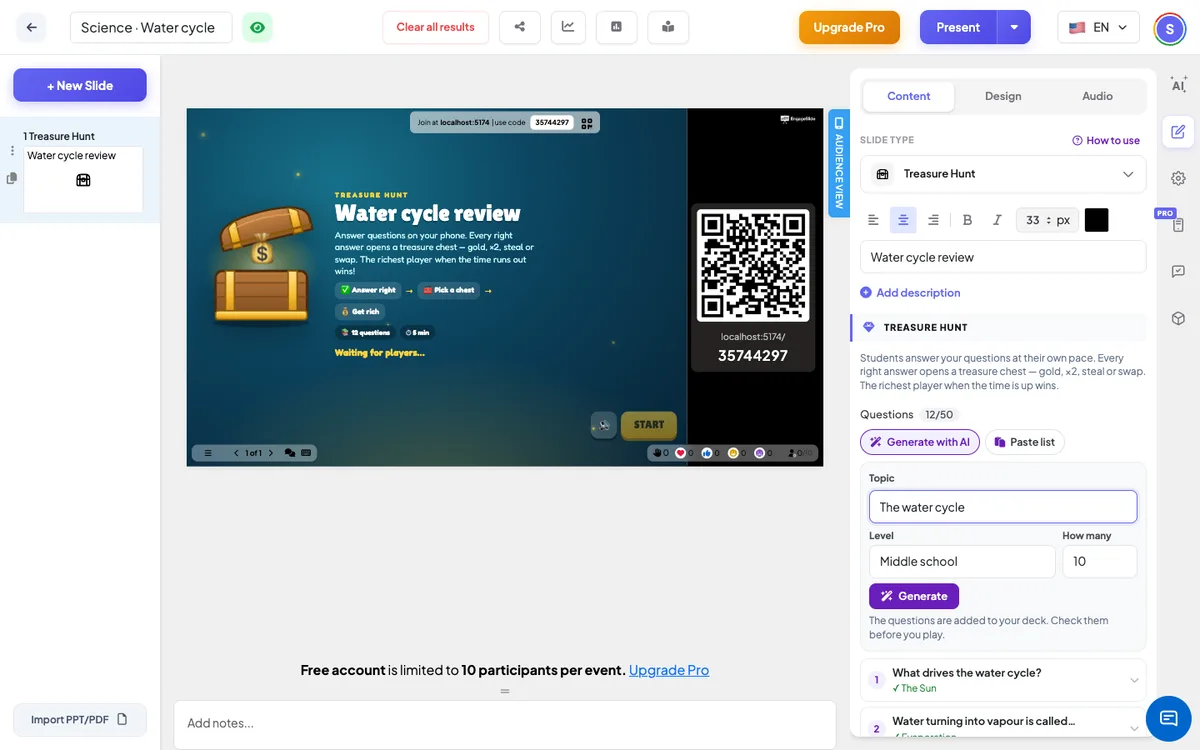
Setting up the Treasure Hunt slide in the EngageSlide editor.
Try the Treasure Hunt slide free
Click play and the Treasure Hunt slide opens in the editor right away — no sign-up, no app, no limits. Add your email later only if you want to keep it.