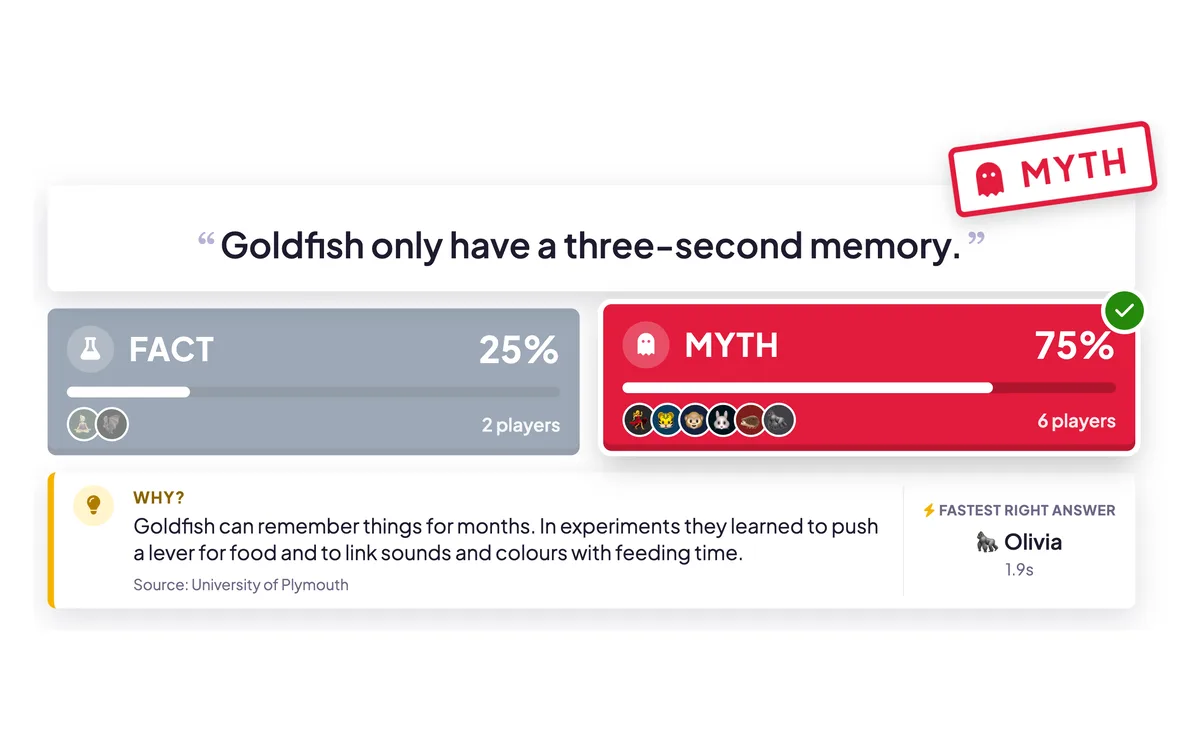
True or False is the quickest quiz question to write and to answer. You show one statement, players tap True or False (or Fact or Myth, Real or Fake, Yes or No) on their phone, and at the reveal the answer is stamped across the big screen with a short explanation of why. It is perfect for busting myths and misconceptions.
Opens in the editor instantly — no sign-up, no app.
What you can use True or False for
Myth-busting in class
Surface common misconceptions, then correct them on the spot with the Why? explanation.
Training & compliance
Check policy and safety knowledge with clear-cut statements everyone can answer fast.
Icebreakers & team socials
Run “Fact or Myth” or “Real or Fake” rounds with surprising statements about your team or topic.
Warm-ups before a topic
Find out what the room already believes before you teach, then revisit it at the end.
How to set up a True or False slide
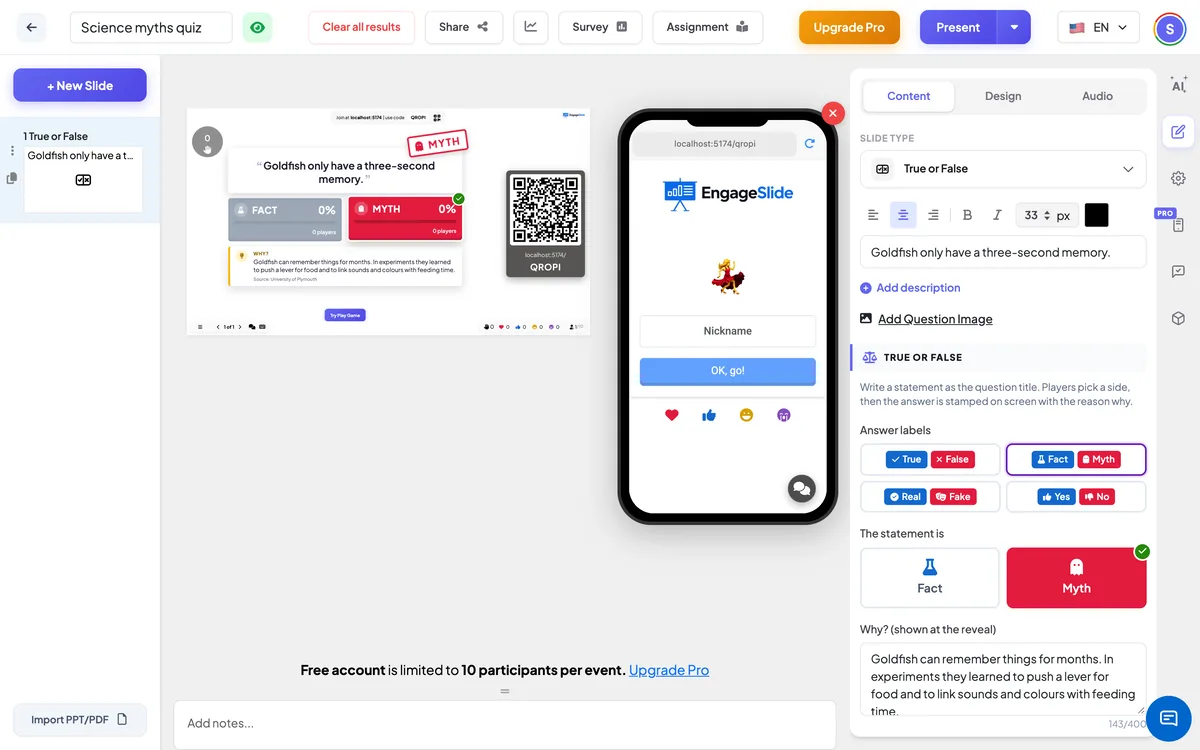
1Add a True or False slide and write your statement.
2Pick the labels (True / False, Fact / Myth…), mark the right side and add a short Why.
3Players tap an answer — the reveal stamps the answer, shows the split and explains why.
Setting up the True or False slide in the EngageSlide editor.
Try the True or False slide free
Click play and the True or False slide opens in the editor right away — no sign-up, no app, no limits. Add your email later only if you want to keep it.