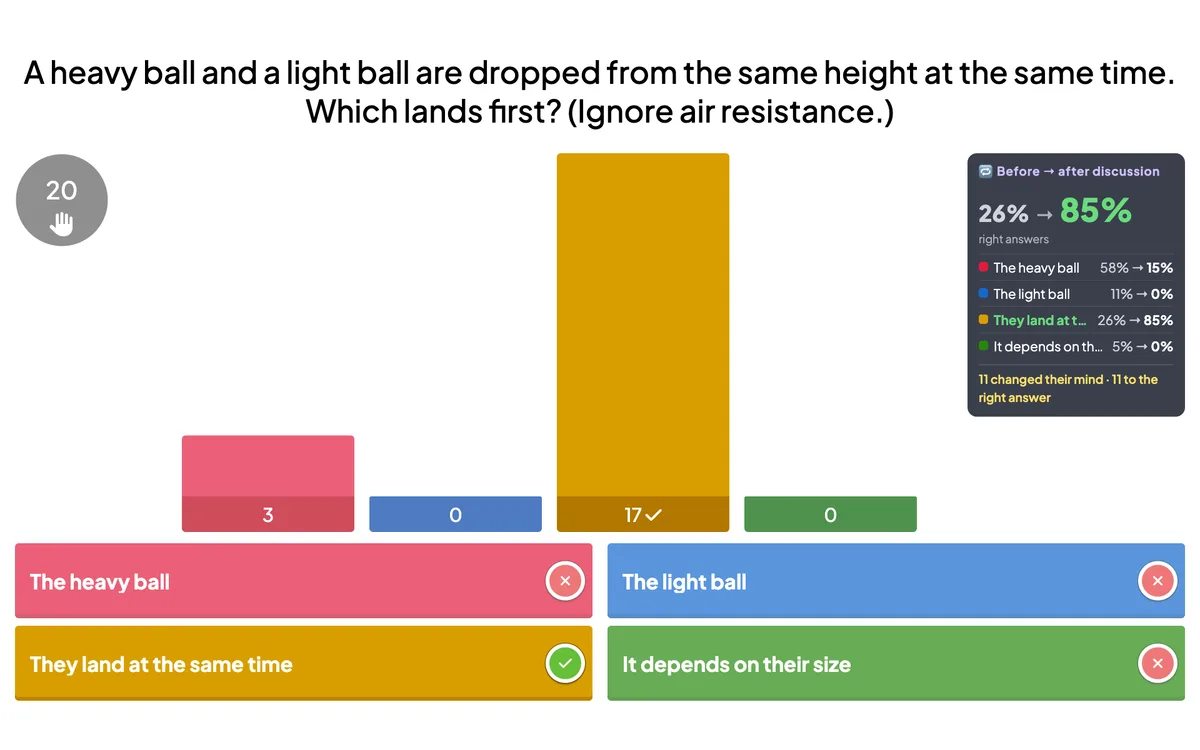
Vote · Discuss · Revote brings Peer Instruction to any presentation. Everyone answers a conceptual question alone, talks it over with someone who answered differently, then votes again — the second vote scores points for the leaderboard. The reveal shows how many changed their mind and how the share of right answers grew.
Opens in the editor instantly — no sign-up, no app.
What you can use Vote · Discuss · Revote for
Science & maths classes
Tackle misconceptions with a question most students get wrong at first.
University lectures
The classic ConcepTest routine — vote, discuss, revote — in a big hall.
Training sessions
Let teams argue out the tricky cases before the answer is revealed.
Workshops
Turn one good question into five minutes of real discussion.
How to set up a Vote · Discuss · Revote slide
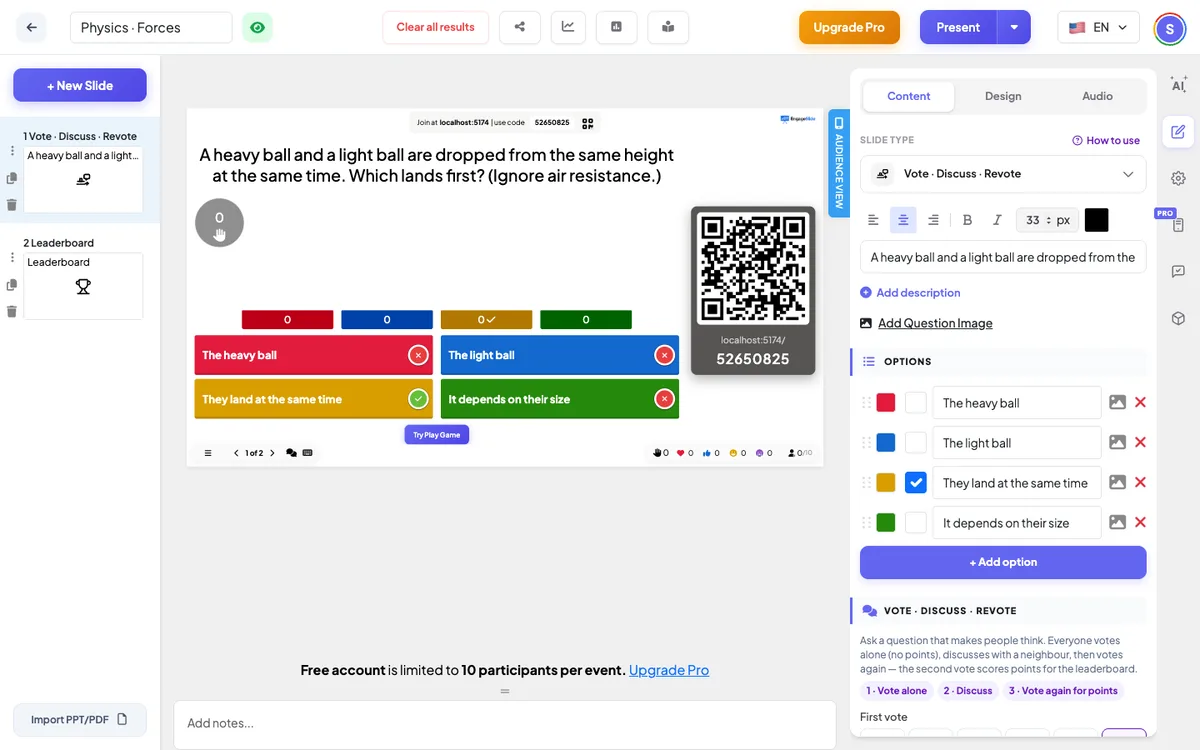
1Add a Vote · Discuss · Revote slide from the Quizzes tab and write a question with tempting wrong answers.
2Choose the time for the first vote and the discussion.
3Everyone votes, discusses, votes again for points — and sees how the room changed its mind.
Setting up the Vote · Discuss · Revote slide in the EngageSlide editor.
Try the Vote · Discuss · Revote slide free
Click play and the Vote · Discuss · Revote slide opens in the editor right away — no sign-up, no app, no limits. Add your email later only if you want to keep it.