🎮Quiz & Game Slides 6 min read
Bingo
Live bingo for the whole room: everyone gets their own card on their phone — words, numbers or quiz answers — and races to complete a line.
What is Bingo?
Bingo turns your presentation into a live bingo hall. Every player gets their own random card on their phone. You draw the calls on the big screen — a glass ball drum spins and drops the next ball — and players tap the cell on their card to daub it. Complete a row, column or diagonal and the BINGO! button lights up; press it and the big screen checks the card and puts the winner in the spotlight. Play for one line, two lines and a full house in one game. Cards can hold words (Meeting Bingo buzzwords, names, topics), numbers 1–75 like classic bingo, or quiz answers: the screen shows a clue such as a definition and players have to find the matching word on their card.

Presenter creates the slide Click Present Share code / QR Audience enters code Respond & submit Real-time results
Create a Bingo slide
- 1On Home, click + Create new presentation (or add a slide to an existing one).
- 2In Choose Slide Type, pick Bingo. You can also type it into Search slide types….
- 3The slide is created and the right panel opens on the Content tab.
Set up the content
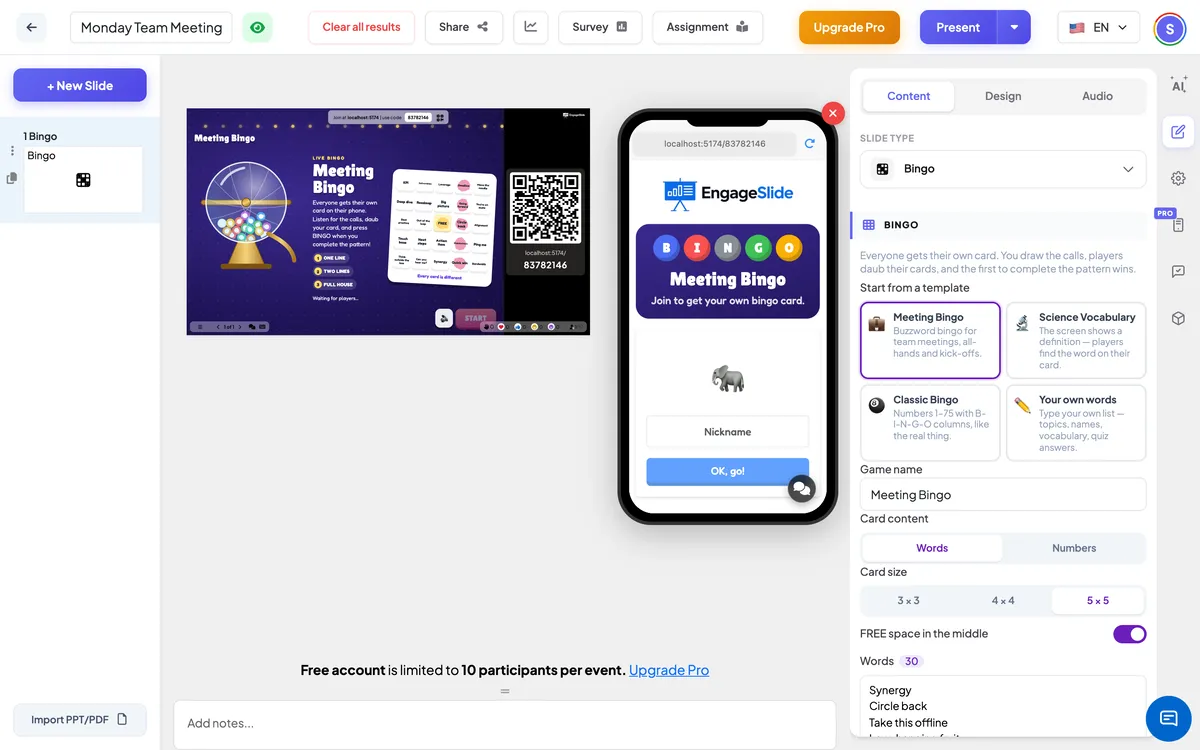
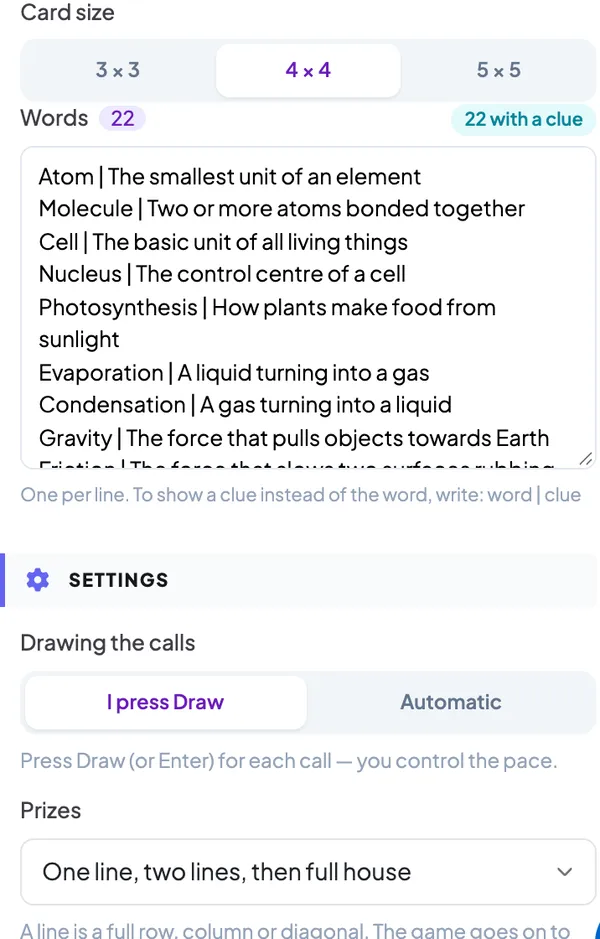
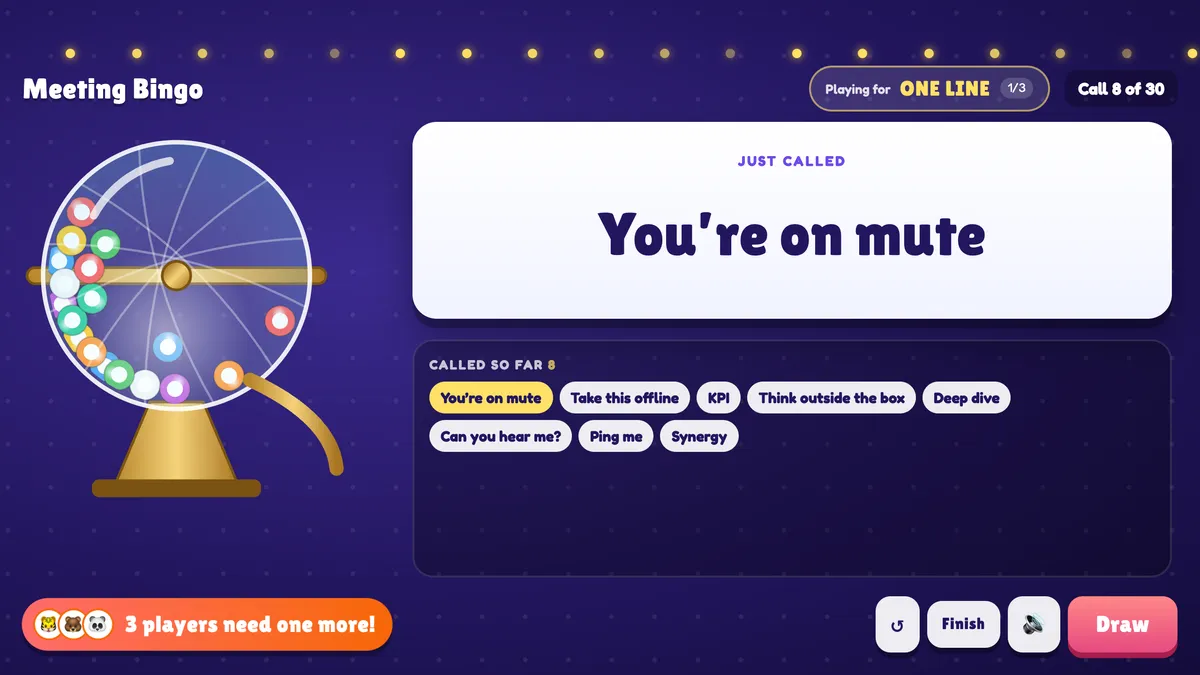
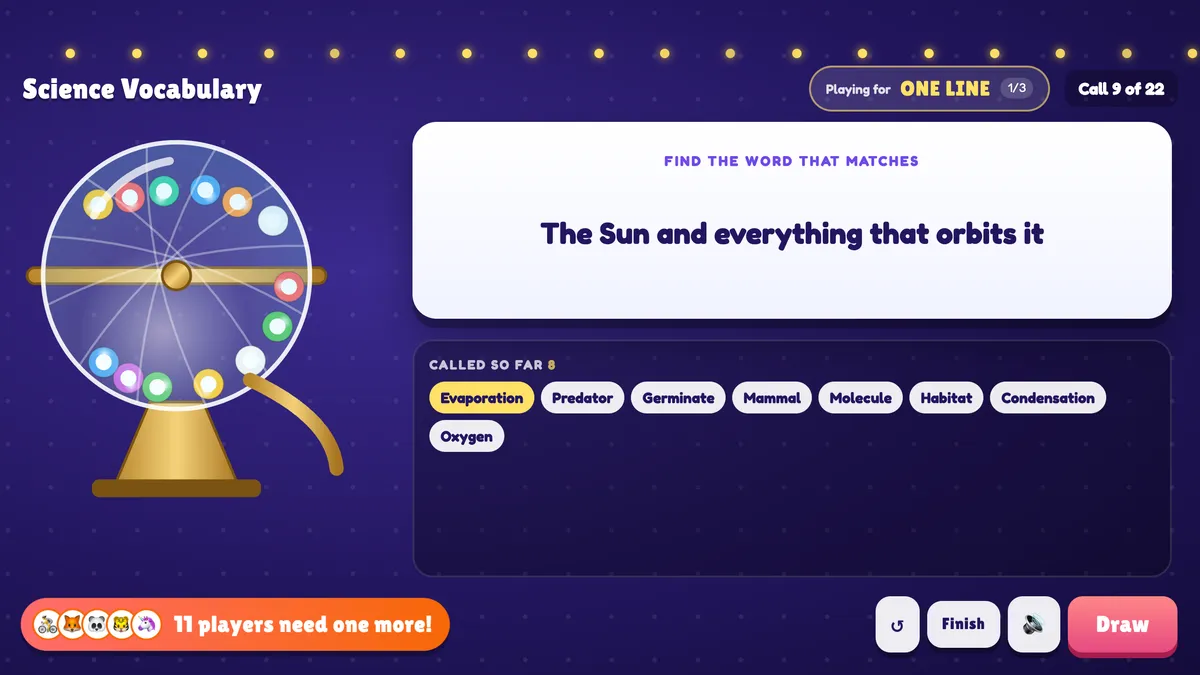
- 1Pick a template under Start from a template: Meeting Bingo (30 buzzwords on a 5×5 card), Science Vocabulary (22 words with definitions as clues, 4×4 card), Classic Bingo (numbers 1–75) or Your own words. Switching templates replaces the word list, so you are asked to confirm.
- 2Give the game a Game name. It is shown on the start screen, at the top of the big screen and on every phone.
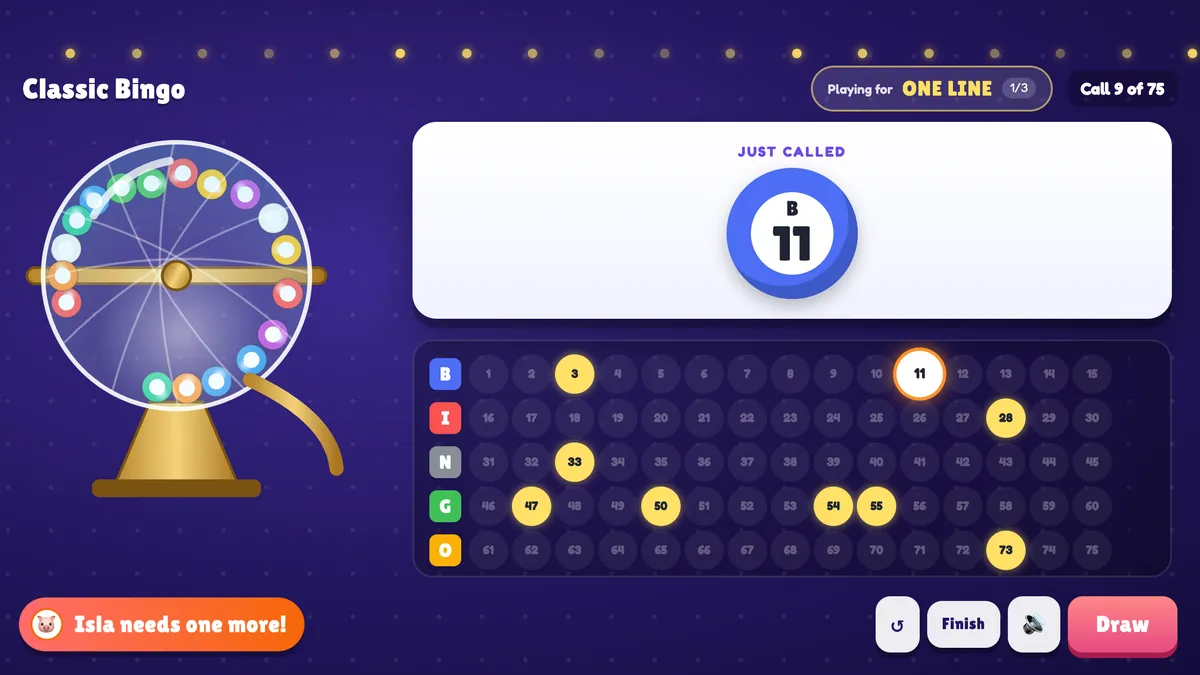
- 3Under Card content, choose Words or Numbers. With numbers, the calls are 1 to 15× the card size — 1–75 on a 5×5 card, where each column has its own range: B 1–15, I 16–30, N 31–45, G 46–60, O 61–75.
- 4Choose the Card size: 3 × 3, 4 × 4 or 5 × 5. Odd sizes can have a FREE space in the middle (on by default) that counts as daubed.
- 5For words, type one item per line in the Words box. To turn it into a quiz, write word | clue — for example Gravity | The force that pulls objects towards Earth. The big screen then shows the clue and players must find the word.
- 6Check the counter next to Words: a card needs at least as many items as it has cells (24 for 5×5 with a FREE space, 16 for 4×4, 8 or 9 for 3×3). Add a few more than that so the cards are more different from each other.
Bingo settings
Drawing the calls
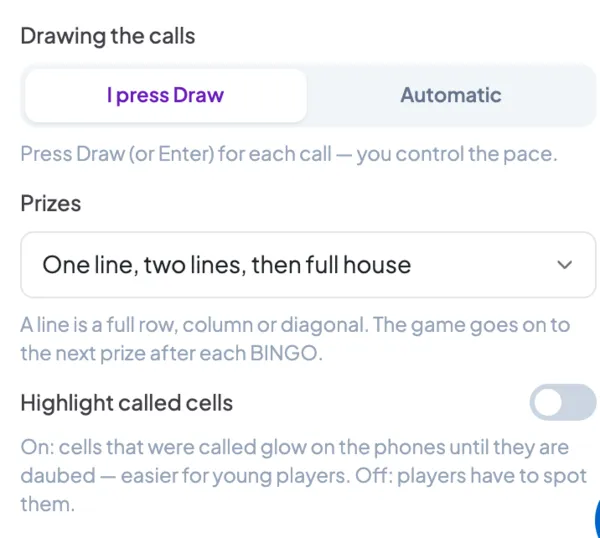
I press Draw (default): you press Draw or Enter for every call and control the pace. Automatic: a new call comes every 5, 8 (default), 10, 15 or 20 seconds; you can pause at any time.
Prizes
One line, One line, then full house (default), One line, two lines, then full house or Full house only. A line is any full row, column or diagonal; after each BINGO the game goes on to the next prize with the same cards.
Highlight called cells
Off by default: players have to spot the called items on their card. On: called cells glow on the phones until they are daubed — easier for young players.
Present & share the join code
- 1Click Present in the top bar to put the slide on the big screen.
- 2A join code and a QR code appear (e.g.
36Y56). - 3Participants open the Audience app at join.engageslide.com, type the code and press Enter — or simply scan the QR.
- 4When everyone has joined, the responses start flowing in live.
How the audience responds
Players join with your code and enter their name; their phone deals them a card that nobody else has. At the top of the phone a banner shows the latest call (or the clue). Players tap a cell to daub it — a cell can only be daubed once it has been called, otherwise the phone says Not called yet! (with clues, a wrong guess also freezes the card for three seconds, so nobody can find the answer by tapping every cell). When the card has the pattern for the current prize, the big BINGO! button lights up and a One more for BINGO! tag appears when they are a single call away. After a win their phone shows You won ONE LINE! or who won, and which prize is next — they keep the same card. At the end each phone shows every prize and its winners.
View results
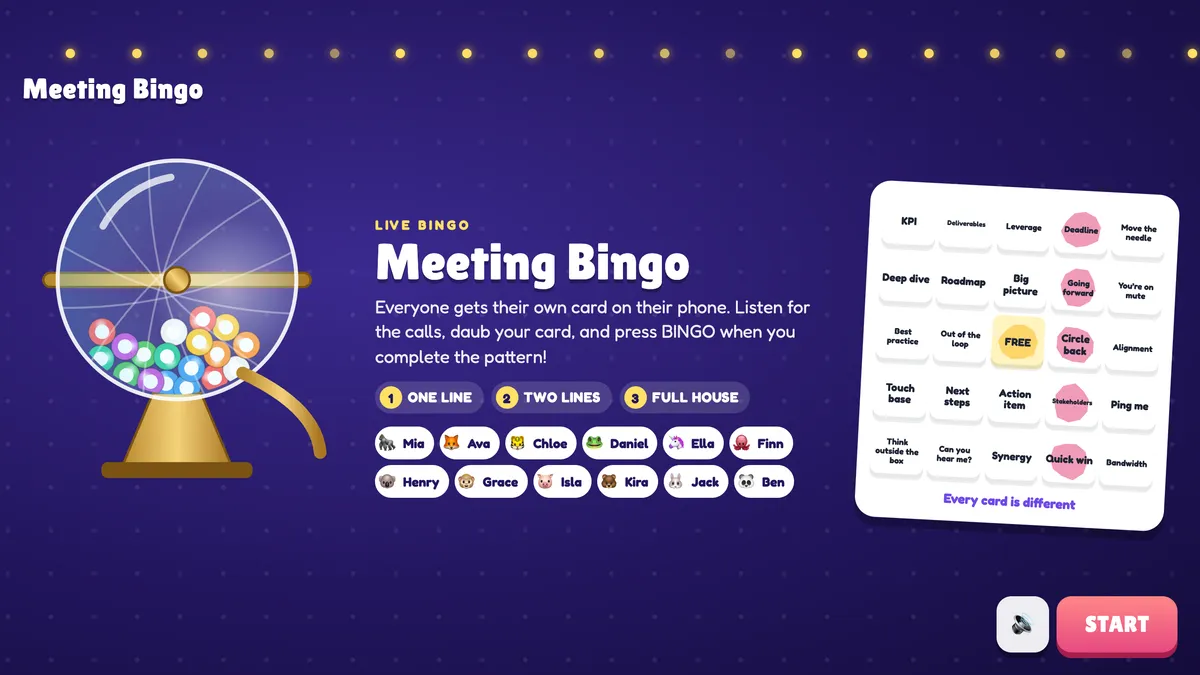
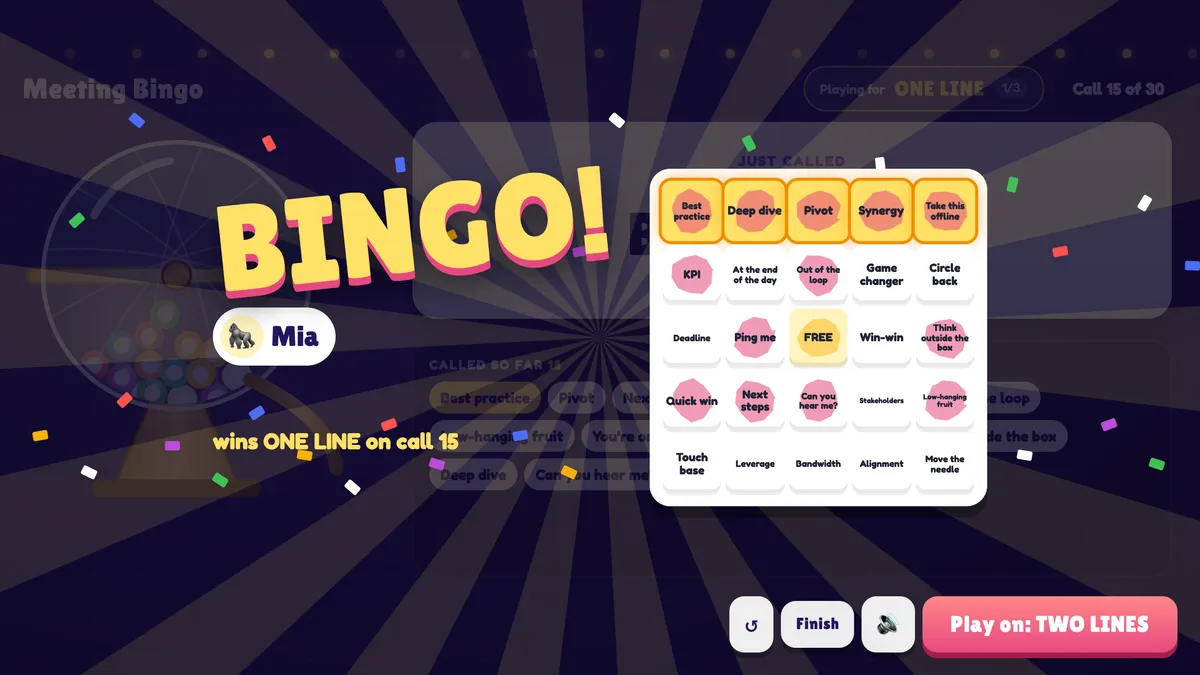
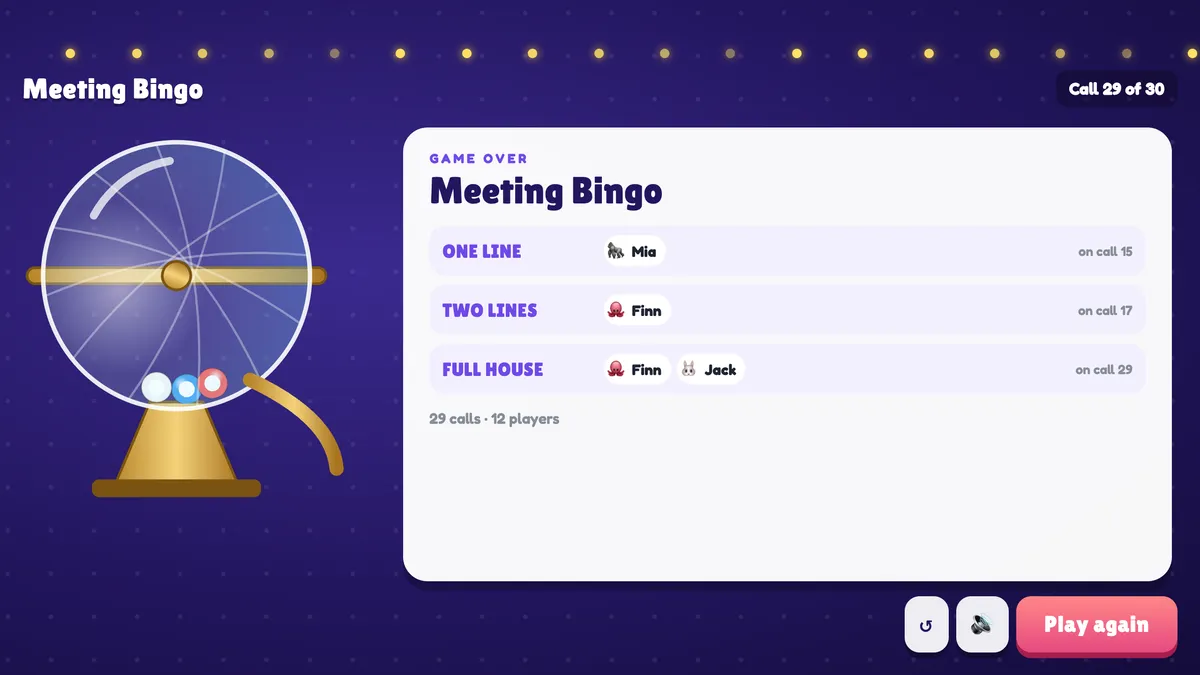
Before the game the big screen shows the game name, the prize ladder, everyone who has joined and a sample card. Press START, then Draw (or Enter): the drum spins, a ball rolls down the chute and the call appears in the big card — a coloured ball for numbers, the word, or the clue. Below it, the board shows every call so far: a 1–75 number grid with the latest number ringed, or word chips with the newest first (in clue mode the current answer stays hidden until the next call). When players are one call away, a banner says Ben needs one more! or 3 players need one more!. When someone presses BINGO the screen shows Checking the card…; every valid BINGO within the next moment shares the prize. The winner spotlight shows their name and their card with the winning line glowing. Press Play on: TWO LINES to continue, or See the results after the last prize for a recap of every prize, its winners and the call it was won on. Finish ends the game early, ↺ restarts with new cards and Play again deals everyone a new card.
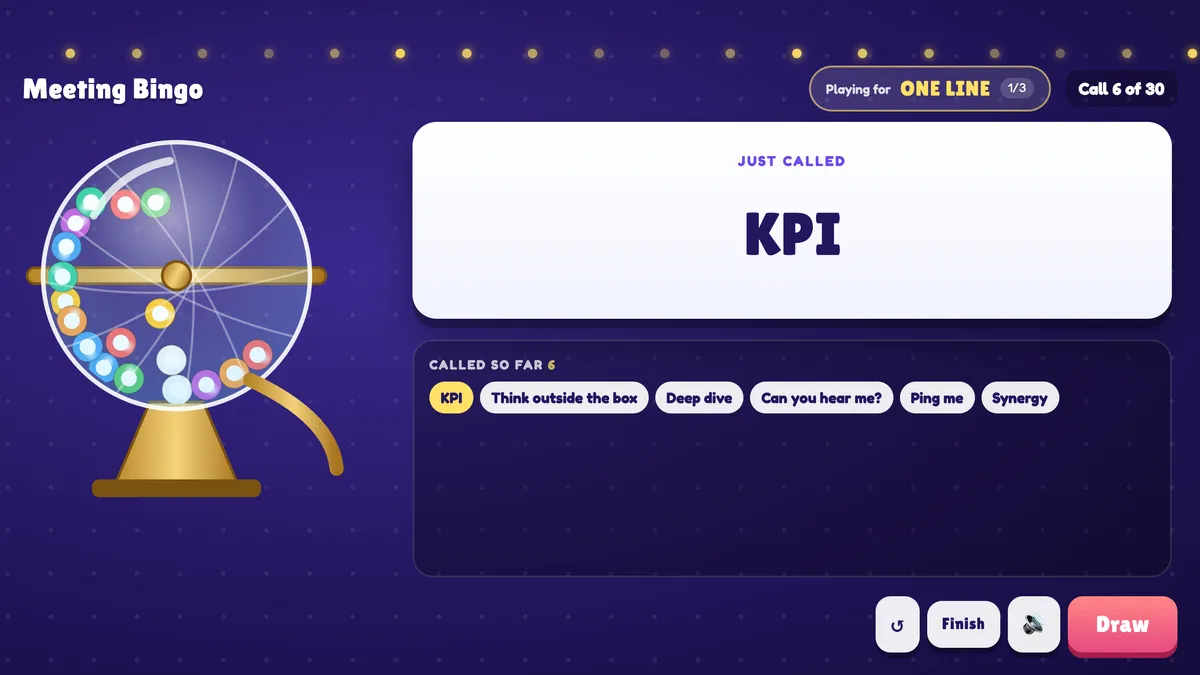
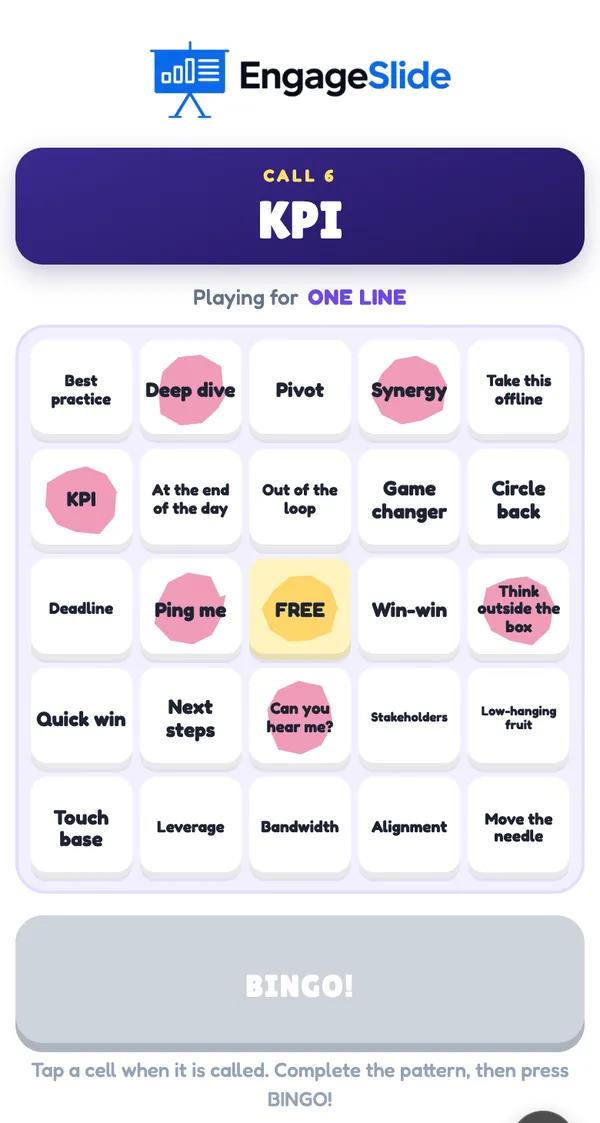
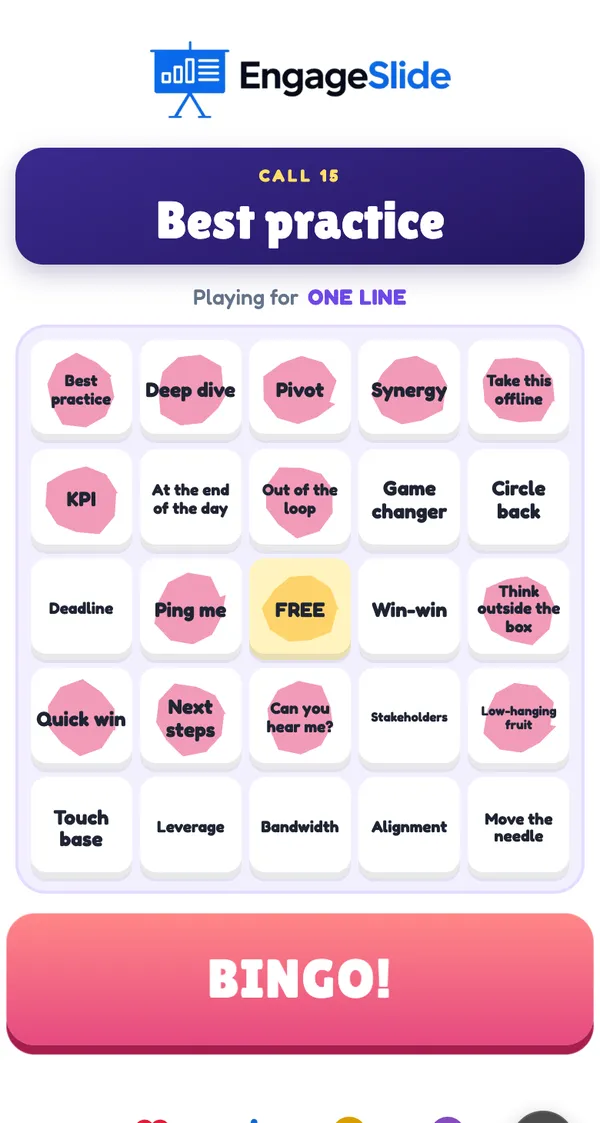
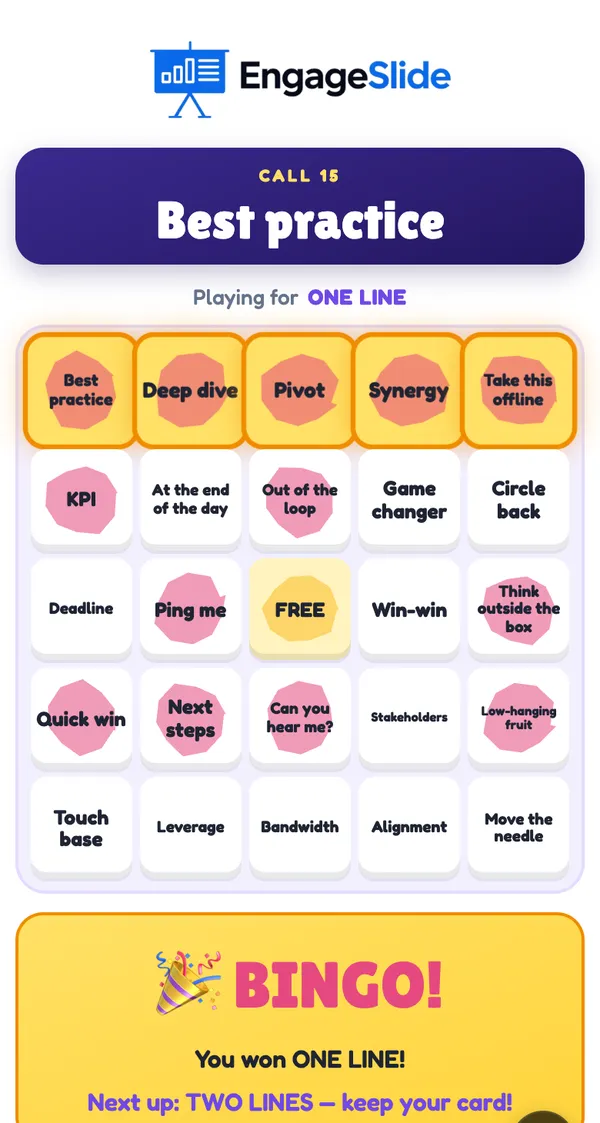
real screenshots
Ideas for your own cards
- Language class: a word in the target language as the clue, the translation on the card.
- Training recap: a short question as the clue (“What does KPI stand for?”), the answer on the card.
- Onboarding: team names, tools and office places — new starters learn them while they play.
- Events and socials: Classic Bingo with numbers, or the names of everyone in the room.
- Conferences: topics and speakers of the day — daub them as they come up.
Frequently asked
Does every player get a different card?
Yes. Every card is dealt at random from your list. With a short list the cards look alike, so add a few more items than the card has cells.
How is a BINGO checked?
The phone only lights up the BINGO! button when the daubed cells complete the pattern, and only called items can be daubed. The big screen checks the card again before announcing the winner.
What if two players get BINGO at the same time?
Every valid BINGO pressed within a moment of the first one shares the prize — they all appear in the spotlight together.
Do diagonals count as a line?
Yes. Any full row, column or diagonal counts, and the FREE space counts as daubed.
Can players join late?
Yes. Late players get a card straight away and can daub everything that has already been called.
What happens if I close or refresh the presenting window?
Everyone who joined shows up again straight away. If the slide is still open in another window (the editor or a second presenting window), the game carries on from the same call with everyone’s cards and daubs. If it was the only window, the game goes back to the start screen and you can start a new round.
Does it add points to the leaderboard?
No. Bingo announces winners for each prize but does not change quiz scores.