🎮Quiz & Game Slides 6 min read
Higher or Lower
Guess whether the next card is higher or lower — with numbers, playing cards or your own list. Wrong guesses cost a life.
What is Higher or Lower?
Higher or Lower is the classic card guessing game for the whole room. A card is on the big screen and everyone guesses on their phone whether the next one will be higher or lower. Then the card flips: right guesses keep the streak going, wrong ones cost a life, and players with no lives left are out. Play with random numbers from 1 to 100, a shuffled deck of playing cards, or your own list of things with a number — movies by release year, buildings by height, countries by population — so the game becomes a quiz about your topic (Titanic: later or earlier than Shrek?). Everybody understands it in one sentence, every round takes a few seconds, and the last player standing (or the most right guesses) wins.

Presenter creates the slide Click Present Share code / QR Audience enters code Respond & submit Real-time results
Create a Higher or Lower slide
- 1On Home, click + Create new presentation (or add a slide to an existing one).
- 2In Choose Slide Type, pick Higher or Lower. You can also type it into Search slide types….
- 3The slide is created and the right panel opens on the Content tab.
Set up the content
- 1Add a Higher or Lower slide from the Games tab of the slide picker.
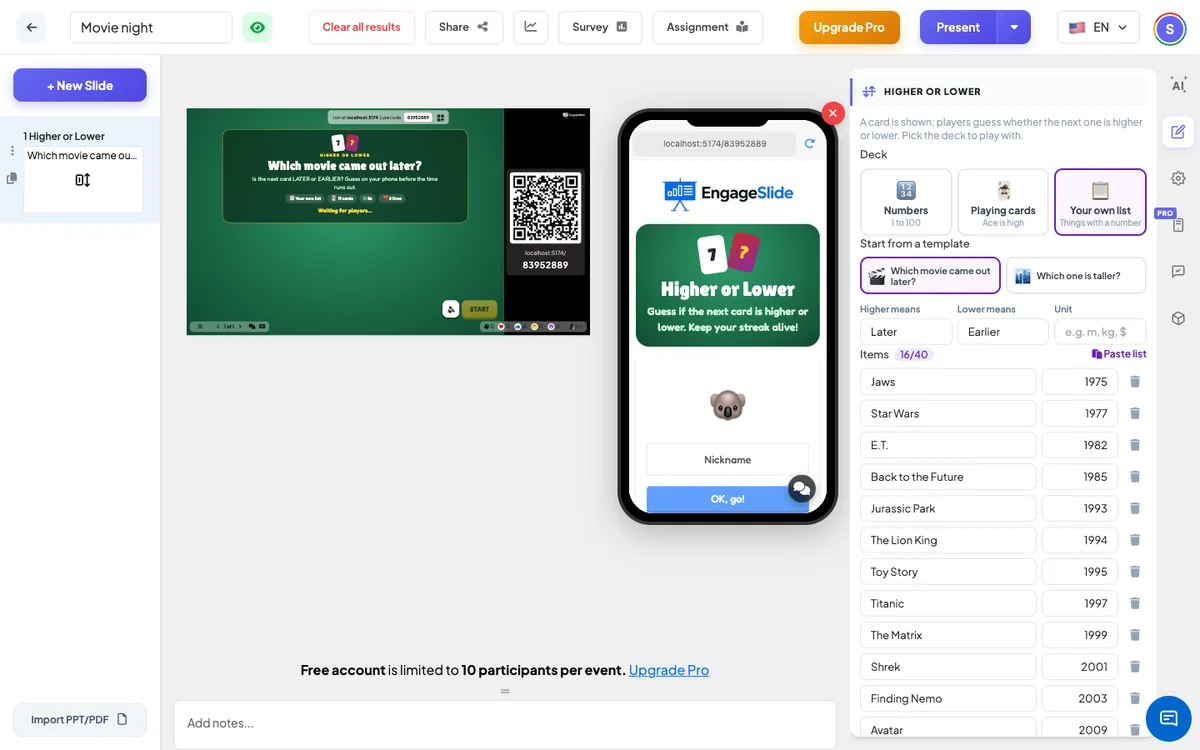
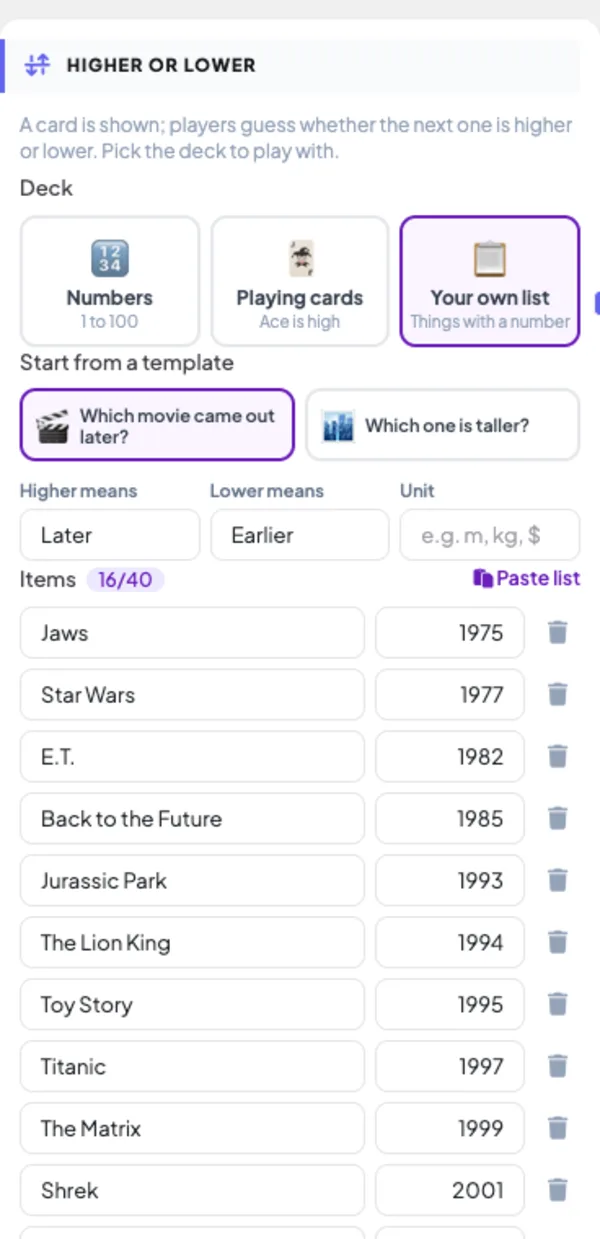
- 2Under Deck, choose Numbers (1 to 100, the default), Playing cards (ace is high) or Your own list.
- 3For your own list, start from a template — Which movie came out later? or Which one is taller? — or type your items: a name and a number on each line of the list. Use + Add item, the bin to delete one, or Paste list with one item per line: Name | number, for example Avatar | 2009. You need at least 3 items; up to 40 are used.
- 4Optionally change Higher means and Lower means — the words on the buttons, such as Later / Earlier or Taller / Shorter — and the Unit shown after the numbers (for example m).
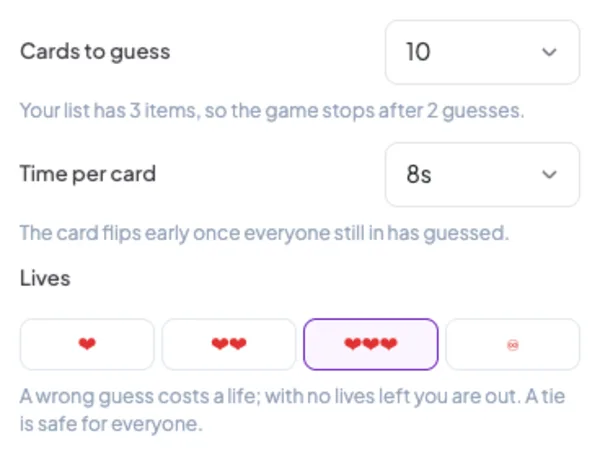
- 5The slide title is shown on the big screen; a template fills it in for you. Then open Settings to choose the number of cards, the time per card and the lives.
Higher or Lower settings
Cards to guess
5, 10 (default), 15 or 20 guesses. With your own list the game can’t go past the number of items minus one.
Time per card
5, 8 (default), 10 or 15 seconds. The card flips early once everyone still in has guessed.
Lives
1, 2, 3 (default) or ♾ (no elimination). With lives, a wrong guess — or no guess — costs a life and a player with no lives left is out. With ♾ everyone guesses every card and the most right guesses wins.
Fair-play rules
A tie (the same number twice, or two cards of the same rank) is right for everyone. If every player still in gets a card wrong, nobody loses a life, so the game never ends all at once.
Present & share the join code
- 1Click Present in the top bar to put the slide on the big screen.
- 2A join code and a QR code appear (e.g.
36Y56). - 3Participants open the Audience app at join.engageslide.com, type the code and press Enter — or simply scan the QR.
- 4When everyone has joined, the responses start flowing in live.
How the audience responds
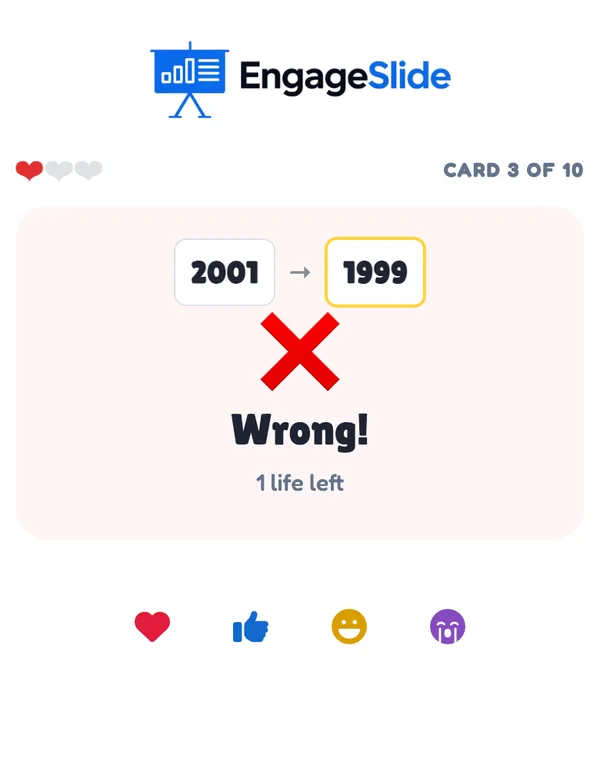
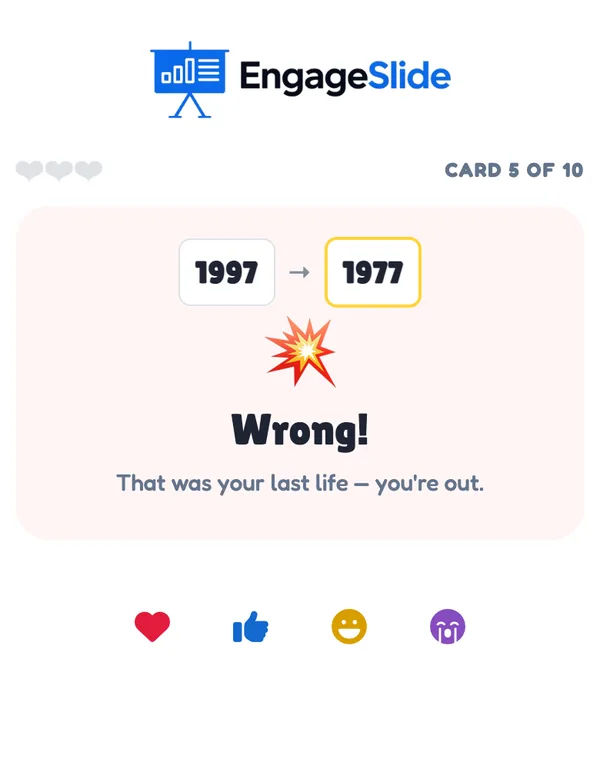
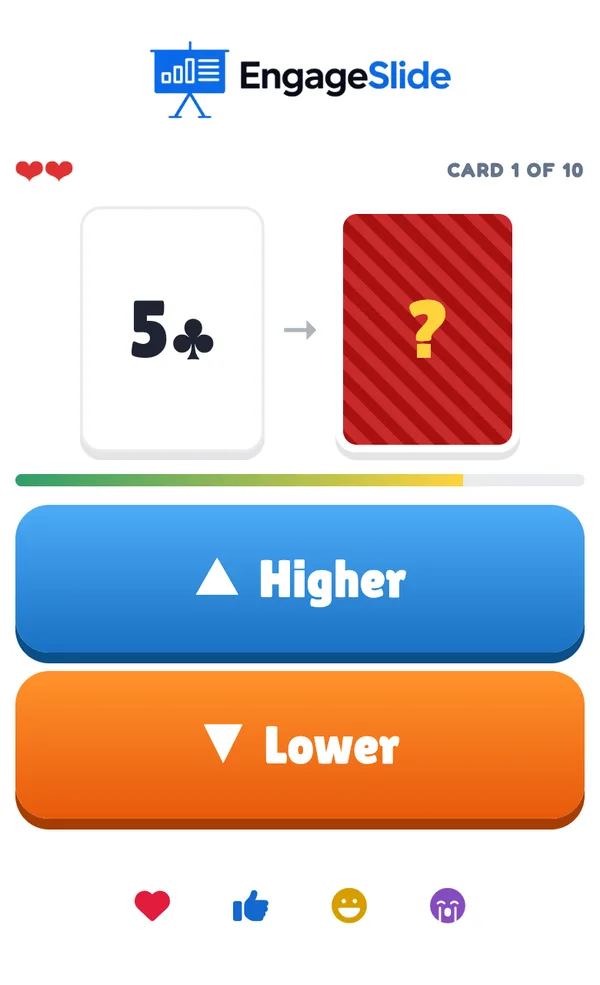
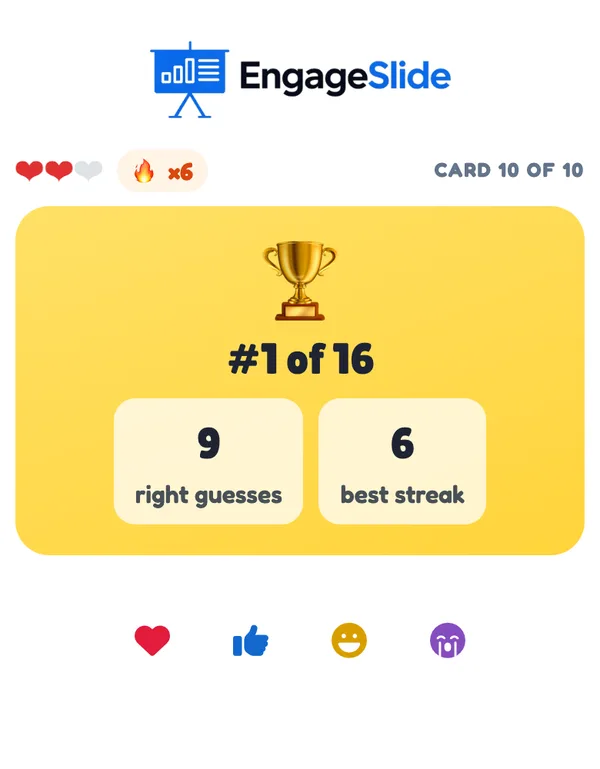
Players join with your code; the phone says You’re in! and explains the rules. During a card, the phone shows the current card and the face-down next card (with your own list, the name of the next item and a ?), a time bar and two big buttons — ▲ Higher and ▼ Lower, or your own words. Players can change their mind until the card flips: Locked in — tap the other one to change your mind. The top of the phone shows the hearts left (or the number of right guesses without lives), a 🔥 streak counter and the card number. After the flip the phone says Right! (with the streak, such as 3 in a row!), Wrong! with the lives left, Same — you’re safe! on a tie, or No guess. A player who loses the last life sees Wrong! That was your last life — you’re out. and then You’re out with their score while the game goes on. At the end the phone shows the final place, the right guesses and the best streak. Players who join in the middle of a card play from the next one.
View results
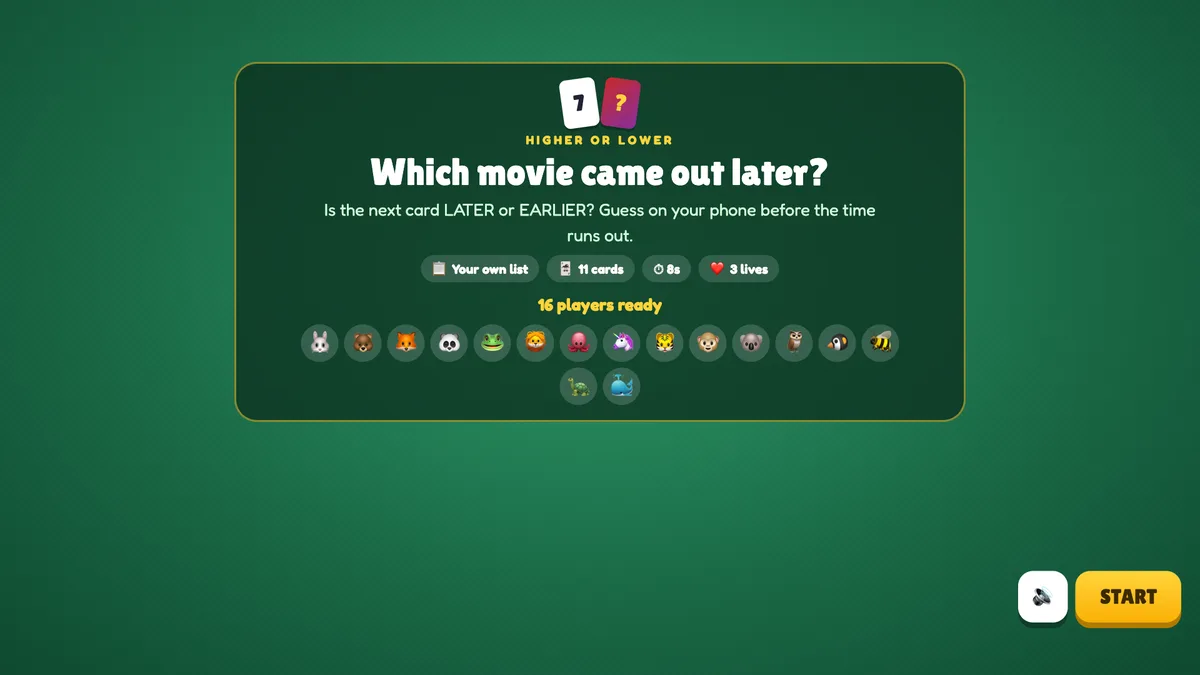
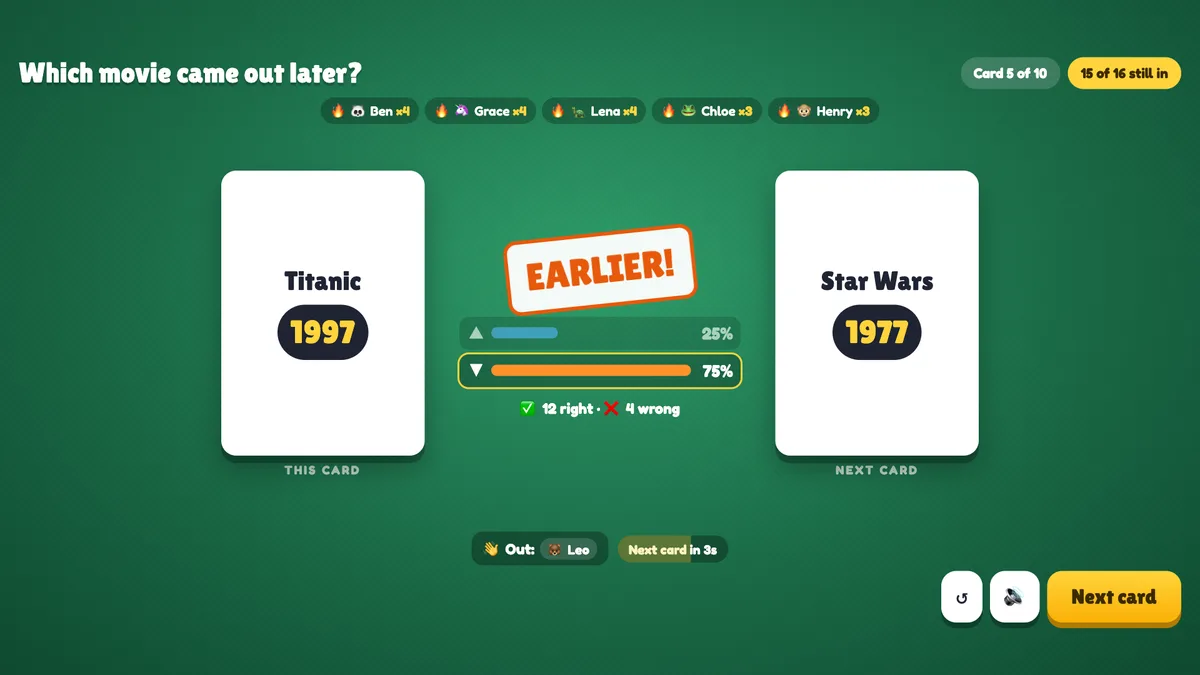
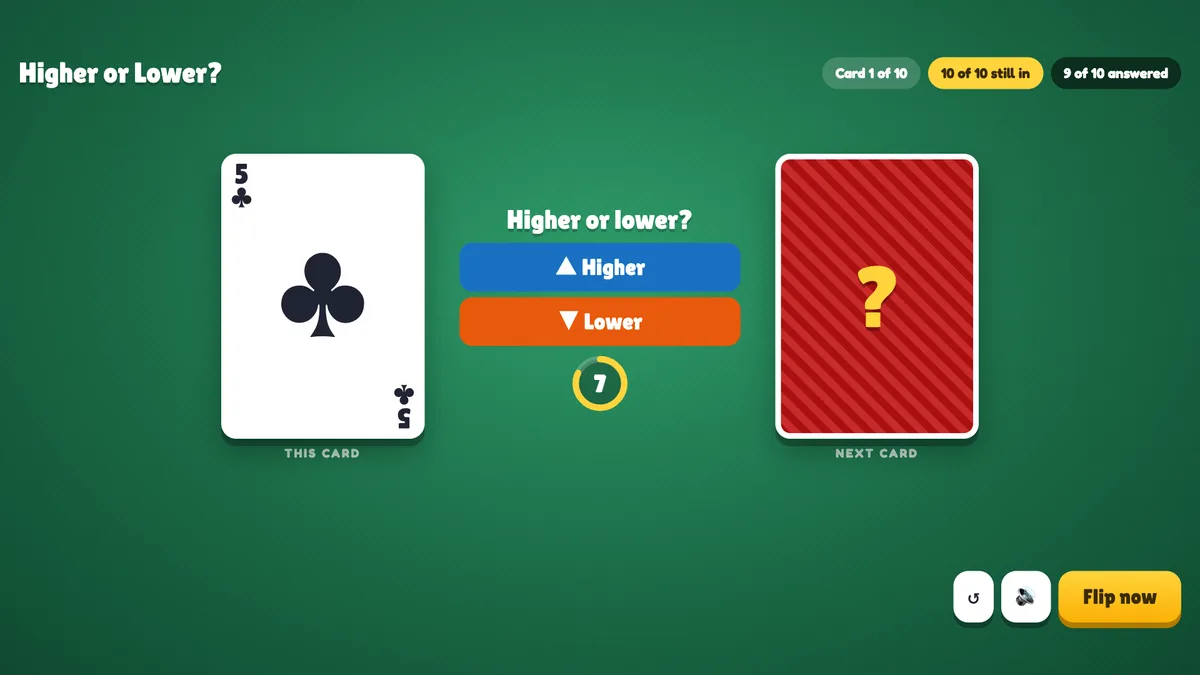
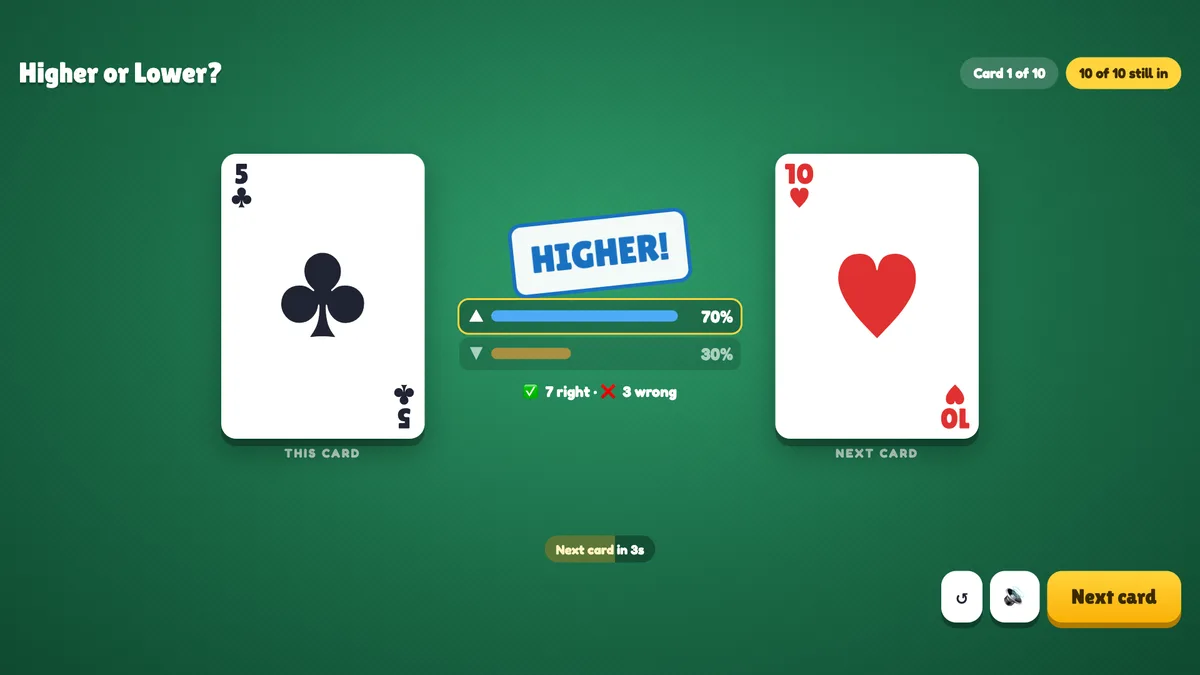
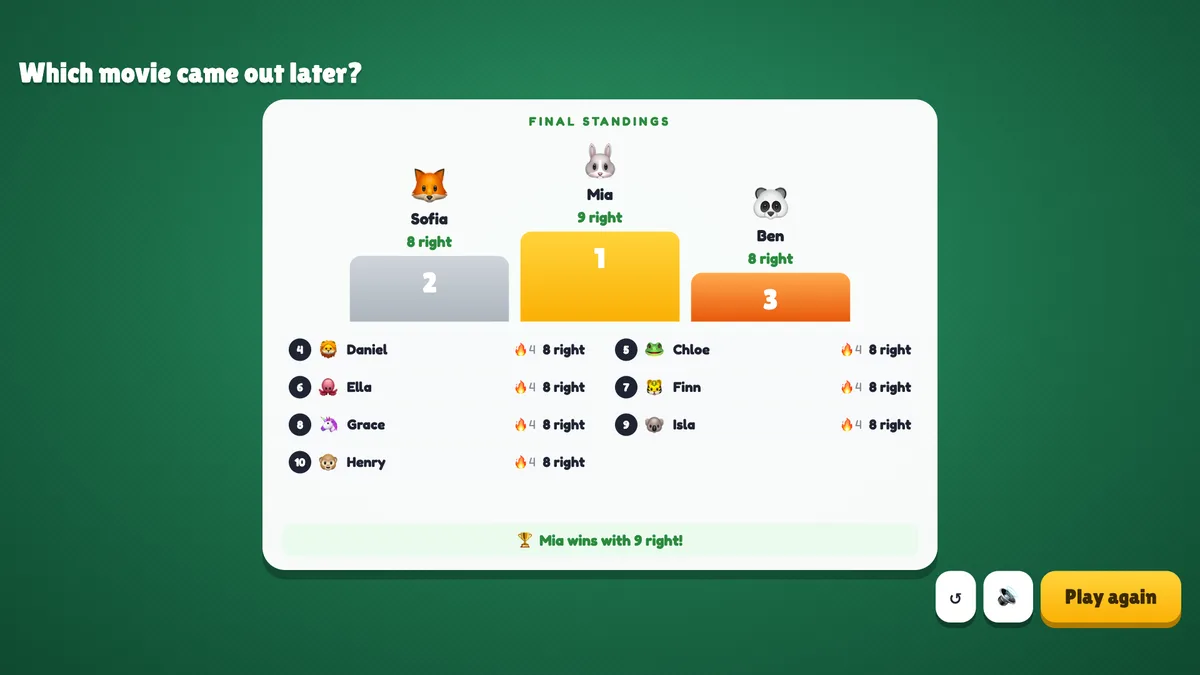
Before the game the big screen shows the title, the rules with your own button words, the deck, the number of cards, the time and the lives, and everyone who joined. Press START (or Enter). On a green card table, the current card sits on the left and the face-down next card on the right; in the middle the question (The Matrix: later or earlier?), the two choices and a countdown ring. Chips at the top show the card number, how many players are still in and how many have answered; players on a hot streak are listed under them, and the cards played so far line up at the bottom. Press Flip now to close the card early. The next card flips over, a stamp says HIGHER!, LOWER! (or your words) or SAME!, bars show how the room split, with the right/wrong count, and the players who just went out are listed under Out:. The next card comes by itself after a few seconds, or press Next card. The game ends when the cards run out, when only one player is left (of two or more) or when everyone is out. See results shows the podium and places 4 to 10 with each player’s right guesses and best streak — with lives, players still in rank above those who went out, and those who lasted longer rank higher. Play again deals a new shuffled deck; ↺ goes back to the start screen.
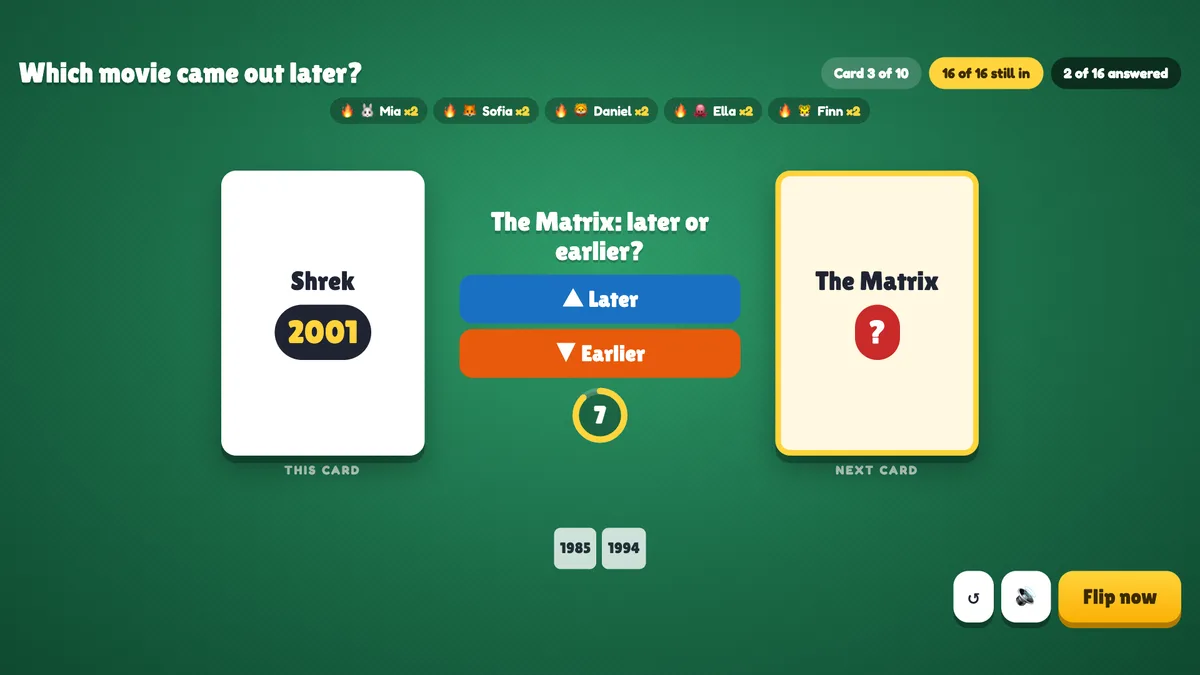
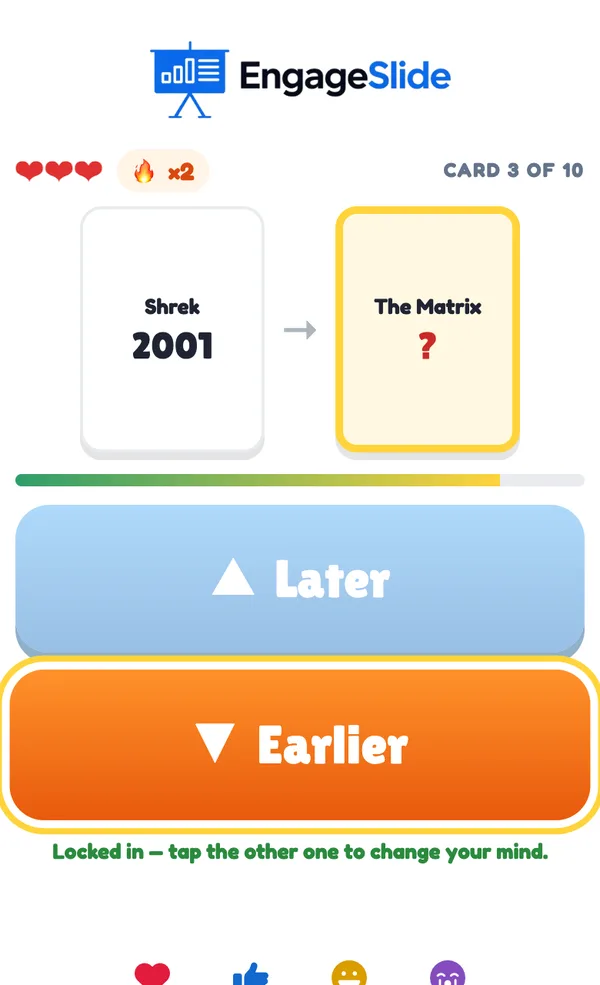
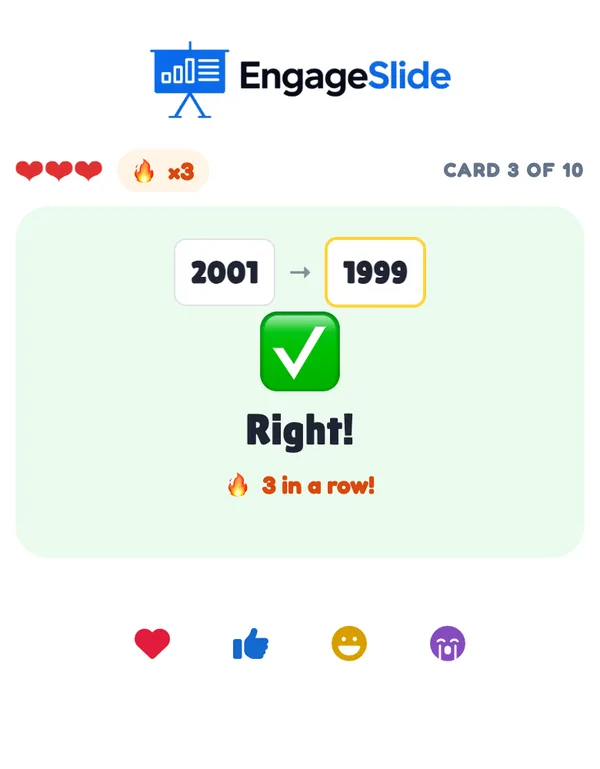
real screenshots
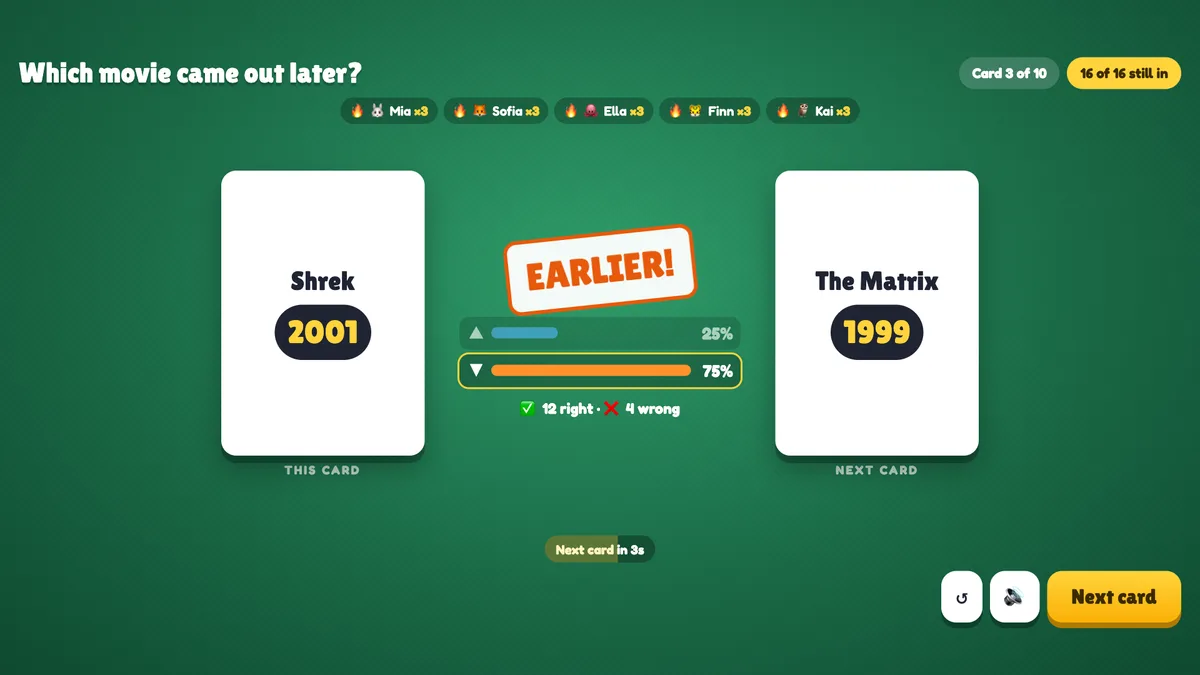
real screenshots
real screenshots
Ways to use Higher or Lower
- Classroom: history dates, populations, planet sizes or the value of fractions — the class learns the order of things by guessing it.
- Training: costs, response times, market sizes or survey results your team should know.
- Energizer: the numbers or playing-card deck needs no setup at all.
- Events and parties: movie years, song releases or famous buildings — with a prize for the last one in.
Frequently asked
What happens on a tie?
If the next card has the same value (the same number or the same rank), everyone is right and nobody loses a life.
Does not guessing count as wrong?
Yes. A player who still has lives and doesn’t guess before the card flips gets it wrong (and loses a life when lives are on).
Can the whole room be knocked out at once?
No. If every player still in (two or more) gets a card wrong, nobody loses a life on that card. A player playing alone does lose lives.
How many items does my own list need?
At least 3, and up to 40. The list is shuffled every game and each item is used once, so a list of 11 items allows up to 10 guesses.
How is the ranking worked out?
With lives: players still in come first, then those who went out later. Then more right guesses, a longer best streak and faster answers. Without lives: right guesses, then best streak, then speed.
Can players join late?
Yes. A player who joins while a card is open waits for the next card, then plays with full lives.
What if I close or refresh the presenting window?
Everyone who joined shows up again straight away. If the slide is still open in another window, the game carries on with the same deck, scores and lives; a card that was open reopens and phones send their guesses again by themselves. If it was the only window, the game goes back to the start screen.