🎮Quiz & Game Slides 4 min read
True or False
Players decide whether a statement is true or false — or fact or myth — then the answer is stamped on screen with the reason why.
What is True or False?
A True or False slide shows one statement and two big answers. Players decide on their phone whether it is true or false (or fact or myth, real or fake, yes or no) before the time runs out. At the reveal the right answer is stamped across the big screen, and a short Why? card explains it. It is quick to write, easy for everyone to answer, and great for busting common misconceptions.
Presenter creates the slide Click Present Share code / QR Audience enters code Respond & submit Real-time results
Create a True or False slide
- 1On Home, click + Create new presentation (or add a slide to an existing one).
- 2In Choose Slide Type, pick True or False. You can also type it into Search slide types….
- 3The slide is created and the right panel opens on the Content tab.
Set up the content
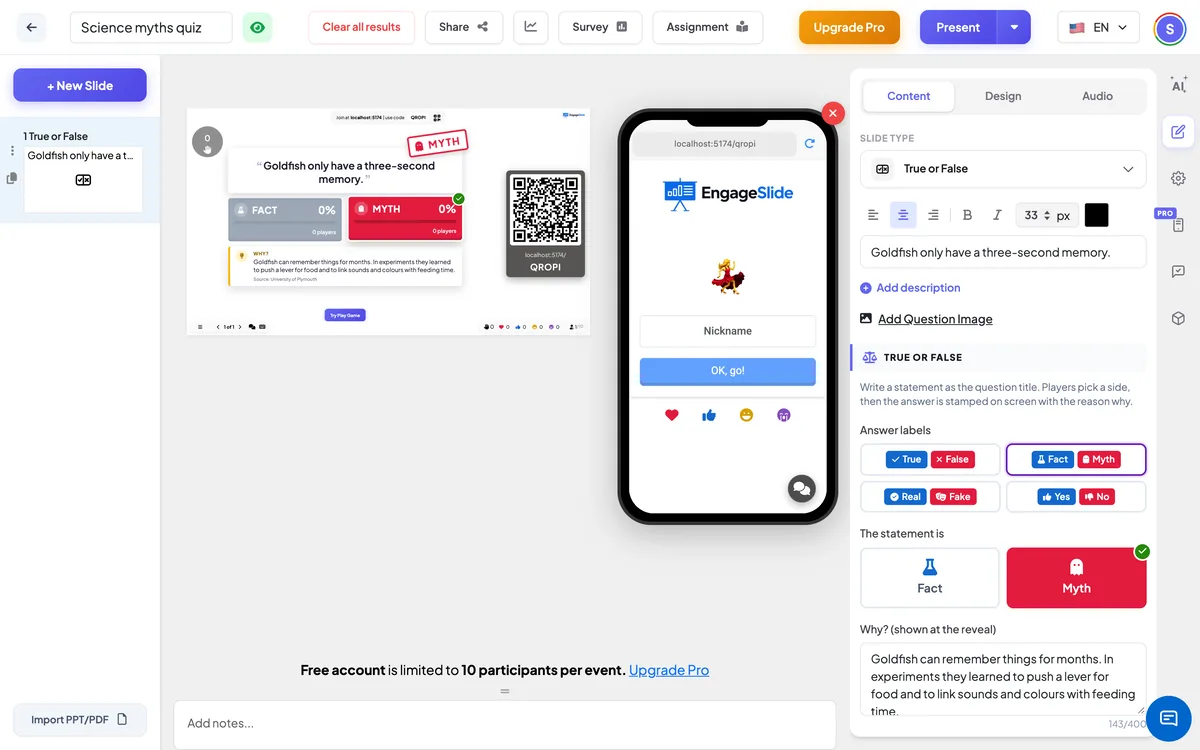
- 1Type your statement in the question field, e.g. Goldfish only have a three-second memory. Write it as a claim, not a question.
- 2Under Answer labels, pick the pair players will see: True / False, Fact / Myth, Real / Fake or Yes / No.
- 3Under The statement is, click the side that is right. The green tick shows your choice.
- 4Write the Why? — one or two sentences that explain the answer (up to 400 characters) — and an optional Source, e.g. NASA. Both appear at the reveal.
- 5Optionally click Add Question Image; the picture is shown next to the statement. Set the time and points under Settings, as for any quiz.
True or False settings
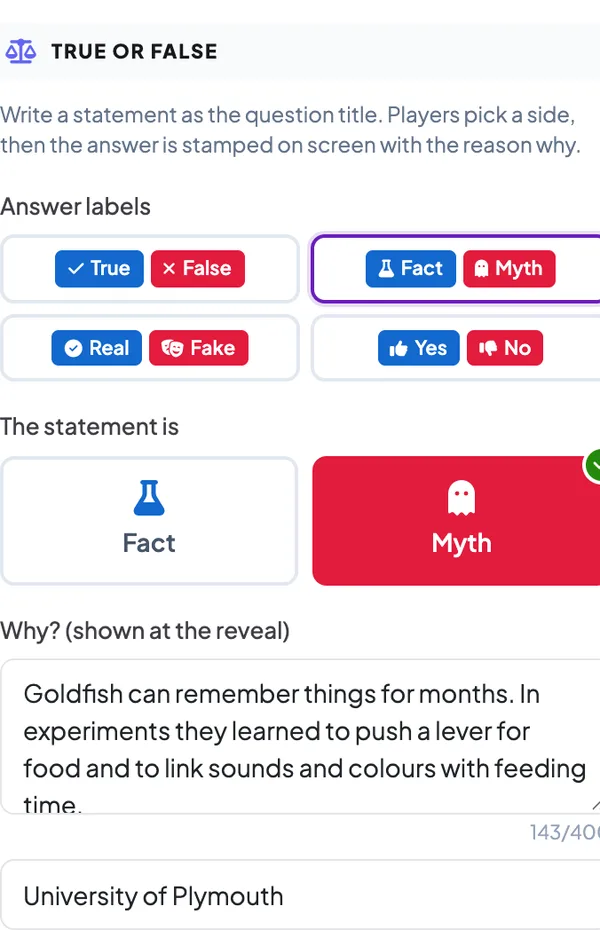
Answer labels
True / False (default), Fact / Myth, Real / Fake or Yes / No. Each pair has its own icons. The true side is always blue and the false side red, so the colour never gives the answer away.
The statement is
Pick which side is right. There is always exactly one right side.
Why? and Source
The explanation shown on the big screen and on every phone after the reveal, with an optional source line.
Seconds, points & speed bonus
Time to answer and the points range, as in any quiz. Faster right answers score more.
Present & share the join code
- 1Click Present in the top bar to put the slide on the big screen.
- 2A join code and a QR code appear (e.g.
36Y56). - 3Participants open the Audience app at join.engageslide.com, type the code and press Enter — or simply scan the QR.
- 4When everyone has joined, the responses start flowing in live.
How the audience responds
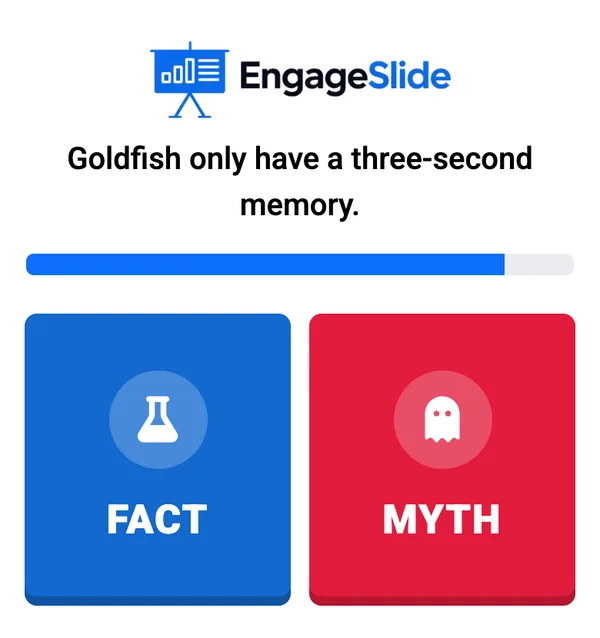
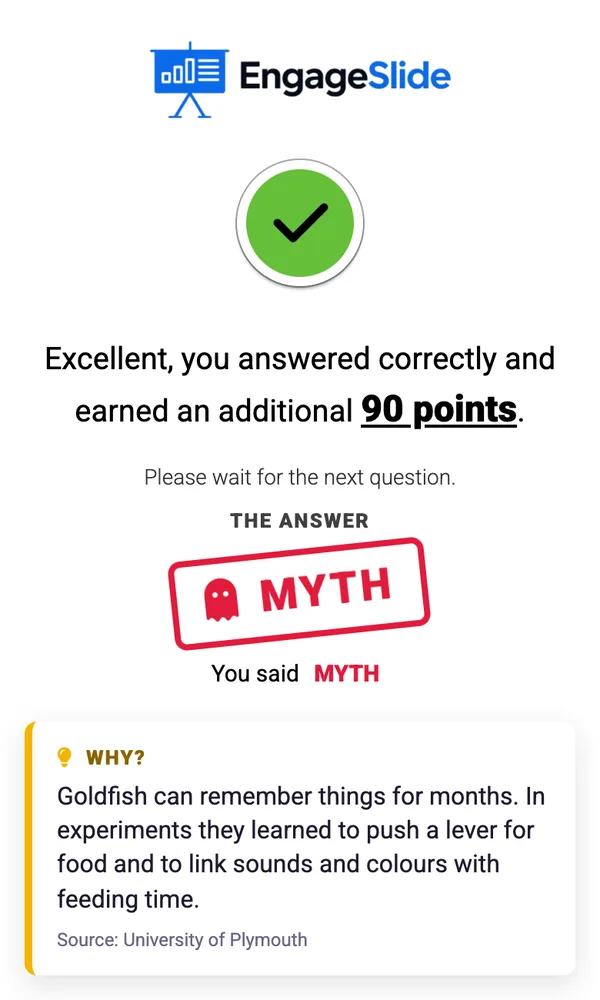
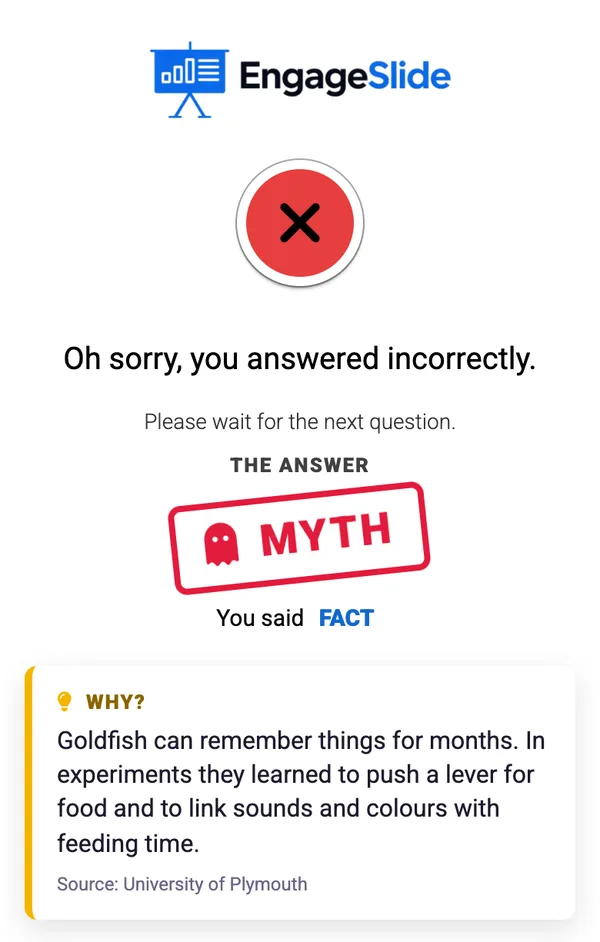
Players see the statement and two large buttons with the labels and icons. One tap answers — there is no Submit button — and the phone then shows which side they picked while they wait. After the reveal the phone shows whether they were right and their points, the answer stamp, what they said, and the Why? explanation with its source.
View results
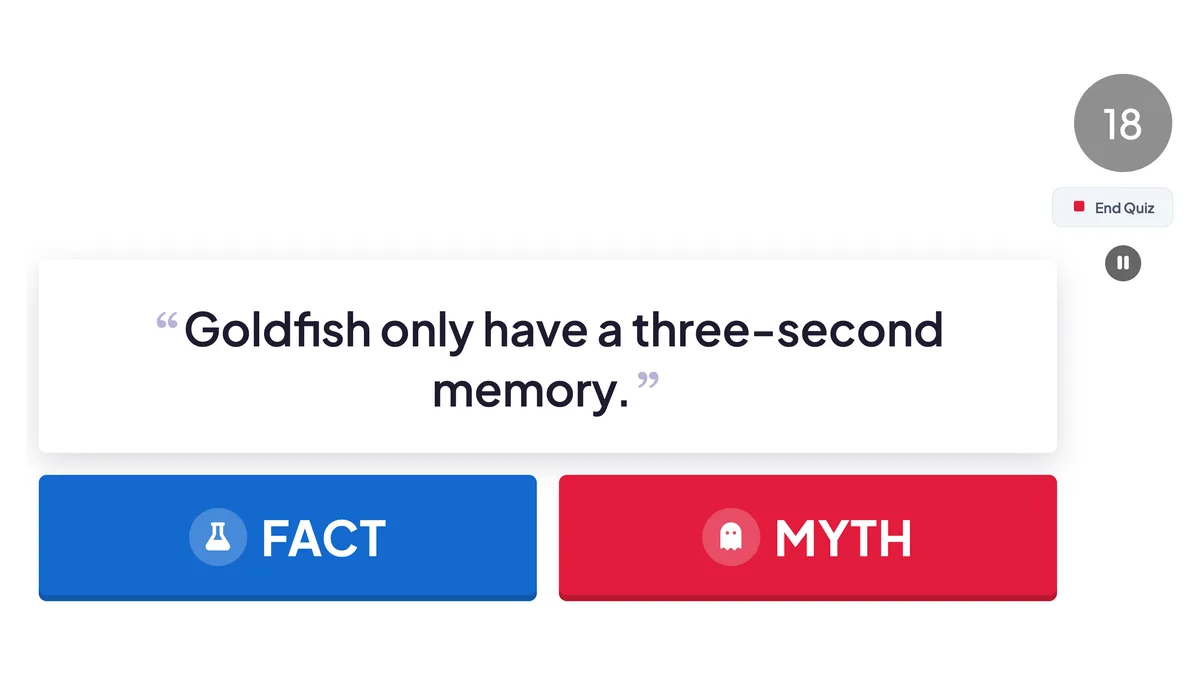
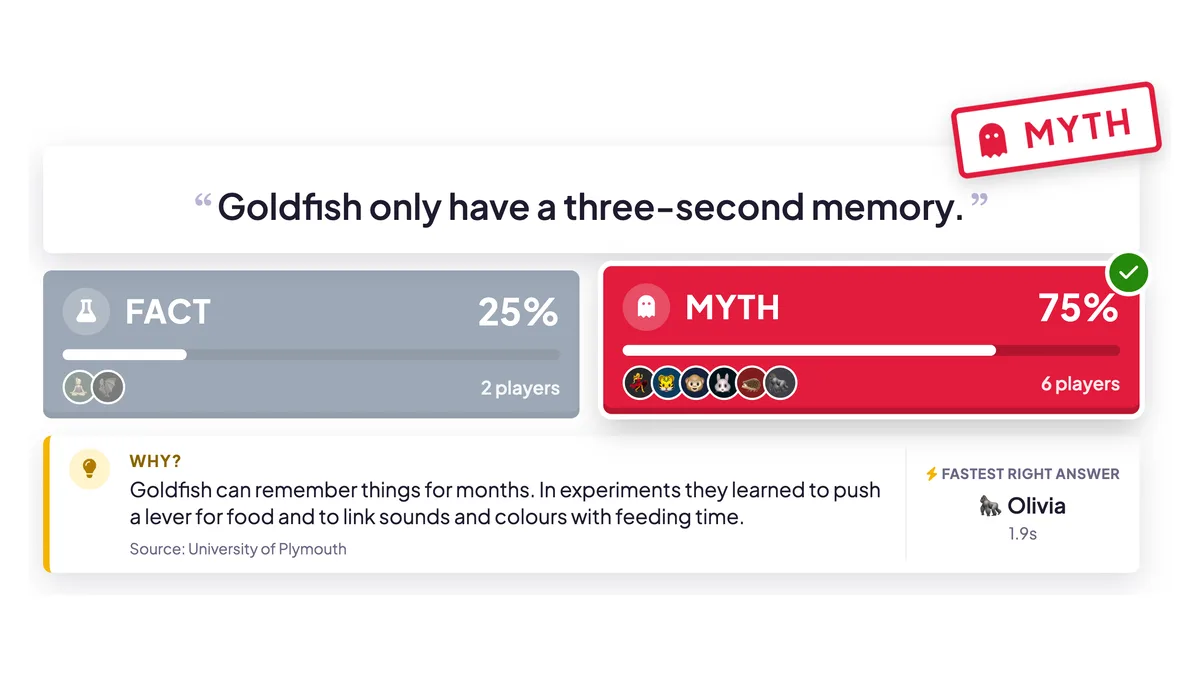
While players answer, the big screen shows the statement and the two sides, with the timer and the number of answers. At the reveal the split fills in with the percentage and the avatars of the players on each side, the right side gets a green tick while the other fades, the answer is stamped on the statement (for example MYTH), and the Why? card slides in next to the fastest right answer. Points go straight to the leaderboard.
real screenshots
Frequently asked
How are points calculated?
Like any quiz question: a right answer earns the question points, and with the speed bonus on, faster answers earn more. A wrong answer or no answer scores 0.
Can I use my own labels, like Agree / Disagree?
Not yet. Choose one of the four pairs: True / False, Fact / Myth, Real / Fake or Yes / No.
Does the colour give the answer away?
No. The first side is always blue and the second always red, whichever one is right. The green tick only appears at the reveal.
Can players change their answer?
No. One tap locks the answer, so think before you tap.
How do I write good True or False statements?
Make each statement clearly true or clearly false, test one idea at a time, avoid words like “never” and “always” unless they are the point, and mix true and false answers so players can’t guess a pattern. Common myths make the best questions — then use the Why? card to set the record straight.