🎮Quiz & Game Slides 5 min read
Tug of War
Two teams on one rope: answer right and fast to pull, tap together to heave, and drag the other team into the mud.
What is Tug of War?
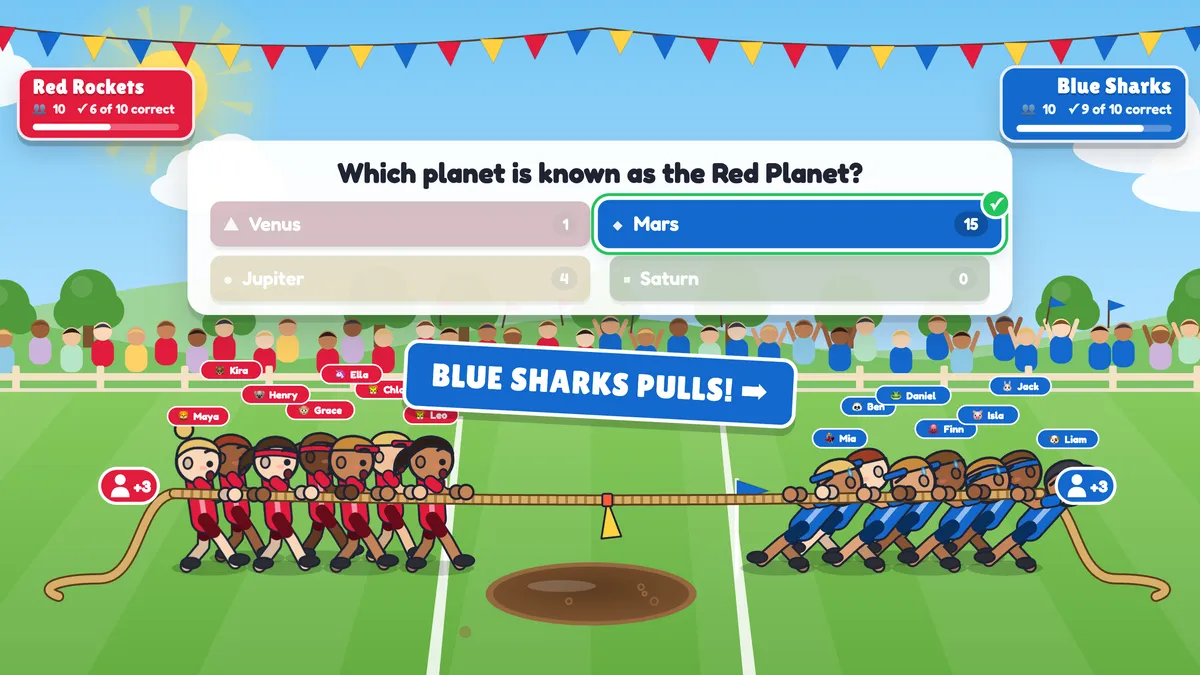
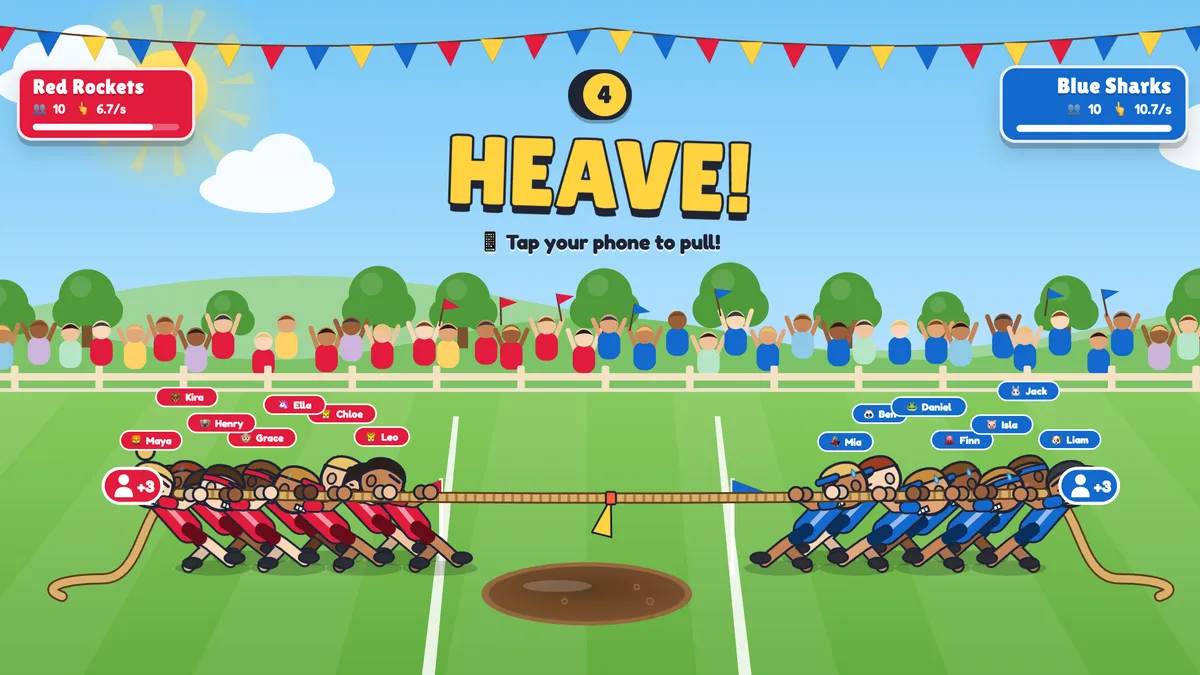
Tug of War is a team game for the whole room. Everyone joins one of two teams and becomes a puller on the rope on the big screen. In a quiz battle, each question gives the teams pull power — correct answers pull, and faster answers pull harder. When the answer is revealed, the rope yanks towards the stronger team. After each question the teams can HEAVE: everyone taps their phone as fast as they can to pull a little further. Drag the flag over your line for a K.O. — the losing team lands in the mud — or lead when the questions run out. There is also a tap battle mode with no questions at all.
Presenter creates the slide Click Present Share code / QR Audience enters code Respond & submit Real-time results
Create a Tug of War slide
- 1On Home, click + Create new presentation (or add a slide to an existing one).
- 2In Choose Slide Type, pick Tug of War. You can also type it into Search slide types….
- 3The slide is created and the right panel opens on the Content tab.
Set up the content
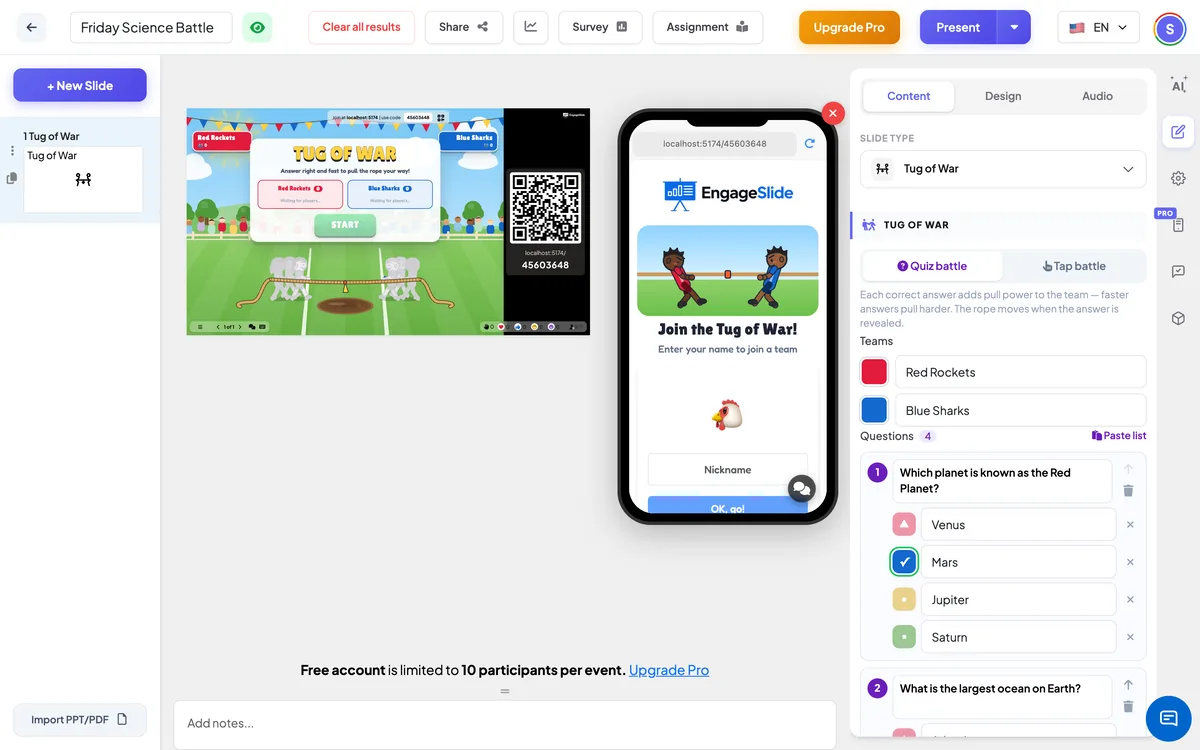
- 1Click New Slide, open the Games tab and choose Tug of War.
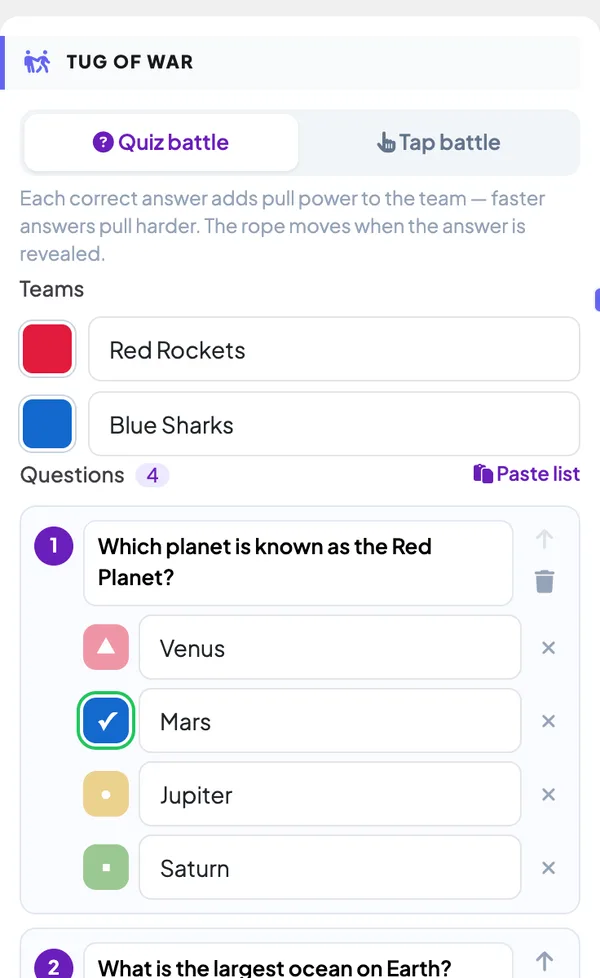
- 2Pick the mode: Quiz battle (questions + heaves) or Tap battle (pure tapping, great as an energiser).
- 3Name the two teams and pick their colours — for example Red Rockets and Blue Sharks.
- 4Add your questions with 2–4 answers each and tick the correct one. To add many at once, click Paste list and paste one question per line: Question | *Correct | Wrong | Wrong.
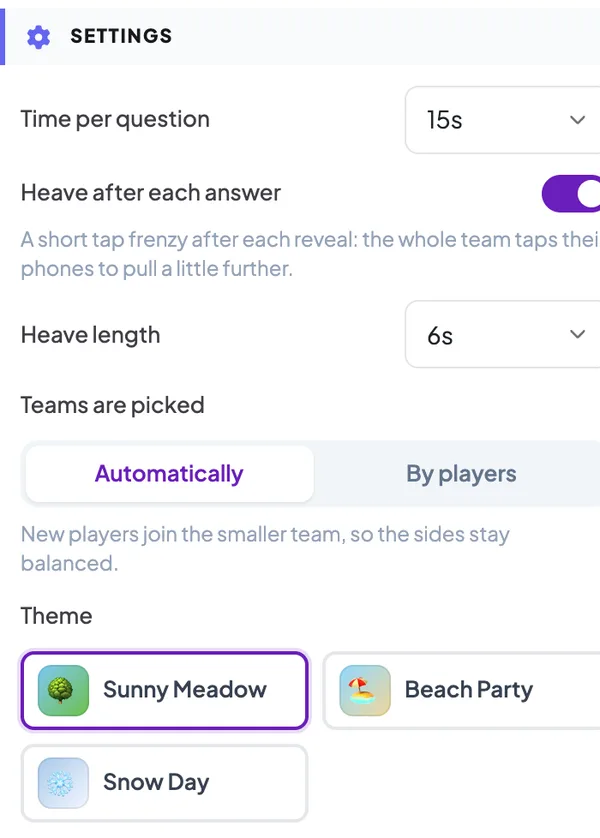
- 5In Settings, choose the time per question, whether teams heave after each answer, how teams are picked and the theme.
- 6Present the slide, let everyone join, then press START (or Enter).
Tug of War settings
Quiz battle / Tap battle
Quiz battle: questions decide the pull, with optional heaves in between. Tap battle: no questions — both teams tap for the whole battle.
Teams
Two team names and colours. Teams belong to this slide, so they work even if your presentation does not use team mode.
Time per question
How long players have to answer (10–60 seconds). The question closes early when everyone has answered.
Heave after each answer
A short tap frenzy (4–10 seconds) after every reveal, so the whole team can pull a little further.
Teams are picked
Automatically: each new player joins the smaller team. By players: players choose a side on their phone before the game starts.
Theme
Sunny Meadow (a mud pit), Beach Party (a water channel) or Snow Day (an ice hole).
Present & share the join code
- 1Click Present in the top bar to put the slide on the big screen.
- 2A join code and a QR code appear (e.g.
36Y56). - 3Participants open the Audience app at join.engageslide.com, type the code and press Enter — or simply scan the QR.
- 4When everyone has joined, the responses start flowing in live.
How the audience responds
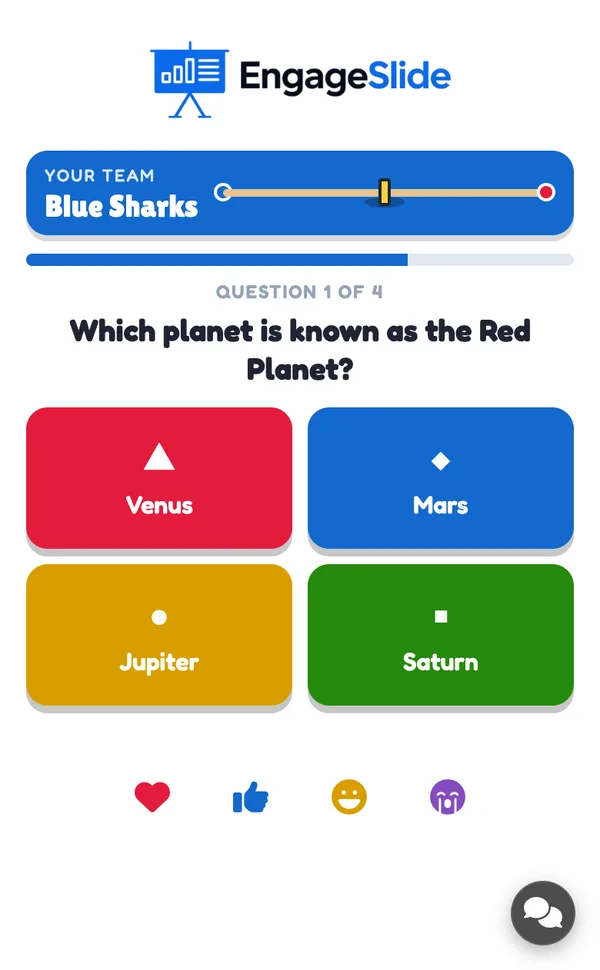
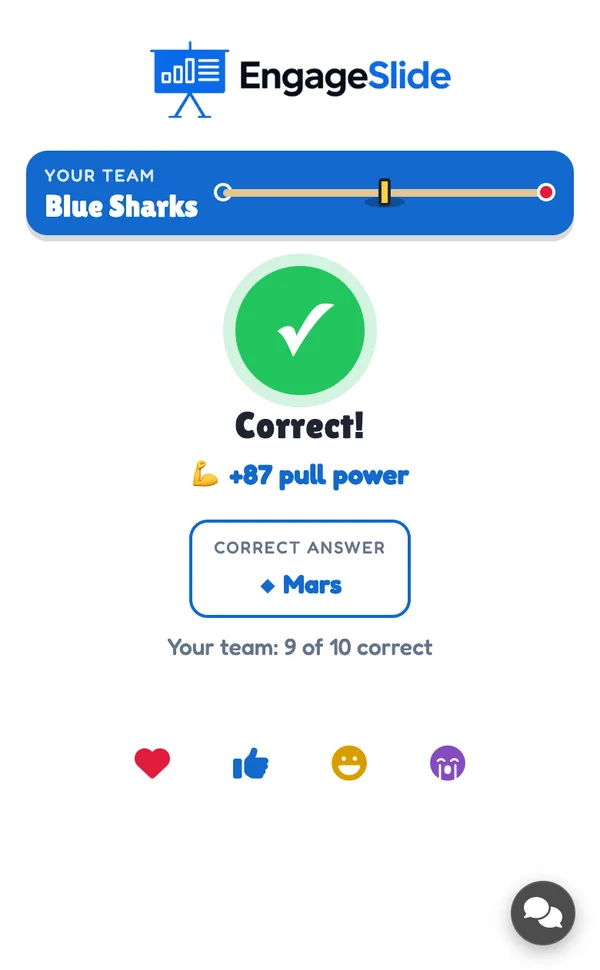
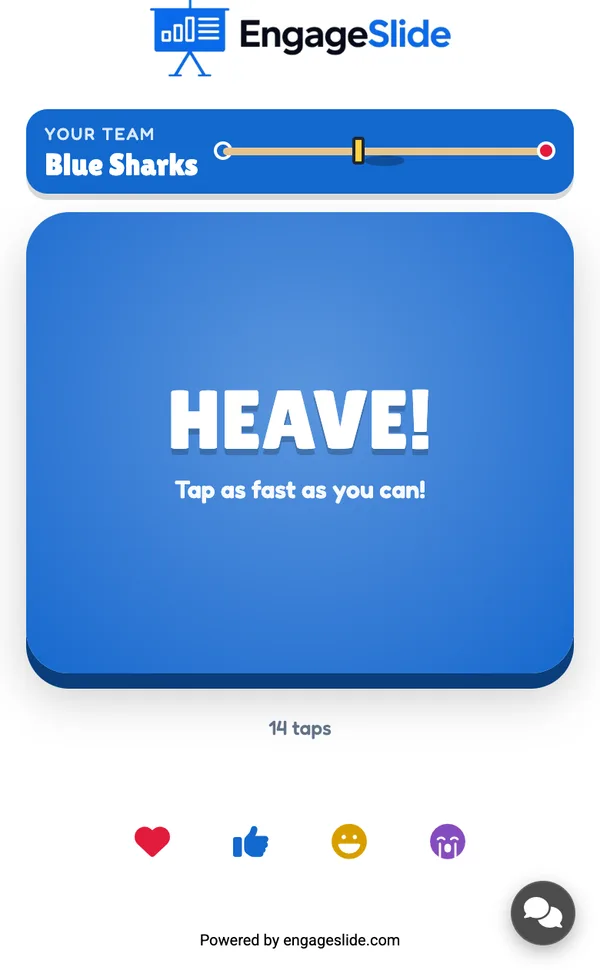
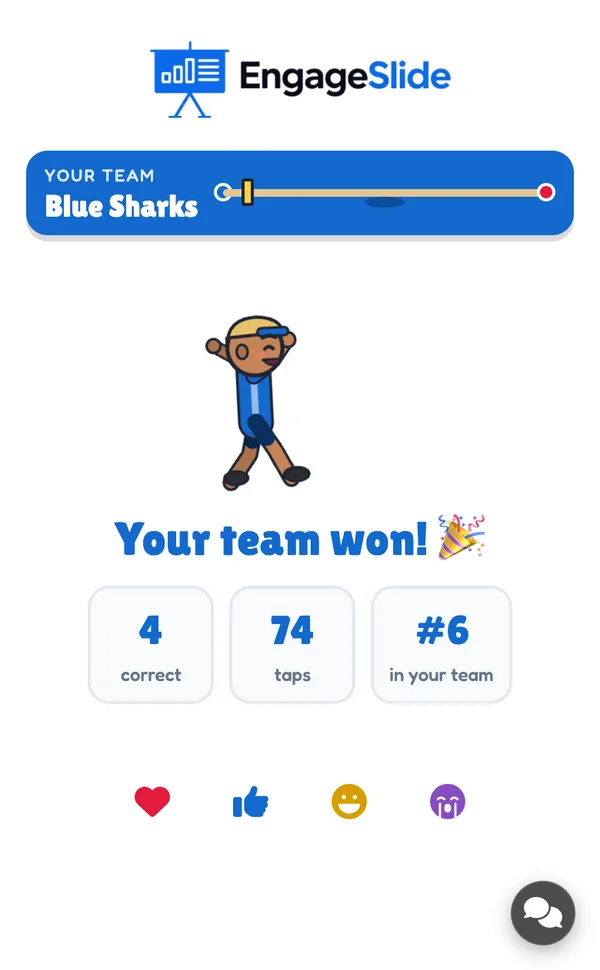
Players join with your code and enter their name; their phone shows their team, how many teammates they have and a mini rope with the flag. During a question they get four big colour buttons; after answering they see Answer locked in! At the reveal they see Correct! +87 pull power (or the right answer) and how their team did. During a heave the phone turns into a big HEAVE! button in the team colour. At the end each player sees whether their team won, their correct answers, their taps and their rank in the team — the top player is the team MVP.
View results
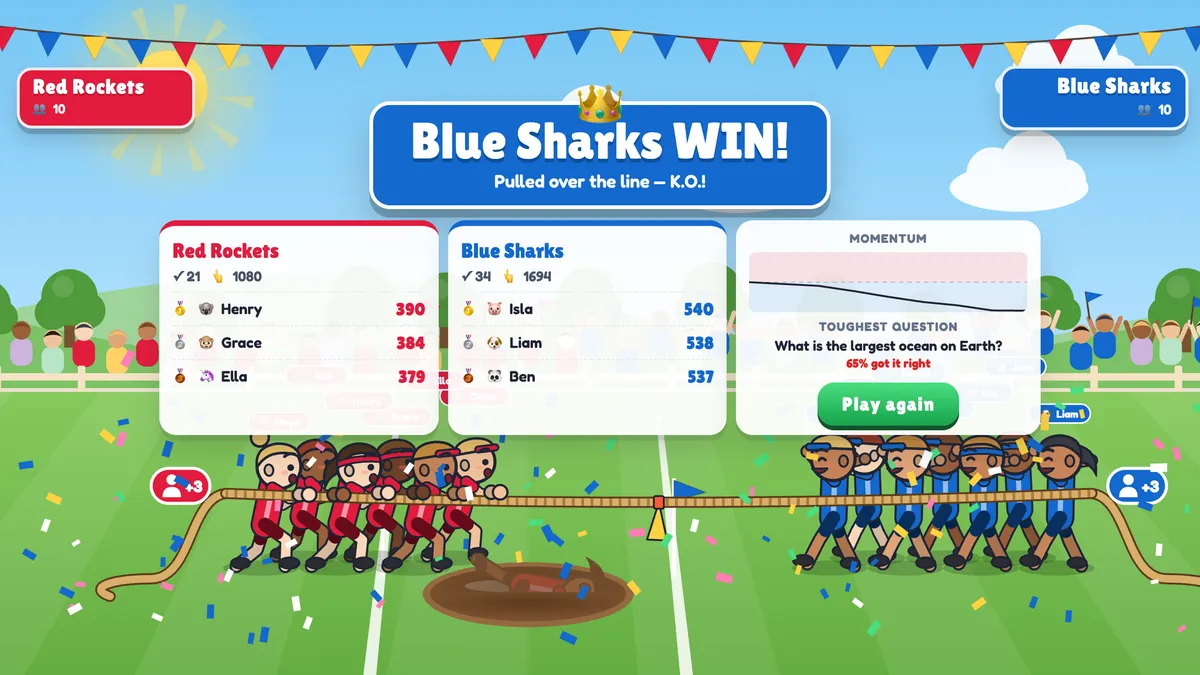
Each player is one puller on the rope — up to seven per team on screen, with a +N badge for the rest — and new players run in from the back of the line. Team banners show how many have answered, the team’s correct answers and pull power, and the live tap speed during a heave. At the reveal a drum roll leads into the yank, the crowd cheers and the slipping team kicks up mud. The game ends with a K.O. (the flag crosses a line and the losing front puller dives into the pit) or on rope position when the questions run out; a dead heat goes to a SUDDEN DEATH heave. The final screen shows the winner, the top three pullers of each team, a momentum chart and the toughest question. Press Play again to restart with the same teams.
real screenshots
Frequently asked
How is the pull worked out?
For each question, every correct answer adds pull power — more for faster answers — and the total is divided by the number of players on the team. So a small team that answers well can beat a big team that does not.
What happens if the teams are uneven?
Pull power and tap speed are averaged per player, so uneven teams still play fairly. With automatic team picking, new players always join the smaller team.
Can players join late?
Yes. A late player joins the smaller team and can answer from the next question or tap in the current heave.
Can players cheat with an auto-clicker?
No. Taps are capped at about 13 per second per player, and a team’s heave is averaged across its players.
Does it use my presentation’s team mode?
No. Tug of War always has exactly two teams, set on the slide. If your presentation uses team mode, the team picker is skipped on this slide.
What if it is a draw?
If the rope is dead centre when the questions run out, both teams get a short SUDDEN DEATH heave to decide the winner.