Build online surveys
that people actually finish.
Create a Google Forms-style survey inside EngageSlide, share it with a single link or QR code, and watch responses turn into live charts — no separate tool, no app download, no account required for respondents.
From idea to insights in three steps
Build your form
Add questions, pick a field type for each, and everything autosaves as you type.
Share a link or QR
Click Send to get a shareable link and QR code. Email it, or show it on screen.
Analyze live
Responses stream into automatic charts. Export everything to CSV any time.
If you can use Google Forms, you already know this.
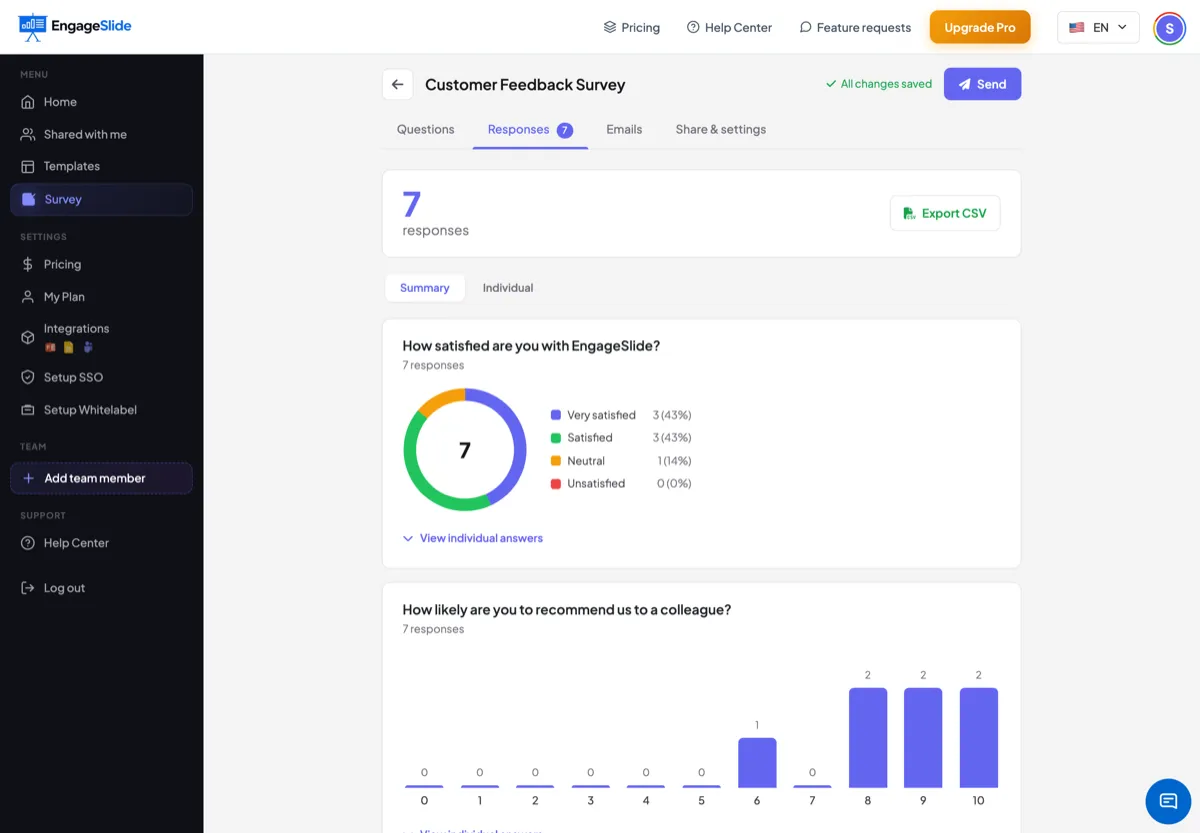
Add a title and description, drop in as many questions as you need, and choose from nine field types. Mark questions required, duplicate them, reorder them — and never hit save, because every change is stored automatically.
Answers become charts, automatically.
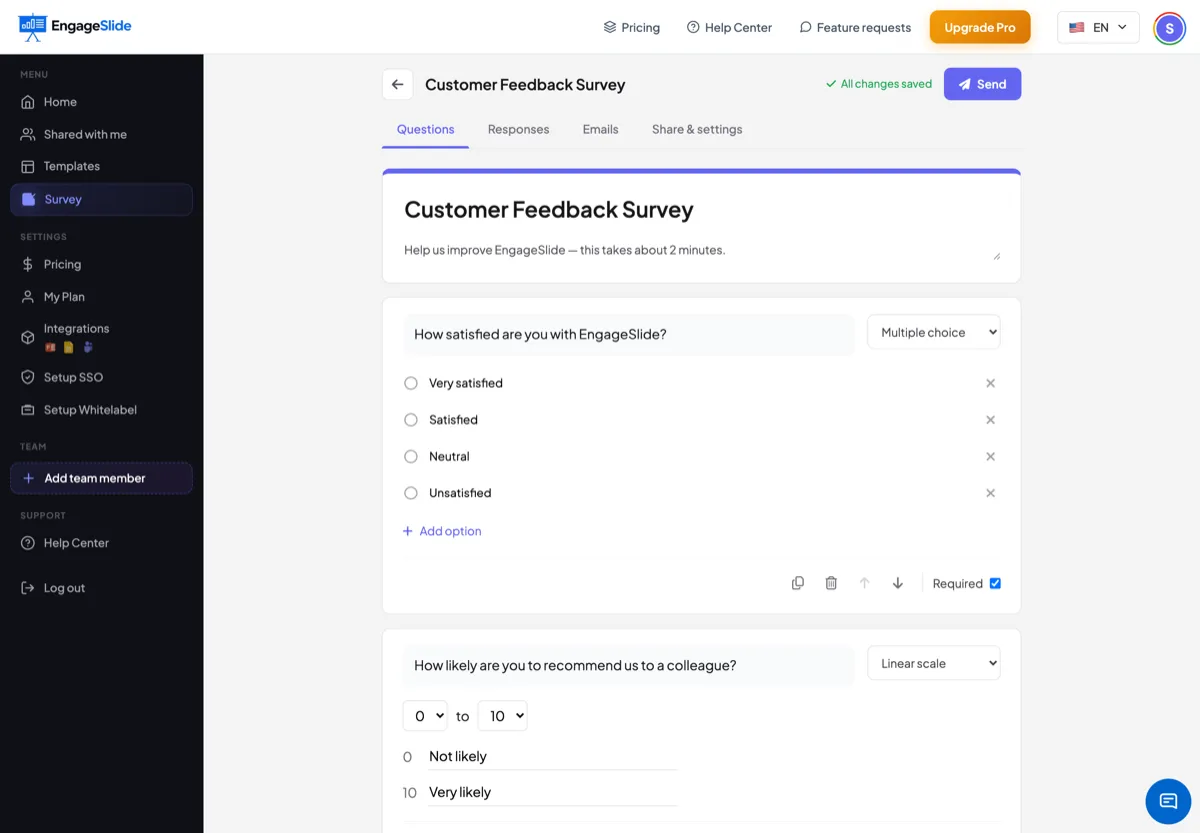
Open the Responses tab and every submission is summarized for you: donut charts for choices, ranked bars for checkboxes, and a distribution chart for scales. Switch to the individual view to read each full response, or export everything — answers, names, emails and timestamps — to CSV for Excel, Google Sheets or your CRM.
- ✓Live response counter and auto-generated charts
- ✓Summary and per-respondent individual views
- ✓One-click CSV export of every answer and contact
A clean, mobile-first form that boosts completion.
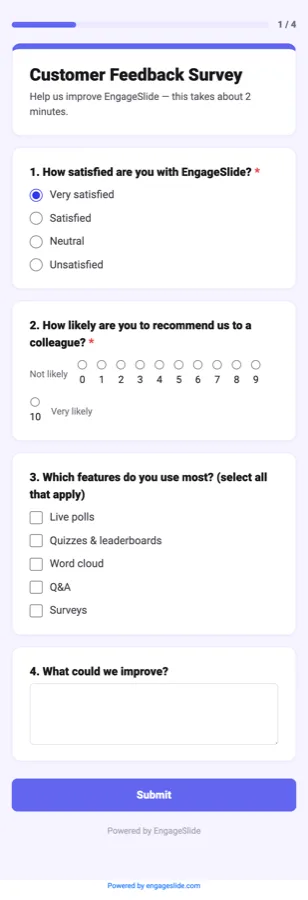
One question per card, an optional progress bar, and large tap targets make responding effortless on any phone. If you collect emails or link the survey to a presentation, people are only ever asked for details they haven't already given — and returning to the link shows a friendly review instead of a duplicate form.
No app, no login
Respondents open a link in any browser.
One response each
Clean data, no accidental duplicates.
One survey tool, endless uses
Whatever you need to ask, EngageSlide Surveys keep it simple.
Post-event feedback
Measure satisfaction after a workshop, webinar or class while it's still fresh.
Registration & intake
Collect names, emails and expectations before your session begins.
NPS & CSAT tracking
Use a linear scale to track loyalty and satisfaction over time.
Course assessments
Mix choice, text and file uploads to check understanding at each learner's pace.
Lead capture
Turn a curious audience into a contact list by collecting emails.
Team & market research
Gather structured opinions from a team or an audience, then export the data.
Frequently asked questions
Is the survey maker free?
Yes — you can build and share a survey on a free EngageSlide account. Respondents never need an account or an app to answer.
Do I need to be presenting for a survey to work?
No. Surveys are asynchronous — people can respond any time from the shared link or QR code, whether or not you're running a live session.
What question types are supported?
Nine: short answer, paragraph, multiple choice, checkboxes, dropdown, linear scale, file upload, date and time — plus optional email collection.
Can I export the responses?
Absolutely. Click Export CSV in the Responses tab to download every answer, name, email and timestamp, ready for Excel, Google Sheets or your CRM.
How is this different from a live poll?
Polls capture the mood of a room in the moment; surveys collect structured, individual answers on people's own time. Read the full guide to learn more.
Start collecting better
feedback today.
Build a professional online survey, share it with a link or QR code, and watch the insights arrive in real time — all inside EngageSlide.